Navigating the Sub-$500 Laptop Market: A Comprehensive Guide to Affordable Computing

The quest for a capable laptop priced under $500 often presents a formidable challenge for consumers. While budget-friendly models inherently forgo the premium aesthetics and cutting-edge features characteristic of more expensive machines, the landscape of affordable computing has evolved significantly, revealing a selection of devices that proficiently handle essential tasks and occasionally surprise with unexpected advantages. The critical element for successful navigation in this segment is the establishment of realistic expectations. For users whose primary computing needs revolve around web browsing, document creation, media streaming, or fundamental productivity applications, the market now offers robust sub-$500 laptops perfectly suited for these demands. These devices are particularly valuable for students, children, or individuals seeking a dependable secondary computing unit without a substantial financial outlay. While Windows-based options are available, the consensus among experts often points towards Chromebooks as providing superior value in this specific price bracket.
Naturally, the lower price point necessitates certain trade-offs. Prospective buyers should not anticipate top-tier processors, advanced graphics capabilities, or luxurious build materials. Instead, the expectation should be for more modest processors, constrained storage capacities, and functional, rather than spectacular, displays. However, the most commendable budget models are those that strategically balance these compromises. A consistent standout feature across the best recommendations in this category is extended battery life, a crucial factor for portability and uninterrupted use. With a clear understanding of individual requirements, a budget laptop can indeed represent a highly worthwhile investment. This comprehensive guide, regularly updated with the latest expert reviews and market insights, aims to illuminate the best options available in 2025.
The Evolving Landscape of Affordable Computing

The perception of "cheap laptops" has undergone a profound transformation over the past decade. Historically, budget devices were often synonymous with frustratingly slow performance, flimsy construction, and limited utility, sometimes leading to hidden costs in terms of productivity loss or early replacement. However, advancements in component manufacturing, the maturation of cloud-centric operating systems like ChromeOS, and increased competition have collectively elevated the baseline quality of entry-level machines. What was once considered a bare-bones experience now often includes respectable processing power for everyday tasks, improved display technology, and significantly enhanced battery endurance.
The surge in demand for affordable, reliable computing during periods of increased remote work and online learning further accelerated this evolution. Manufacturers responded by optimizing designs and leveraging more efficient components to meet a broad consumer need for accessible technology. This shift has democratized access to personal computing, making it possible for a wider demographic to own a device capable of handling modern digital life without breaking the bank.
Key Considerations for Sub-$500 Laptops
Choosing the right budget laptop requires a discerning eye and a clear understanding of what constitutes value at this price point. Several critical specifications and features warrant close attention:
-
Operating System (OS): This is perhaps the most significant choice in the sub-$500 segment.
- ChromeOS: Chromebooks are often lauded for their superior value due to their lightweight operating system, which requires fewer resources to run smoothly. This means that even with more modest hardware (e.g., Intel N-series processors, MediaTek Kompanio chips, 4GB-8GB RAM, eMMC storage), Chromebooks can deliver a responsive user experience for web-based tasks, Android apps, and light productivity. Their inherent security features and automatic updates also contribute to a low-maintenance ownership experience.
- Windows: Finding a genuinely performant Windows laptop under $500 is more challenging. Windows 11, while optimized, still demands more system resources. Entry-level Windows machines often come with slower processors (e.g., Intel Celeron, Pentium, older Core i3), minimal RAM (4GB is common, 8GB is preferred), and slow eMMC storage, which can lead to frustrating slowdowns and a less fluid experience. When a capable Windows option emerges in this price range, it’s often highlighted for its exceptional balance.
-
Processor (CPU): In this category, "slower" is relative.
- Intel N-series/MediaTek Kompanio: Common in Chromebooks, these are designed for efficiency and provide adequate power for browsing and cloud apps.
- Intel Core i3 (older generations) / AMD Ryzen 3 (older generations): Occasionally found in Windows laptops at the higher end of the sub-$500 spectrum, offering a noticeable step up in multi-tasking capability compared to Celeron/Pentium.
- Qualcomm Snapdragon: Found in some Chromebooks, known for excellent battery life and decent performance for light tasks.
-
RAM: 8GB RAM is increasingly becoming the minimum recommendation for a smooth experience, especially for multitasking. While 4GB might suffice for a very basic Chromebook, it can be a bottleneck for Windows.
-
Storage:
- eMMC (embedded MultiMediaCard): Most common in budget laptops, it’s slower than SSDs but more affordable. Typically, 64GB or 128GB is offered. For Chromebooks, where most data is cloud-stored, this is often sufficient. For Windows, it’s very limiting.
- SSD (Solid State Drive): Rarely found in this price range, but if present (e.g., 256GB SSD), it offers a significant performance boost in terms of boot times and application loading.
-
Display: Expectations should be managed.
- Resolution: 1920×1080 (Full HD) is desirable for sharpness, though lower resolutions (e.g., 1366×768) are still prevalent.
- Panel Type: IPS panels offer better viewing angles and color reproduction than older TN panels. OLED displays, while rare, are a significant premium feature if found.
- Brightness/Color Accuracy: These will generally be modest, but some models surprise with decent vibrancy. Touchscreens are common, especially in 2-in-1s.
-
Battery Life: Aim for 10 hours or more for true portability. This is an area where many budget laptops, particularly Chromebooks, excel.
-
Build Quality and Design: While premium materials are absent, a sturdy chassis and well-built hinges are indicators of durability. Designs are increasingly modern and less "clunky."
Featured Selections: A Deep Dive into Value
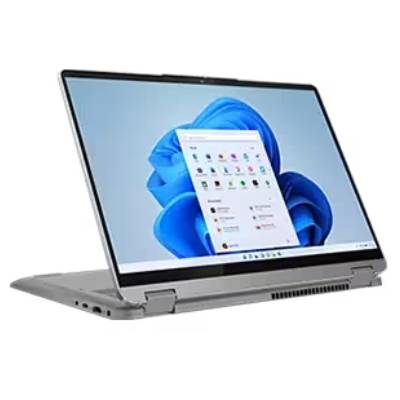
Laptop Mag’s rigorous testing and expert evaluations have identified several standout laptops that define excellence in the sub-$500 category for 2025. These devices demonstrate that affordability doesn’t necessarily mean sacrificing core functionality or user experience.
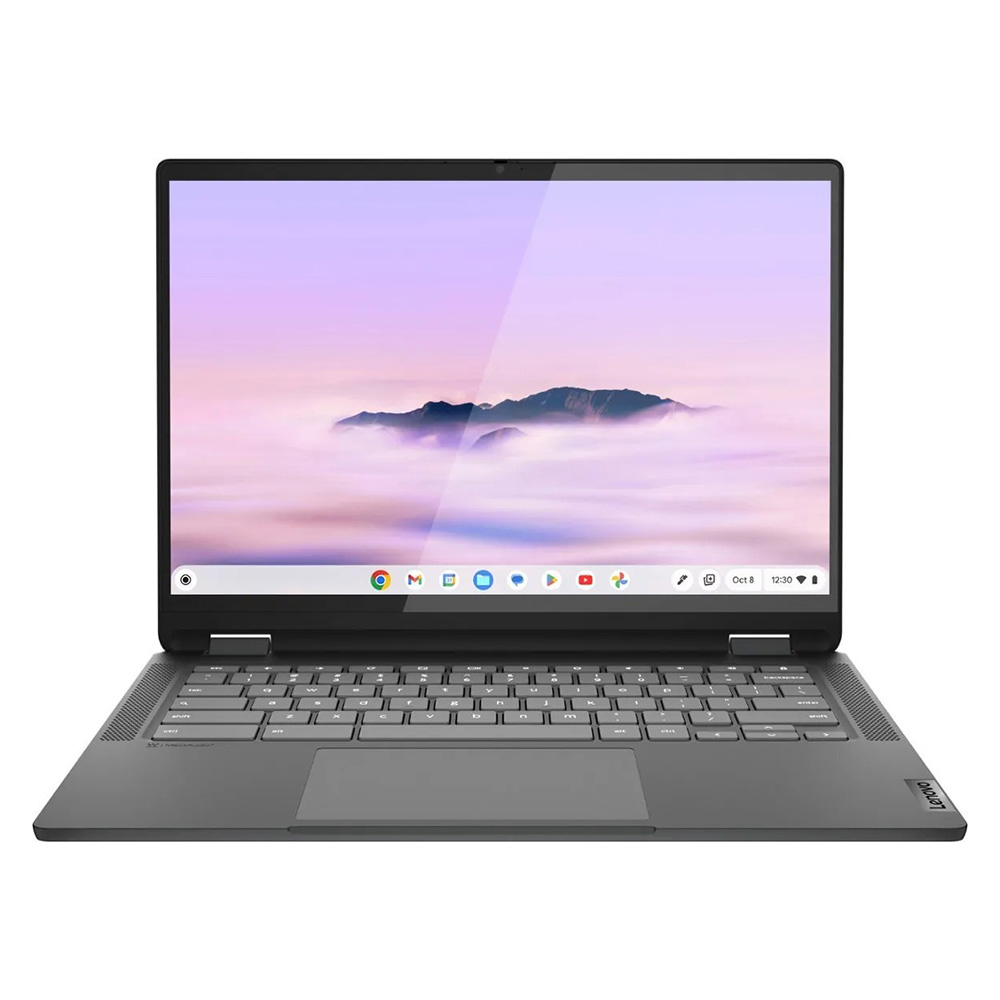
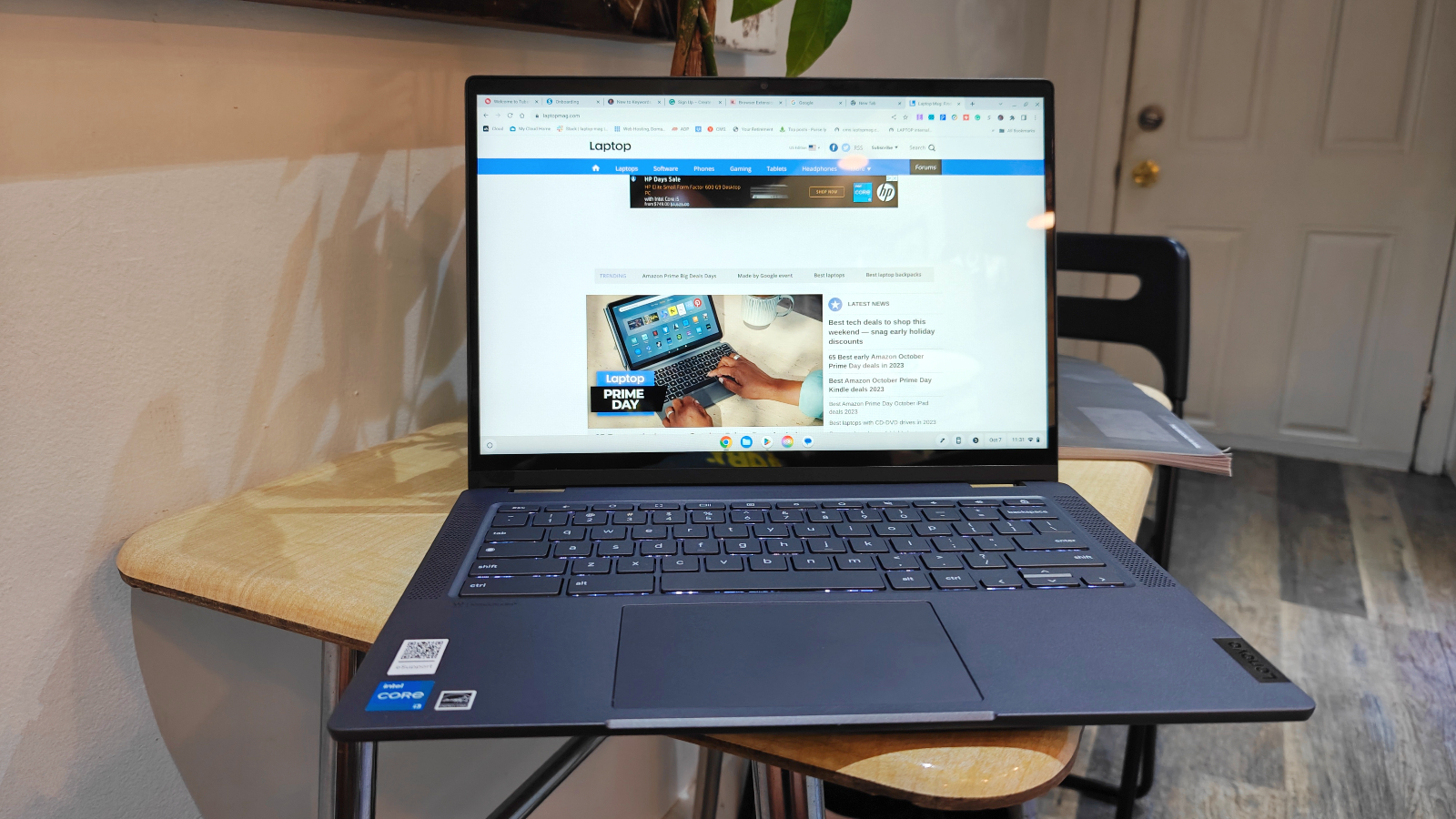
1. Lenovo IdeaPad Flex 5i Chromebook Plus: Best Overall
The Lenovo IdeaPad Flex 5i Chromebook Plus redefines expectations for a budget device, earning its place as the top recommendation. This 2-in-1 convertible laptop marries a sophisticated design with surprisingly potent performance, especially for a Chromebook. Powered by an Intel Core i3-1315U processor and equipped with 8GB of RAM, it delivers an AI-infused, next-level performance that surpasses many of its Chromebook counterparts. Its Geekbench 6 multi-core score of 5,384 significantly outpaces the Chromebook average of 5,259 and utterly dwarfs competitors like the Lenovo Duet 5 Chromebook (1,727) and the Lenovo Flex 5 14 (3,841). This translates to a remarkably snappy and responsive experience, effortlessly handling numerous browser tabs and demanding web applications.
Beyond its internal prowess, the Flex 5i Chromebook Plus boasts an attractive, modern chassis that belies its budget price. Its sturdy hinges facilitate seamless transitions between laptop, tent, stand, and tablet modes. The keyboard is another highlight, offering a comfortable and efficient typing experience – a crucial factor for productivity. While its 14-inch, 1080p IPS touch display could benefit from greater brightness and color vibrancy (covering 46.5% of the DCI-P3 gamut at 306 nits), its 16:10 aspect ratio provides valuable extra vertical screen real estate, enhancing the browsing and document work experience. Crucially, it delivers nearly 10 hours of battery life (9:43), ensuring it can last through a full workday or academic session. Its compact dimensions (12.4 x 9.0 x 0.8 inches) and manageable weight (3.57 pounds) further contribute to its portability.
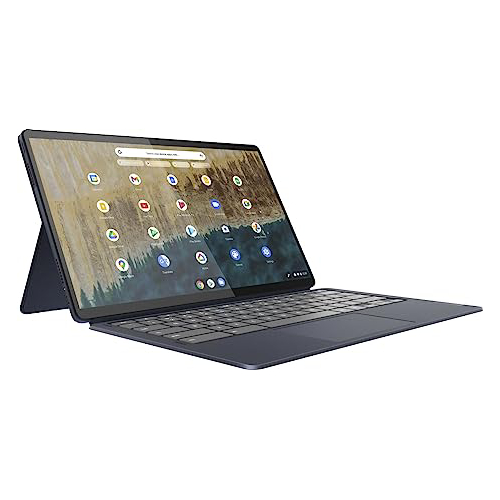
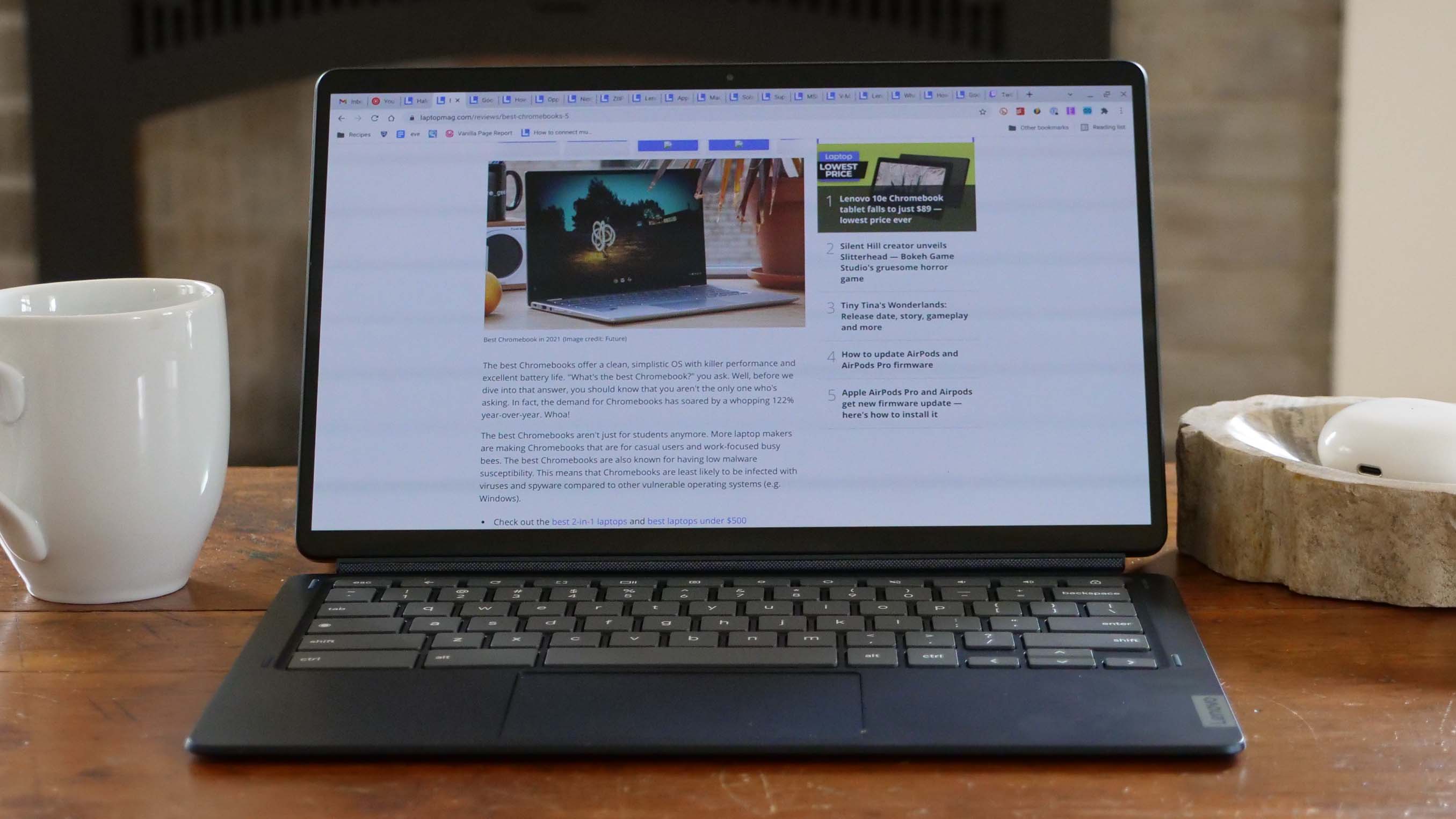
2. Lenovo Duet 5 Chromebook: Best Under $300
For those operating with an even tighter budget, the Lenovo Duet 5 Chromebook remains an absolute champion, proving that an exceptional user experience can be achieved for under $300. While its Qualcomm Snapdragon 7c Gen 2 processor yields relatively modest synthetic benchmark scores (Geekbench 5 multi-core average of 1,727), its performance is more than adequate for ChromeOS’s lightweight demands. The true star of the Duet 5 is its stunning 13.3-inch, 1920 x 1080 OLED display. Achieving 85.2% DCI-P3 color gamut coverage and an impressive 361 nits of brightness, this screen rivals those found in premium laptops and even gaming machines, offering vivid colors and deep blacks rarely seen at this price.

Complementing this visual feast is an astounding battery life of 13 hours and 31 minutes, placing it among the longest-lasting notebooks available. Its detachable 2-in-1 design offers unparalleled versatility, seamlessly transforming from a productivity laptop to a media-consumption tablet. Unlike many pricier detachables, the Duet 5 thoughtfully includes both the keyboard and a kickstand cover, adding significant value. Despite the absence of a stylus and its weaker performance compared to the Flex 5i, the Duet 5 Chromebook represents an extraordinary package for its price, making it ideal for media consumption and casual computing.
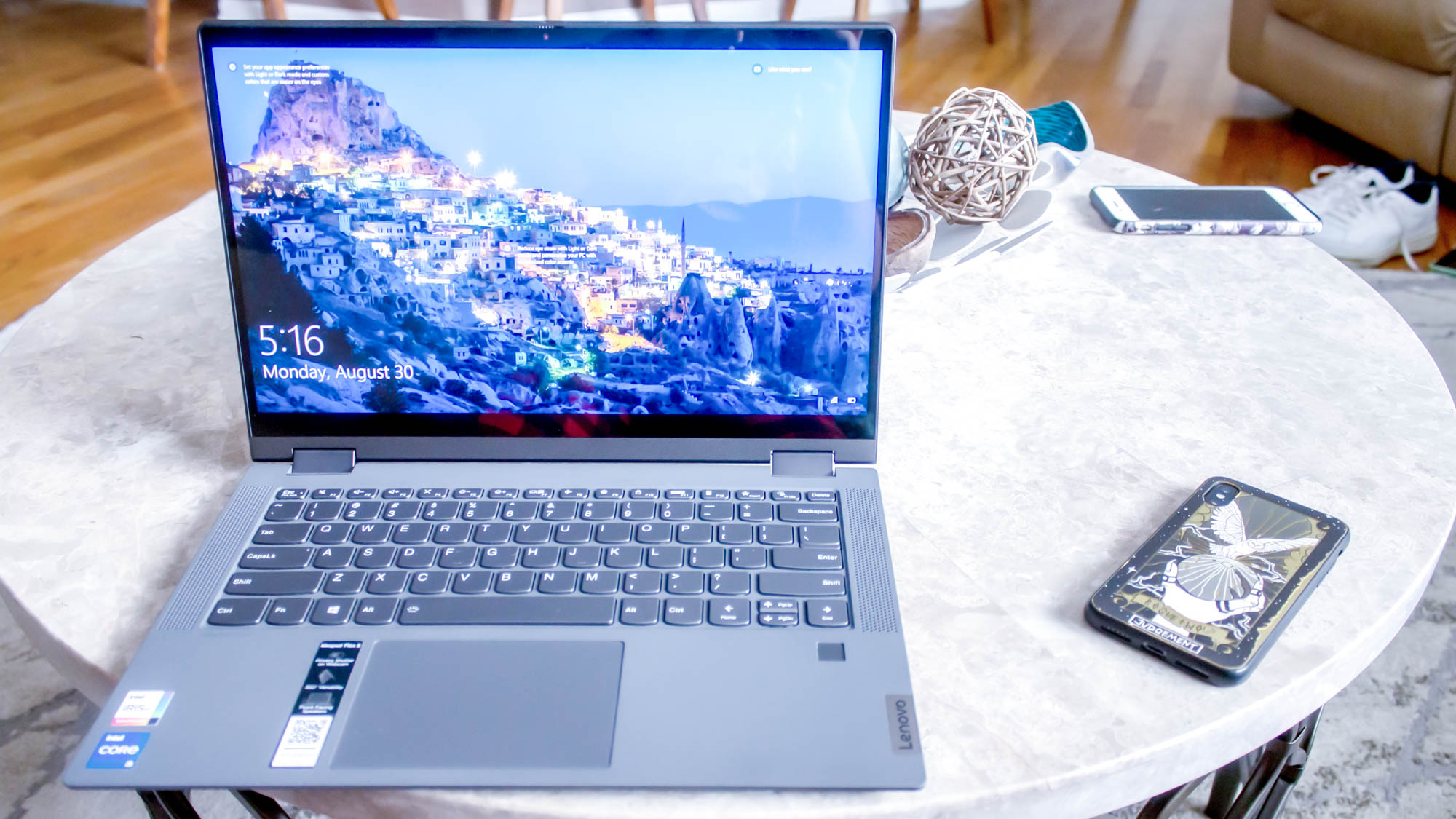
3. Lenovo IdeaPad Flex 5 14 (Intel): Best Windows Laptop
Identifying a reliable Windows laptop under $500 is notoriously difficult, as many budget options suffer from severe performance bottlenecks. The Lenovo IdeaPad Flex 5 14 (Intel) stands out as a rare exception, offering a commendable balance of price and performance for a Windows-based machine. Powered by an Intel Core i5-1135G7 processor and an impressive 16GB of RAM with a 512GB SSD (configurations may vary but even lesser specs are strong for this price), it delivers solid performance that avoids the common pitfalls of cheaper Windows devices. Its Geekbench 5 multi-core score of 3,841 significantly outperforms the Chromebook average and other budget Chromebooks, making it capable of handling more demanding applications and multitasking within the Windows environment.
However, its standout feature is its extraordinary battery life, lasting an impressive 14 hours and 16 minutes on a single charge – a feat rarely achieved by any laptop, let alone a budget Windows model. The typing experience is also highly praised, with a responsive keyboard that provides tactile feedback, contributing to a comfortable and efficient workflow. While the 12.3-inch (2400 x 1600) IPS touch display is functional, it is noted for being somewhat dim (200 nits) and lacking vibrant colors (45% DCI-P3). The laptop also features only one USB-C port and does not include a pen. Despite these minor drawbacks, its robust performance, exceptional battery life, and comfortable keyboard, especially given its competitive pricing, firmly establish it as the best Windows laptop under $500. Buyers should note that while the Intel version is preferred, the AMD Ryzen 3 model offers similar benefits with potentially different performance and battery characteristics.
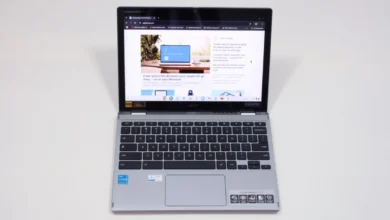
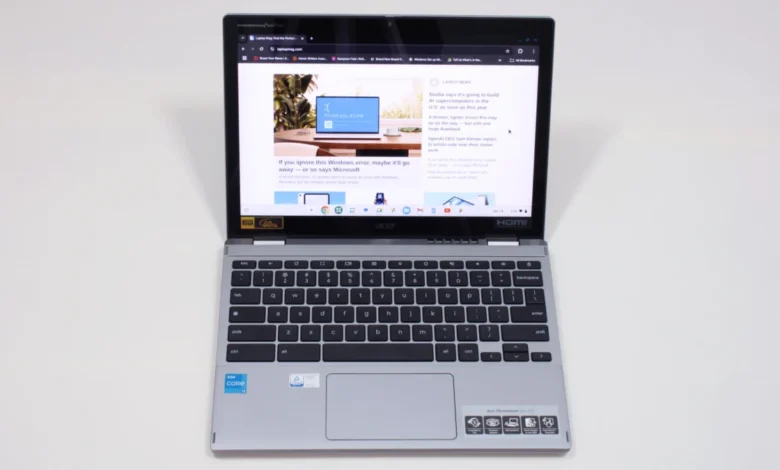
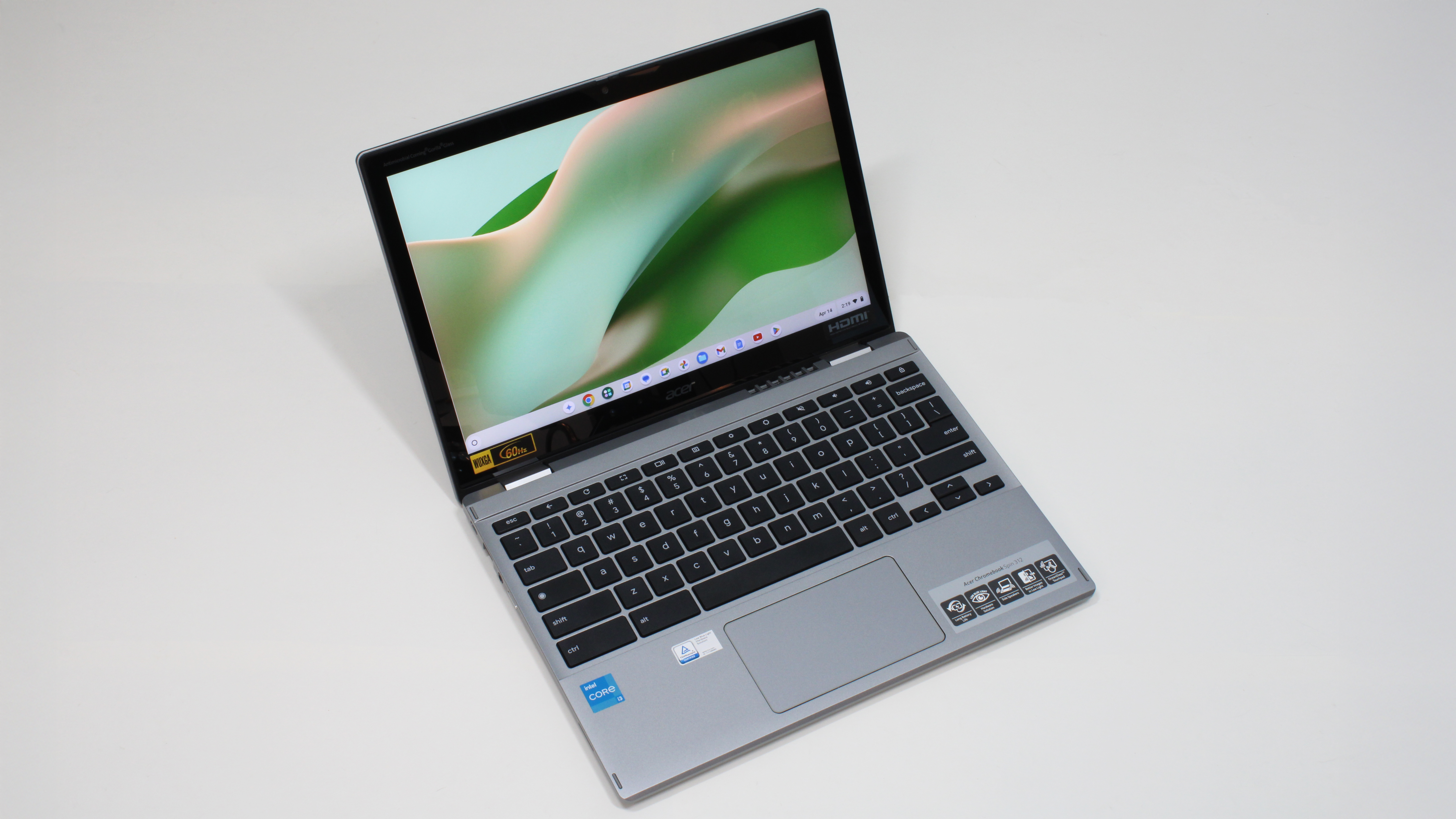
4. Acer Chromebook Spin 312: Best for Students
For the demanding environment of student life, the Acer Chromebook Spin 312 emerges as an outstanding choice, offering a blend of durability, portability, and user-friendly features. Its refined silver chassis gives it a more premium appearance than its $450 price tag suggests, making it a stylish yet practical companion for academic pursuits. Weighing in at just under 3 pounds and measuring 11.41 x 8.10 x 0.78 inches, it’s light enough to be carried between classes all day without strain. Its battery life of 10 hours and 33 minutes ensures it can endure a full school day and beyond.

The Spin 312 shines with a couple of unique features that enhance the student experience. Acer’s OceanGlass touchpad is remarkably smooth and responsive, rivaling trackpads on much more expensive devices. The 12.2-inch (1920 x 1200) IPS touch display, protected by Corning Gorilla Glass, enhances color perception, making content appear more vivid despite its measured 55% DCI-P3 color gamut coverage and 277 nits of brightness. This coating improves contrast and overall visual appeal, crucial for engagement with educational content. The 2-in-1 design allows for versatile usage, including tablet mode for note-taking, which can offset the slightly thin and "clicky-squishy" feel of its keycaps during extended typing sessions. Powered by an Intel Core i3-N305 and 8GB RAM, its Geekbench 6 score of 4,477 signifies strong performance for typical student tasks. The Acer Chromebook Spin 312 offers an excellent value proposition, perfectly tailored for the needs of today’s students.
Benchmark Comparisons: Performance at a Glance
To provide a clear comparative overview, here are key benchmark results for the featured laptops:
| Metric | Lenovo IdeaPad Flex 5i Chromebook Plus | Lenovo Duet 5 Chromebook | Lenovo IdeaPad Flex 5 14 | Acer Chromebook Spin 312 |
|---|---|---|---|---|
| Geekbench 6 (Multi-Core) | 5,384 | NA | NA | 4,477 |
| Geekbench 5 (Multi-Core) | NA | 1,727 | 3,841 | NA |
| Jetstream 2 (Higher is better) | 272.91 | 70.1 | NA | 215 |
| CrXPRT 2 (Higher is better) | NA | 55 | NA | 140 |
| Handbrake time (MM:SS) | NA | NA | 25:30 | NA |
| Battery life (HH:MM) | 09:43 | 13:31 | 14:16 | 10:33 |
| SSD transfer speeds (MBps) | NA | NA | 565.9 | NA |
| DCI-P3 Color Gamut | 46.5% | 85.2% | 45% | 55% |
| Display Brightness (Nits) | 306 | 361 | 200 | 277 |
| Hottest temperature (F) | 89.5 | NA | 94 | 91.5 |
Note: NA indicates that the specific benchmark was not run for that model, likely due to different testing methodologies for different operating systems or review periods.
How We Test the Best Laptops Under $500
Laptop Mag adheres to a rigorous and comprehensive testing protocol to ensure that every laptop reviewed, particularly those in the budget segment, receives a thorough and fair evaluation. Our methodology combines both synthetic benchmarks and real-world application scenarios, designed to assess every critical aspect of a laptop’s performance and user experience.
Our testing begins with display analysis, utilizing a Klein K10 colorimeter to accurately measure key metrics such as brightness (in nits) and DCI-P3 color gamut coverage. These measurements provide objective data on a screen’s vibrancy and suitability for various tasks. For performance evaluation, laptops are subjected to a gauntlet of industry-standard benchmarks, including Geekbench 5 and 6 for overall system performance, and 3DMark for professional graphics capabilities. These synthetic tests offer a baseline comparison of raw processing power.
To understand real-world performance, we task each laptop with practical challenges. This includes converting a 4K video to 1080p resolution using software like Handbrake, which stresses the CPU, and duplicating a large 4.97GB multimedia file to gauge storage drive speeds. For laptops with integrated graphics capable of light gaming, we run the Sid Meier’s Civilization 6 Gathering Storm benchmark at medium settings and 1080p resolution.
Thermal management is also critical. We conduct heat tests by playing a 15-minute full-screen video, then using a heat gun to measure temperatures at various points across the laptop’s chassis, ensuring it remains within comfortable operating thresholds (typically below 95 degrees Fahrenheit). The battery life test is one of the most crucial for portable devices: continuous web surfing over Wi-Fi at a standardized 150 nits of brightness until the battery depletes. For budget laptops, a runtime exceeding 10 hours is considered excellent, while even 8 hours is respectable.
Following the extensive laboratory testing, each laptop transitions to our team of expert reviewers for an in-depth, hands-on evaluation. Reviewers integrate the laptop into their daily workflows for several days, performing tasks such as writing and editing articles, participating in video calls, streaming multimedia content, and managing emails. This real-world usage provides invaluable qualitative insights into the laptop’s ergonomics, keyboard comfort, trackpad responsiveness, speaker quality, webcam performance, and overall user experience. This dual approach of objective technical analysis and subjective lived-in experience allows Laptop Mag to deliver well-rounded, transparent, and trustworthy reviews for every laptop, especially guiding consumers through the nuanced choices within the sub-$500 market.
Frequently Asked Questions (FAQs)
Q: Are budget laptops worth it?
A: Absolutely, for the right user. If your primary computing activities involve email, video streaming, web browsing, or basic document creation (e.g., in Google Docs or Microsoft Office), modern budget laptops, particularly Chromebooks, can be surprisingly capable and offer excellent value. Many now feature snappy processors, comfortable keyboards, and vibrant displays that defy their low price. However, it’s crucial to differentiate between truly good budget laptops and those that cut too many corners. As Laptop Mag reviews editor Rami Tabari notes, "not all budget laptops are a great deal." Factors like potential longevity and consistent battery life are key indicators of a worthwhile investment.
Q: Are laptops getting cheaper?
A: The average price of laptops has remained relatively stable over the past several years, according to economic data. However, the quality and performance available at specific price points, especially in the budget category, have significantly improved. This means consumers are getting more for their money today than they were a few years ago. Market factors like component availability, manufacturing efficiencies, and increased competition contribute to this trend. Potential tariff hikes on electronic goods could, however, impact future pricing, making quality budget options harder to find.
Q: When are laptops cheapest?
A: Historically, the most significant discounts on laptops are found during major retail events such as Black Friday and Cyber Monday in late November. Other strong sales periods include Amazon Prime Day (typically July), back-to-school season (July-August), and around major holidays. However, manufacturers and retailers frequently offer promotions throughout the year, so it’s always advisable to keep an eye on deal pages. Laptop Mag regularly tracks and publishes the best laptop deals available, providing timely information for consumers looking to purchase.
Why Trust Laptop Mag?
Laptop Mag has been a trusted authority in technology reviews for three decades, bringing unparalleled expertise to consumers seeking informed purchasing decisions. Our team reviews over a hundred diverse laptops annually, spanning ultralights, everyday workhorses, and high-performance gaming machines. Our rigorous testing extends beyond laptops to smartphones, tablets, headphones, PC accessories, and software, ensuring a holistic understanding of the tech landscape.
As an entirely independent publication, our reviews are unbiased and driven solely by our commitment to delivering accurate and reliable information. Our editorial integrity is bolstered by Future Publishing, one of the world’s largest technology publishers, which provides a vast network of specialist expertise across every tech sector. This ensures that every review, every recommendation, and every piece of advice from Laptop Mag is backed by decades of collective experience and meticulous analysis, empowering you to buy with confidence.