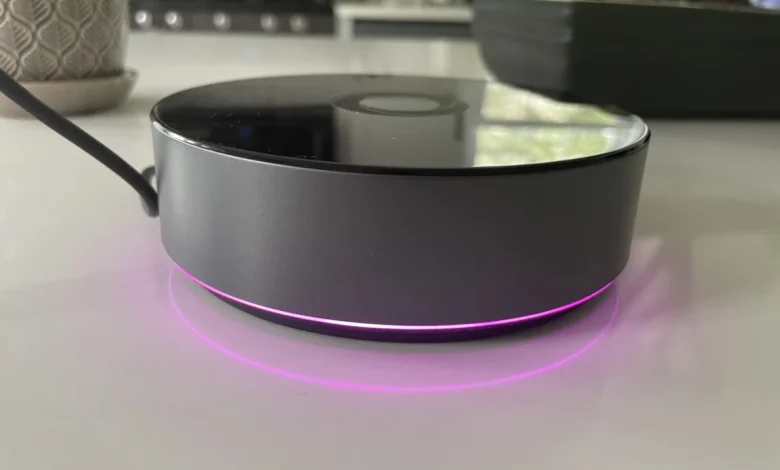
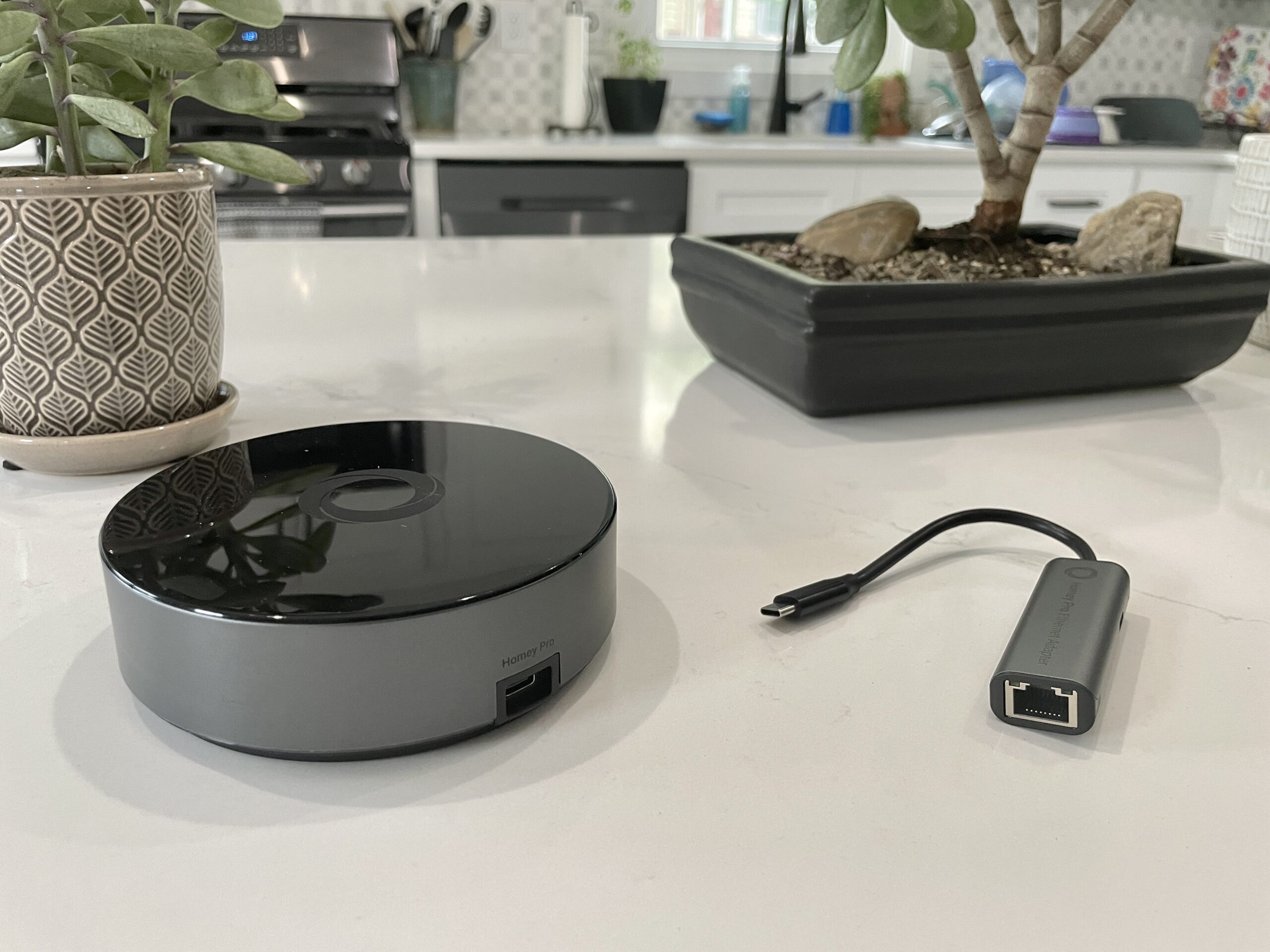
Following the earlier introduction of the $69 Homey Bridge, smart home manufacturer Athom has officially launched its flagship $399 Homey Pro in the United States market. While the lower-priced Bridge model relies heavily on cloud infrastructure and requires monthly subscriptions to lift device caps, the high-end Homey Pro eliminates most recurring fees, introduces robust local processing capabilities, and offers expanded hardware connectivity. Priced at $399—with an optional $29 adapter for wired Ethernet connectivity—the Homey Pro targets power users, privacy advocates, and enthusiasts seeking an all-in-one local automation hub. However, a comprehensive evaluation of the hardware reveals that while the hub possesses immense underlying potential, prospective buyers must carefully audit their existing device ecosystems before committing to the purchase.
Evolution of the Homey Ecosystem and Hardware Upgrades
The introduction of the U.S.-compatible Homey Pro represents a significant generational leap from the original 2019 Homey Pro model. Athom has engineered the new iteration with a processor that reportedly delivers 3.5 times the CPU performance of its predecessor. Furthermore, the device is equipped with 8 GB of internal storage and 2 GB of RAM—specifications that dwarf the memory allocation found in the economical Homey Bridge.
These substantial hardware enhancements are not merely superficial; they are necessary to support a fundamentally different operating architecture. Unlike the cloud-centric Homey Bridge, the Homey Pro is designed to execute smart home commands and routines locally. By shifting processing tasks directly to the physical hub, Athom has addressed a primary concern for privacy-conscious consumers who prefer that telemetry and automation logic remain within the physical boundaries of the home.
Moreover, local execution ensures that foundational smart home operations—such as turning on lights, adjusting thermostats, and triggering security routines—continue to function seamlessly during unexpected broadband outages, provided the devices themselves do not strictly require external cloud connections.
Radio Versatility and Connectivity Options
In terms of physical radios, the U.S. variant of the Homey Pro is exceptionally well-equipped. Out of the box, the hub includes integrated support for Wi-Fi (operating on both 2.4 GHz and 5 GHz bands), Bluetooth, infrared (IR), Zigbee, and Z-Wave. Furthermore, the Pro model incorporates a dedicated Thread radio and an 833 MHz transceiver designed to accommodate legacy devices.
This comprehensive suite of wireless protocols positions the Homey Pro as a universal translator for disparate smart home ecosystems. Unlike many mainstream smart home hubs that require a patchwork of proprietary dongles or exclusive reliance on a single ecosystem (such as Apple HomeKit, Amazon Alexa, or Google Home), the Homey Pro attempts to consolidate multi-protocol device management into a single physical unit. Additionally, the hub supports future Matter integration, including the upcoming rollout of Matter-over-Thread capabilities, signaling Athom’s commitment to modern interoperability standards.
Streamlined Setup and App Architecture

The initial onboarding experience for the Homey Pro mirrors the praise earned by its predecessor. Setup is initiated by connecting the hub using the provided USB-C power cable and charger, downloading the companion mobile application, and following a guided configuration sequence.
Reviewers have highlighted the efficiency of the application’s initial spatial configuration questionnaire. Instead of forcing users to build a floor plan from scratch after the fact, the Homey app prompts administrators to define the physical layout of the home—including the number of floors and the specific rooms located on each level—during the initial setup phase. This thoughtful design choice significantly reduces the administrative overhead typically associated with organizing newly imported smart home device registries.
Once configured and connected to the local wireless network, the Homey application serves as the central command dashboard. The interface boasts a modern, clean aesthetic that cleanly balances granular technical metrics with accessible everyday controls.
Device Compatibility Hurdles and Ecosystem Realities
Despite the impressive hardware specifications and streamlined software interface, the Homey Pro encounters significant friction when interacting with a diverse, mixed-brand smart home environment. Athom officially asserts that the Homey platform supports more than 50,000 distinct devices through its expansive library of application integrations. In practice, however, real-world deployment often reveals notable gaps in device-level compatibility.

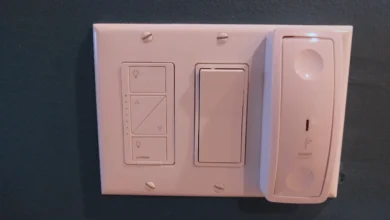
During comprehensive testing of a mature smart home ecosystem, the Homey Pro successfully integrated foundational product lines, including Lutron Caseta lighting switches, Philips Hue smart bulbs, and Sonos wireless audio speakers. Commands sent to these supported peripherals yielded near-instantaneous response times, underscoring the efficiency of the hub’s local processing engine.
However, the hub frequently stumbled when attempting to ingest specific hardware iterations from popular brands. For instance, while the Homey ecosystem officially recognizes Ecobee as a supported manufacturer, integration was restricted to legacy hardware such as the Ecobee 3 Lite and specific room sensors, leaving newer models like the Ecobee Thermostat Premium unsupported. Similarly, while non-traditional geometric Nanoleaf light panels integrated without issue, standard Nanoleaf smart bulbs and older Essentials lines failed to establish a connection. Other household integrations—such as a Schlage Encode Wi-Fi lock, a Govee smart gooseneck kettle, a Meross garage door opener, and a Cync by GE smart plug—either returned configuration errors or reported that no compatible devices could be located.
Clarifications on Matter and Thread Protocols
Following initial reports regarding integration failures with Matter-certified smart plugs, manufacturer representatives reached out to clarify the underlying mechanics of the hub’s protocol support. According to official statements from Homey, Wi-Fi-based Matter devices are fully capable of being added to the Homey Pro. The connectivity failures experienced with specific smart plugs were directly attributed to the fact that those particular devices operated exclusively over Thread rather than Wi-Fi, pending the complete deployment of the hub’s promised Thread software stack.
This distinction highlights a critical transitional phase in the smart home industry. As manufacturers rapidly adopt the Matter standard across varied transport layers (Wi-Fi, Ethernet, and Thread), hub manufacturers must continuously update their firmware and software bridges to maintain parity with consumer purchasing habits.

Advanced Automation via Homey Flows
For power users who successfully connect their hardware inventory, the Homey Pro distinguishes itself through its advanced automation engine, known as Flows. Moving beyond the rigid "If This, Then That" (IFTTT) paradigm popularized by mainstream consumer ecosystems, Homey Flows utilize a flexible "When… And… Then…" architecture.
This structure allows administrators to introduce complex conditional logic, incorporating "else" branches and enabling individual Flows to trigger secondary Flows automatically. For users requiring even deeper customization, the Homey web interface unlocks an advanced mode capable of executing intricate automation logic that rivals open-source platforms like Home Assistant.
Furthermore, for developer-minded consumers and technical hobbyists, the Homey Pro provides open API keys and JavaScript/Node.js documentation via its web interface, allowing technically proficient users to script custom integrations for unsupported hardware. However, analysts note that this developer-centric feature set will likely remain obscure to mainstream consumers seeking an out-of-the-box plug-and-play experience.
Energy Management and Monitoring

Another standout feature of the Homey Pro platform is its integrated energy monitoring system. The application tracks estimated power consumption in real time and archives historical usage data, providing homeowners with actionable insights into their utility expenditures.
Because many smart devices do not natively broadcast precise power draw statistics, the Homey platform allows users to manually input baseline wattage ratings for individual appliances. The system dynamically scales these estimates based on device states—for example, automatically halving the calculated power draw when a dimmable light fixture is adjusted to 50 percent brightness. For devices equipped with native power-reporting hardware, the hub automatically extracts and displays real-time telemetry. When accessed via the web dashboard, this energy data is usefully paired with local environmental metrics, including ambient temperature, barometric pressure, and relative humidity readings.
Market Implications and Buying Recommendations
The release of the Homey Pro in the United States illustrates the ongoing tension between closed, cloud-dependent smart home ecosystems and open, privacy-focused local hardware hubs. By offering local control, extensive multi-protocol radio support, powerful automation logic, and a subscription-free operational model (aside from an optional $0.99 monthly cloud backup fee), Athom has crafted a compelling alternative to mainstream offerings from tech conglomerates.
Nevertheless, the $399 price tag places the Homey Pro firmly in the enthusiast tier, where consumer expectations for out-of-the-box compatibility are exceptionally high. The reality that a mature smart home setup may experience significant compatibility drop-offs serves as a cautionary tale for prospective buyers.

Industry analysts emphasize that consumers interested in the Homey Pro should exercise due diligence before purchasing. Because comprehensive compatibility lists can be difficult to navigate through traditional web searches, prospective buyers are strongly advised to download the free Homey mobile application and manually search for their specific hardware models within the app’s integration directory.
Ultimately, while the Homey Pro demonstrates extraordinary potential as a secure, local, and feature-rich smart home brain, its value proposition depends entirely on whether a user’s specific device inventory is currently supported by the platform.