InVideo AI Review: A Comprehensive Analysis of Professional-Grade Generative Video Tools for Modern Filmmakers

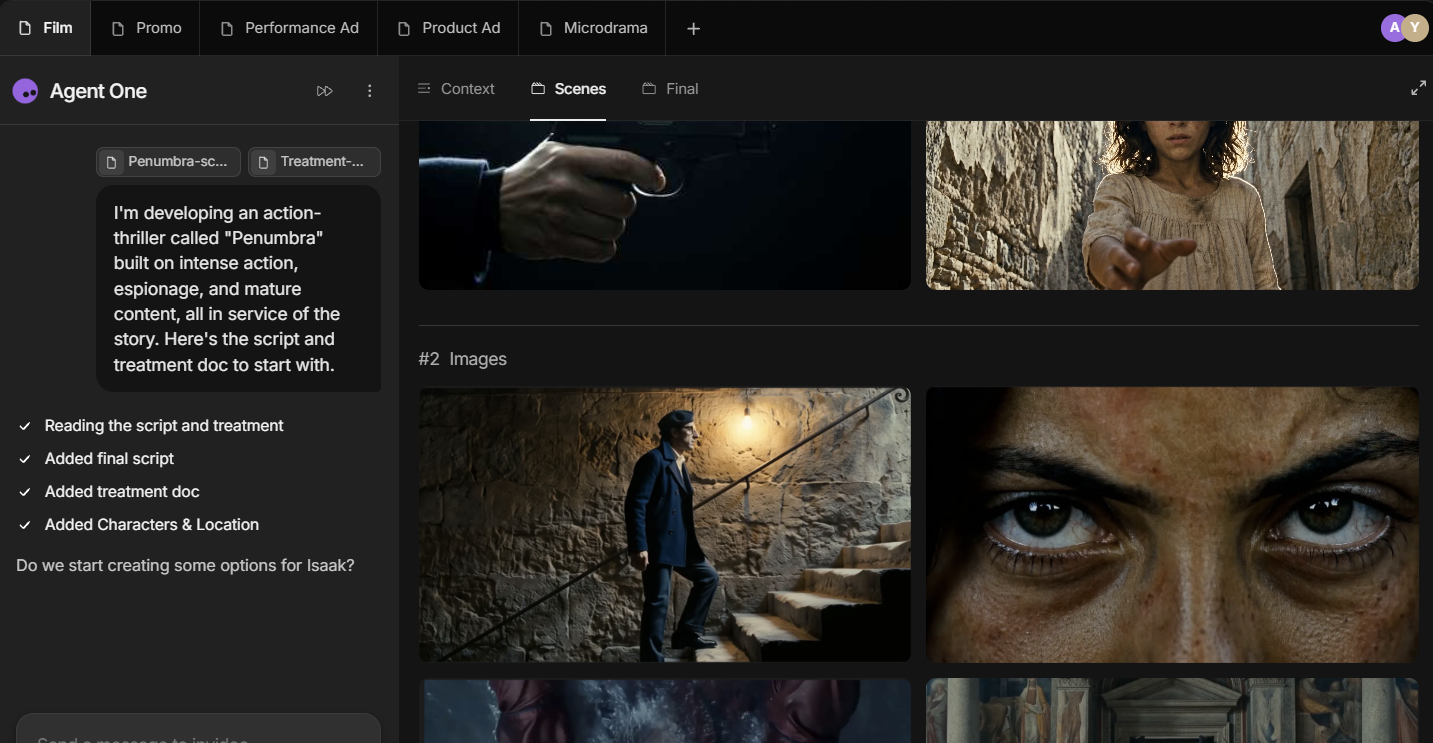
The landscape of digital content creation is currently undergoing a seismic shift as generative artificial intelligence moves from static image synthesis to sophisticated, high-fidelity video production. InVideo has positioned itself at the forefront of this transition, offering an advanced, professional-grade AI generation and video editing ecosystem designed specifically for filmmakers, marketing agencies, and high-end creative professionals. Unlike entry-level tools that focus on basic social media filters, InVideo seeks to replicate the workflow of a professional production house through its proprietary Agent One system. This tool allows users to generate complex scripts, scenes, realistic characters, and cinematic environments using natural language instructions, effectively bridging the gap between conceptual ideation and final visual output.
The platform’s reputation is underscored by its adoption among industry leaders, including creative teams at Netflix, Nvidia, Meta, LinkedIn, and Google. These organizations leverage the platform to streamline the pre-production and production phases of video creation, significantly reducing the time and capital required to produce high-quality visual assets. However, this level of sophistication comes with a premium price point and a structural complexity that warrants a detailed investigation for potential enterprise and individual adopters.
The Evolution of AI Video Production and InVideo’s Market Position
To understand InVideo’s current standing, it is necessary to look at the broader chronology of the AI video industry. The sector began with rudimentary text-to-video models that produced distorted, low-resolution clips often limited to a few seconds. By 2023 and early 2024, the introduction of large-scale diffusion models transformed the possibilities for realism. InVideo has capitalized on this evolution by integrating a massive library of over 200 distinct AI models, including Seedance 2.0, Veo 3.1, Nano Banana Pro, ElevenLabs Music, and Kling 3.0.
This multi-model approach allows InVideo to handle various aspects of production—such as voice synthesis, background music generation, and visual rendering—within a single unified interface. The platform differentiates itself by carving out a niche for "context-aware" generation. While many competitors suffer from "context drift"—where characters or settings change inconsistently between edits—InVideo’s Agent One is designed to maintain continuity across an entire project, a critical requirement for narrative storytelling and brand consistency.
Technical Architecture: Understanding Agent One and the Context Tab
At the heart of the InVideo experience is Agent One, a conversational AI assistant that acts as a virtual director. The system is designed to move beyond the limitations of single-prompt generation. In traditional AI tools, a user provides a prompt, receives an output, and has limited ability to refine specific elements without regenerating the entire clip. Agent One changes this dynamic by allowing for iterative, back-and-forth dialogue.
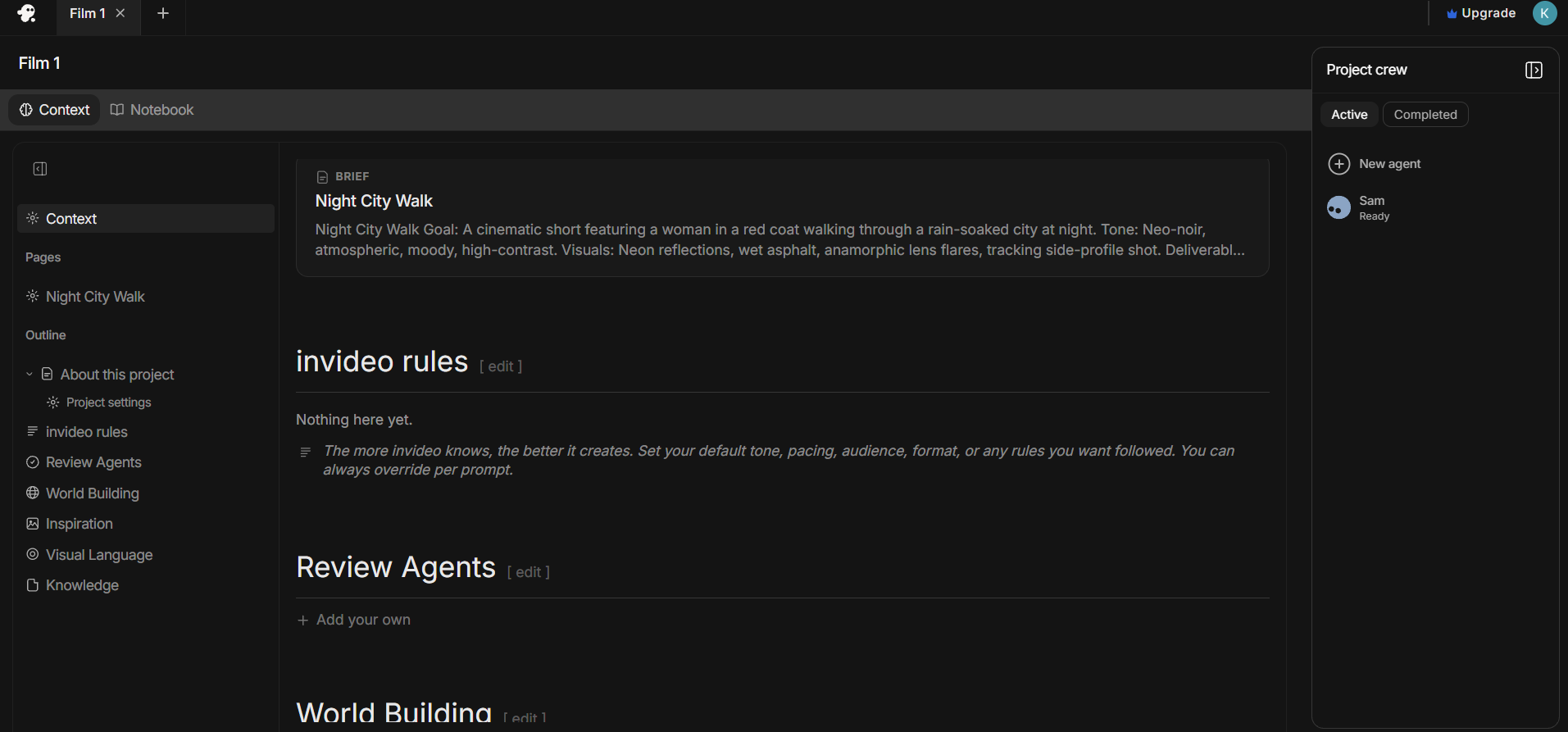
The technical backbone of this consistency is the "Context" tab. This feature allows users to define the visual language and narrative boundaries of a project before a single frame is rendered. Within this tab, users can access several specialized modules:
- About This Project: A repository for the core script, overarching goals, and target audience definitions.
- InVideo Rules: A set of standing instructions regarding the pacing, tone, and specific character specifications that the AI must adhere to throughout the editing process.
- World Building: A dedicated space for describing environmental settings, architectural styles, and visual continuity requirements.
- Knowledge Bank: A feature that allows users to upload research briefs, inspiration images, and existing scripts to ground the AI’s creative output in factual or pre-established data.
By encouraging detailed, multi-layered prompting rather than short, direct commands, InVideo enables the creation of cinematic short films and professional advertisements that maintain a coherent aesthetic from the first second to the last.
A Comparative Analysis of Plans and Pricing Structures
InVideo operates on a credit-based subscription model that is notably more expensive than many of its peers in the AI editing space. This pricing reflects the high computational costs associated with rendering 4K AI video and the licensing fees for integrated third-party models like ElevenLabs.
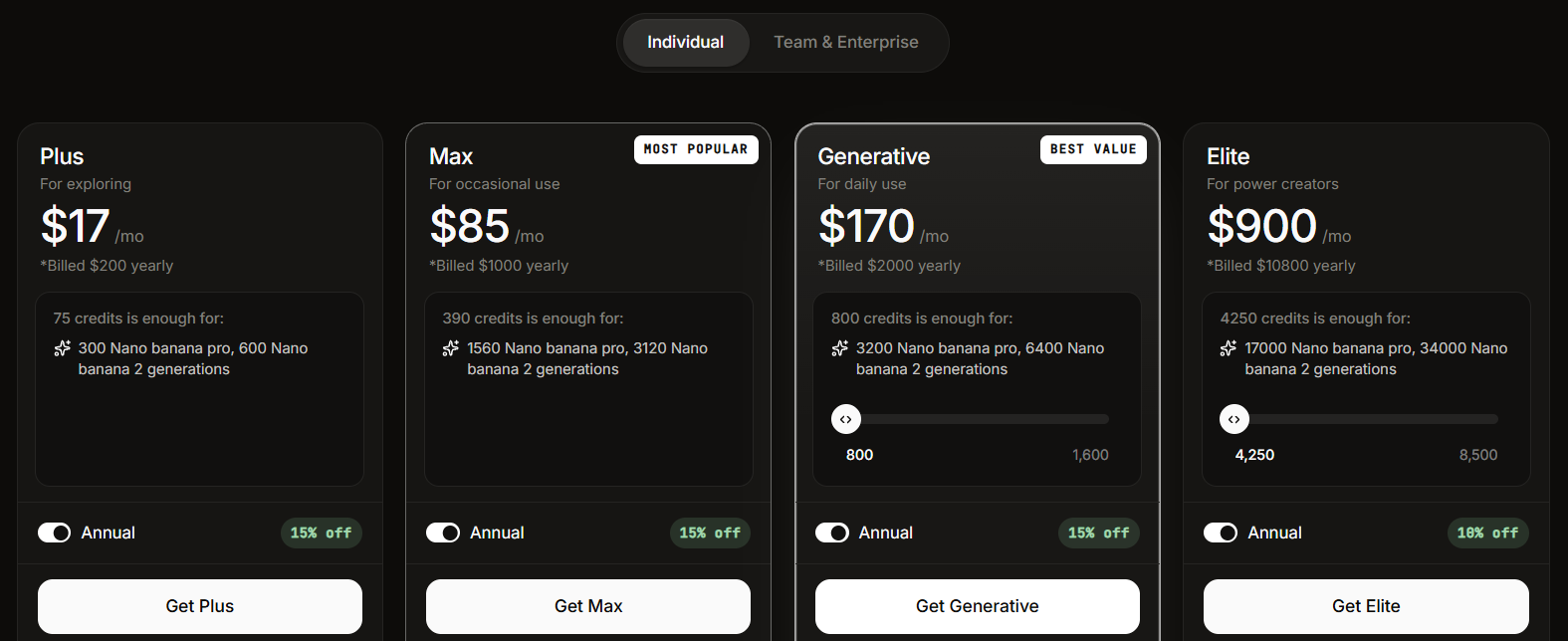
The individual tiers are structured as follows:
- Plus Plan ($17/month): Provides 75 credits, 20 GB of storage, and access to 100 iStock assets. It allows for four AI avatars and voice clones, making it suitable for solo content creators or small-scale entrepreneurs.
- Max Plan ($85/month): Offers 390 credits, 100 GB of storage, and 200 iStock assets. This tier expands the AI avatar limit to 16, catering to more frequent users.
- Generative Plan (Starting at $170/month): This tier is highly scalable, ranging from 800 credits to 8,000 credits for $1,700 per month. It includes 2 TB of storage and 40 AI avatars, designed for boutique agencies.
- Elite Plan (Starting at $900/month): The highest individual tier, providing up to 42,500 credits for $9,000 per month. With 10 TB of storage and 200 AI avatars, this is intended for high-volume production houses.
For organizational use, the Team Plan starts at $40 per seat per month, providing 160 credits per user. The Enterprise Plan offers custom pricing and dedicated support for large corporations requiring bespoke integrations and higher security standards.
When compared to competitors like Veed ($12/month) or Filmora ($4.17/month), InVideo’s entry price is significantly higher. However, the value proposition lies in the depth of its generative capabilities and the inclusion of high-end stock media from iStock, which usually requires a separate, costly subscription.

Performance Testing and Workflow Efficiency
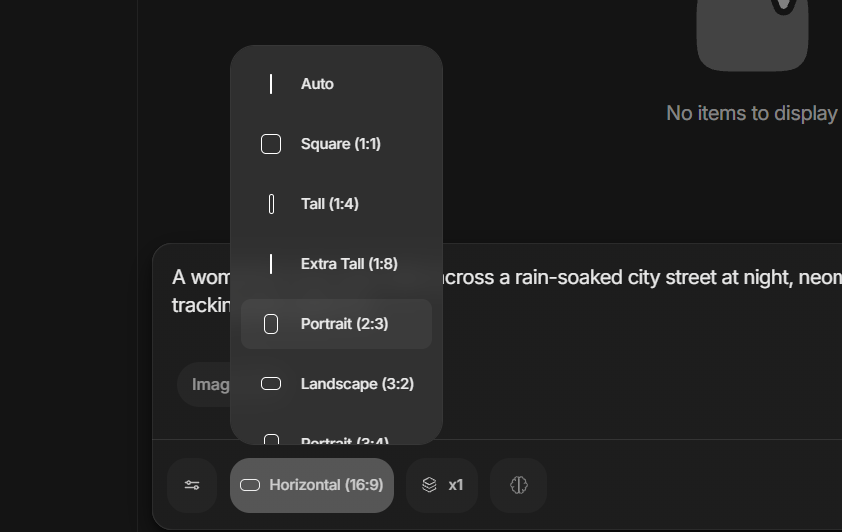
During rigorous hands-on testing, the "Autopilot" feature was evaluated using a complex cinematic prompt: "A woman in a red coat walks across a rain-soaked city street at night, neon signs reflecting in the puddles, camera slowly tracking alongside her."
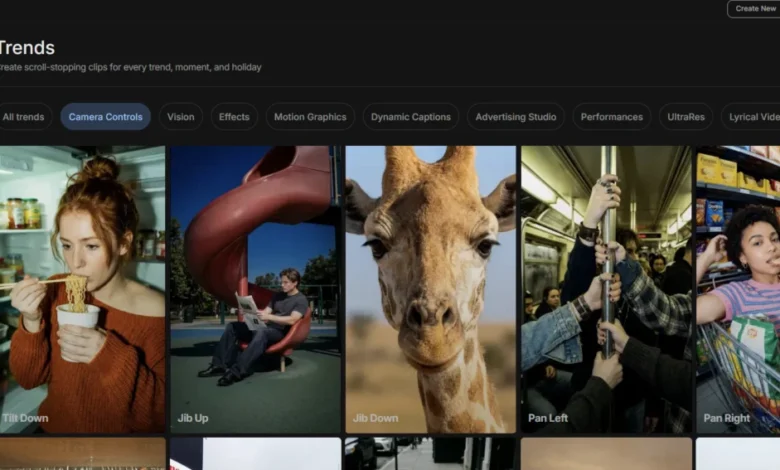
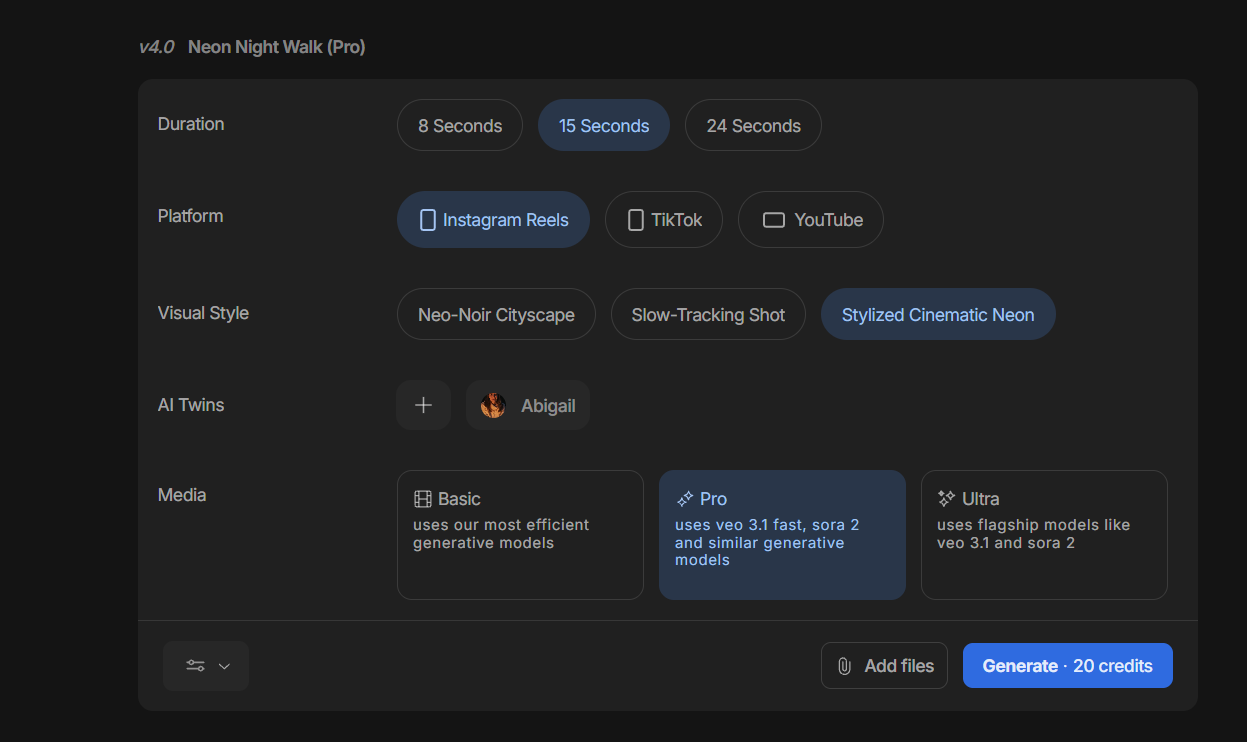
The results demonstrated both the strengths and the current limitations of the platform. InVideo provides extensive pre-generation customization, allowing users to select the target platform (Instagram Reels, YouTube, TikTok) and the desired output resolution, which can reach 4K. It also features a "Trends" module that offers modern camera controls and motion graphics like "Glass Motion" and "Highlight Typography."
The processing time was found to be noticeably longer than that of "lightweight" editors like CapCut or Veed. This latency is attributed to the complexity of the rendering process and the integration of multiple AI layers. Despite the wait, the output quality was superior in terms of realism and lighting accuracy. The reflections in the puddles and the atmospheric lighting of the neon signs were rendered with a level of detail that rivals professional VFX work.
However, the testing also revealed that the free version of the platform is extremely restrictive. While it serves as an excellent "proof of concept," users will find that meaningful project completion—especially those involving the full power of Agent One—requires a paid subscription almost immediately.
Specialized Workflows: From Animation to Advertising
Beyond standard video generation, InVideo offers a robust library of workflows tailored to specific industries. These templates allow users to jumpstart projects in various styles:
- Animated Videos: Users can generate content in distinct artistic styles, including Disney Pixar-style 3D animation, Claymation, Lego-themed visuals, and Anime. This democratizes high-end animation, which traditionally requires years of technical training in software like Blender or Maya.
- Advertising Studio: This dedicated environment allows for the creation of high-conversion product advertisements. By providing the AI with product images and a value proposition, it can generate multiple ad variations in seconds.
- Faceless Explainers: This is a popular choice for educational creators and YouTubers who wish to produce high-quality informational content without appearing on camera. The AI handles the script, voiceover, and relevant B-roll generation.
Market Alternatives and Strategic Recommendations
While InVideo is a powerhouse for high-end production, it is not the ideal solution for every user.
- Veed remains a strong alternative for social media managers who prioritize speed and subtitle accuracy. Its interface is more streamlined for quick edits and viral content.
- Wondershare Filmora is the recommended choice for those on a budget. Although it has a steeper learning curve and a more traditional timeline-based interface, its recent integration of AI audio and video extenders makes it a versatile tool for hobbyists.
- Adobe Firefly is increasingly becoming a competitor as it integrates directly into the Creative Cloud ecosystem, offering a familiar environment for those already using Premiere Pro.
For professional filmmakers and enterprise marketing teams, however, InVideo’s Agent One offers a level of creative agency and continuity that is currently unmatched in the browser-based AI video market.
Broader Implications for the Creative Industry
The rise of platforms like InVideo signifies a paradigm shift in how visual stories are told. We are moving toward a future where "prompt engineering" and "creative direction" are becoming as valuable as traditional cinematography or editing skills. For businesses, the implication is a drastic reduction in the "cost of failure." In the past, filming a high-end commercial required a massive upfront investment in location, cast, and crew. With InVideo, a creative team can prototype dozens of different visual directions in a single afternoon for the cost of a few hundred credits.
While concerns regarding job displacement in the VFX and stock footage industries remain valid, the current trajectory suggests that these tools will act as force multipliers for human creativity. By handling the "heavy lifting" of asset generation, InVideo allows professionals to focus on the higher-level aspects of storytelling, pacing, and emotional resonance.
In conclusion, InVideo is a sophisticated, albeit expensive, solution that represents the current "state of the art" in AI-driven video production. Its commitment to context-aware generation through Agent One makes it a vital tool for those who require more than just a simple video clip—it is for those who need to build a world.
Related posts: