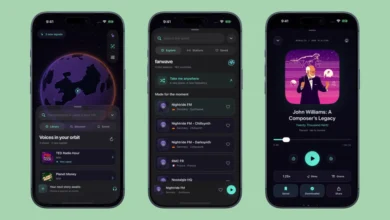
Gemini app for Android receives major interface overhaul with redesigned side panel and unified settings menu


Following the recent Spark-to-Task integration, Google has officially pushed a significant user interface update to the Gemini application on Android. This rollout, which follows a similar deployment on iOS, macOS, and web platforms last week alongside the launch of the Gemini 4 Argon update, represents a strategic move by Google to streamline its generative AI ecosystem. By consolidating navigation and settings, the company aims to reduce cognitive load for power users while maintaining the accessibility required for casual daily interactions.
Navigational Efficiency and Side Panel Revamp
The most immediate change for Android users is the restructuring of the application’s primary side panel. Google has prioritized a cleaner aesthetic by relocating the search function to the top-right corner of the interface. This shift is intended to keep the primary workspace unobstructed, allowing users to initiate new queries without navigating through nested menus.
In a departure from previous iterations, the "New Chat" functionality remains the primary anchor of the sidebar. However, the "Library" tab—previously relegated to the lower portion of the screen—has been moved to a more prominent position next to the new chat button. This change reflects user feedback indicating that frequent switching between active conversations and saved resources is a core use case for the platform.
To mitigate visual clutter, the navigation drawer now employs a progressive disclosure mechanism. The interface displays a curated list of five recent items before defaulting to a "More" expansion button. This design choice is particularly relevant for subscribers of the AI Ultra tier, who have access to a broader suite of integrated features. For these users, the expanded list includes:
- New Chat
- Library
- Images
- Scheduled Tasks
- Daily Brief
- Customize
- Students
- Videos
- Gems (Custom AI Personas)
By limiting the initial view to five items, Google is balancing the need for quick access with the desire for a minimalist interface. This is a recurring trend in Google’s Material Design 3 language, which emphasizes large touch targets and intuitive grouping.

Consolidation of User Preferences
Perhaps the most impactful change for long-term users is the total overhaul of the settings menu. Previously, managing the Gemini experience required toggling between the account management menu and a separate "Gemini Settings" section. This fragmented approach often led to confusion regarding where specific preferences—such as voice interaction settings or data privacy controls—were located.
Google has now collapsed these disparate menus into a single, cohesive "Settings" page. The account management menu has been stripped of its secondary responsibilities and now serves exclusively for account switching, accessing help documentation, and providing user feedback.
The new, unified Settings page is organized into a hierarchical structure that begins with high-level management:
- Account Management: Direct control over user profiles and subscription status.
- Usage Limits: Transparent monitoring of API consumption and AI model interaction caps.
- Preferences: A comprehensive sub-menu housing:
- Notifications
- Personal Intelligence (Privacy and learning settings)
- Avatar/Profile Personalization
- Task Settings (Integration with the recent Spark-to-Task updates)
- Theme Customization (New toggle for Light/Dark mode and system defaults)
- Skills (Third-party plugin management)
- Voice/Media output settings
- Device Controls (IoT and smart home integration)
- Cart and Orders (Direct link to the Universal Shopping Cart integration)
- Gemini Notebook (Document analysis and long-context management)
Chronology of the Gemini 4 Rollout
The current update is the latest in a rapid sequence of feature deployments that began in early October. The timeline of recent developments highlights Google’s aggressive push to maintain parity across its multi-platform ecosystem:
- October 12, 2026: Google introduces the "Spark-to-Task" feature, allowing Gemini to transform casual conversational prompts into actionable project management steps.
- October 13, 2026: Launch of Gemini 4 Argon. This major software update brought substantial performance improvements to the underlying models and introduced the new interface design to web, iOS, and macOS users.
- October 16, 2026: Official integration of the Universal Shopping Cart icon, enabling cross-platform commerce tracking within the Gemini interface.
- October 20, 2026: Wide-scale server-side deployment of the redesigned side panel and unified settings menu for Android users.
Strategic Implications for AI Productivity
The consolidation of these settings is more than a mere design refresh; it signals a shift in how Google envisions the role of the Gemini app. By moving "Cart and Orders" and "Gemini Notebook" into the primary settings architecture, Google is positioning the app as a central dashboard for personal digital management rather than just a chatbot.
Industry analysts suggest that this "productivity-first" approach is essential for Google as it competes with integrated AI solutions from Microsoft (Copilot) and OpenAI (ChatGPT Plus). The ability to manage device controls, shopping carts, and long-form research (via Notebook) within a single unified interface reduces the friction between "chatting with AI" and "executing tasks with AI."

Furthermore, the addition of a dedicated "Theme" setting—a surprisingly absent feature in previous versions—suggests that Google is prioritizing user comfort for long-duration tasks. As users increasingly rely on Gemini for extended workflows, the ability to customize the UI to reduce eye strain and match system-wide aesthetic preferences becomes a critical utility.
Technical Challenges and Future Outlook
The transition to a server-side update model for these interface changes allows Google to iterate rapidly without requiring a full Play Store update for every minor tweak. However, this method can lead to staggered rollouts, where users on identical app versions may see different features based on their regional server status.
Google has noted that the new settings structure is designed to be extensible. As more "Skills" and integrations are added to the Gemini ecosystem, the unified menu structure can accommodate these additions without further fragmenting the user experience. This scalability is a key requirement for the company’s long-term roadmap, which reportedly includes deeper integration with third-party productivity suites and hardware-level AI processing.
Reactions and User Feedback
While the update has been generally well-received for its clarity, some power users have expressed concerns regarding the "More" button in the sidebar. For those who utilize the full range of Gemini features—including the specialized "Gems" and "Scheduled" tasks—the extra tap required to reveal the full list adds a minor layer of friction.
Conversely, the simplification of the settings menu has received near-universal praise. By eliminating the redundancy between account settings and general app preferences, Google has significantly reduced the time it takes for a new user to configure their environment. This is particularly important for enterprise and educational users who need to manage privacy settings and data usage limits quickly.
Conclusion
The redesign of the Gemini app for Android represents a maturing of the platform. By focusing on intuitive navigation and a centralized configuration hub, Google is successfully transitioning the Gemini app from an experimental AI chatbot into a robust, daily-driver utility. As the company continues to integrate deeper functionality—such as the Universal Shopping Cart and advanced task management—the importance of this streamlined interface will only grow. For now, Android users can expect a more coherent, responsive, and organized experience that mirrors the high standard set by the Gemini 4 Argon update across other devices. As the competitive landscape of AI remains intense, these incremental refinements in usability may prove to be the deciding factor for user retention in the coming fiscal quarters.
Related posts: