Toyota Issues Safety Recall for Approximately 10,000 Electric C-HR Crossovers Due to Software Glitch Causing Sudden Power Loss


Toyota Motor Corporation has announced a safety recall affecting approximately 10,000 units of its all-electric C-HR crossover vehicles within North America. The campaign addresses a critical software vulnerability within the regenerative braking system that, under specific operational conditions, can lead to an unexpected total loss of motive power while the vehicle is in motion. The recall serves as an early hurdle for the compact crossover, which debuted earlier this year as a sporty, battery-electric alternative within Toyota’s expanding North American zero-emission lineup.
Scope of the Recall and Affected Models
The safety action specifically targets model-year 2026 Toyota C-HR electric vehicles distributed across North American markets. Launched earlier this year with a starting price point of approximately $37,000, the all-electric C-HR represents one of three dedicated battery-electric SUVs offered by the Japanese automaker in the region, joining the updated bZ series and the bZ Woodland editions.
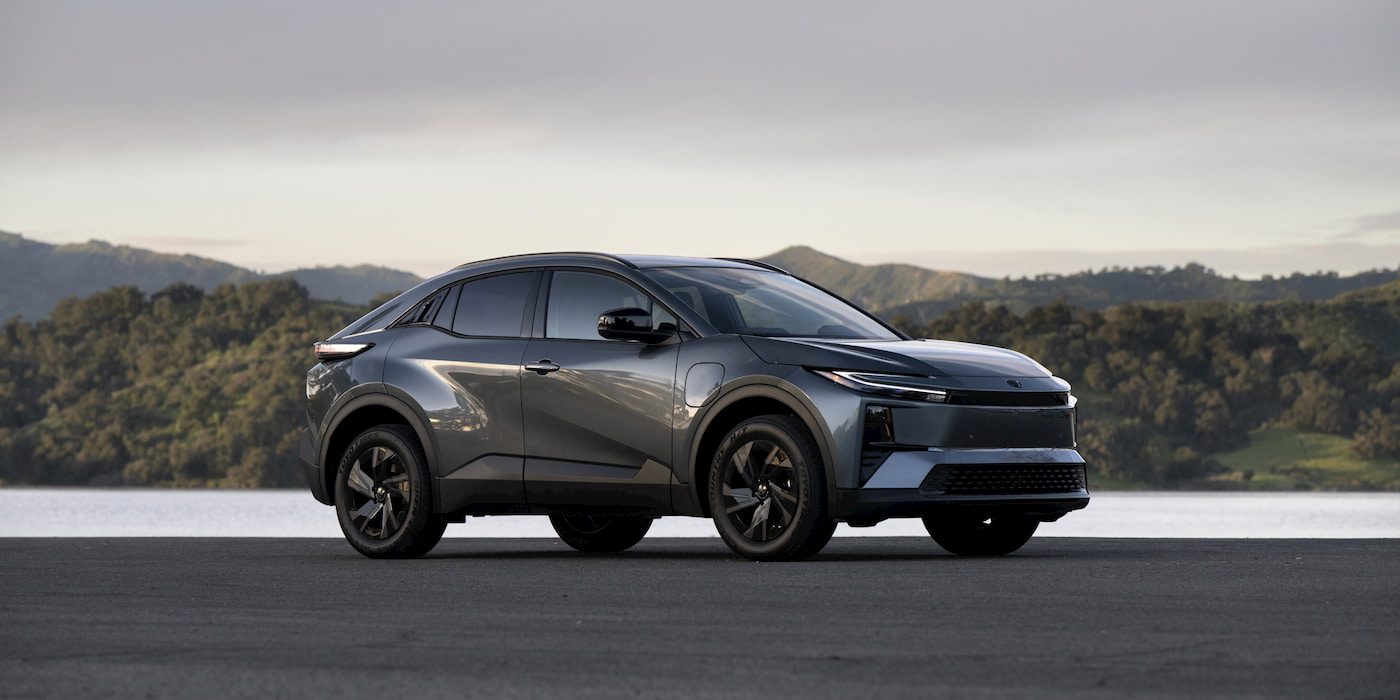
While initial consumer reception for the C-HR EV has been relatively strong, this announcement marks the vehicle’s first major safety recall since rolling onto dealership lots. Official notification letters are scheduled to be mailed to registered owners in early November 2026. Because the recall filing is rolling out dynamically, absolute tracking details on regulatory databases such as the National Highway Traffic Safety Administration (NHTSA) portal may experience minor publication delays, though comprehensive VIN-checking databases are being updated concurrently by the manufacturer.
Industry analysts are also monitoring potential international ramifications. Overseas variants, prominently marketed as the Toyota C-HR+ across the United Kingdom and broader European territories, share identical underlying electrical architectures and powertrain configurations. Consequently, automotive regulators abroad are expected to evaluate whether parallel corrective measures will be mandated for international iterations of the crossover.
Technical Analysis of the Software Glitch
The root cause of the recall lies in a complex interplay between the vehicle’s energy recovery systems and its high-voltage battery management architecture. According to preliminary engineering disclosures provided by the manufacturer, the anomaly manifests within the electronic control unit (ECU) governing the regenerative braking system.

Under normal driving conditions, regenerative braking captures kinetic energy during deceleration and feeds it back into the battery pack to extend driving range. However, engineers discovered that when the vehicle operates with a battery pack that is already fully charged—or is operating at an exceptionally high state of charge—the regenerative braking software may fail to properly regulate the incoming energy flow.
When this boundary condition is met, the system can inadvertently overcharge the high-voltage battery cells. To protect the energy storage system from catastrophic thermal events or permanent physical damage, the vehicle’s onboard safety protocols trigger an immediate failsafe response. This safety measure forces the electric drive system to shut down entirely, resulting in a sudden and potentially hazardous loss of propulsion while the vehicle is being driven. While power steering and braking systems generally retain mechanical or auxiliary electrical backup, the abrupt loss of motor drive presents a clear safety hazard, increasing the risk of rear-end collisions or unexpected stalls in moving traffic.
Remediation and Owner Action Plan
To rectify the condition, Toyota has established a structured service protocol designed to be executed at authorized dealerships. Owners of affected 2026 model-year C-HR electric vehicles will not require hardware replacements or physical component overhauls. Instead, certified dealership technicians will perform a comprehensive software update to the battery electronic control unit (ECU).
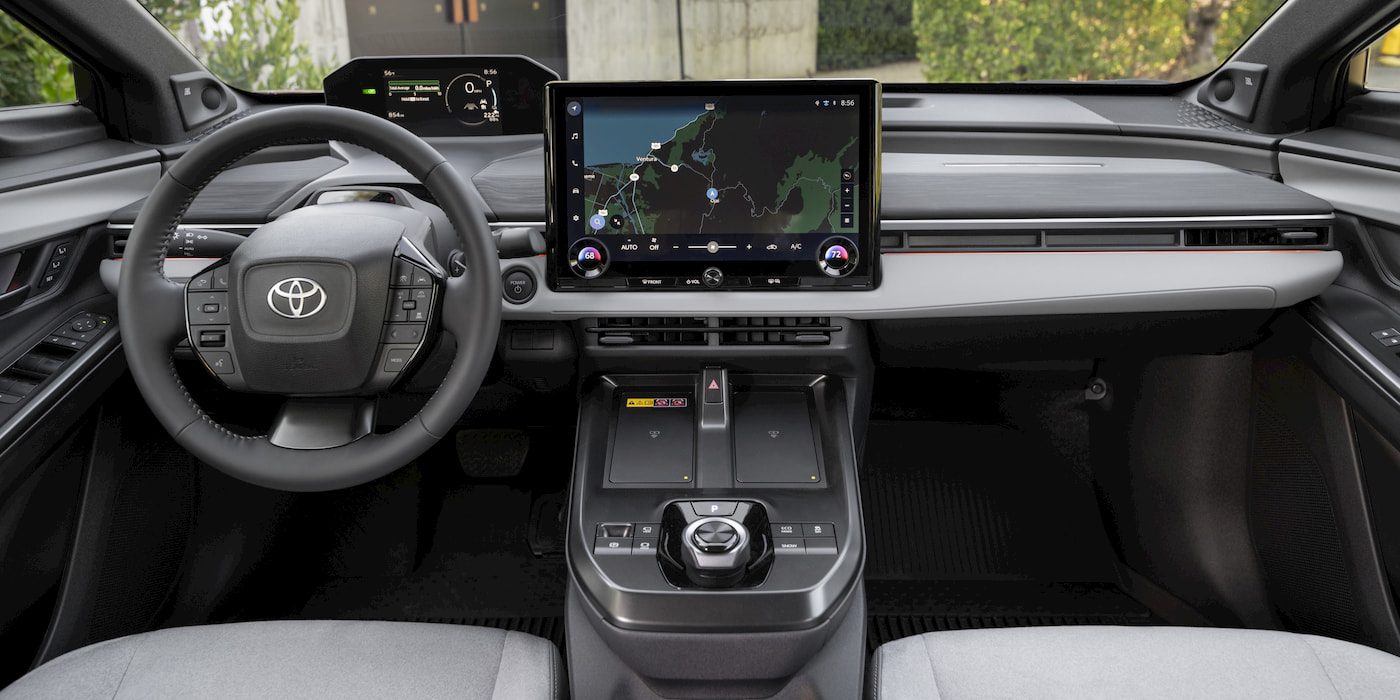
This calibration patch is designed to properly manage energy parameters, preventing the regenerative braking system from overcharging a full battery and eliminating the trigger for the unexpected drive system shutdown. The service procedure is covered entirely under warranty, meaning customers will incur no out-of-pocket expenses for the software remediation.
Vehicle owners seeking to confirm whether their specific automobile is encompassed by the recall campaign are advised to utilize several established verification channels. Customers can input their unique 17-digit Vehicle Identification Number (VIN) directly into the lookup tool at toyota.com/recall. Alternatively, as federal processing finalizes, the official NHTSA database at nhtsa.gov/recalls will host complete documentation. For direct inquiries, Toyota has directed consumers to contact its dedicated Brand Engagement Center, where customer service representatives are equipped to provide guidance and dealership appointment scheduling assistance.
Chronology of the C-HR EV Rollout
The timeline of the Toyota C-HR EV highlights the rapid pace of modern automotive development and the challenges manufacturers face when deploying novel software architectures:

- Early 2026: The all-electric Toyota C-HR officially goes on sale in North America, positioned as a nimble, youth-oriented electric crossover starting around $37,000.
- Mid-2026: Pricing and configuration details for the subsequent 2027 model year are announced, signaling ongoing confidence and production scaling for the nameplate.
- September 2026: Internal quality monitoring and diagnostic reporting identify the regenerative braking overcharge vulnerability, prompting engineering teams to formulate a software-based resolution.
- October 2026: Toyota officially announces the safety recall affecting approximately 10,000 units of the 2026 model-year C-HR EV in North America.
- Early November 2026: Official notification letters are scheduled to reach registered owners, prompting them to schedule corrective ECU software updates at local dealerships.
Broader Industry Implications and Market Context
The Toyota C-HR EV recall underscores a broader industry-wide trend: as modern vehicles transition into software-defined platforms, electronic and firmware anomalies frequently rival mechanical wear as the leading catalyst for safety recalls. While traditional internal combustion vehicle recalls often focus on mechanical components such as fuel lines, steering linkages, or airbags, electric vehicles rely extensively on complex software loops to manage thermal regulation, power inversion, and energy storage.
For Toyota, a company historically renowned for meticulous manufacturing quality and conservative engineering validation, software-related campaigns highlight the immense complexity involved in scaling next-generation electrified architectures. Although software glitches can often be resolved swiftly without the supply chain bottlenecks associated with physical parts shortages, they nevertheless carry reputational stakes in an increasingly competitive electric vehicle marketplace.
Fortunately, because the remedy for the C-HR EV relies on an ECU software flash rather than extensive mechanical teardowns, dealership service departments are expected to process affected vehicles efficiently. As automakers continue to embrace over-the-air (OTA) update capabilities across future fleets, industry watchers anticipate that minor software patches of this nature will increasingly be deployed remotely, minimizing consumer inconvenience. For the current cohort of 2026 C-HR owners, however, a brief trip to the local certified service center remains the necessary path to ensure long-term reliability and road safety.