Navigating the Sub-$500 Laptop Market: Value, Performance, and Key Considerations for 2025

The quest for a high-quality laptop priced under $500 often feels like a formidable challenge for consumers. While budget-friendly models inherently forgo the premium features found in their pricier counterparts, a discerning approach reveals a segment of affordable laptops that competently deliver on essential functionalities, sometimes even including surprising bonus features. This increasingly vital market segment caters to a broad demographic, from students and educational institutions to users seeking reliable secondary devices or basic productivity tools without significant financial outlay.
The Evolving Landscape of Affordable Computing
Historically, the sub-$500 laptop market was characterized by significant compromises in performance, build quality, and user experience. Early budget laptops often struggled with basic tasks, featuring sluggish processors, minimal RAM, and dim, low-resolution displays. However, the computing landscape has undergone a considerable transformation over the past decade. Advancements in processor efficiency, the rise of cloud-centric operating systems, and competitive manufacturing have collectively elevated the standard of entry-level machines.

For 2025, setting realistic expectations remains paramount when exploring this price bracket. Consumers primarily requiring a device for web browsing, document creation, video streaming, or general productivity applications will discover robust options capable of handling these demands. While Windows-based laptops are available, Chromebooks frequently emerge as superior value propositions, leveraging their lightweight ChromeOS to maximize performance on more modest hardware. This shift underscores a broader trend: the sub-$500 category is less about raw power and more about optimized efficiency and intelligent compromises.
The core trade-offs in this segment typically involve processor speed, storage capacity, and display quality. High-end graphics capabilities or premium chassis materials are generally absent. Instead, users should anticipate functional processors, adequate but limited storage (often eMMC rather than faster SSDs), and decent displays. Crucially, the leading budget models distinguish themselves by making smart, user-centric compromises, with a standout feature across many top picks being exceptional battery life, a critical factor for portability and uninterrupted workflow. This commitment to longevity on a single charge is a testament to manufacturers’ understanding of essential user needs in the affordable space.
Key Market Dynamics and Consumer Demand
The sustained demand for budget laptops is influenced by several socioeconomic factors. Economic pressures, including inflation and fluctuating disposable incomes, have intensified the focus on cost-effective technology solutions. The growth of remote learning and hybrid work models has further amplified the need for accessible computing devices for households with multiple users or diverse needs. Educational sectors, in particular, have become significant drivers of the Chromebook market, valuing their ease of management, robust security, and affordability for large-scale deployments.
The average price of laptops has remained relatively stable over recent years, defying some expectations, while the quality of devices within these price points has steadily improved. However, potential external factors like tariff hikes could impact future pricing, making the identification of genuinely good deals even more critical. Consumers are advised to remain vigilant for sales events such as Black Friday and Cyber Monday, though many manufacturers and retailers offer competitive deals throughout the year.
Top Contenders in the Sub-$500 Arena for 2025
Leading the charge in the sub-$500 category for 2025 are several models that exemplify intelligent design and performance optimization.
Lenovo IdeaPad Flex 5i Chromebook Plus: The All-Rounder
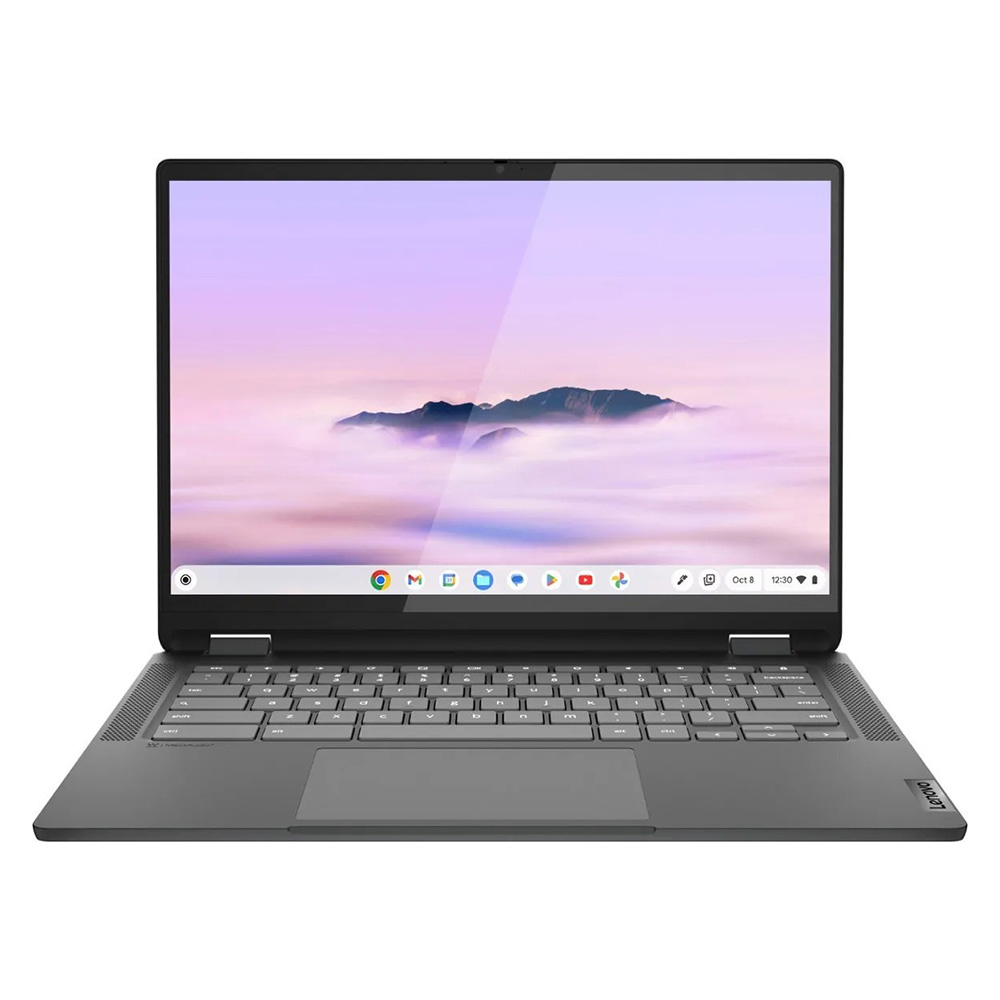
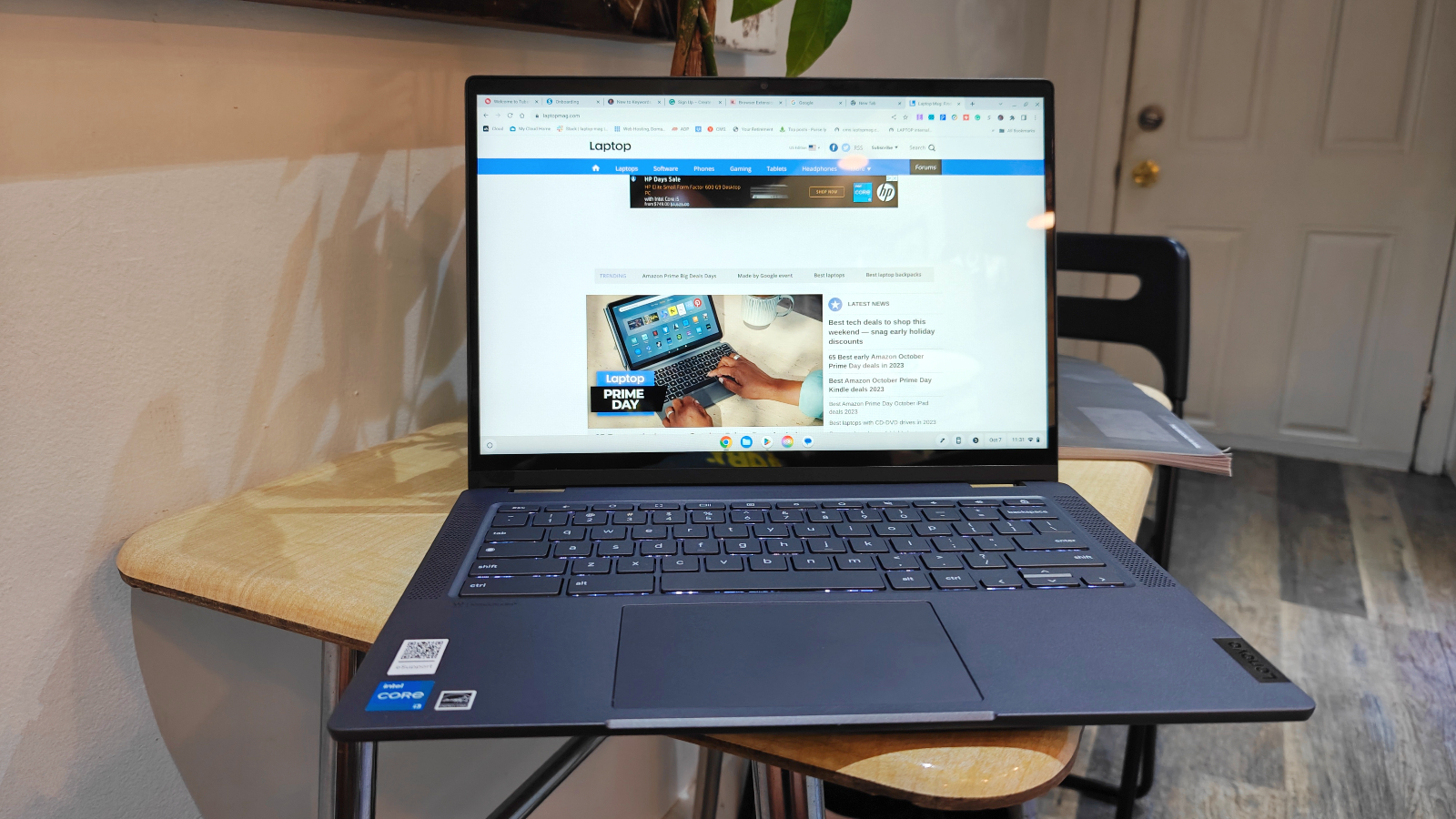
For those seeking a contemporary laptop that balances aesthetics with performance without exceeding the budget, the Lenovo IdeaPad Flex 5i Chromebook Plus stands out as a compelling choice. This device represents the evolution of Chromebooks, offering AI-infused performance within an appealing 2-in-1 form factor. Powered by an Intel Core i3-1315U processor and equipped with 8GB of RAM, it delivers a surprisingly snappy experience for its price point.
Performance metrics underscore its capability, with a Geekbench 6 multi-core score of 5,384, surpassing the average for Chromebooks (5,259) and significantly outperforming older budget models. This level of performance, combined with ChromeOS’s inherent efficiency, means users are less likely to encounter performance bottlenecks with typical daily tasks. Furthermore, the Flex 5i boasts nearly 10 hours of battery life, providing ample power for a full day of work or study.
Design-wise, the Flex 5i defies its budget status. Its sleek appearance and sturdy hinges give it a premium feel, distinguishing it from the often-clunky designs associated with affordable laptops. Measuring 12.4 x 9.0 x 0.8 inches and weighing 3.57 pounds, it strikes a balance between portability and robust construction. While its 14-inch, 1080p display could benefit from greater brightness, its 16:10 aspect ratio offers expanded vertical screen real estate, a welcome feature for productivity. The comfortable keyboard is another highlight, contributing to a positive user experience.
Lenovo Duet 5 Chromebook: Unbeatable Value Under $300
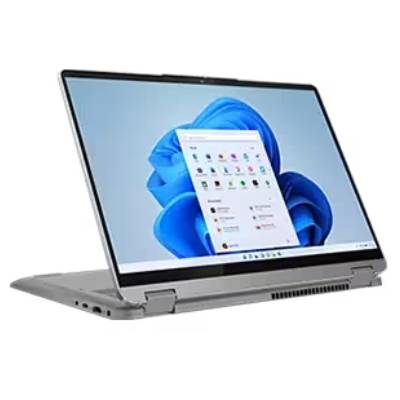
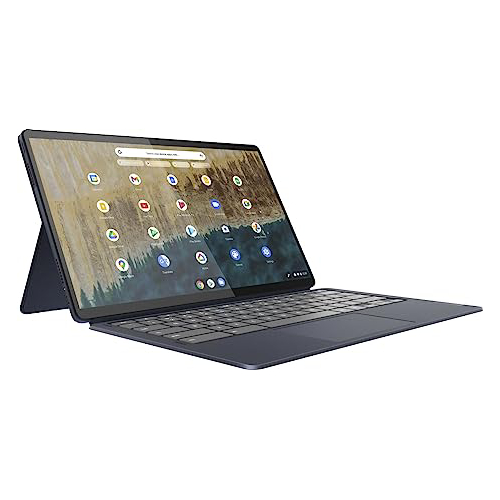
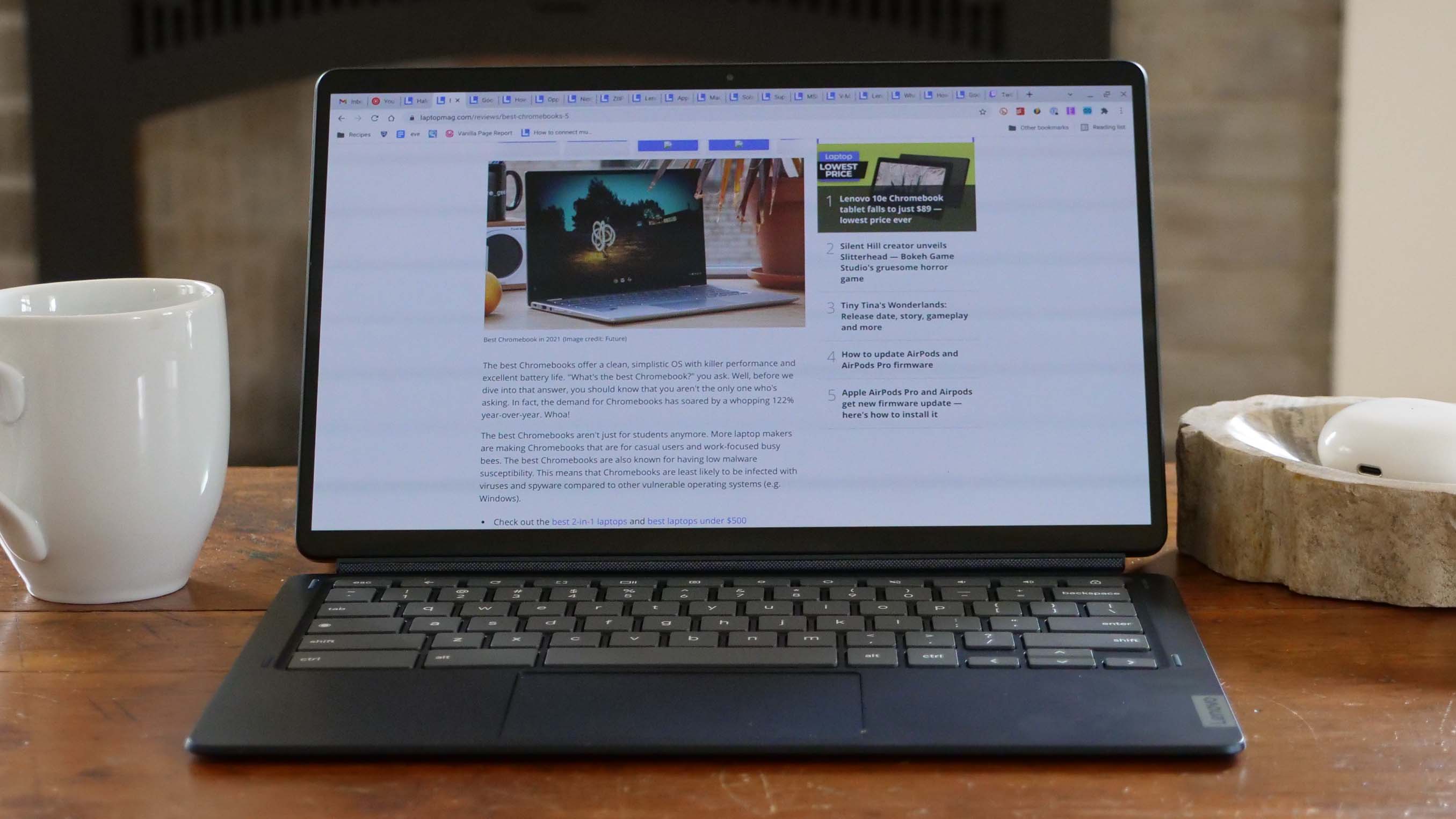
For those with an even tighter budget of under $300, the Lenovo Duet 5 Chromebook continues to be an absolute champion, offering a versatility and display quality rarely seen at this price point. Despite its somewhat underwhelming performance in synthetic benchmarks (Geekbench 5 multi-core score of 1,727), its strengths lie in its exceptional OLED display and outstanding battery life.
The 13.3-inch, 1920 x 1080 OLED display is a significant differentiator. It reproduces 85.2 percent of the DCI-P3 color gamut and achieves an average brightness of 361 nits – figures typically associated with much more expensive, premium laptops and even high-end televisions. This vivid and bright display dramatically enhances the user experience for media consumption and general use. Complementing this visual excellence is an impressive 13 hours and 31 minutes of battery life, placing it among devices with the best battery endurance.
Adding to its appeal is its detachable 2-in-1 design, allowing it to seamlessly transition between a laptop and a tablet. Crucially, unlike many pricier detachables, the Duet 5 includes both the keyboard and cover, adding substantial value. Its portability is also a major advantage, weighing just 1.5 pounds as a tablet and 2.24 pounds with the keyboard attached. While the Qualcomm Snapdragon 7c Gen 2 processor might not set any speed records, and the lack of an included stylus is a minor drawback, the overall package for under $300 is remarkably compelling.
Lenovo IdeaPad Flex 5 14 (Intel): A Rare Windows Gem

Finding a Windows laptop under $500 that delivers a reliable and frustration-free experience is notoriously difficult. The Lenovo IdeaPad Flex 5 14 (Intel) emerges as one of the few models that successfully navigates this challenge. It represents a commendable compromise between price and performance for a Windows machine, offering robust performance, over 14 hours of battery life, and a comfortable keyboard.
Equipped with an Intel Core i5-1135G7 processor, 16GB of RAM, and a 512GB SSD, this configuration provides solid performance for a budget Windows device. Its Geekbench 5 multi-core score of 3,841 significantly surpasses Chromebook averages and other budget options, making it suitable for more demanding multi-tasking than its ChromeOS counterparts. The 14 hours and 16 minutes of battery life are particularly noteworthy, ensuring extended usage without needing a power outlet.
The typing experience on the IdeaPad Flex 5 14 is highly praised for its responsive and tactile feedback, a critical feature for students and professionals. While its 12.3-inch (2400 x 1600) IPS touch display is decent, it is somewhat dim and less vibrant than the OLED panel on the Duet 5. The presence of only one USB-C port and the absence of an included pen are minor inconveniences. Originally hovering around $500-$650, recent price adjustments have made this model available for under $500, enhancing its value proposition considerably. An AMD Ryzen 3 variant also exists, likely offering similar benefits with slightly varied performance and battery characteristics.
Acer Chromebook Spin 312: The Student’s Companion

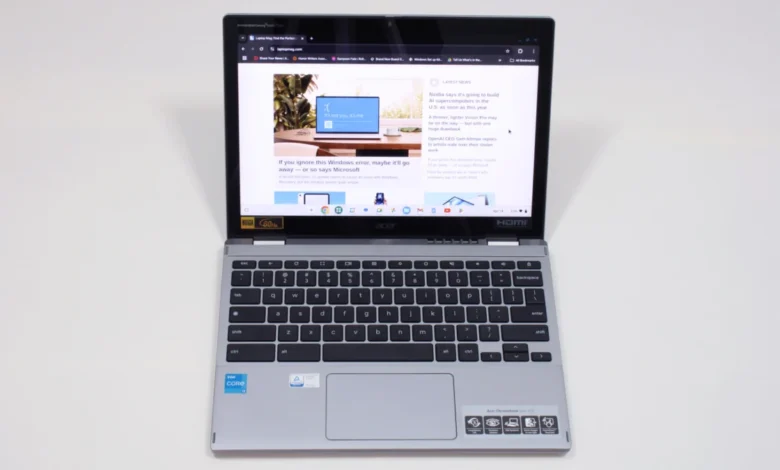
For students, the Acer Chromebook Spin 312 presents an excellent sub-$500 option, combining durability, portability, and user-friendly features. Its silver-coated chassis lends it a more premium appearance than its price tag suggests. Weighing just under 3 pounds, it is light enough for easy transport between classes, and its battery provides a respectable 10 hours and 33 minutes of life.
The Spin 312 stands out with unique features like Acer’s OceanGlass touchpad, which reviewers have noted as exceptionally smooth, even surpassing those found on some more expensive Windows laptops. The 12.2-inch (1920 x 1200) IPS touch display benefits from a Corning Gorilla Glass coating, which, despite a DCI-P3 color gamut coverage of 55%, enhances color vividness and contrast, making the screen appear more vibrant than its raw specifications might suggest.
As a 2-in-1 laptop, it offers flexibility for various learning styles, from traditional typing to note-taking by hand, although the keyboard’s "clicky-squishy" feel and thin keycaps are noted drawbacks. Powered by an Intel Core i3-N305 processor and 8GB of RAM with 128GB eMMC storage, it provides sufficient performance for typical student tasks. The integrated Intel UHD graphics handle standard applications well, making it a reliable tool for academic pursuits.
Benchmark Comparisons and Performance Insights
Understanding benchmark data is crucial for interpreting the real-world capabilities of these budget laptops.
- Geekbench (CPU Performance): Higher scores indicate better processing power. The Lenovo IdeaPad Flex 5i Chromebook Plus (5,384 Geekbench 6) demonstrates strong multi-core performance for a Chromebook, showcasing the efficiency of ChromeOS on modern Intel processors. The Lenovo IdeaPad Flex 5 14 (3,841 Geekbench 5) performs admirably for a Windows machine in this segment, while the Lenovo Duet 5 Chromebook (1,727 Geekbench 5) shows its relative weakness in raw CPU power, compensated by its display and battery.
- Jetstream 2 (Web Browsing Performance): Measures JavaScript and WebAssembly performance. The Flex 5i Chromebook Plus (272.91) and Acer Chromebook Spin 312 (215) show strong web browsing capabilities, aligning with the cloud-centric nature of ChromeOS. The Duet 5 (70.1) highlights its more modest processor for intensive web applications.
- Battery Life (Web Surfing): A critical metric for portability. The Lenovo IdeaPad Flex 5 14 leads with an exceptional 14 hours and 16 minutes, followed closely by the Lenovo Duet 5 Chromebook at 13 hours and 31 minutes. The Flex 5i Chromebook Plus (9 hours 43 minutes) and Acer Chromebook Spin 312 (10 hours 33 minutes) also offer robust all-day endurance.
- DCI-P3 Color Gamut (Display Quality): Higher percentages indicate richer, more accurate colors. The Lenovo Duet 5 Chromebook’s 85.2% is outstanding due to its OLED panel, while the others (Flex 5i: 46.5%, Flex 5 14: 45%, Spin 312: 55%) offer decent but less vibrant color reproduction, typical for IPS panels in this price range.
- Display Brightness (Nits): Higher nits mean a brighter screen, better for various lighting conditions. The Duet 5 Chromebook (361 nits) again leads, with the Flex 5i (306 nits) and Spin 312 (277 nits) also offering good brightness. The Flex 5 14 (200 nits) is noticeably dimmer.
Strategic Selection: How to Choose the Best Budget Laptop
Navigating the sub-$500 laptop market requires a strategic approach. Several guidelines can assist in making an informed decision:
- Budget vs. Features: While the price ceiling is $500, consumers should be aware that even within this range, specifications and quality can vary significantly. Chromebooks generally offer more robust internal hardware for a lower price point due to the less demanding nature of ChromeOS. Thoroughly reviewing product specifications and independent reviews is crucial to understand the good and bad aspects of each model.
- Screen Size and Portability: Laptops in the 12-inch to 14-inch range typically offer the best balance of screen real estate and portability within this budget. These sizes are generally lighter and thinner, making them ideal for carrying between locations.
- Form Factor: The choice between a traditional clamshell laptop and a convertible 2-in-1 (with a 360-degree rotating display) or detachable keyboard depends on usage needs. Clamshell models often provide better core features for the price. However, 2-in-1s and detachables offer greater versatility for note-taking, drawing, or tablet-like consumption, though 2-in-1s in tablet mode can be thicker with exposed keys. Detachables, like the Lenovo Duet 5, avoid this awkwardness and often include essential accessories.
- Battery Life: Given the mobile nature of laptops, extended battery life is a non-negotiable feature. Aim for models that offer at least 10 hours of continuous use based on independent testing, ensuring it can last through an entire workday or school day without needing a recharge.
- Key Specifications: While premium specs are rare, look for a combination that provides the best value. 8GB of RAM is generally recommended for smooth multitasking. Storage often involves slower eMMC drives (128GB or less), which are more tolerable on Chromebooks due to their cloud-first nature. Processors like Intel 13th-gen (or newer), Intel N-series, or MediaTek Kompanio chips are common. If a Windows laptop offers 16GB RAM and a 256GB SSD with a modern Intel Core processor, it represents an exceptional find.
Industry Outlook and Future Implications
The sub-$500 laptop segment is more than just an entry-level market; it’s a critical battleground for market share and a gateway to broader computing accessibility. Manufacturers like Lenovo, Acer, and others are continually innovating to pack more value into these affordable machines, understanding that a positive first experience can build brand loyalty. The integration of AI-infused performance, as seen in the Chromebook Plus initiative, signals a future where even budget devices can leverage advanced technologies for improved user experience.
The ongoing evolution of ChromeOS, with its emphasis on speed, security, and integration with Google’s ecosystem, will likely continue to solidify its position as the dominant operating system in this price category. For Windows, the challenge remains to optimize its resource-intensive environment for more constrained hardware without sacrificing core functionality or user experience.
The commitment to rigorous testing by publications like Laptop Mag ensures that consumers can rely on unbiased, comprehensive evaluations. Each laptop undergoes extensive synthetic and real-world benchmark testing, evaluating performance, battery life, display quality, audio, and thermal management. This includes using a Klein K10 colorimeter for display analysis, Geekbench for CPU performance, 3DMark for graphics, and real-world tasks like 4K video conversion and file duplication. Battery life is assessed through continuous Wi-Fi web surfing at a standardized brightness. This meticulous approach, combined with hands-on evaluation by expert reviewers, provides a holistic and trustworthy perspective on how these budget machines perform in everyday scenarios.
Ultimately, the landscape of laptops under $500 in 2025 is more promising than ever. While compromises are inherent, careful selection based on individual needs and a clear understanding of what constitutes good value can lead to a highly capable and satisfying computing experience. This market segment is crucial for bridging the digital divide, making computing accessible to a wider audience, and fostering a new generation of users.