Gemini in Google Workspace now offers unified cross-app task execution for seamless productivity

The landscape of professional digital workflows has undergone a significant transformation this September as Google announced a major functional upgrade to Gemini within its Workspace suite. Historically, users engaging with artificial intelligence inside Google’s productivity tools—such as Docs, Sheets, Slides, Gmail, and Drive—were constrained by the specific environment they occupied. If an employee wanted to draft a spreadsheet using AI, they were required to be within the Sheets interface; if they wished to summarize an email thread, they were tethered to the Gmail side panel. As of this month, that siloed experience is officially coming to an end.
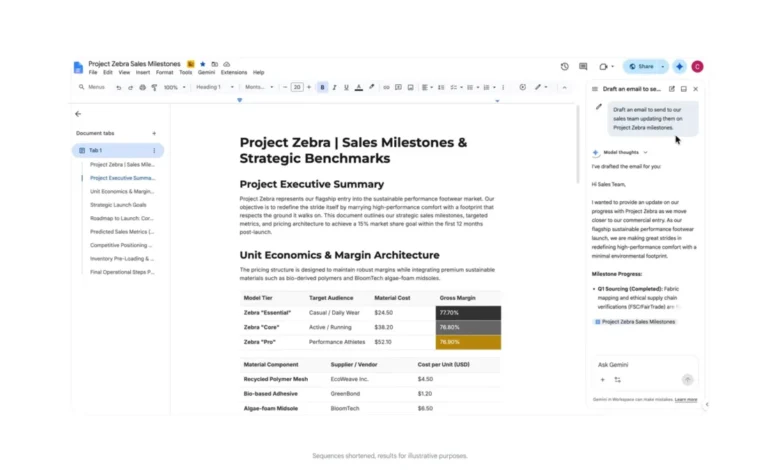
Google’s latest update, powered by what the company refers to as "Workspace Intelligence," enables Gemini to execute complex, cross-application tasks from any point within the Workspace ecosystem. By deepening the integration between its core applications, Google is shifting the paradigm from application-specific assistance to a holistic, agentic AI experience.
The Evolution of Workspace AI: A Chronological Overview
The integration of Gemini into Google Workspace has been a measured, multi-year progression. When Google first unveiled its generative AI capabilities for Workspace in early 2023, the focus was primarily on "Help Me Write" features within Docs and Gmail. These early iterations were designed to act as advanced autocomplete and drafting assistants rather than autonomous agents capable of managing a user’s cross-app data ecosystem.
By late 2023, Google began deploying side panels—interactive windows that allowed users to query Gemini about the documents they were currently viewing. However, the functionality remained largely "vertical." Users could analyze a PDF in Drive or summarize a document in Docs, but the AI lacked the permission and technical hooks to reach out into other apps to initiate secondary actions.
In the first quarter of 2024, Google began experimenting with deeper data connectors, allowing Gemini to index information across the Drive ecosystem more effectively. The current update represents the culmination of these efforts, moving from a "consultative" AI that answers questions to an "operational" AI that manages tasks across Gmail, Calendar, Tasks, and the primary document editors.
Breaking Down the Unified Feature Set
The core change is the homogenization of the Gemini side panel. Regardless of whether a user is working in Google Slides or Google Chat, the capabilities of the Gemini assistant are now uniform. This architectural shift means that the AI is no longer "context-blind" regarding the user’s other applications.
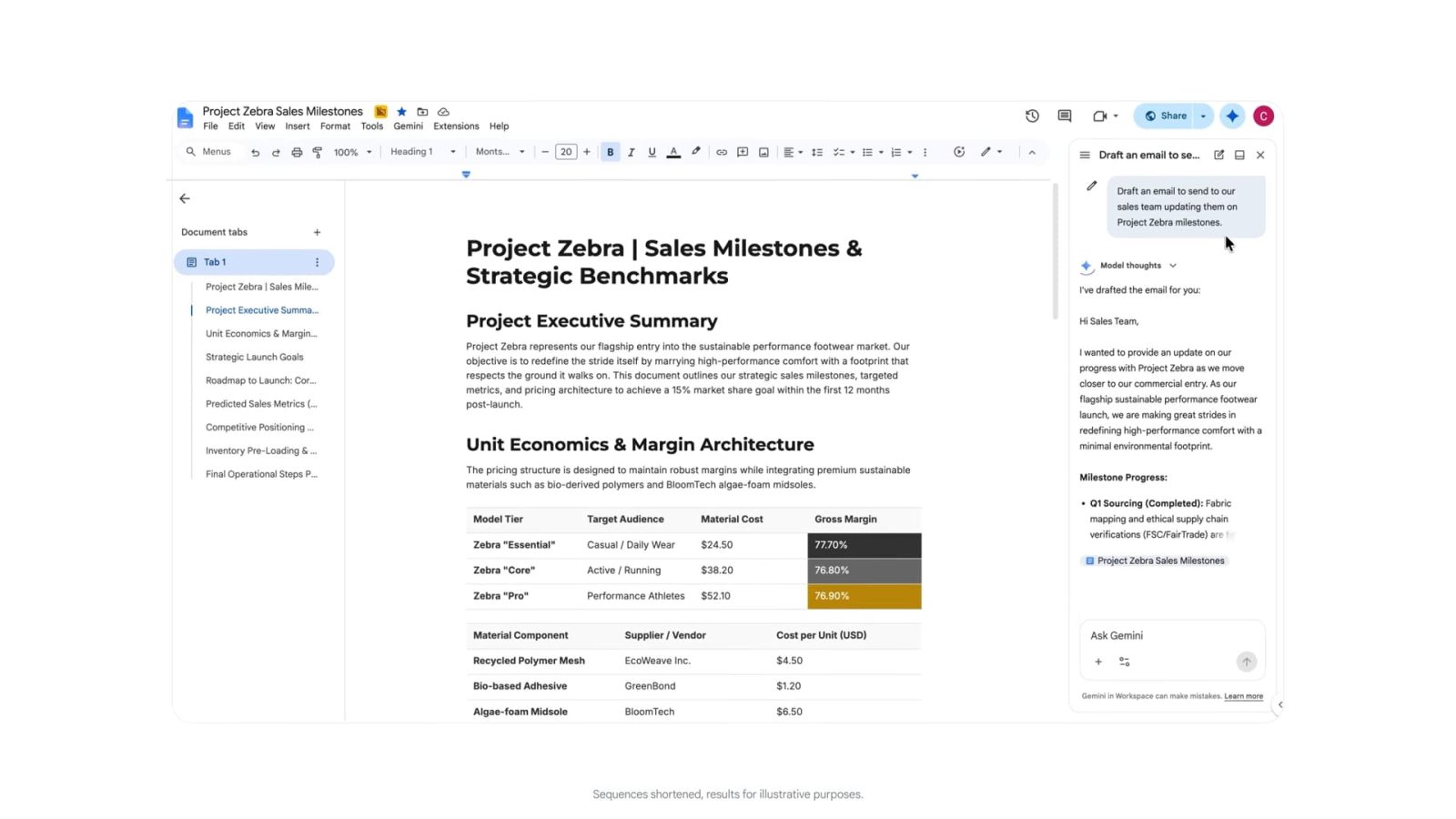
For instance, a user preparing a proposal in Google Docs can now invoke the Gemini side panel to perform actions that previously required navigating to other browser tabs. A user might prompt the AI to: "Draft an email to the project stakeholders using the key findings from this document and send it for review." Gemini now possesses the authorization to pull the relevant data from the Doc, format it into a professional email, and initiate the draft in Gmail—all without the user ever leaving the Docs interface.
Similarly, the integration with Google Tasks and Calendar has been refined. Users can now resolve scheduling conflicts directly from within Google Chat. If a conversation regarding a meeting time stalls, a user can prompt Gemini to scan their calendar and available meeting slots, identify a mutually beneficial time, and log a task in Google Tasks to confirm the appointment, all within the chat thread.
Supporting Data and User Adoption Trends
According to industry analysts, the move toward cross-app AI agents is a response to the "context switching" tax. Studies from the American Psychological Association and various productivity research firms suggest that workers lose significant cognitive bandwidth—often estimated at 20% to 40% of productive time—when switching between disparate digital tools. By consolidating the interface, Google aims to minimize the friction that occurs when a user must navigate from a collaborative document to an email client and finally to a calendar app.
Google’s internal metrics, though rarely disclosed in granular detail, have consistently suggested that users who utilize Gemini for drafting and summarization save an average of two to three hours per week on administrative tasks. With this upgrade, the company expects that figure to climb as the AI begins to handle the "connective tissue" of workflows, such as scheduling and communication, rather than just the content creation itself.
Official Positioning and Strategic Implications
In its official communication, Google emphasized that these updates are facilitated by advancements in "Workspace Intelligence." This refers to the underlying backend logic that allows Gemini to interpret user intent across different data silos while maintaining strict adherence to enterprise security and privacy protocols.
For business customers, the implications are profound. Many organizations have been hesitant to fully adopt AI due to concerns about data fragmentation. By allowing the AI to act as a bridge between applications, Google is attempting to make the Workspace suite a "single pane of glass" for enterprise operations.
The update is currently rolling out to subscribers of Google AI Pro and Google AI Ultra. Notably, Google has introduced a tiered approach to these features: while most capabilities are available to AI Pro users, specific automated scheduling functionalities remain restricted to the higher-tier AI Ultra plans, likely due to the increased compute overhead and complexity required to manage live calendar writes and conflict resolution.

Impact on the Enterprise Market
The broader market impact of this development cannot be overstated. By evolving into an agentic framework, Gemini is positioning itself as a direct competitor to other AI-driven productivity suites, such as Microsoft 365 Copilot. While Microsoft has long relied on the tight integration of its legacy desktop applications, Google is leveraging its cloud-native architecture to provide a more fluid, web-based experience.
For the end user, this change represents a shift in how they conceptualize their digital workspace. The browser tab is becoming less of a container for a specific application and more of a universal portal to an AI assistant that understands the user’s entire operational context.
Challenges and Future Considerations
Despite the technological achievement, there are inherent challenges. The primary concern among IT administrators is the "permission sprawl" that comes with AI agents capable of performing actions on behalf of the user. Google has implemented granular controls, allowing administrators to dictate which users have access to these cross-app capabilities and ensuring that the AI’s actions remain logged for compliance and audit purposes.
Furthermore, the accuracy of cross-app execution is critical. If an AI incorrectly interprets a calendar conflict or drafts an email to the wrong recipient based on a misinterpreted instruction, the impact on professional relationships could be detrimental. Google has stated that it is implementing "human-in-the-loop" safeguards, where the AI presents a preview of the task or action before final execution, ensuring that the user remains the ultimate decision-maker.
Conclusion
The rollout of unified, cross-app Gemini functionality marks a critical inflection point in the history of Google Workspace. By erasing the functional boundaries between Docs, Sheets, Slides, and Gmail, Google is moving toward an era of "ambient computing," where the tool adapts to the user’s workflow rather than forcing the user to adapt to the tool’s constraints.
As this update reaches its full deployment, the focus will shift to how effectively the AI handles complex, multi-step workflows. If the system proves reliable, it will likely set a new industry standard for productivity software, forcing competitors to accelerate their own integration timelines. For now, the integration of Workspace Intelligence into the daily lives of professionals serves as a clear indicator that the future of work is not just about generating content, but about orchestrating the tasks that surround that content. Through these developments, Google is clearly betting that the most valuable AI is the one that can navigate the messy, interconnected reality of the modern workday.
Related posts: