In an era increasingly defined by virtual interactions, a high-quality webcam has transcended from a mere accessory to an indispensable component of any modern home office or content creation setup. Gone are the days when a fuzzy, dimly lit image from a laptop’s integrated camera was acceptable; today’s professionals, educators, and content creators demand visual clarity and audio precision that standard equipment rarely provides. Unless one plans to conduct all virtual engagements from a distance or rely on the unstable perspective of a selfie stick, investing in an external webcam is a fundamental step toward projecting a polished and professional digital presence.
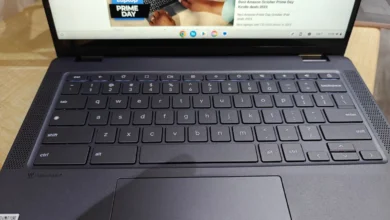
While nearly every contemporary laptop features a built-in webcam, original equipment manufacturers (OEMs) seldom prioritize these components, often relegating them to an afterthought. Exceptions exist, such as the 12-megapixel Center Stage camera found in the 16-inch MacBook Pro M4 Pro, which offers a commendable experience. However, for the vast majority of users, the default integrated webcam falls significantly short, delivering grainy, poorly illuminated, and low-resolution imagery that detracts from effective communication. The widespread dissatisfaction with these subpar built-in cameras has fueled a robust market for external webcams, promising sharper visuals, richer audio, and enhanced versatility.
The Evolving Landscape of Digital Communication
The dramatic shift towards remote work, online learning, and the burgeoning creator economy, significantly accelerated by global events in recent years, has fundamentally reshaped our relationship with digital communication tools. Video calls, virtual meetings, and live streaming have become commonplace, making the quality of one’s visual and auditory output paramount. This paradigm shift has underscored the limitations of traditional laptop webcams, which were primarily designed for casual use in well-lit environments, not for the sustained, professional demands of daily virtual engagement.
Historically, integrated laptop webcams have been constrained by physical space, cost-cutting measures, and a general assumption that they would serve only basic communication needs. These limitations often result in small sensors, fixed-focus lenses, and rudimentary image processing, leading to poor performance in varying light conditions, lack of detail, and an overall unprofessional aesthetic. The market’s response has been a surge in external webcam innovations, offering superior optics, larger sensors, advanced image signal processing, and intelligent features designed to tackle these inherent shortcomings.
Key Considerations for Choosing an External Webcam
Selecting the right external webcam involves more than just picking the highest resolution. A comprehensive understanding of key features and their practical implications is crucial for making an informed decision that aligns with individual needs and budget.
- Resolution and Frame Rate: These are fundamental to image quality. While 1080p (1920 x 1080 pixels) is widely considered the standard for clear video calls, 2K (2560 x 1440 pixels) and 4K (3840 x 2160 pixels) offer significantly more detail, which can be beneficial for streaming, content creation, or presenting complex visuals. Frame rate, measured in frames per second (fps), dictates the smoothness of motion. 30fps is adequate for most video conferencing, but 60fps at higher resolutions delivers a noticeably smoother, more lifelike video, essential for dynamic presentations or fast-paced streaming.
- Low-Light Performance and HDR: Many virtual environments suffer from suboptimal lighting. Webcams with larger sensors (e.g., 1/2-inch or 8.5MP Sony STARVIS CMOS) and High Dynamic Range (HDR) capabilities excel in these conditions, capturing more light and detail, reducing noise, and preventing blown-out highlights or crushed shadows. This ensures a clear image even when natural light is scarce or uneven.
- Autofocus and Field of View (FoV): A responsive autofocus system keeps the subject sharp, even with slight movements. A wide field of view (e.g., 78 degrees) can comfortably accommodate multiple people or show more of the background, suitable for group meetings or showing a larger workspace. Conversely, a narrower FoV can provide a more intimate, focused shot for individual presentations.
- Microphone Quality: While often overlooked, integrated microphones play a crucial role. Many external webcams feature stereo, dual-stereo, or noise-canceling microphones designed to capture clear audio while minimizing background distractions. This is a significant upgrade from the often tinny and echo-prone microphones found in laptops.
- Advanced Features: The premium segment of webcams now includes sophisticated functionalities. AI tracking, often paired with motorized gimbals, can automatically keep the subject centered and in focus, even if they move around the room. Privacy shutters offer a physical barrier against unwanted viewing, a simple yet effective security measure. Specialized software provides granular control over image settings, filters, and unique modes like whiteboard or desk views for demonstrations.
- Portability and Design: For professionals who frequently travel or work from different locations, a compact, lightweight webcam with a simple setup is paramount. Clip-on designs and integrated USB-C cables cater to this need, offering convenience without sacrificing quality.
Spotlight on Top Webcam Models: A Detailed Review
Our extensive testing and evaluation of the market’s leading webcams have identified several standout options, each excelling in specific categories and catering to diverse user requirements. From affordable workhorses to feature-rich premium devices, these webcams represent the pinnacle of current technology, offering substantial upgrades over integrated laptop cameras.
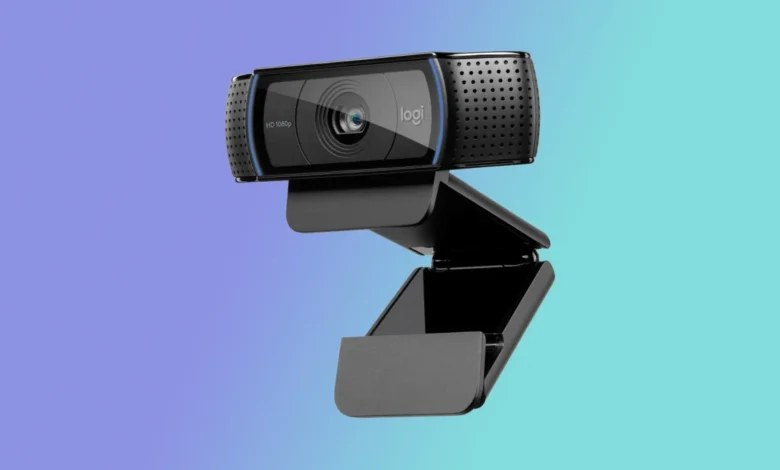
Logitech HD Webcam C920: The Enduring Standard for Everyday Use
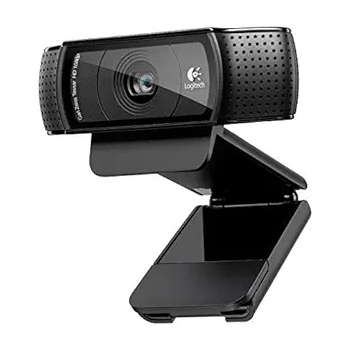
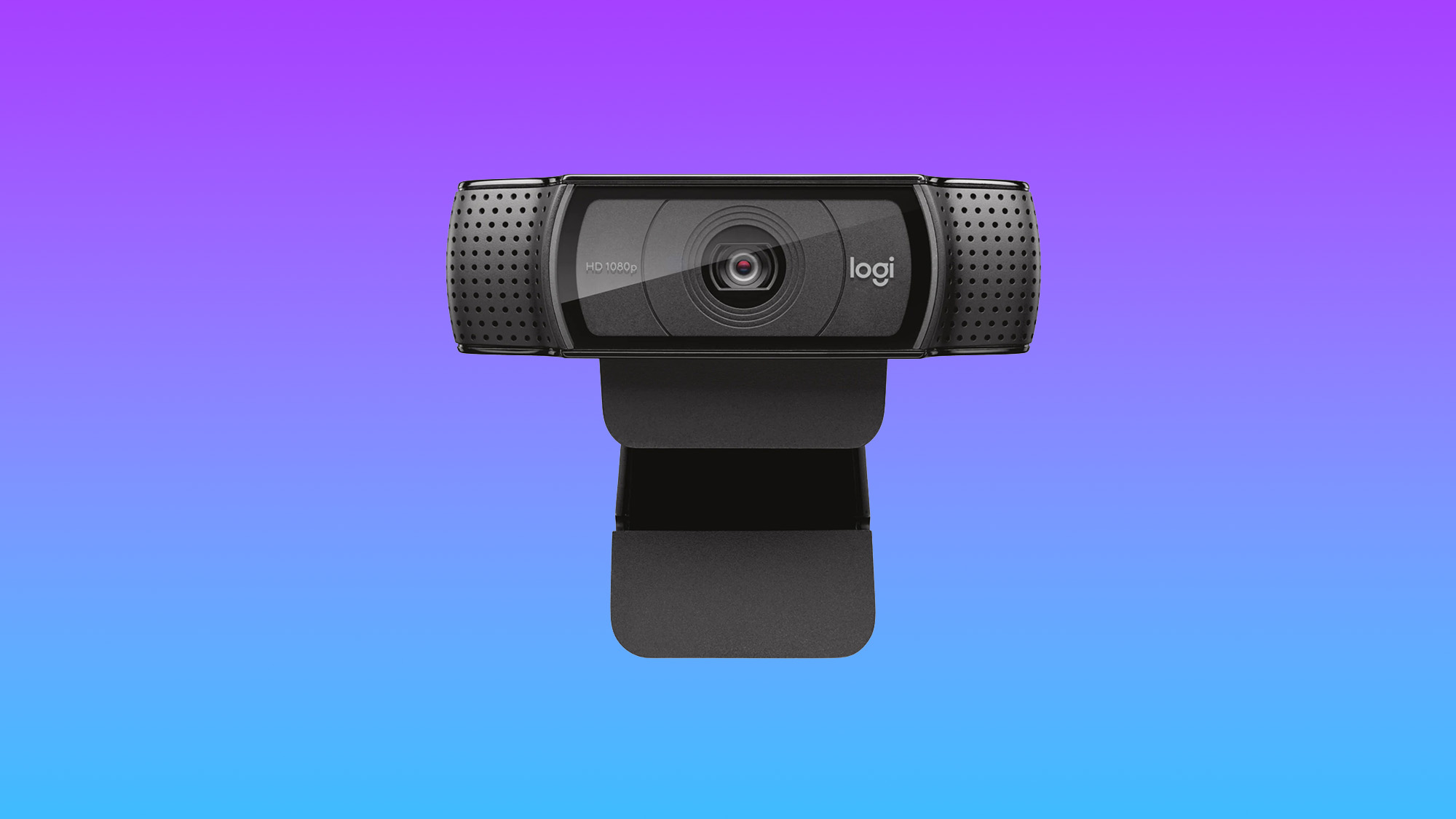
Priced affordably at approximately $60, the Logitech HD Webcam C920 remains an unwavering favorite for its exceptional balance of performance and value. This 1080p camera consistently delivers sharp, color-accurate, and crystal-clear images, far surpassing the capabilities of most integrated laptop webcams. Its 78-degree field of view is particularly beneficial, allowing for the comfortable framing of two individuals during a teleconference or providing a broader perspective of one’s environment.
The C920’s accompanying software, while not groundbreaking, offers practical functionalities such as applying filters, adjusting the camera angle, and even utilizing the webcam as a basic security camera, with the ability to capture photos for local storage. The sheer jump in image quality from a standard laptop camera to the C920 is often described as transformative, making it difficult for users to revert to lesser options. Its enduring popularity is a testament to its robust performance and accessibility, proving that high-quality visuals do not necessitate a premium price tag. For anyone seeking a reliable, high-performance webcam for daily meetings and video calls without breaking the bank, the Logitech HD Webcam C920 is an almost unrivaled choice.
- Specifications: Resolution: 1920 x 1080; Size: 1.14 x 3.70 x .94 inches; FPS: 30fps; Built-in Mic: Stereo mic; Autofocus: Yes; Gimbal: No; HDR: No.
- Analysis: The C920 shines in its core functionality. Its 1080p resolution at 30fps is a solid baseline for clear video, and the stereo microphone, while not noise-canceling, is a significant improvement over most laptop mics. The wide-angle lens is practical for various settings, and its affordability makes it an accessible upgrade for a vast user base. Its primary limitation is the lack of advanced features like 4K resolution or AI tracking, which are found in higher-end models, but for its price, it delivers exceptional value.
Insta360 Link 2: Redefining Premium for Content Creators and Presenters
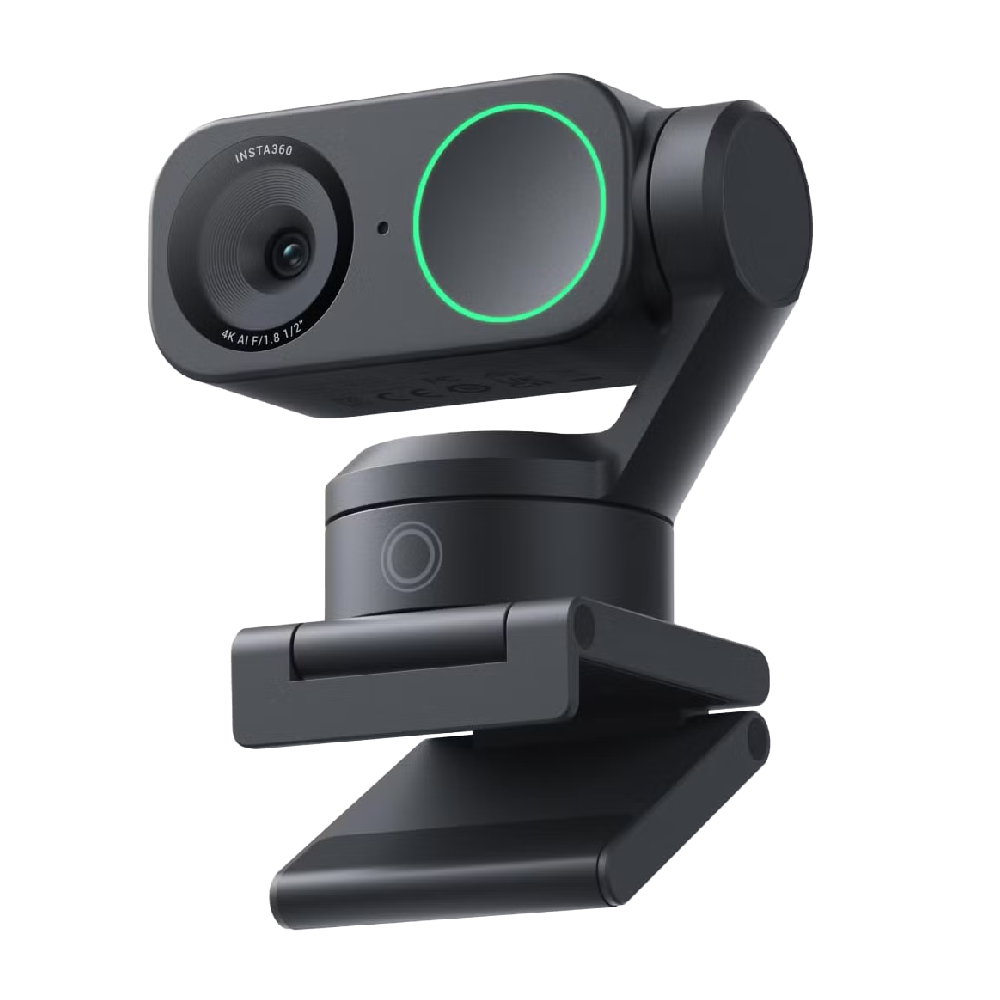
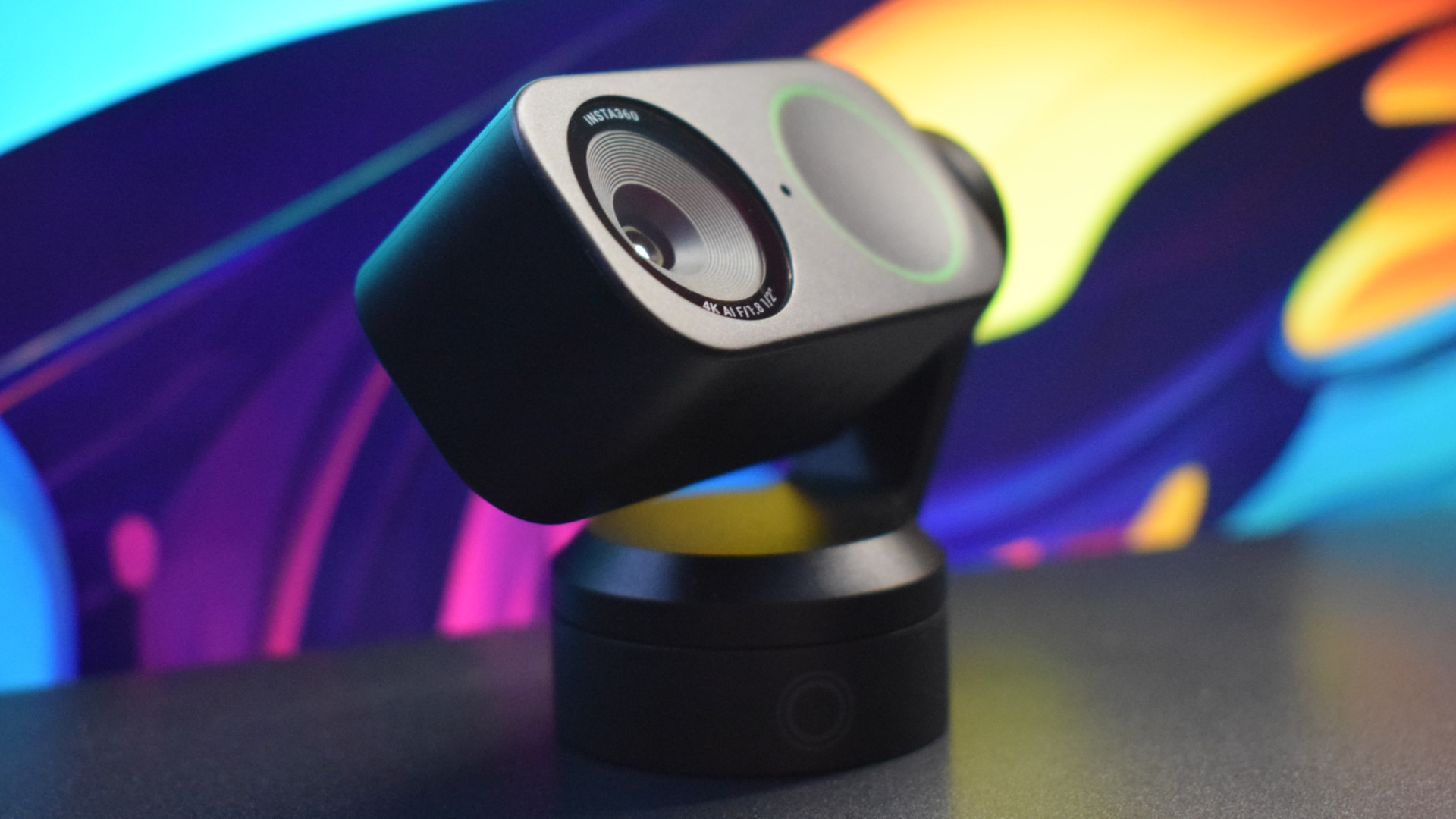
For those demanding production-level results and advanced flexibility, the Insta360 Link 2, typically retailing around $199, stands out as a premium offering that goes above and beyond. This 4K webcam integrates an impressive array of features and configurability, making it ideal for content creators, professional presenters, and educators who require dynamic and high-quality video capture.
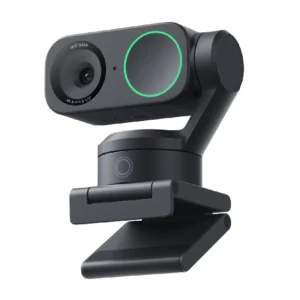
The most distinctive feature of the Link 2 is its unique dual-axis gimbal design. This motorized mechanism allows the camera to pan and tilt, dynamically tracking the user and keeping them perfectly framed and in focus, even as they move around. This AI tracking capability is remarkably responsive and accurate, mimicking the control of a professional camera operator. The Link 2’s versatility extends to specialized modes, such as the ability to quickly snap focus and crop the image to capture whiteboards with clarity, or to seamlessly transition into a "DeskView" mode for technical demonstrations or hands-on tutorials.
Equipped with an improved 1/2-inch sensor, the Link 2 exhibits excellent performance in low-light conditions, producing clear and detailed images where many other webcams would struggle. When paired with an appropriate lighting setup, the camera can capture richly detailed and crisp 4K images that rival the quality traditionally associated with DSLR cameras. While its noise-canceling pinhole microphone offers decent audio, it is noted as "middling" compared to the visual prowess, suggesting that serious content creators might still consider a dedicated external microphone for optimal sound.
- Specifications: Resolution: 3840 x 2160; Size: 2.8 x 2.3 x 1.5 inches; FPS: 30fps at 4K, 60fps at 1080p; Built-in Mic: Noise-cancelling pinhole mic; Autofocus: Yes; Gimbal: Yes; HDR: Yes.
- Analysis: The Insta360 Link 2 represents a significant leap in webcam technology. Its combination of 4K resolution, a large sensor, and AI-powered gimbal tracking makes it a powerful tool for dynamic presentations and high-quality content creation. The ability to switch between various intelligent modes adds immense practical value. The HDR support further enhances its image quality across different lighting scenarios. Its primary drawback is the microphone, which, while functional, doesn’t quite match the stellar visual performance, and its premium price places it outside the budget of casual users.
Opal Tadpole: The Compact Powerhouse for the On-the-Go Professional
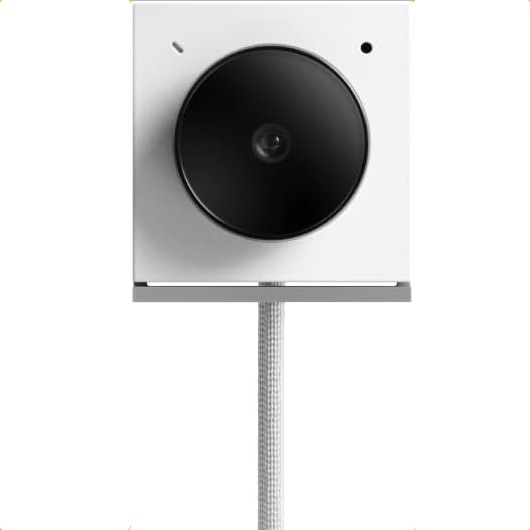
For the remote worker or frequent traveler constantly battling the notoriously poor quality of integrated laptop webcams, the Opal Tadpole presents a groundbreaking solution. This diminutive 4K clip-on webcam prioritizes portability without compromising on stellar video quality, effectively addressing a long-standing challenge for mobile professionals.
The Tadpole’s design harks back to the simplicity of the old iPod Shuffle, offering a "dead simple" plug-and-play experience via its built-in USB-C cable. Its ultra-compact size means it can be easily overlooked in a laptop bag, yet its presence makes a dramatic difference in video call quality. The camera produces crisp, clear 4K images that vastly outperform the noisy, garbled output of most laptop cameras, ensuring a professional appearance no matter the location. Opal Camera also offers a "yoyo" travel case for secure transport, though the cable itself can be used to loop the Tadpole onto a bag for convenience.
While the Opal Tadpole offers outstanding low-light and HDR quality, thanks to its advanced sensor, it does come with certain caveats. Its full companion application is currently exclusive to macOS, limiting the advanced customization options for Windows users. Furthermore, its MEMS directional microphone, while generally good, can be finicky, requiring careful positioning for optimal audio capture. Despite these minor limitations, for individuals whose priority is a travel-friendly webcam that delivers uncompromising 4K quality, the Opal Tadpole is an unparalleled choice. Those who do not travel extensively might find other larger webcams with broader feature sets and larger sensors, like the Insta360 Link, more suitable.
- Specifications: Resolution: 3840 x 2160; Size: 1.4 x 1.8 x 0.8 inches; FPS: 30fps at 4K; Built-in Mic: MEMS directional mic; Autofocus: Yes; Gimbal: No; HDR: No.
- Analysis: The Opal Tadpole’s unique selling proposition is its unmatched portability combined with 4K video. Its tiny form factor and plug-and-play functionality make it perfect for travelers. The image quality, especially in low-light and with HDR, is commendable for such a compact device. The macOS-only full app and potentially finicky mic are trade-offs for its size, but for its intended niche, it performs exceptionally well.
Anker PowerConf C200: Mid-Range Excellence with Practical Features
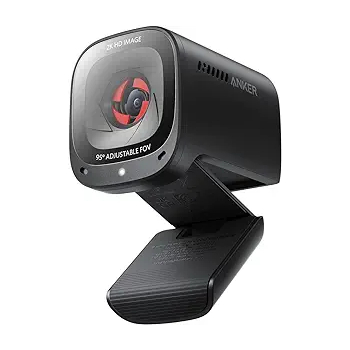
The Anker PowerConf C200 webcam stands out as a stylish, sturdy, and remarkably affordable option at $69.99, challenging the notion that high-quality webcams must be expensive. This 2K webcam delivers image quality that often rivals or surpasses more expensive models, making it a "bargain" in the midrange category.
One of its most appreciated features, particularly for home office users, is the physical privacy shutter. This simple yet effective mechanism provides peace of mind, ensuring that the camera is physically blocked when not in use, guarding against potential privacy breaches. The PowerConf C200 offers crisp, color-accurate images in both normal and low-light conditions, a testament to its capable sensor and processing. Its super-fast autofocus ensures that users remain sharp and clear throughout their video calls.
The webcam’s dual-stereo microphones generally provide clear audio, but one notable point from testing is that the noise-canceling feature can, at times, lead to choppy or digitized audio. Users who prioritize pristine audio might need to experiment with settings or consider an external microphone if this becomes an issue. However, for its price point, the Anker PowerConf C200 offers outstanding 2K image quality at 60 frames per second, a robust build, and essential privacy features, making it an excellent value proposition for general use.
- Specifications: Resolution: 2560 x 1440; Size: 2 x 1.6 x 2.2 inches; FPS: 60fps @ 2K; Built-in Mic: Dual-stereo mics; Autofocus: Yes; Gimbal: No; HDR: No.
- Analysis: The Anker PowerConf C200 hits a sweet spot between price and performance. Its 2K resolution at 60fps offers a noticeable upgrade in smoothness and detail over 1080p webcams, making it suitable for a wide range of professional and personal uses. The physical privacy shutter is a significant bonus. While the noise-canceling audio can be inconsistent, its overall image quality and autofocus speed make it a highly competitive option in the mid-range market.
Logitech MX Brio 4K: Uncompromising 4K Visual Fidelity
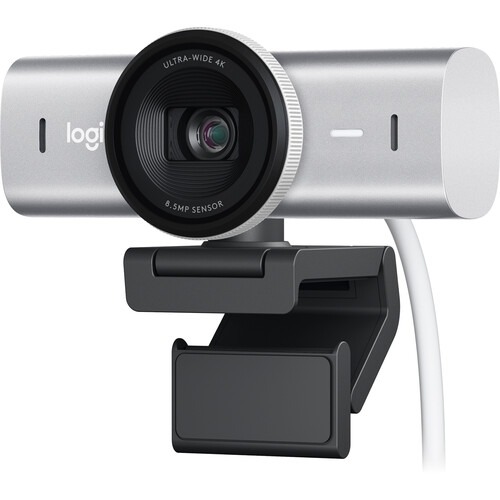
For users whose top priority is unparalleled 4K image quality, the Logitech MX Brio 4K webcam is a premier choice, albeit at a premium price point of around $200. This webcam elevates video capture through its advanced 8.5-megapixel Sony STARVIS CMOS sensor, which is notably larger and more capable than sensors found in most conventional webcams.
This superior sensor translates into exceptionally sharp video and stills with bright and vivid colors, even in challenging lighting environments. The MX Brio 4K particularly excels in less-than-ideal lighting conditions, outperforming many competitors by maintaining image integrity and reducing noise where others would struggle. Like the Anker C200, it includes a robust physical privacy shutter, a welcome feature for security-conscious users.
While Logitech’s AI tracking is competent, it is generally considered less dynamic and comprehensive than the gimbal-based tracking offered by the Insta360 Link 2. Therefore, if extensive movement tracking is a primary requirement, the Insta360 might be a better fit. The MX Brio’s dual beamforming microphone array is a definite improvement over typical laptop microphones, but some users might find it could be better for its price. Nevertheless, its 4K resolution delivers incredibly sharp images, further enhanced by features like "Show Mode," which allows for dynamic presentation of physical objects, and its ability to track faces, bodies, whiteboards, and even desk items.
- Specifications: Resolution: 3840 x 2160; Size: 1.7 x 3.9 x 1.4 inches; FPS: 30fps at 4K, 60fps at 1080p; Built-in Mic: Dual Beamforming mic; Autofocus: Yes; Gimbal: No; HDR: No.
- Analysis: The Logitech MX Brio 4K is designed for those who demand the absolute best in video quality for static or moderately dynamic scenes. Its large Sony STARVIS sensor is the star, ensuring excellent performance across various lighting conditions. While its AI tracking isn’t as advanced as gimbal-equipped models, it’s still effective for standard use. The microphone is good but not exceptional. Its robust build quality and practical features like the privacy shutter and "Show Mode" justify its premium price for users prioritizing visual fidelity above all else.
Industry Trends and Manufacturer Responses
The market for external webcams reflects a clear response to consumer demand for superior digital interaction. Manufacturers are increasingly focusing on larger sensors, higher resolutions, and advanced image processing to deliver clearer, more vibrant, and more adaptable video feeds. The integration of artificial intelligence for features like auto-framing, facial tracking, and background blur is becoming a standard in premium models, making virtual interactions more engaging and professional.
There’s also a growing emphasis on software integration, allowing users more granular control over their video settings, from white balance and exposure to digital zoom and specific presentation modes. The inclusion of privacy features, such as physical shutters, indicates a recognition of user concerns regarding digital security. This continuous innovation highlights an industry committed to enhancing the virtual experience, moving beyond basic functionality to offer sophisticated tools that empower users in their digital endeavors.
The Broader Impact: Elevating Virtual Presence
The advent of high-quality webcams has profound implications across various sectors. For professionals, a clear, well-lit image and crisp audio can significantly enhance credibility and engagement in virtual meetings, fostering more effective collaboration and communication. In education, superior webcams facilitate more engaging online classes, allowing instructors to present content with greater clarity and students to participate more effectively.
For the rapidly expanding world of content creation, from live streamers to YouTubers, advanced webcams democratize access to high-production value. They enable individuals to create professional-looking content without the need for expensive and complex DSLR camera setups, lowering the barrier to entry for aspiring creators. Furthermore, by improving the overall quality of digital self-representation, these devices contribute to stronger personal branding and more impactful online interactions in an increasingly digital-first world. Investing in a quality webcam is no longer just about convenience; it’s about investing in one’s digital identity and the effectiveness of their virtual presence.
In conclusion, the necessity of a high-quality webcam in today’s digital landscape is undeniable. While integrated laptop cameras often fall short, the market offers a diverse range of external webcams tailored to various needs and budgets. From the affordable yet capable Logitech C920 to the AI-powered Insta360 Link 2, the ultra-portable Opal Tadpole, the value-packed Anker PowerConf C200, and the visually stunning Logitech MX Brio 4K, there is an option to significantly elevate anyone’s virtual presence. Understanding the technical specifications and feature sets of these devices empowers consumers to make an informed choice, ensuring they look and sound their best in every digital interaction.