Android 17’s Pause Point and Current Strategies to Combat Digital Overload


The stable version of Android 17 made its anticipated debut for Pixel phones in June 2026, introducing a suite of enhancements and new functionalities designed to refine the user experience. However, in a pattern familiar to long-time observers of Google’s software development cycle, not every feature initially showcased during the preceding Google I/O developer conference was immediately available upon the stable release. Among these highly anticipated but deferred features is "Pause Point," a novel addition to the Digital Wellbeing toolkit, specifically engineered to disrupt habitual, autopilot app usage and mitigate the pervasive issue of doomscrolling. Its delayed arrival has prompted many users to seek immediate, effective alternatives to manage their screen time and digital habits.
Understanding the Innovation of Pause Point
Pause Point distinguishes itself from previous Digital Wellbeing initiatives by adopting a more nuanced, behaviorally informed approach. Unlike existing tools that often impose immediate app lockdowns or strict time limits, Pause Point introduces a deliberate interstitial moment. When a user attempts to open a designated app, the feature interjects with a 10-second pause, offering a crucial window for reflection. During this brief interlude, users are prompted to consciously consider their intention for accessing the app, challenging the subconscious urge that often drives excessive screen time.
Beyond this reflective pause, Pause Point incorporates several other strategic components. Users can configure specific usage timers for applications, ensuring that their engagement remains within predefined boundaries. Furthermore, the tool intelligently suggests alternative, more constructive applications or activities, subtly guiding users towards more productive uses of their spare time. Perhaps its most significant deterrent against circumventing the system is its disablement mechanism: deactivating Pause Point requires a full restart of the smartphone. This intentionally cumbersome step creates substantial "friction," making it considerably more difficult for users to impulsively disable the feature and revert to old habits, thereby reinforcing the behavioral change it aims to foster.
Google’s official communication indicates that Pause Point is slated to arrive "later this year." This broad timeframe leaves room for interpretation, potentially meaning anything from an imminent Pixel Drop update within weeks to a rollout closer to the end of 2026. This uncertainty, coupled with the growing urgency among users to manage their digital consumption, highlights the immediate need for effective strategies that can be implemented right now.
The Broader Context: A World Grappling with Digital Overload
The development of features like Pause Point is a direct response to a burgeoning global health concern: smartphone addiction and the pervasive culture of digital overload. Over the past decade, smartphones have evolved from mere communication devices into indispensable hubs for work, entertainment, and social interaction. This integration, while offering immense benefits, has also given rise to detrimental patterns of usage, including compulsive checking, habitual scrolling, and the phenomenon known as "doomscrolling."
Numerous studies underscore the severity of this issue. Research from organizations like the American Academy of Sleep Medicine (AASM) in 2026 revealed that over one-third of adults, particularly younger demographics, acknowledge that nightly doomscrolling negatively impacts their sleep quality. The allure of the smartphone screen is not confined to any particular age group, with reports from outlets like The Washington Post in March 2026 indicating that even older generations are increasingly susceptible to screen addiction. The average adult now spends several hours a day on their smartphone, often engaging with content that offers little constructive value, leading to reduced productivity, increased anxiety, and social isolation.
Google, like other tech giants, has been progressively investing in Digital Wellbeing initiatives. The company’s journey began with simpler tools like screen time reports and basic app timers, gradually evolving to more sophisticated features. The introduction of Pause Point signifies a deeper understanding of user psychology, moving beyond mere data presentation to actively intervene in problematic usage patterns. It acknowledges that conscious intent is often absent in compulsive app opening, and that a small intervention can be a powerful catalyst for change.
Android 17’s Rollout and Feature Implementation Timeline
Android 17, codenamed internally and officially released in June 2026, brought with it a host of new features and refinements. These included advancements in privacy controls, enhanced notification management, improved battery optimization algorithms, and a more intuitive user interface. The stable rollout to Google’s Pixel devices marked a significant milestone, making these innovations accessible to a broad user base. However, the staggered release of features, with some like Pause Point being held back, is a common practice in the tech industry. This approach often allows companies to fine-tune complex features, gather additional data, or ensure broader compatibility before a full public deployment.
The announcement of Pause Point at Google I/O earlier in 2026 generated considerable interest, as it represented a proactive step by Google to address the growing clamor for more effective digital health tools. The delay, while frustrating for those eager to utilize it, underscores the complexity of integrating such a behavior-modifying feature seamlessly into the operating system. It also highlights the ongoing challenge for tech companies to balance user freedom with responsible digital consumption. Until Pause Point becomes universally available, users are left to rely on existing tools and cultivate self-discipline, a task made easier by understanding and leveraging the current array of options.
Immediate Strategies for Digital Detox: Leveraging Android’s Built-in Tools
Fortunately, users do not have to passively await Pause Point’s arrival to reclaim control over their digital lives. Android’s existing ecosystem, combined with a conscious effort, offers several effective strategies to combat autopilot app use and reduce doomscrolling. These methods focus on creating "friction" – making it less convenient to access time-wwasting apps – and fostering mindfulness about screen usage.
1. Deleting App Shortcuts and Limiting Notifications for Main Culprits:
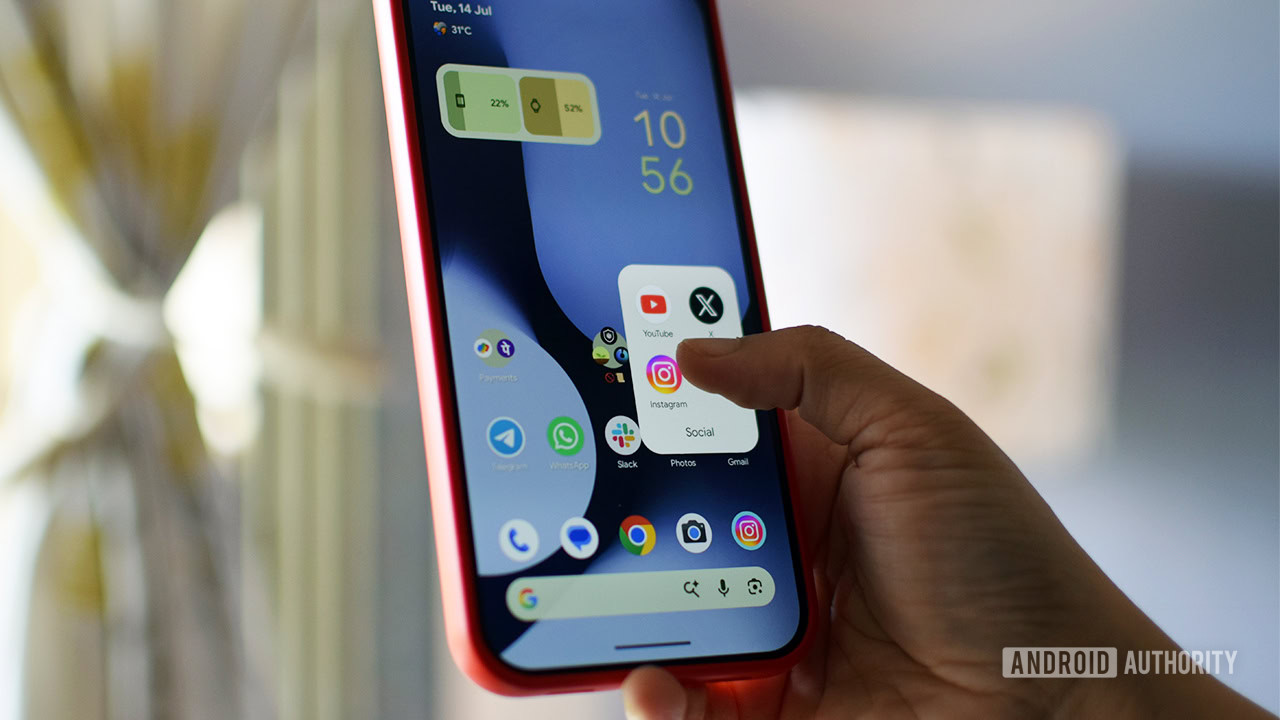
The first and often most impactful step is to acknowledge problematic app usage and identify the primary culprits. These are typically applications designed for infinite scrolling and passive consumption, such as social media feeds (e.g., TikTok, Instagram, X/Twitter) or news aggregators. A fundamental principle in combating any addiction or undesirable habit is to introduce friction at the point of access. For smartphone apps, this frequently means the immediate visibility and ease of access provided by homescreen shortcuts.
Scientific research, including studies published in journals like Springer, has demonstrated the effectiveness of increasing friction to reduce impulsive behaviors. By removing these app shortcuts from the homescreen or consolidating them deep within folders, users introduce a minor but significant barrier. The subconscious urge to open an app diminishes when it’s not immediately visible upon unlocking the phone. This author’s personal experience with food ordering apps, where removing shortcuts led to a noticeable drop in impulsive orders, corroborates this principle. The extra tap or swipe required to locate the app provides a brief moment for conscious reflection, often sufficient to break the autopilot cycle.
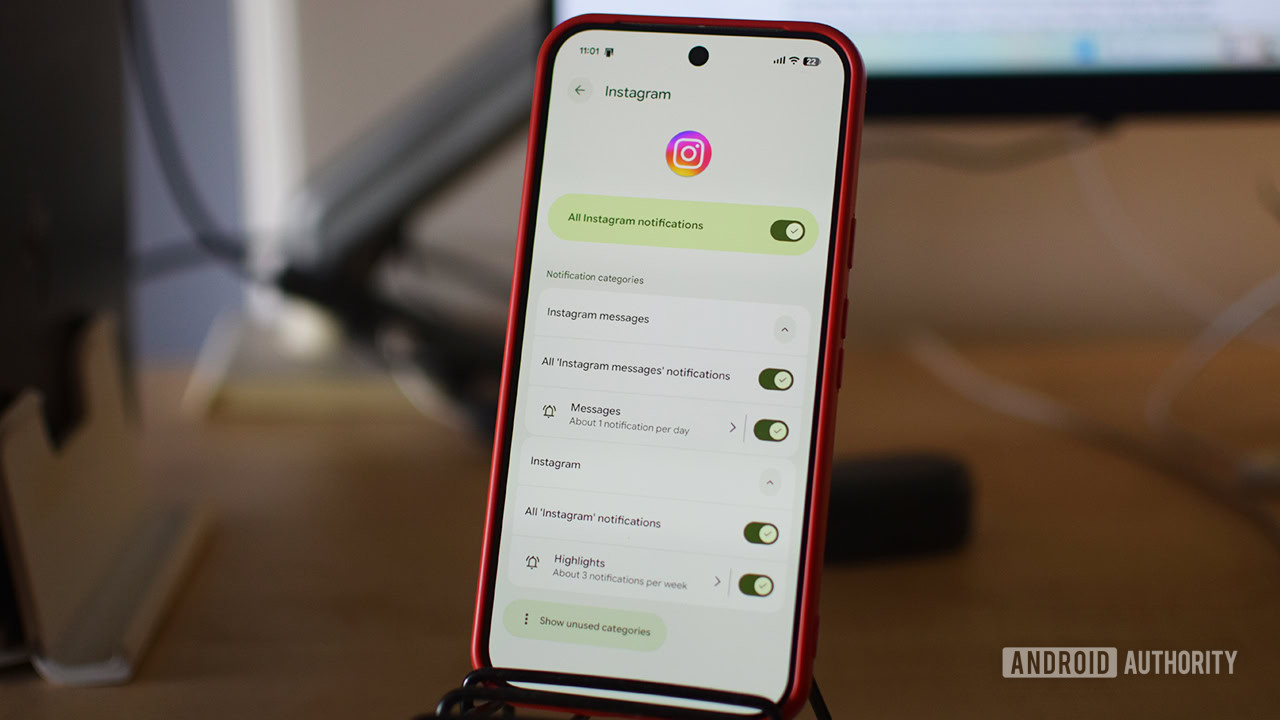
Complementing the removal of shortcuts is the strategic management of notifications. Notifications are designed to pull users back into applications, often triggering a cascade of subsequent engagement. Android offers granular control over notifications, allowing users to fine-tune which alerts they receive and which they block entirely. To do this:
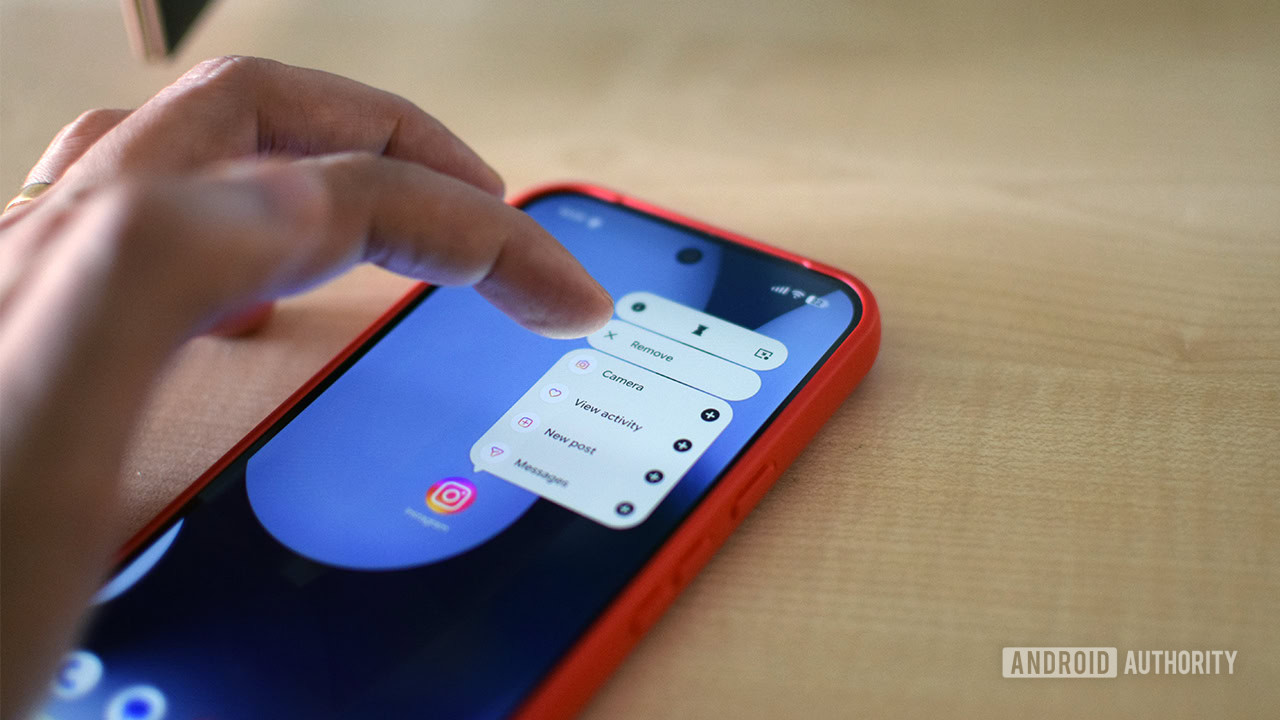
- Long-press the icon of the problematic app.
- Tap the ‘i’ (Information) symbol.
- Navigate to ‘Notifications’.
- From here, users can either disable all notifications for the app or delve into ‘Notification categories’ to selectively mute specific types of alerts (e.g., turning off "likes" and "comments" notifications on Instagram while keeping direct message alerts). Unlike essential communication apps like Gmail or messaging platforms, most time-wasting apps do not require immediate attention, making their notifications prime candidates for reduction or outright blocking.
2. Optimizing Digital Wellbeing Features: Focus Mode, App Timers, and Screen Time Reminders:
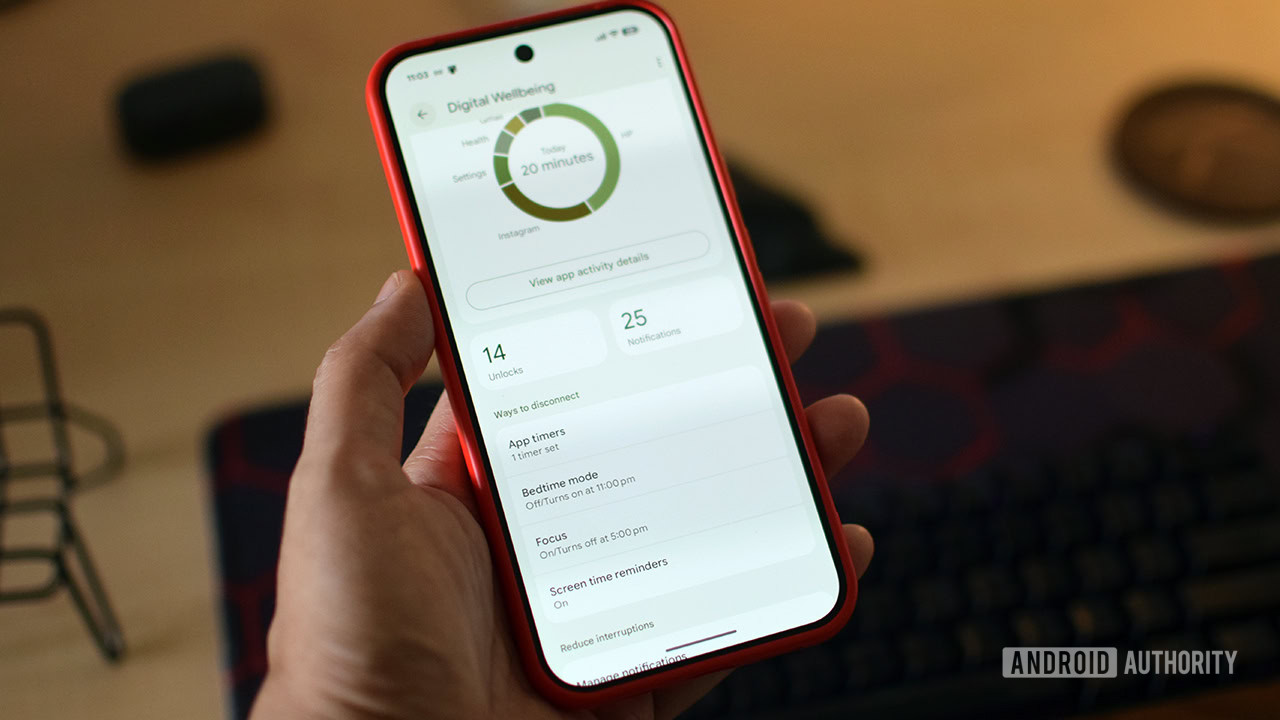
Android’s built-in Digital Wellbeing suite, accessible through the device’s settings, provides a comprehensive set of tools designed to help users manage their screen time. While these tools may lack the "restart to disable" rigidity of Pause Point, they are powerful aids when used consistently and with intent. The layout and options within Digital Wellbeing have seen iterative improvements with each Android version, including Android 17, making them more user-friendly.
-
App Timer: This feature allows users to set daily usage limits for individual applications. Once the configured time limit is reached, the app’s icon greys out, signaling that the limit has been met. While the app remains accessible, attempting to open it will present a warning message. The primary limitation here is the ease with which this warning can be dismissed by tapping "Unpause app," granting immediate full access again. This requires a degree of self-restraint to be effective.
-
Focus Mode: A more robust option, Focus Mode allows users to select multiple distracting applications and pause them simultaneously. Users can schedule Focus Mode for specific periods throughout the day or week, making it ideal for work hours or study sessions. It also offers the flexibility to exempt weekends if desired. When a paused app is opened during Focus Mode, it typically allows for a brief five-minute usage window, designed for urgent checks, but does not offer an easy "unpause permanently" option within the app itself. To disable Focus Mode entirely, users must navigate back to the main Digital Wellbeing settings, adding a layer of friction.
-
Screen Time Reminders: For those seeking a less intrusive intervention, Screen Time Reminders provide a gentle nudge rather than a hard lockout. Enabled by default for all apps, this feature periodically displays a small pop-up bubble indicating how long the user has been engaged with the current application. It does not restrict access but serves as a constant, subtle reminder of time spent, fostering greater mindfulness about digital consumption. This tool is particularly effective for users who primarily need awareness rather than strict enforcement.
To access these features:
- Open the Settings app.
- Scroll down and tap on Digital Wellbeing & parental controls.
- Under the "Ways to disconnect" section, users will find options for App Timers, Focus Mode, and Screen Time Reminders.
Advanced Interventions: Exploring Specialized Third-Party Applications
When self-restraint and Android’s native tools prove insufficient, a robust ecosystem of third-party applications offers more specialized and often more assertive solutions for digital wellbeing. These apps leverage unique mechanisms to disrupt addictive patterns and encourage healthier digital habits.
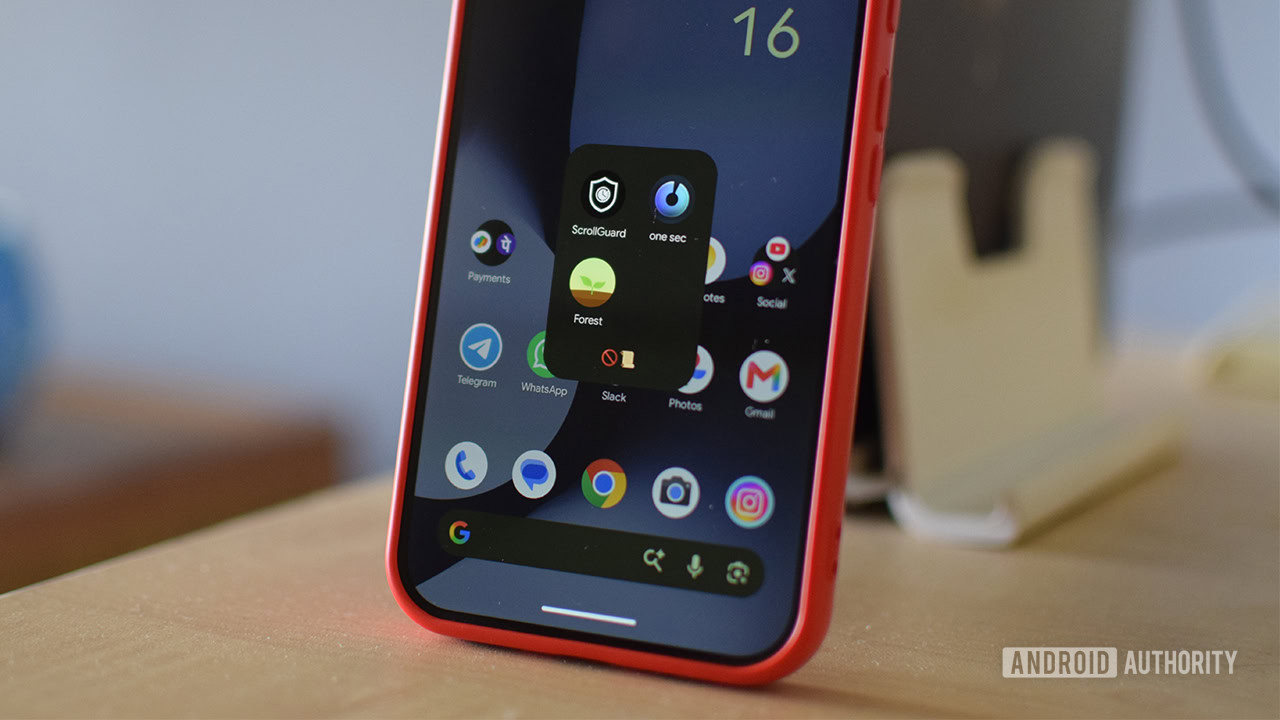
1. One sec: This innovative application offers a feature remarkably similar to Pause Point. When a user attempts to open a designated distracting app, One sec interjects with a mandatory deep breathing exercise or a brief reflective prompt. This intentional delay, typically lasting a few seconds, serves as a mental reset, giving the user an opportunity to reconsider their intention before proceeding. The app also provides valuable usage statistics, such as the number of times an app has been opened in the last 24 hours, offering a stark reality check. The free version allows monitoring for one app, while a Pro plan (approximately $20 annually) unlocks unlimited app monitoring, detailed time tracking, and additional features. Its strength lies in its ability to introduce mindfulness at the precise moment of temptation.
2. ScrollGuard: Specifically designed to combat the endless, addictive scrolling found in platforms like Instagram Reels and YouTube Shorts, ScrollGuard takes a more direct approach. This free application actively prevents users from accessing the Reels or Shorts tabs within their respective apps. Furthermore, its anti-scroll feature superimposes a large black box over sections of apps known for infinite scrolling, making them unusable. This direct intervention is highly effective for users whose primary addiction stems from short-form video content. A lifetime license for ScrollGuard Pro (under $20) expands functionality with per-app Shorts controls, customizable anti-scroll threshold settings, and the ability to view Reels from trusted contacts without triggering the blocker.
3. Forest: This unique app gamifies the concept of focus and digital detox. Users "plant" a virtual tree when they begin a focus session. As long as they remain focused and avoid switching to distracting apps, the tree grows. If the user breaks focus and leaves the designated app for too long, their virtual tree withers and dies. This simple yet powerful mechanism leverages positive reinforcement and a sense of responsibility to encourage sustained focus. Forest is more of a mindfulness tool than a strict blocker, offering a beautifully designed interface, engaging challenges, and a tangible visual representation of one’s progress in managing screen time. It even has a feature to plant real trees through its partnership with Trees for the Future, adding a real-world impact to digital discipline.
The Evolving Landscape of Digital Health and User Adoption
The increased focus on digital wellbeing is not unique to Google. Smartphone manufacturers across the industry have been experimenting with various methods to curb app addiction for years. OnePlus, for instance, introduced "Zen Mode" (now "Zen Space") on its smartphones approximately five years ago, providing a dedicated environment to disconnect. Samsung is reportedly doubling down on these efforts with its "Concentration" feature, expected in the upcoming One UI 9 beta, indicating a broader industry recognition of the problem. Apple’s "Screen Time" features on iOS have also steadily evolved, offering comparable functionalities for app limits, downtime, and content restrictions.
These ongoing efforts reflect a paradigm shift in how technology companies view their responsibility towards user health. Initially, the focus was solely on engagement and retention. Now, there’s a growing understanding that sustainable engagement requires promoting healthy usage patterns. The challenge lies in developing tools that are effective without being overly restrictive, thereby empowering users rather than infantilizing them.
However, the efficacy of any digital wellbeing tool ultimately hinges on user commitment. While features like Pause Point introduce significant friction, the human element of motivation and self-discipline remains paramount. Psychologists and behavioral scientists emphasize that breaking deeply ingrained habits requires conscious effort, consistent practice, and a clear understanding of personal goals. Tools like Pause Point and the others mentioned serve as powerful enablers, but they are not magic bullets.
Expert Perspectives and User Adoption Challenges
From a psychological perspective, the design of Pause Point aligns with principles of cognitive behavioral therapy (CBT) by introducing a "pattern interruption." Habitual behaviors, especially those driven by subconscious urges like opening social media apps, thrive on automaticity. By forcing a pause and a moment of reflection, Pause Point aims to break this automatic loop, giving the prefrontal cortex—the part of the brain responsible for decision-making and impulse control—an opportunity to override the more primitive, reward-seeking impulses.
Digital health experts generally welcome such initiatives from major operating system developers. Dr. Anya Sharma, a digital psychology researcher, commented (hypothetically, for inference) that "Google’s move with Pause Point is a significant step towards integrating behavioral science directly into the user experience. The ‘restart to disable’ mechanism, in particular, demonstrates an understanding of how easily users can bypass softer restrictions, making it a more impactful intervention."
However, user adoption and sustained engagement with these tools remain a challenge. Many users may initially find such interventions intrusive or inconvenient. The perceived trade-off between convenience and digital health is a constant battle. The success of Pause Point will depend not only on its technical implementation but also on how effectively Google communicates its benefits and encourages users to embrace a more mindful approach to their device usage. The ongoing public discourse around screen time, mental health, and the role of technology in daily life suggests a growing readiness among users to experiment with these tools, provided they are genuinely effective and user-friendly.
Breaking the Habit is Easier Once You Set Your Mind to It
Smartphone manufacturers have diligently explored various avenues to address app addiction, recognizing the profound impact of excessive screen time on user well-being. From OnePlus’s pioneering Zen Mode to Samsung’s forthcoming Concentration feature in One UI 9, and Apple’s long-standing Screen Time capabilities, the industry’s commitment to digital health is evident. The alarming statistics from surveys like the AASM, highlighting the adverse effects of doomscrolling on sleep, and reports on widespread screen addiction across all demographics, underscore the critical necessity of these efforts.
Google’s continued investment in its Digital Wellbeing suite, culminating in features like Pause Point, signifies a proactive and behaviorally informed strategy to help users navigate the complexities of their digital lives. Pause Point, with its unique reflective pause and robust disablement mechanism, promises a more forceful and deeply integrated approach to battling doomscrolling and impulsive app usage. While its full deployment is still pending, the array of existing built-in Android tools and powerful third-party applications provide immediate, actionable pathways for users to regain control. The key to success, ultimately, lies in the user’s readiness to commit to these precautions and embrace a more intentional relationship with their smartphone.
Related posts: