Inside MP Materials Independence Factory: The High-Stakes Battle to Onshore America’s Rare Earth Supply Chain

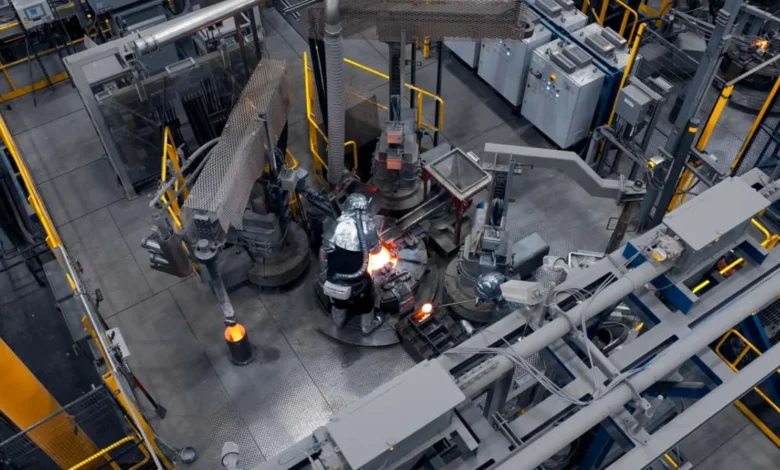
Inside MP Materials’ high-security Independence facility in Fort Worth, Texas, raw geological heritage is transformed into the critical infrastructure of modern technology. On long steel tables, components resembling ordinary household items—strips of chewing gum, flakes of breakfast cereal, and granules of crushed pepper—are carefully arranged under harsh, clinical lighting. Overhead, a massive United States flag drapes down from the ceiling, casting a patriotic shadow over industrial equipment where operating temperatures regularly surpass 1,000 degrees Celsius.
Nearby, technicians clad in full protective thermal suits monitor heavy machinery, while a gleaming red Cadillac Vistiq sits dismantled on an adjacent workbench. Its electric motor has been surgically opened to expose the beating heart of contemporary mobility: rare earth permanent magnets.
Measuring roughly the size of a miniature confectionery bar, these neodymium-iron-boron (NdFeB) magnets are remarkably dense, featuring a smooth, metallic texture and razor-sharp edges. Despite their diminutive stature, their strategic gravity is immense. They are indispensable components utilized across a sweeping array of critical industries, driving everything from advanced military weaponry, tactical fighter jets, and precision medical devices to consumer electronics like iPhones and high-performance electric vehicles (EVs).
Yet, this high-tech display masks a profound geopolitical vulnerability. China maintains a near-monopoly over the global rare earth supply chain, commanding the world’s largest known reserves and accounting for approximately 49 percent of global production, according to data from the International Energy Agency (IEA). Currently, virtually all rare earth elements utilized within the United States are imported from overseas, affording Beijing extraordinary economic leverage over Western trading partners and automotive manufacturers alike.
The fragile nature of this dependency was laid bare following trade policy shifts. After the United States administration implemented sweeping tariffs on Chinese imports, Beijing retaliated swiftly by enforcing strict export controls on rare earth materials and finished magnets. The resulting bottleneck sent shockwaves through American industry, forcing major automakers to scramble for alternative components. Most notably, Ford Motor Company was forced to temporarily suspend production of its popular Explorer SUV for an entire week after a primary supplier exhausted its inventory of permanent magnets. Although Washington eventually recalibrated its tariff posture to ease tensions, China’s stringent export restrictions have remained a persistent operational hurdle for domestic manufacturers.
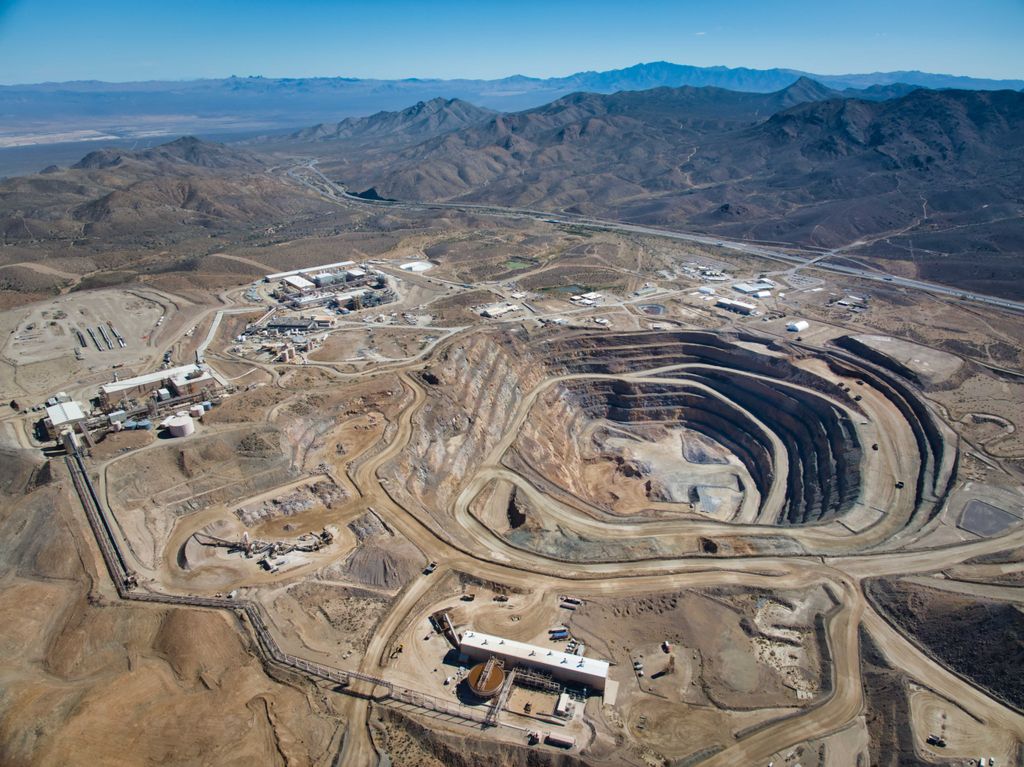
Against this volatile backdrop, American rare earths pioneer MP Materials has embarked on an ambitious industrial undertaking: resurrecting a domestic rare earth supply chain that has remained largely dormant for decades. The company owns and operates Mountain Pass, situated in the rugged Mojave Desert of Southern California. According to corporate data, Mountain Pass stands as the sole active rare earth mining and refining facility in the Western Hemisphere, as well as the largest operation of its kind outside of China.
The Independence facility in Fort Worth acts as the downstream anchor for this ecosystem, converting raw mineral concentrates shipped directly from the California mine into automotive-grade permanent magnets tailored for EV traction motors. To insulate its supply chain from future geopolitical shocks and tariff volatility, General Motors has forged a strategic partnership with MP Materials, securing domestic supply channels as part of a broader corporate imperative to localize EV component manufacturing.
The Indispensable Physics of Permanent Magnets in Electric Vehicles
To appreciate the strategic importance of domestic magnet production, one must examine the electromechanical architecture that propels modern electric vehicles. The characteristic responsiveness of EVs—exemplified by buttery-smooth acceleration, instant torque delivery, and exceptional energy conversion efficiencies that far surpass traditional internal combustion engines—is intrinsically linked to the quality and strength of the rare earth magnets embedded within their traction motors.
While induction motors, which operate without rare earth elements, remain common in certain automotive applications, permanent magnet synchronous motors offer distinct engineering advantages. They deliver superior power density, higher torque outputs, and greater efficiency when converting electrical energy into mechanical propulsion. Consequently, the vast majority of consumer EVs on the market today rely primarily on permanent magnet motors, or utilize a hybrid drivetrain pairing a permanent magnet primary motor with an induction motor for all-wheel-drive assistance. General Motors, for instance, utilizes permanent magnet motors as the primary workhorse across its electric vehicle portfolio, including crossovers like the Equinox EV.
At a microscopic level, an electric drive unit consists of two primary components: the stator and the rotor. The stator features stationary copper windings that draw electrical current from the vehicle’s battery pack to generate a rotating magnetic field. The rotor, which houses the array of rare earth permanent magnets, interacts directly with this magnetic field, creating the rotational force required to spin the driveshaft and turn the wheels.
The material at the core of this interaction is neodymium-iron-boron (NdFeB). As one of the 17 designated rare earth elements, NdFeB possesses the strongest magnetic properties commercially available. According to engineering specifications provided by General Motors, a large-format EV rotor incorporates 192 individual neodymium magnets, while smaller variants utilize 128. Despite being among the smallest physical components in an electric vehicle, these tiny blocks dictate the overall dynamic performance and efficiency of the entire powertrain.
Forging a Domestic Alliance: GM and MP Materials
The automotive industry’s pivot toward domestic rare earth sourcing mirrors a broader structural realignment currently sweeping the energy and transportation sectors. Just as automakers are working to establish local supply chains for lithium-ion battery cells to reduce reliance on foreign suppliers, regulatory pressures and geopolitical friction are forcing a reevaluation of critical mineral sourcing.
Shilpan Amin, global chief supply chain and procurement officer at General Motors, noted that the automaker’s commitment to domestic magnets predates the implementation of recent export restrictions by several years. The global semiconductor shortage of 2021 served as a catalyst for GM, prompting executive leadership to conduct a rigorous audit of the company’s supply chain vulnerabilities. The assessment identified lithium-ion batteries, advanced semiconductors, and rare earth magnets as the areas most exposed to geopolitical disruption.
That same year, GM signed a landmark offtake agreement with MP Materials to purchase automotive-grade magnets from the Fort Worth facility, which at the time operated merely as a pilot line.
"We changed our strategy to buy where you build," Amin remarked during a media roundtable discussion at the Independence plant.
MP Materials’ Mountain Pass mine, which accounted for an estimated 13 percent of global rare earth production, previously exported tens of thousands of tonnes of raw mineral concentrate to China for processing due to a lack of domestic refining infrastructure. However, following the enactment of Chinese export controls, those shipments ceased. While Chinese mining firm Shenghe Resources holds a minority equity stake in MP Materials, the company’s largest institutional stakeholder is now the United States Department of Defense, following a multi-billion-dollar public-private partnership finalized to secure national security supply lines.
The Fort Worth facility is slated to begin commercial shipments of fully domestically manufactured, automotive-grade neodymium magnets to General Motors. While GM engineers evaluate prototype components at the company’s Pontiac Engineering Center in Michigan, the first production-grade batches are scheduled for delivery. Eventually, the automaker intends to integrate MP Materials’ magnets across its entire North American EV lineup, though commercial rollout timelines and cost parity targets remain closely guarded metrics.

Addressing the economic realities of domestic manufacturing, Amin acknowledged that American-made magnets currently carry a financial premium. "Being a low-volume startup producer has inefficiencies built in," Amin explained. Nevertheless, he expressed confidence that operational scaling will drive down expenses. "When operations are running at high utilization, that brings you down the affordability curve to get competitive. On a fair and level playing field, this will beat anything else in the world."
A Historical Retrospective: From American Innovation to Overseas Dominance
While MP Materials was formally established in 2017, the history of the Mountain Pass site stretches back decades. Discovered in 1949 within geological terrain estimated to be 1.7 billion years old, independent prospectors initially searched the Mojave Desert for uranium before unearthing massive deposits of rare earth mineralization.
From 1965 through 1995, Mountain Pass served as the preeminent global supplier of rare earth elements, providing foundational materials utilized in early color television cathode-ray tubes to produce vibrant red tints. Alan Lund, executive vice president of magnetics at MP Materials, emphasized the historical cost of industrial outsourcing: "When you give up manufacturing, you give up the technology."
Crucially, foundational refining methodologies were invented in the United States. Solvent extraction—the complex chemical process used to isolate specific rare earth elements from raw ore—was pioneered at Mountain Pass before the technology was widely adopted abroad.
Similarly, the invention of the neodymium-iron-boron magnet in 1982 traces its origins directly to American automotive research. Japanese engineer Masato Sagawa and American metallurgist John Croat independently developed the permanent magnet alloy in Japan and the United States, respectively, stunning the scientific community by presenting their identical discoveries at a 1983 conference in Pittsburgh. At the time of the breakthrough, Croat was working within the General Motors Research Laboratories.
This historical trajectory mirrors the commercialization of lithium-ion battery technology and low-cost lithium-iron-phosphate (LFP) chemistry, both of which were initially developed in U.S. laboratories before scaling overseas. Today, China dominates global LFP cell manufacturing, prompting a parallel push by American automakers to onshore battery cell production.
Ownership of Mountain Pass changed hands numerous times over the decades, including a period under corporate stewardship by Chevron. According to MP Materials, successive corporate owners underinvested in the infrastructure during a period when China actively subsidized and consolidated its rare earth sector. When the mine neared bankruptcy under former owner Molycorp, it was put up for public auction, where MP Materials acquired the asset for $20.5 million. Today, the deposit is recognized as one of the world’s richest concentrations of neodymium-praseodymium (NdPr) oxide, the essential feedstock required for permanent magnet fabrication.
Inside the Manufacturing Process: From Ore to Finished Magnet
Transforming raw mineral output into high-performance permanent magnets is a marvel of advanced metallurgy and chemical engineering. The process begins at Mountain Pass, where an on-site refining facility extracts NdPr oxide from the mined ore. This powder-like feedstock is then transported to the Independence facility in Fort Worth.
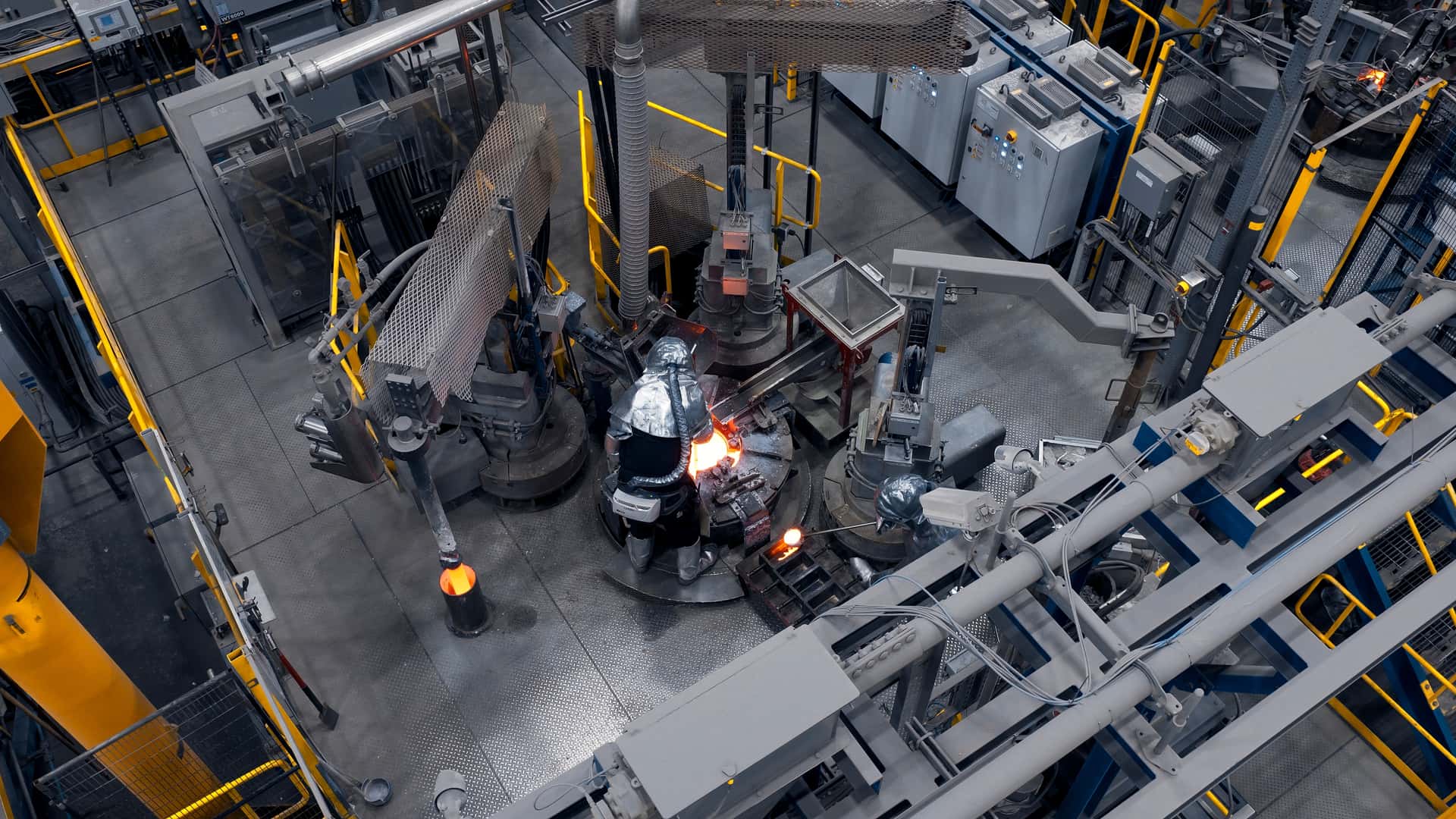
The manufacturing floor utilizes sophisticated processes bearing technical designations such as "hydrogen decrepitation" and "grain boundary diffusion." Raw NdPr oxide powder is first compressed into metallic bricks, which are subsequently broken down into flaky metallic fragments. These fragments are milled into a fine powder, pressed into dense magnetic blocks under intense pressure, and finally sliced, coated, and shaped into finished components. In the final product, rare earth elements account for approximately 25 to 30 percent of the total composition, with the balance consisting primarily of iron.
MP Materials projects that the 250,000-square-foot Fort Worth facility will eventually achieve a production capacity of one million magnets per day. While the plant’s initial output is dedicated to fulfilling the General Motors contract, the facility’s success has already catalyzed additional multi-million-dollar commitments from major corporate and government entities.
Apple has pledged $500 million toward the production of magnets manufactured from 100 percent recycled rare earth materials, utilizing an expanded processing footprint at the Independence site. Furthermore, to satisfy national security requirements, MP Materials is currently constructing a massive, 1.2-million-square-foot facility in Northlake, Texas, scheduled to come online in 2028 under a dedicated agreement with the Department of Defense.
"Last spring, the export control crisis was extremely acute," noted MP Materials Founder and CEO James Litinsky. "We were kind of on edge, and the mandate from leadership was to solve the rare earth magnet issue immediately."
The Road Ahead: Long-Term Outlook and Industry Implications
Despite significant capital investments and aggressive domestic industrial policies, industry analysts caution that the United States remains far from achieving total supply chain independence from China. According to independent forecasts from Benchmark Mineral Intelligence, China is projected to retain an 86 percent share of global rare earth refining capacity by 2030, while the United States will account for an estimated 5 percent.
The International Energy Agency reiterates that the U.S. remains highly susceptible to supply shocks due to the profound geographic concentration of rare earth reserves. Breaking away from foreign dependency requires sustained, multi-year capital deployment across the entire mining, refining, and manufacturing spectrum. Recognizing this reality, the federal government has initiated parallel financing partnerships with alternative domestic operators such as USA Rare Earth and Vulcan Elements.
As industrial leaders work to establish a self-sustaining ecosystem, the overarching objective remains clear. "We think of this as that long-term commitment," Amin concluded. "What we’re trying to do now is encourage others to scale this business."
Related posts: