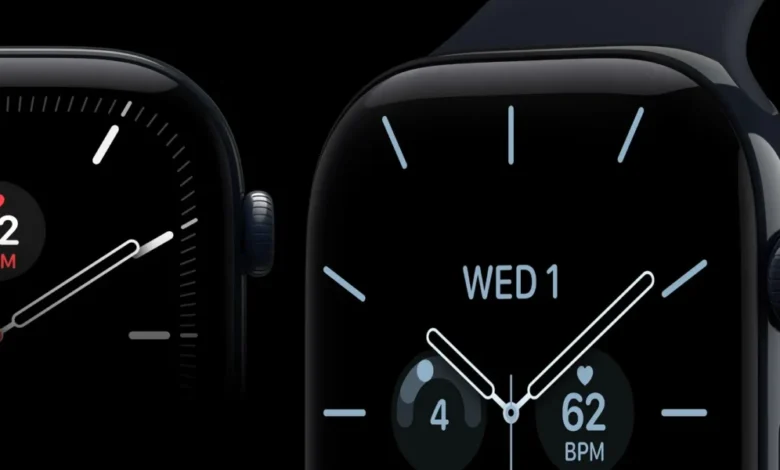
The transition into and out of daylight saving time has historically presented a recurring engineering challenge for consumer technology companies, and Apple is no exception. Over the past week, a fresh software glitch has impacted a segment of Apple Watch owners following the seasonal time change. While the primary system clock on the affected devices successfully updates to reflect the new time, the always-on display—or rest mode interface—remains stuck on the previous hour. This disconnect creates a confusing user experience where glancing at an inactive wrist displays an incorrect time, while fully waking the device immediately corrects the discrepancy.
This latest software anomaly highlights the enduring complexity of managing time zones, regional offsets, and firmware states within tightly integrated hardware ecosystems. Although the glitch does not present a critical hardware failure or data security risk, it underscores how deeply embedded temporal calculations are within modern wearable technology, where separate low-power states and active processing states must continuously synchronize.
A History of Time-Change Complications for Apple Watch
Daylight saving time transitions have plagued Apple’s wearable lineup intermittently for nearly a decade. The earliest high-profile incident occurred in October 2018, shortly after the release of the Apple Watch Series 4. During the autumn transition, users in specific regions experienced a severe crash loop as their devices repeatedly attempted to process the backward time shift. The bug rendered many watches temporarily unusable until Apple issued a rapid software patch.
Subsequent years brought different variations of time-sync errors. In November 2021, an isolated bug affected iPhone and Apple Watch users primarily in Canada, causing iOS and watchOS systems to miscalculate local offsets and display inaccurate time readings.

Because European nations and the United States shift their clocks on differing schedules—typically separated by a margin of one to two weeks—the most recent iteration of the bug first surfaced in Europe. As European countries turned their clocks back an hour, users quickly took to online forums, including Reddit and social media platform X (formerly Twitter), to document the anomaly. Several users uploaded video demonstrations showing the contrast between the rest mode interface, which stubbornly retained the old time, and the fully active interface, which accurately displayed the updated time.
Technical Analysis: The Mechanics of the Always-On Display Disconnect
The root of the current bug appears to lie in how watchOS manages low-power states versus fully active states. Modern Apple Watches utilize sophisticated power-saving protocols to preserve battery life while the device is in its always-on (or rest) mode. In this low-power state, the system renders a simplified, energy-efficient version of the watch face.
According to affected users and preliminary developer analyses, the primary timekeeping daemon successfully registers the daylight saving shift when connected to a synchronized iPhone or network time server. However, the background caching mechanism responsible for feeding time data to the always-on display renderer fails to update concurrently. As a result, when the watch enters rest mode, it draws from a stale cache of time data. The moment the user raises their wrist or taps the screen, the main processor wakes up, queries the corrected system time, and refreshes the display.
This architectural separation between low-power display rendering and active system timekeeping is designed to optimize energy efficiency, but it apparently introduces a synchronization vulnerability during scheduled system interrupts like daylight saving time changes.
Official Response and Standard Troubleshooting Protocols

Apple has acknowledged the recurring nature of time-sync anomalies and maintains standardized troubleshooting procedures for users experiencing display discrepancies following a seasonal time shift. While a permanent software patch is anticipated in an upcoming watchOS maintenance update, affected customers can utilize established workarounds to force proper synchronization.
According to Apple Support guidelines, users encountering persistent time display errors can resolve the issue through several distinct methods:
- Manual Time Adjustment: Users can temporarily toggle off the "Set Automatically" feature within the Date & Time settings on either the paired iPhone or directly on the Apple Watch, manually adjust the time forward or backward, and then re-enable automatic synchronization to force the system cache to rebuild.
- Restarting the Device: Performing a hard restart of both the iPhone and the Apple Watch clears temporary system caches and re-establishes the time zone handshake between the devices.
- Unpairing and Re-pairing: For more stubborn persistence, unpairing the Apple Watch from the iPhone creates a fresh backup, wipes the local watch state, and restores it while re-calibrating all system services, including time zone and regional offset databases.
Broader Implications for Wearable Computing and Firmware Reliability
The recurring nature of daylight saving time bugs across multiple generations of hardware—from the Series 4 to the latest ceramic iterations—raises broader questions regarding software testing and edge-case validation in consumer electronics. Timekeeping is arguably the most fundamental function of a watch, yet managing international time zones, political shifts in daylight saving legislation, and internal power-saving states creates a complex matrix of variables.
As smartwatches evolve into comprehensive health and productivity platforms, operating systems like watchOS must manage increasingly intricate background tasks. While a delayed display refresh is primarily an inconvenience rather than a functional hazard, it serves as a reminder of the software engineering challenges involved in maintaining seamless reliability across millions of heterogeneous devices worldwide.
For now, users experiencing the rest mode time lag are advised to apply standard troubleshooting steps or await an official over-the-air software update from Apple to permanently patch the synchronization oversight.