Apple Photos in iOS 27 Unveils Powerful AI Editing Tools and Enhanced Organization Features

The release of iOS 27 marks a significant evolution for the Apple Photos ecosystem, shifting the focus from simple image management toward a sophisticated, AI-driven creative suite. While the core interface design remains consistent with the changes introduced in iOS 18, the latest iteration introduces a robust layer of computational photography tools powered by Apple Intelligence. These updates, which encompass advanced generative editing, intelligent categorization, and refined slideshow customization, represent the most comprehensive set of enhancements to the platform in several years.
The Role of Apple Intelligence in Modern Image Editing
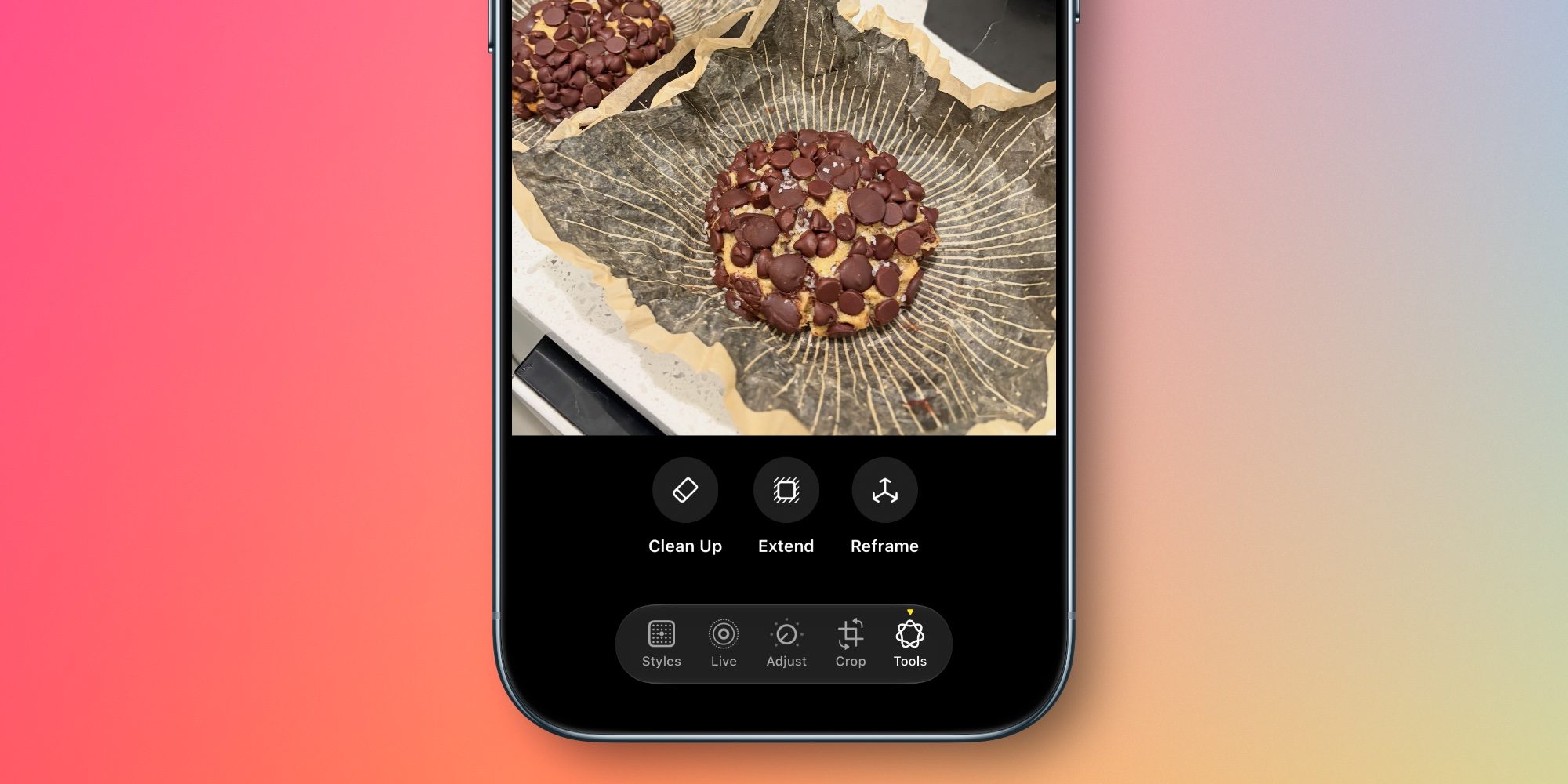
At the heart of the iOS 27 update is the integration of Apple Intelligence, which now facilitates three primary editing functions: Extend, Reframe, and an upgraded Clean Up tool. These features reflect a broader industry trend toward generative AI, where software is increasingly capable of synthesizing new pixels to fill gaps or adjust the physical composition of a photograph.
The "Extend" tool serves as a solution to the common problem of tight framing. By leveraging generative models, the software can expand the canvas of an image, effectively filling in background elements that were not present in the original capture. This allows users to adjust aspect ratios or correct crooked horizons without sacrificing the integrity of the subject.
Perhaps more technically ambitious is "Spatial Reframing." By utilizing spatial data models—a technology Apple has been refining through its work with the Vision Pro headset—the system can simulate a change in camera position. Users can drag an image to shift the perspective, and the software generates new, context-aware content to account for the changed viewpoint. This creates the illusion that the photographer was standing in a slightly different location when the shot was taken, maintaining a high degree of visual consistency with the original scene.
Furthermore, the "Clean Up" feature, which first debuted in iOS 18 to remove unwanted objects or photobombers, has undergone a substantial architecture upgrade. Apple states that the algorithm now handles complex scenes with higher fidelity, resulting in more natural-looking infill. This is a critical development for users who rely on their smartphones as their primary camera, as it reduces the need for third-party photo-editing applications.
Chronology of Photo Management Evolution
To understand the weight of these changes, one must look at the recent trajectory of Apple’s software development. Since the transition to the redesigned gallery layout in iOS 18, Apple has been steadily refining how users interact with their vast libraries.
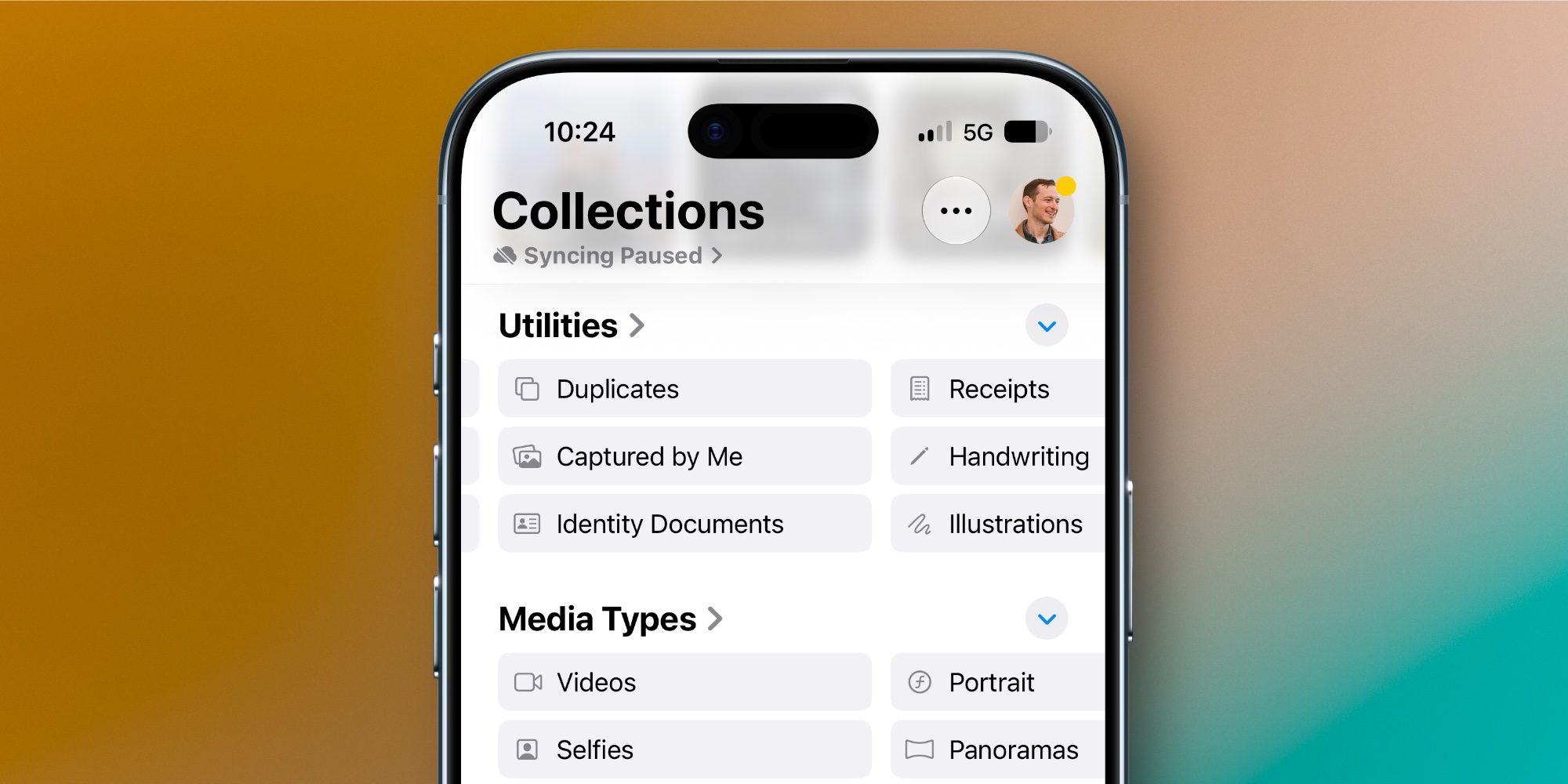
In early 2026, the company signaled a shift toward more automated organization, moving away from simple chronological grids toward "collections" that categorize media based on metadata and content analysis. The addition of "Captured by Me" in iOS 27 is a direct response to user feedback regarding the clutter caused by screenshots, memes, and downloaded media. By separating authentic photography from imported files, Apple is effectively helping users curate their digital memories more efficiently.
The inclusion of the "Identity Documents" collection is another milestone. By using on-device machine learning to scan for passports, driver’s licenses, and other sensitive identification, Apple is positioning the Photos app as a utility hub. This feature implies a new level of trust in the security of the local library, as these documents are surfaced for quick retrieval, likely integrated with the Wallet app’s existing infrastructure.

Data-Driven Organization and Keyword Metadata
Organization has long been a challenge for users with libraries spanning decades. iOS 27 introduces a manual tagging system, allowing users to add specific keywords to photos. While the Photos app has historically relied on powerful object recognition to search for terms like "dog" or "beach," the ability for a user to manually append metadata provides a layer of custom organization that was previously only available in professional-grade desktop software.
When combined with the existing "Captions" feature, this makes the Photos app a more viable tool for photographers who need to sort and find images based on specific project-related criteria. This granular control is expected to be particularly popular among power users who manage thousands of images and require more than just temporal or location-based sorting.
Enhanced Slideshows and the HomeView Integration
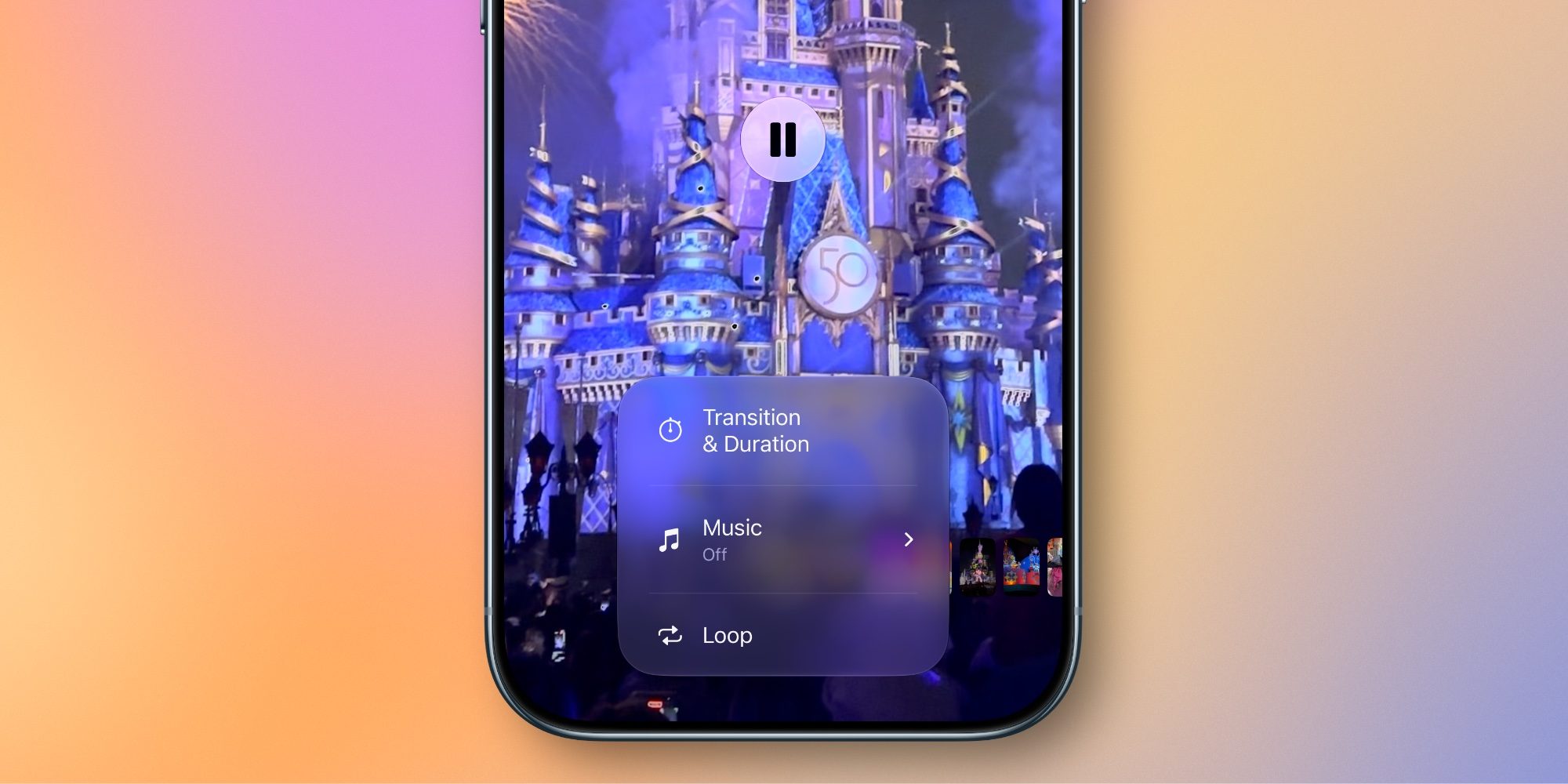
The updates to slideshow functionality appear to be closely linked to the launch of the HomeView hardware product. By offering users greater control over transitions, timing, and the ability to export slideshows as standalone video files, Apple is essentially providing a content-creation tool that feeds directly into its smart home ecosystem.
Previously, slideshows were largely static, automated affairs. The new customization tools allow for a cinematic quality, enabling users to tailor the pacing of their memories to match specific music or themes. The "one-tap" export to video format is a quality-of-life improvement that facilitates sharing to social platforms, signaling that Apple is interested in keeping the Photos app relevant in an era of short-form video content.
Broader Implications and Industry Impact
The integration of these tools has significant implications for both the professional photography market and the casual user. By embedding generative AI directly into the operating system, Apple is democratizing high-end editing techniques that were once the domain of specialized software like Adobe Photoshop.
However, this also raises questions regarding image authenticity. As generative features like Extend and Spatial Reframing become more seamless, the line between a "captured" image and a "generated" image continues to blur. While these tools provide immense value for personal archiving and family photography, they contribute to a broader industry debate regarding digital provenance and the nature of photographic truth.
From a business perspective, these updates keep the iOS ecosystem competitive against rivals like Google Photos, which has long utilized AI for "Magic Eraser" and similar generative capabilities. Apple’s emphasis on privacy—noting that much of this processing occurs on-device—remains its primary differentiator in the competitive landscape.
Future Outlook
As of the mid-2026 rollout, the consensus among early adopters is that iOS 27 does not reinvent the wheel in terms of UI design, but it significantly deepens the capability of the software. The focus is clearly on utility, efficiency, and the integration of hardware like the Apple Vision Pro and the HomeView display.
The update confirms that Apple is no longer satisfied with the Photos app being a mere repository for images; it is now an active participant in the creative process. By providing the tools to fix, reframe, and organize images with minimal effort, Apple is ensuring that the iPhone remains the primary device for both the creation and management of visual history for the next generation of users.

As users continue to explore these features, the long-term impact on how we curate and interact with our digital legacies will likely become more pronounced. Whether through the automated surfacing of identity documents or the generative expansion of a landscape shot, the Photos app in iOS 27 is designed to make the digital library feel more personal, more accessible, and significantly more powerful.