Android Auto Begins Rollout of Long-Awaited Live Speedometer Feature in Google Maps Beta

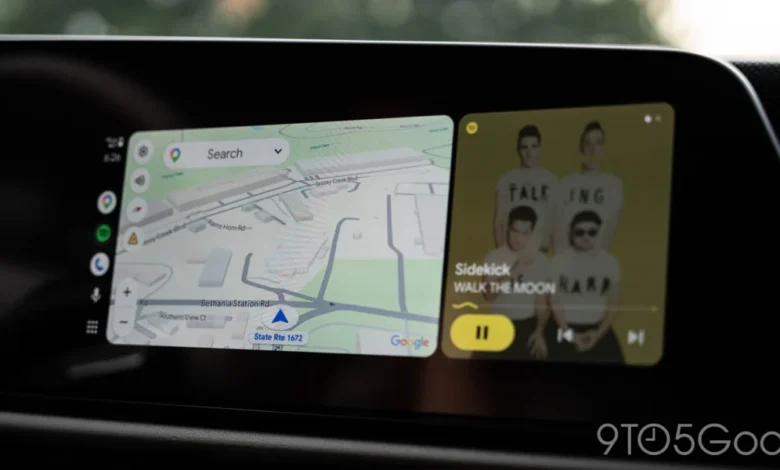
After years of fervent anticipation from its global user base, Android Auto is finally beginning to display signs of a live speedometer feature within Google Maps. This development, initially observed among a select group of beta testers, marks a significant step towards feature parity with other navigation platforms and Google’s own mobile applications, addressing a long-standing gap in the in-car infotainment experience. While the rollout appears to be in its nascent stages, limited to specific users and configurations, the very appearance of this functionality signals progress that many drivers have been eagerly awaiting.
The absence of a live speedometer in Google Maps for Android Auto has been a peculiar oversight, especially considering its presence in various other iterations of Google’s flagship navigation service. Google Maps on standalone Android smartphones has featured a speedometer for a considerable period, providing real-time speed data directly on the screen. Furthermore, in a move that puzzled many Android Auto users, Google introduced support for a live speedometer in Apple’s CarPlay as early as July 2024. This chronological disparity fueled ongoing discussions and a sense of impatience within the Android Auto community, making the recent sightings a cause for cautious optimism.
The Chronology of Anticipation: A Feature’s Journey

The journey towards an integrated speedometer within Google Maps for Android Auto has been protracted, stretching back years as users voiced their desire for this seemingly fundamental feature. To understand the current breakthrough, it is essential to trace the historical context and the staggered implementation across different platforms.
- Early Days of Navigation Apps and Waze’s Precedent: Long before Google Maps considered an in-app speedometer, Waze, a community-driven navigation app acquired by Google in 2013, had already established this as a core offering. Waze users have enjoyed real-time speed readouts, often alongside speed limit alerts, for many years, both on mobile devices and within car infotainment systems, including Android Auto. This created a clear benchmark and amplified the calls for Google Maps to integrate similar functionality. Waze’s success demonstrated the practical utility and user demand for such a feature, making its omission from Google Maps even more conspicuous.
- Google Maps on Mobile Devices: Google Maps eventually introduced a speedometer feature for its standalone mobile application on Android phones. This allowed users to see their current speed displayed prominently on the screen during navigation, a valuable tool for monitoring speed without constantly glancing at the car’s dashboard. This implementation, while welcome, further highlighted the discrepancy for users who primarily relied on Android Auto for their in-car navigation needs.
- CarPlay’s Head Start (July 2024): The most recent chronological benchmark was Google’s decision to roll out the speedometer feature to Apple CarPlay users in July 2024. This move, while logical from a cross-platform development perspective, was met with a degree of frustration by Android Auto users. It demonstrated that the technical capability existed within Google Maps to integrate the speedometer with car infotainment systems, yet Android Auto remained without it. This suggested potential underlying complexities specific to the Android Auto ecosystem or a different prioritization strategy by Google.
- The Current Breakthrough (Late 2024/Early 2025 Beta): The current development signifies that Google is actively addressing this long-standing request for Android Auto. Reports emerging from Reddit indicate that at least a couple of users have successfully observed the speedometer appearing on their car’s display while using Google Maps through Android Auto. One notable report comes from a user in Canada, who was running Google Maps app version 26.29.02.946673643, a version typically associated with the beta program. This specific detail is crucial, as it indicates that the feature is undergoing testing in a controlled environment before a wider public release.
Technical Deep Dive: How the Speedometer Works and Reasons for Delay
The implementation of a speedometer in a navigation application, particularly within a complex automotive ecosystem like Android Auto, involves several technical considerations. Understanding these can shed light on why the rollout has been so gradual.
- GPS Data vs. Vehicle Sensors: Speedometers in navigation apps primarily derive speed information from the device’s Global Positioning System (GPS) module. GPS calculates speed by measuring the change in position over time. This method is generally accurate but can sometimes differ slightly from a vehicle’s mechanical speedometer, which typically relies on wheel speed sensors. Vehicle speedometers are often calibrated to read slightly higher than actual speed for safety and legal reasons. Google’s in-app speedometer is expected to use GPS data, providing a consistent measurement regardless of the car’s internal calibration. The display integrates seamlessly into the Google Maps interface, often appearing near the bottom corner of the navigation view, close to the speed limit indicator.
- Integration Challenges for Android Auto: The delay in bringing this feature to Android Auto, despite its presence on mobile and CarPlay, can be attributed to several factors inherent to the platform’s architecture:
- Fragmented Hardware Ecosystem: Android Auto must function seamlessly across a vast array of head units from different car manufacturers (e.g., Kia, Hyundai, Ford, GM, Honda, etc.), each with unique screen resolutions, aspect ratios, and underlying software implementations. Ensuring a consistent and bug-free display of the speedometer across this diverse hardware landscape is a significant technical challenge.
- Software Compatibility and Optimization: Different versions of Android Auto, various Android OS versions on the connected phone, and different Google Maps app versions all interact. Optimizing the feature to work reliably across these permutations requires extensive testing.
- Prioritization of Features: Google’s development teams constantly juggle numerous features and improvements. It is plausible that other functionalities, such as enhanced UI designs (Coolwalk), better media integration, or core stability improvements, were prioritized over the speedometer for Android Auto in earlier development cycles.
- Safety and Regulatory Compliance: Any feature displayed on a car’s infotainment screen must adhere to stringent safety guidelines to avoid driver distraction. Google likely took its time to ensure the speedometer’s design was minimalist, legible, and non-intrusive, aligning with automotive safety standards.
- Significance of the Beta Program: The fact that the speedometer is appearing in the beta program is standard practice for Google. Beta testing allows Google to:
- Gather Real-World Data: Collect data on performance, stability, and user experience across a wide range of vehicles and geographical locations.
- Identify and Rectify Bugs: Catch unforeseen bugs or compatibility issues before a wider release, which is crucial for a safety-related feature.
- Staged Rollout Mechanism: Use the beta program as a controlled environment for a phased rollout, mitigating potential widespread issues if problems arise.
User Experience and Safety Implications
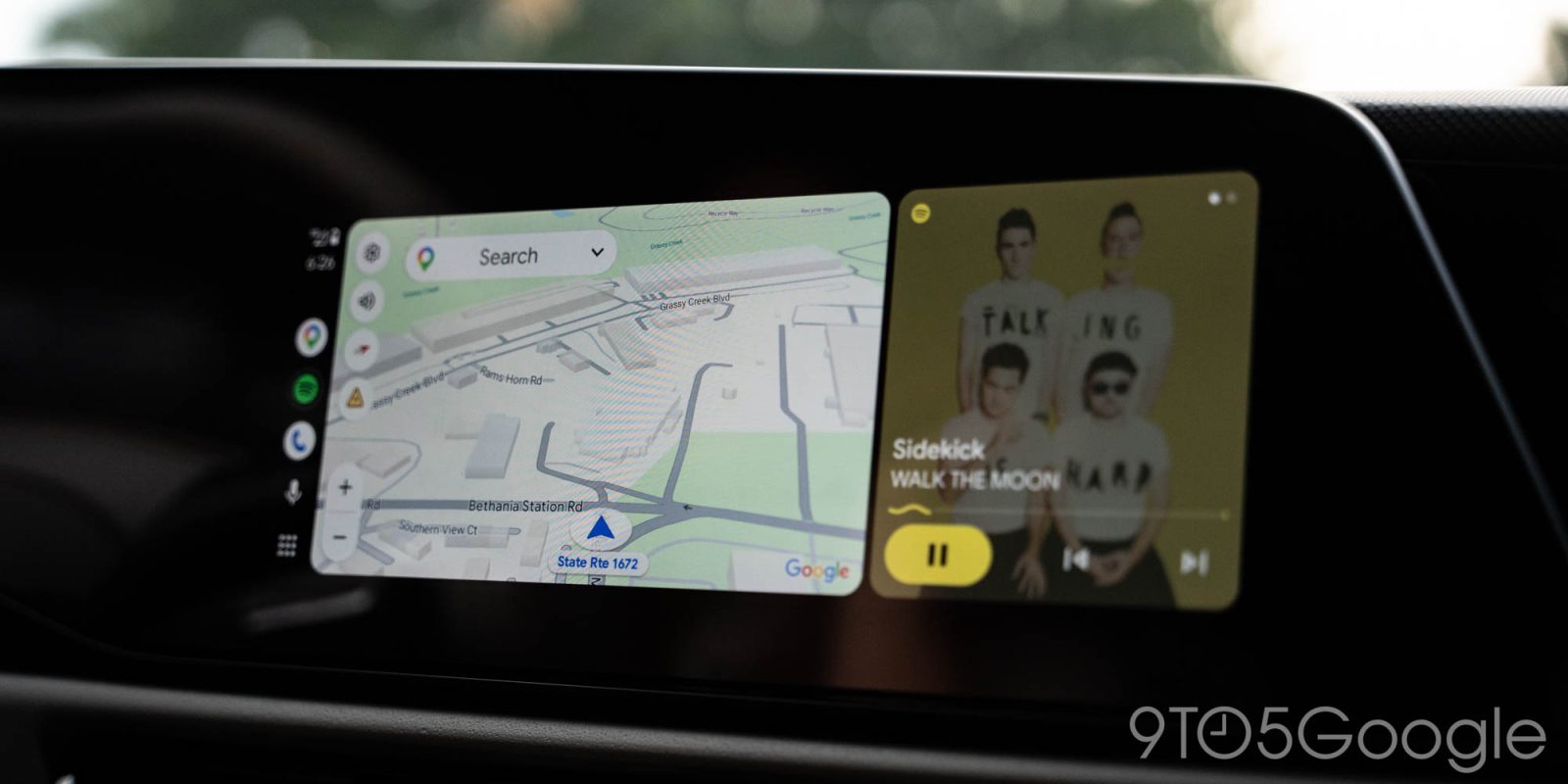
The introduction of a live speedometer in Google Maps for Android Auto carries significant implications for driver experience and road safety.
- Enhanced Driver Awareness: The primary benefit is improved driver awareness. Many drivers find their car’s built-in speedometer to be less prominent or positioned in a way that requires a more deliberate glance away from the road. Having the speed displayed directly within the navigation interface, often in the driver’s primary line of sight for navigation, can make it easier to monitor current speed. This is particularly useful in unfamiliar areas or when navigating through zones with frequently changing speed limits.
- Complementing Speed Limit Displays: Google Maps already provides speed limit information, alerting drivers when they exceed the posted limit. The addition of a live speedometer creates a powerful combination: drivers can see both the current speed limit and their actual speed simultaneously. This integrated information greatly assists in maintaining legal speeds and avoiding costly infractions, especially in areas where speed limits might not be clearly signposted or are easily missed. The visual reinforcement acts as a constant, subtle reminder.
- Potential for Distraction (and Mitigation): While beneficial, any additional information on an in-car display carries the potential for distraction. Google’s design philosophy for Android Auto, particularly with its "Coolwalk" interface, has focused on minimalism and glanceability. The speedometer is expected to be integrated in a non-intrusive manner, likely a small, clear digital readout, designed to be read quickly without diverting significant attention from the road. The goal is to provide useful information without increasing cognitive load or visual clutter.
- Consistency and Reliability: For many users, the ability to rely on a single screen for all essential driving information—navigation, media, and now speed—streamlines the driving experience, reducing the need to switch focus between the head unit and the instrument cluster.
The Competitive Landscape: Waze and Other Alternatives
The competitive landscape of in-car navigation has long highlighted Google Maps’ omission of a speedometer on Android Auto.
- Waze’s Long-Standing Advantage: As previously mentioned, Waze has been a pioneer in offering a live speedometer within its application, a feature that has been a significant draw for many users. For years, drivers who prioritized having their speed displayed on their navigation screen often opted for Waze over Google Maps when using Android Auto. This feature gap was a clear advantage for Waze, even as Google Maps generally offered more detailed mapping and points of interest. The rollout of the speedometer in Google Maps aims to neutralize this particular advantage.
- Third-Party Dashboards and Apps: Beyond Waze, some third-party Android Auto apps or car manufacturer-specific infotainment systems might offer speed readouts or integrate with vehicle data to display speed. However, these are often less universally adopted or seamlessly integrated than a feature directly within Google Maps. The demand for Google Maps to incorporate this was precisely because it is the default and most widely used navigation solution for many.
Geographical and Rollout Peculiarities
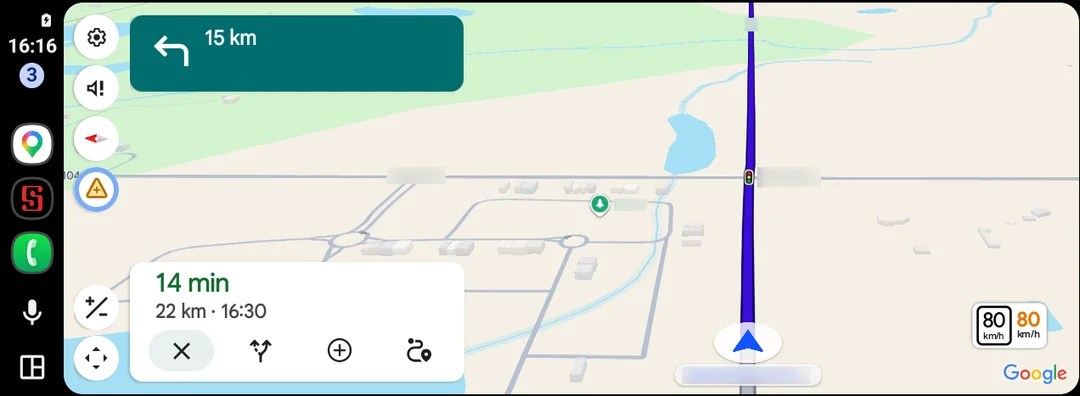
Software rollouts, especially for complex platforms like Android Auto, rarely happen instantaneously to all users globally. The observed initial availability highlights common industry practices.
- Staged Rollouts: Google, like many tech giants, employs staged rollouts. This means a new feature is first released to a small percentage of users, then gradually expanded. This approach helps manage server load, monitor performance in different environments, and quickly halt a rollout if critical bugs are discovered. The current reports suggest a very early stage of this process.
- App Versions and Server-Side Switches: Feature availability is often controlled by a combination of the app version installed on the user’s phone and a server-side switch. This means that even if a user has the specific beta app version (e.g., 26.29.02.946673643), the feature might still need to be activated remotely by Google for their account. This explains why some users on the same beta version might not yet see the speedometer. The Reddit reports from Canada suggest a regional component to this initial activation.
- Importance of User Feedback: During these initial stages, user feedback is invaluable. Google monitors forums, bug reports, and usage data to refine the feature before a broader public release.
Statements and Reactions
While Google has not released an official statement regarding this specific beta rollout, the broader context allows for inferred reactions and perspectives.
- Google’s Stance (Inferred): Google’s long-term strategy for Android Auto is to make it the most comprehensive and intuitive in-car infotainment platform. The gradual introduction of features like the speedometer suggests a commitment to enhancing user experience and achieving feature parity across its ecosystem. The delay likely stemmed from a combination of technical complexities, prioritization, and the desire to ensure a robust, high-quality implementation before public release. Google aims for stability and reliability, especially in a safety-critical environment like a vehicle.
- User Community Reaction: The reaction from the Android Auto user community, particularly on platforms like Reddit, is one of cautious enthusiasm and significant relief. For years, threads and discussions lamenting the absence of a speedometer were common. The phrase "finally" encapsulates the sentiment. Users are eager for the feature to become widely available, though they are also aware that beta rollouts can be slow and unpredictable. The engagement in these forums underscores the high demand for this specific functionality.
- Automotive Industry Perspective (General): Car manufacturers that integrate Android Auto are generally keen on a feature-rich and stable platform that enhances the overall appeal of their vehicles. A more complete Google Maps experience, including a speedometer, contributes positively to the value proposition of their infotainment systems, making their cars more competitive in the connected vehicle market.
Broader Impact and Future Implications

The arrival of the live speedometer in Google Maps for Android Auto is more than just a single feature; it carries broader implications for the platform’s future and its position in the connected car landscape.
- Closing the Feature Gap and Reducing Frustration: This rollout helps Google Maps on Android Auto achieve closer feature parity with its mobile and CarPlay counterparts, and with competing navigation apps like Waze. This reduces a significant source of user frustration and aligns the Android Auto experience more closely with what users expect from Google’s navigation services.
- Enhancing Android Auto’s Ecosystem: A more feature-complete Google Maps strengthens Android Auto’s overall appeal as an infotainment solution. As vehicles become increasingly integrated with digital services, the richness and reliability of platforms like Android Auto become crucial selling points. This incremental improvement demonstrates Google’s ongoing commitment to the platform.
- What’s Next for Android Auto? The consistent updates and feature additions to Android Auto suggest a continuous evolution. Beyond the speedometer, users might anticipate further enhancements such as:
- Deeper Vehicle Integration: More seamless access to vehicle data (e.g., fuel level, battery status for EVs) directly within Android Auto.
- Increased Customization: Greater options for personalizing the Android Auto interface beyond what’s currently available.
- New App Categories: Support for a wider range of applications, potentially including more productivity tools or specialized vehicle-management apps.
- Advanced AI Features: Leveraging Google’s advancements in AI for more predictive navigation, personalized recommendations, and enhanced voice assistant capabilities.
In conclusion, the initial sightings of a live speedometer in Google Maps for Android Auto’s beta program represent a long-awaited and highly anticipated development. While not yet widely available, this marks a critical juncture in addressing a significant feature gap, enhancing driver awareness, and bringing Android Auto closer to feature parity with its competitors and sibling platforms. The ongoing rollout, likely to be phased and gradual, will undoubtedly be met with keen interest from millions of Android Auto users globally, eager to finally experience this essential navigation tool. The "years" of waiting are slowly giving way to tangible progress, signaling a more comprehensive and intuitive driving experience for the future.