The Evolving Landscape of Sub-$500 Laptops: Navigating Value and Performance in 2025

The quest for a high-performing yet affordable laptop, particularly those priced under $500, has historically presented a significant challenge for consumers. While budget models often forgo the premium features and cutting-edge specifications of their pricier counterparts, a new generation of devices is redefining expectations, proving that essential functionality, and even a few desirable extras, are increasingly attainable without a substantial financial outlay. This segment is particularly vital for students, children, and individuals seeking reliable secondary devices for everyday tasks such as web browsing, document creation, video streaming, and utilizing productivity applications. In this competitive landscape, Chromebooks frequently emerge as superior value propositions compared to their Windows counterparts, a trend that continues to solidify in 2025.
The Maturation of the Budget Laptop Market

Historically, the sub-$500 laptop market was characterized by substantial compromises, often leaving users with sluggish performance, subpar build quality, and disappointingly short battery life. The narrative frequently revolved around the trade-offs: slow processors, limited storage, and often dim, uninspiring displays. However, recent technological advancements and a sharpened focus on user experience by manufacturers have significantly elevated the quality floor for budget devices. The integration of more efficient processors, the optimization of operating systems like ChromeOS, and reductions in the cost of components like eMMC storage have collectively contributed to a more robust and appealing selection.
This evolution is not merely incremental; it reflects a fundamental shift in how manufacturers approach the entry-level segment. Instead of simply stripping down high-end models, companies are now designing purpose-built machines that strategically balance cost with core functionality. The emphasis has moved from merely offering the cheapest option to providing the best value within the budget constraint. This strategic approach ensures that while top-tier graphics or premium materials remain exclusive to higher price brackets, users can still expect respectable performance for common applications and, crucially, extended battery life—a standout feature across many of the best budget models in 2025. The market consistently updates to reflect these advancements, with Laptop Mag’s picks for 2025 showcasing these improvements, including recent additions like the Acer Chromebook Spin 312 and updated "how-to-choose" sections and FAQs as of May 5, 2025.
Key Contenders Redefining Budget Computing
Several models currently stand out in the under-$500 category, demonstrating how strategic design and component selection can deliver compelling user experiences. These devices cater to specific needs while consistently offering long battery life, a critical factor for mobile users.
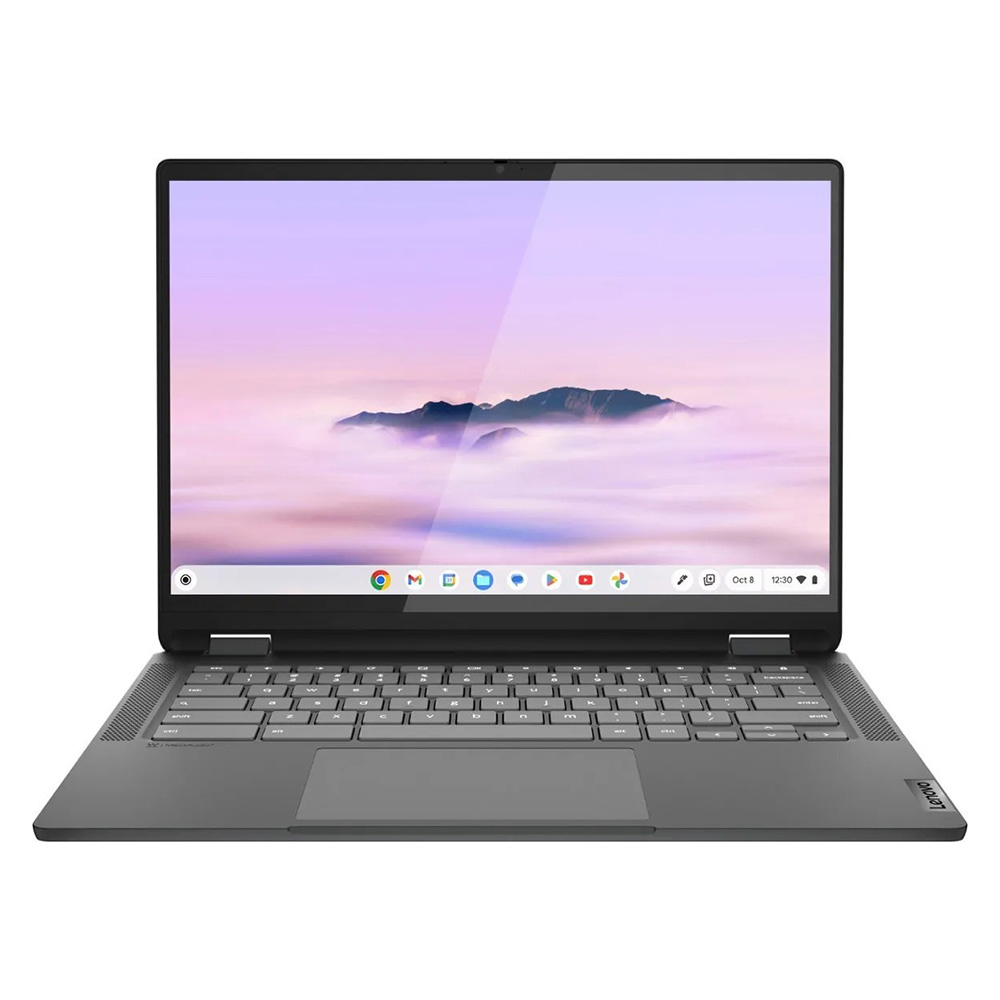
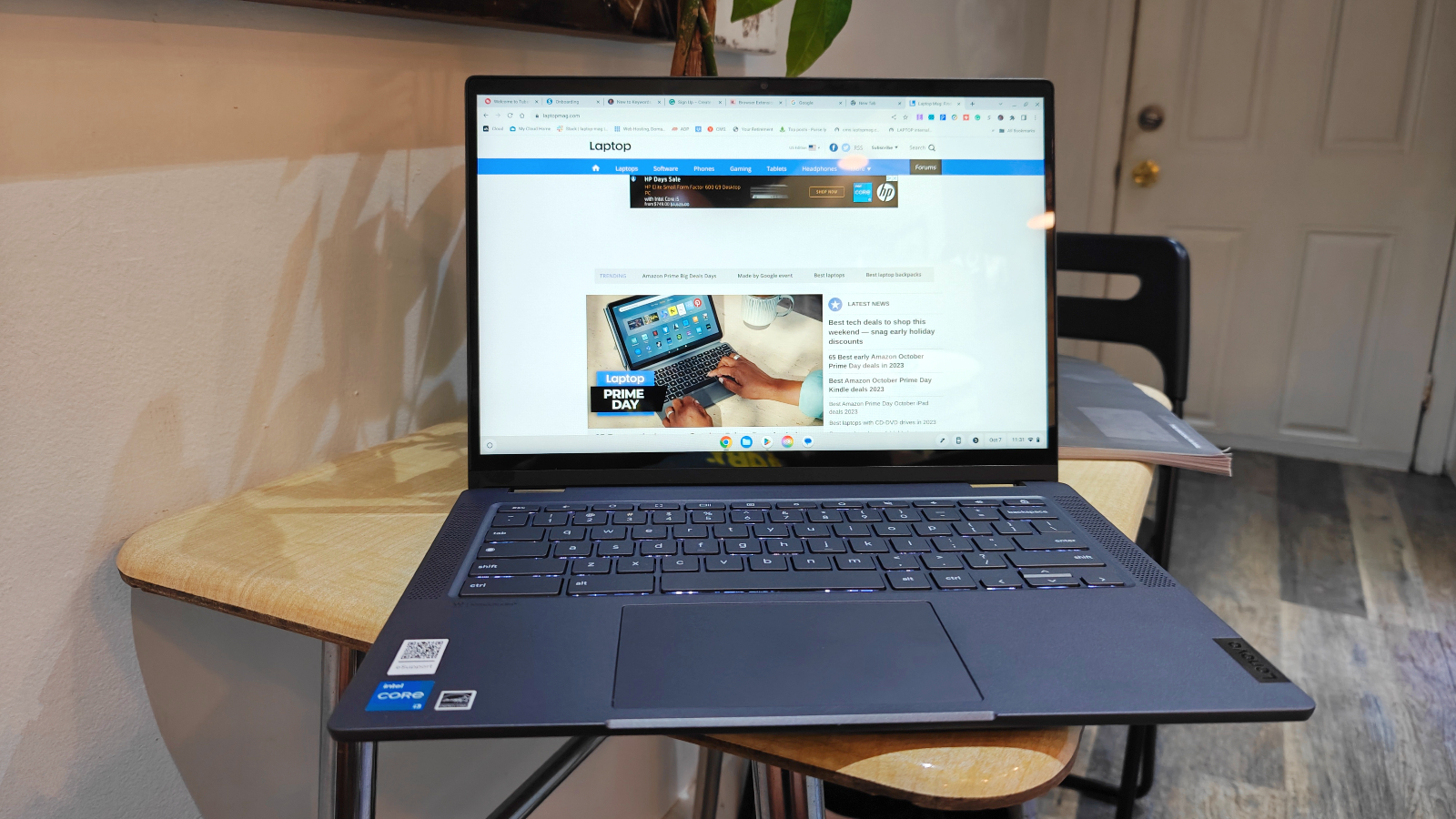
The Lenovo IdeaPad Flex 5i Chromebook Plus Gen 7 has emerged as the frontrunner for overall value, effectively challenging the perception that budget laptops must sacrifice aesthetics or modern features. This 2-in-1 device offers what Laptop Mag describes as "AI-infused next-level performance" at an accessible price point. Powered by an Intel Core i3-1315U CPU and 8GB of RAM, it achieved an impressive Geekbench 6 multi-core score of 5,384, surpassing the average Chromebook performance of 5,259. This snappy performance, coupled with the lightweight nature of ChromeOS, means users are less likely to encounter performance bottlenecks during typical daily use. Its design, measuring 12.4 x 9.0 x 0.8 inches and weighing 3.57 pounds, belies its budget status, presenting a sturdy and attractive chassis. Despite its 14-inch, 1080p IPS touch display not being the brightest, its 16:10 aspect ratio offers valuable vertical screen real estate, enhancing productivity. Crucially, the Flex 5i delivers nearly 10 hours of battery life, making it a dependable companion for a full day of work or study.
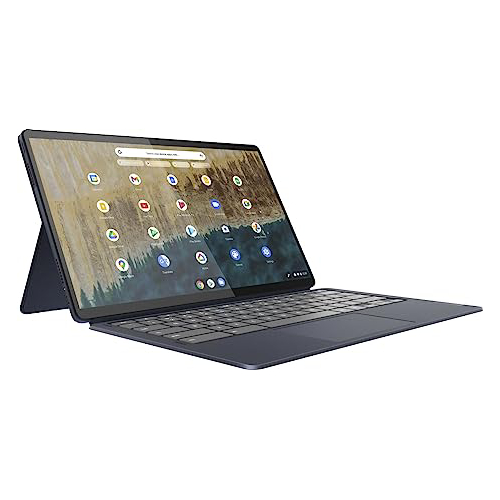
For those operating on an even tighter budget, the Lenovo IdeaPad Duet 5 Chromebook continues to impress, particularly for its value under $300. This detachable 2-in-1 device boasts features typically found in much more expensive machines. Its 13.3-inch, 1920 x 1080 OLED display is a significant highlight, reproducing 85.2% of the DCI-P3 color gamut and averaging 361 nits of brightness—figures that rival premium laptops. The inclusion of the keyboard and cover, often an additional expense with other detachables, further enhances its value proposition. While its Qualcomm Snapdragon 7c Gen 2 processor yields a modest Geekbench 5 multi-core score of 1,727 (below the Chromebook average of 2,253), this is a calculated trade-off for its exceptional battery life, extending to an remarkable 13 hours and 31 minutes. This longevity positions it as an ideal device for media consumption and light productivity, where its vibrant display and tablet versatility truly shine.
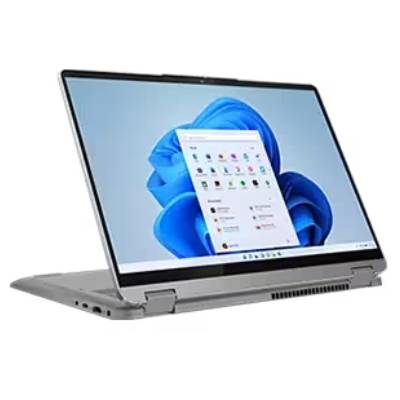
Addressing the persistent demand for Windows-based machines in the budget segment, the Lenovo IdeaPad Flex 5 14 (Intel) stands out. Finding a Windows laptop under $500 that delivers consistent, reliable performance without significant compromises is a considerable feat. Equipped with an Intel Core i5-1135G7 CPU and 16GB of RAM, this model recorded a Geekbench 5 multi-core score of 3,841, significantly outperforming the Chromebook average and other budget Chromebooks. Its most compelling feature, however, is its astounding battery life of over 14 hours, a benchmark often missed by even premium laptops. The device also offers a comfortable and responsive keyboard, making it suitable for extended typing sessions. Although its 12.3-inch display (2400 x 1600 IPS touch) is noted as dim and dull, and it features only one USB-C port, its robust performance and exceptional endurance make it a strong contender for users committed to the Windows ecosystem. The increasing availability of this model below $500 further solidifies its position as a top choice.
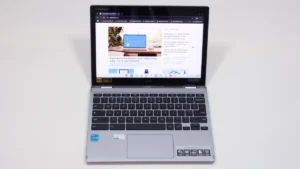
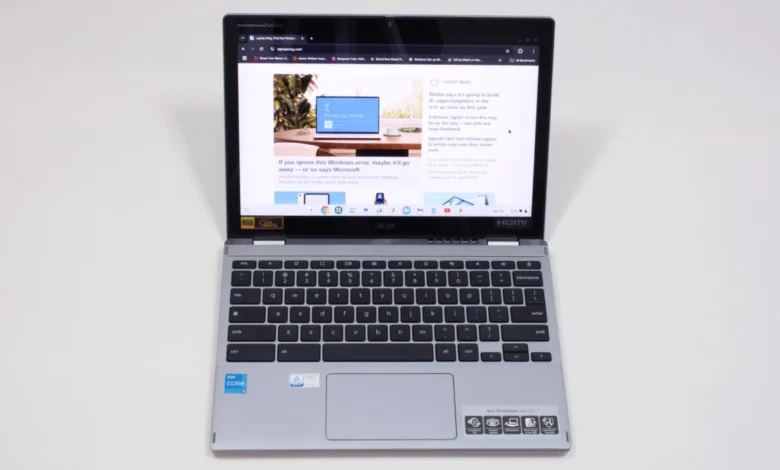
Finally, for the student demographic, the Acer Chromebook Spin 312 presents an excellent blend of affordability and practical features. Priced around $450, this 2-in-1 Chromebook is lauded for its durability, lightweight design (under 3 pounds), and solid battery life of 10 hours and 33 minutes. Its 12.2-inch, 1920 x 1200 IPS touch display is enhanced by a Corning Gorilla Glass coating, which, despite covering only 55% of the DCI-P3 color gamut, delivers surprisingly vivid colors and dramatic contrasts. Unique user-centric features include Acer’s smooth OceanGlass touchpad, providing a premium tactile experience rarely found in this price range. While the keyboard’s "clicky-squishy" feel and thin keycaps are minor drawbacks, its 2-in-1 functionality allows for versatile use, including tablet mode for handwritten notes, making it highly adaptable for academic environments.
Broader Implications and Market Dynamics
The prominence of Chromebooks in the sub-$500 market is a testament to the effectiveness of ChromeOS. Its lightweight nature, reliance on cloud services, and minimal hardware requirements allow manufacturers to deliver a smoother, more responsive experience on less powerful components compared to Windows. This makes Chromebooks an increasingly attractive option for users whose primary computing needs revolve around web-based applications, email, and media consumption.
However, the continued presence of competent Windows laptops like the Lenovo IdeaPad Flex 5 14 indicates that Microsoft’s ecosystem is not entirely ceding the budget space. These devices often cater to users who require specific Windows applications or prefer the broader software compatibility and traditional desktop environment. The key for consumers in this price bracket lies in understanding their specific usage patterns and prioritizing features accordingly. For instance, a student primarily using Google Workspace and needing maximum portability might lean towards a Chromebook, while a user requiring Microsoft Office and local storage might opt for a budget Windows machine.
"The sub-$500 laptop market has truly matured, offering strategic compromises rather than fundamental sacrifices," states Joanna Nelius, a contributing writer for Laptop Mag, whose extensive experience in reviewing laptops and computer hardware underpins these insights. "Consumers today aren’t just buying the cheapest option; they’re investing in devices that deliver genuine value and meet specific needs without breaking the bank. The emphasis on battery life, in particular, signifies a recognition of how essential mobility is for all users, regardless of budget."

Navigating the Purchase: Key Considerations
Choosing the best laptop under $500 requires a discerning eye and realistic expectations. Laptop Mag emphasizes several tried-and-true guidelines:
- Budget vs. Specs: Understand that while you can find decent Windows laptops and excellent Chromebooks, scrutinize the internal hardware and keyboard quality. Reviews provide crucial insights into where compromises have been made.
- Screen Size for Portability: Models between 12 and 14 inches typically offer the best balance of screen real estate and portability, a common characteristic of budget laptops.
- Form Factor: Decide between a traditional "clamshell" laptop or a "convertible" (2-in-1) with a 360-degree hinge or a detachable keyboard. While clamshells often offer better specs for the price, 2-in-1s provide tablet functionality, ideal for note-taking or creative tasks. Detachables tend to be less awkward in tablet mode than fold-back 2-in-1s where the keyboard faces outwards.
- Battery Life: Aim for a laptop that offers at least 10 hours of battery life under typical usage, as measured in Laptop Mag’s tests. This ensures all-day productivity without constant searching for power outlets.
- Core Specifications: While 16GB RAM, 256GB SSD storage, and Intel 13th-gen processors (or newer) are ideal but rare finds, most sub-$500 laptops will feature 8GB RAM, 128GB or less of slower eMMC storage, and MediaTek Kompanio or Intel N-series processors. For these specs, a Chromebook will generally provide a more fluid experience than a Windows laptop.
Transparency in Testing

Laptop Mag’s recommendations are underpinned by a rigorous testing methodology, ensuring objectivity and accuracy. Each laptop undergoes extensive benchmark testing, encompassing both synthetic evaluations and real-world scenarios, before reaching the hands of expert reviewers. This comprehensive assessment covers performance, battery life, display quality, audio, and thermal management.
A Klein K10 colorimeter is used to precisely measure the brightness (nits) and DCI-P3 color gamut of each laptop’s display. Performance is gauged through a gauntlet of benchmarks, including Geekbench 5 and 6 for CPU performance and 3DMark for graphics capabilities. Real-world performance is further assessed by tasks such as converting a 4K video to 1080p resolution and duplicating a 4.97GB multimedia file. Gaming performance, where applicable, is tested using the Sid Meier’s Civilization 6 Gathering Storm benchmark at medium settings and 1080p resolution.
Heat management is evaluated by playing a 15-minute full-screen video and meticulously measuring temperatures across various points on the laptop chassis. Battery life, a critical metric for budget devices, is determined through continuous web surfing over Wi-Fi at 150 nits of brightness. For MacBooks and premium Windows 11 laptops, over 9 hours is considered good, while gaming laptops and workstations exceeding 5 hours are commended.
Following these stringent lab tests, each laptop undergoes an in-depth, hands-on evaluation by expert reviewers. They integrate the device into their daily workflows—writing, editing, video conferencing, streaming, and other common tasks—over several days. This dual approach, combining technical analysis with practical, lived-in experience, allows Laptop Mag to deliver well-rounded, honest, and reliable assessments for every product reviewed.
The Future of Affordable Computing
The trajectory of the budget laptop market suggests continued innovation, particularly in optimizing hardware and software for cost-effectiveness. While external factors like tariffs can influence pricing, the underlying trend points towards increasingly capable and feature-rich devices becoming available at entry-level prices. The competition, particularly between the Windows and ChromeOS ecosystems, will likely drive further advancements, benefiting value-conscious consumers. The days of accepting significant compromises for an under-$500 laptop are largely behind us, as the market matures to offer genuinely useful and durable computing solutions for a broad audience.
Related posts: