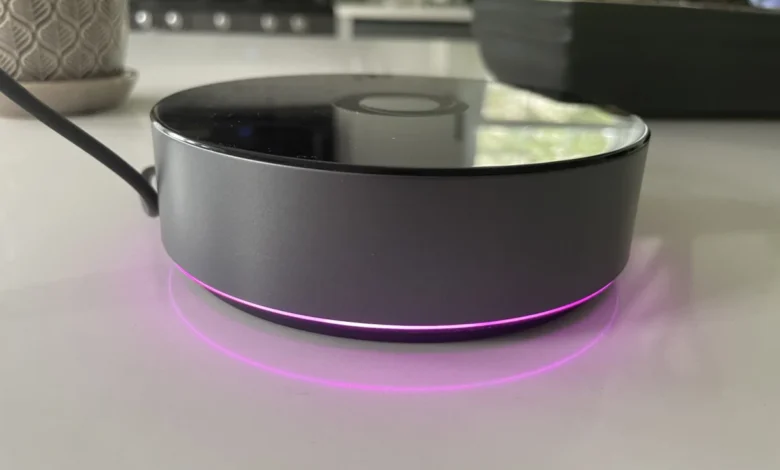
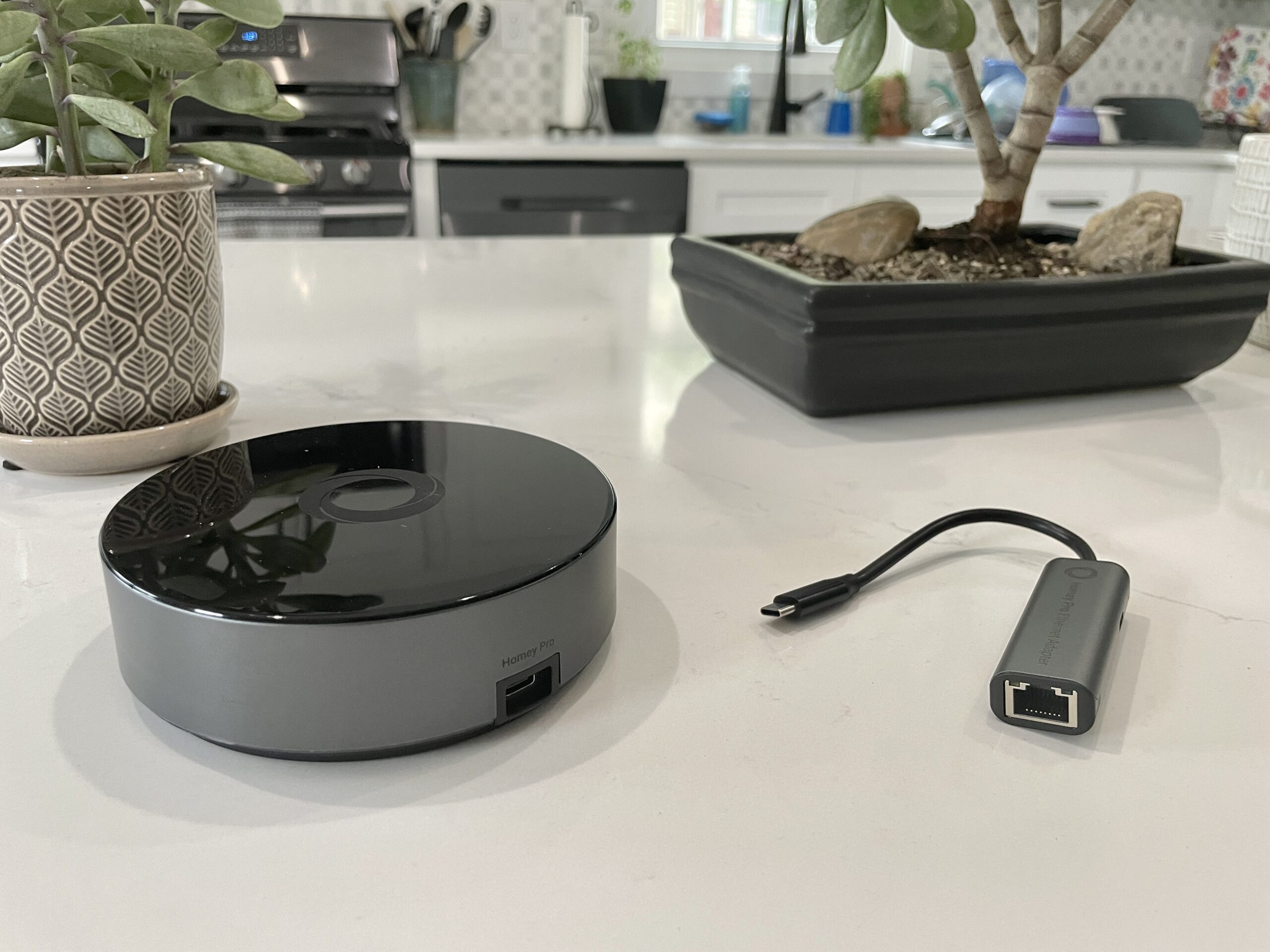
Following the earlier commercial introduction of the $69 Homey Bridge, Athom has officially launched its flagship $399 Homey Pro smart home hub in the United States. While the lower-priced Bridge relies heavily on cloud infrastructure and implements tiered subscription limitations, the high-end Pro model eliminates most recurring fees, significantly expands hardware capabilities, prioritizes local execution, and introduces optional Ethernet connectivity for an additional $29. For smart home enthusiasts evaluating local-first automation ecosystems, the Homey Pro offers immense theoretical potential, yet hardware compatibility hurdles require consumers to exercise caution before committing to the platform.
Background Context and Evolution of the Homey Ecosystem
The smart home landscape has evolved dramatically over the past decade. Early automation platforms frequently relied on local controllers—such as physical hubs, custom server hardware, and protocol-specific dongles—that allowed users to govern their connected environments without relying on continuous internet access. However, the subsequent boom of the Internet of Things (IoT) saw the market pivot heavily toward cloud-centric ecosystems dominated by tech giants like Amazon, Apple, and Google. While these cloud systems lowered barriers to entry, they introduced significant vulnerabilities: internet outages could paralyze domestic automation, corporate policy shifts could deprecate favorite hardware overnight, and user data privacy became an ongoing concern for security-conscious households.
Athom initially carved out a niche with its original Homey Pro in 2019, appealing to power users seeking a centralized controller capable of bridging disparate wireless protocols. The subsequent introduction of the Homey Bridge aimed at budget-conscious consumers, but it imposed strict operational limits, including a cap of five connected devices before requiring a $2.99 monthly subscription fee. Recognizing the demand for a robust, unthrottled, and privacy-focused local hub, Athom developed the current-generation Homey Pro to deliver enterprise-grade performance directly to residential consumers in the U.S. market.
Hardware Specifications and Local-First Architecture
The newly released U.S. version of the Homey Pro represents a massive performance upgrade over both its 2019 predecessor and the entry-level Homey Bridge. Athom claims the new Pro delivers 3.5 times the CPU performance of the original model. Furthermore, it houses double the storage and memory of the Bridge, offering 8 GB of internal storage and 2 GB of RAM.
These internal enhancements serve a vital functional purpose: rather than depending on cloud servers to process automation rules and execute commands, the Homey Pro prioritizes local control. By shifting processing tasks on-device, the hub ensures enhanced data privacy and operational resilience. If a wide-area network or internet service provider experiences an outage, local automations continue to run seamlessly, and manual device controls remain responsive, provided the connected hardware does not strictly require cloud connectivity to function.

From a protocol perspective, the U.S. variant of the Homey Pro is exceptionally well-equipped. It includes built-in radios for Wi-Fi (supporting both 2.4 GHz and 5 GHz bands), Bluetooth, infrared (IR), Zigbee, Z-Wave, and an 833 MHz radio designed to accommodate legacy devices. Notably, the Pro also incorporates a Thread radio and prepares the hardware for upcoming Matter standards, including Matter-over-Thread support. Unlike the Homey Bridge, the Pro model imposes no artificial caps on the number of connected devices and features only a nominal optional backup subscription fee of $0.99 per month for cloud storage of system configurations.
Setup Experience and Application Interface
The initial setup workflow for the Homey Pro is streamlined and intuitive. Users simply power the cylindrical hub using the provided USB-C cable and power adapter, download the companion Homey mobile application, and follow the on-screen configuration wizard. Reviewers have praised the software’s initial home-mapping phase, which prompts users to define their household layout—specifying the number of floors and assigning individual rooms to their respective levels—which serves as a notable time-saver compared to the sequential setup processes typical of competing smart home platforms.
The mobile and web applications boast a modern, clean interface that balances basic usability with advanced controls. A standout feature of the Homey ecosystem is its energy management capability. By inputting the wattage ratings of individual connected devices, users can track estimated energy consumption in near real-time as well as view historical usage data. When dimming smart lighting to 50%, for example, the energy dashboard dynamically reflects a proportionate reduction in power draw. When accessed via the web interface, the dashboard also displays local environmental metrics such as ambient temperature, barometric pressure, and humidity, provided the connected sensors supply those data points.

Furthermore, Athom has built-in native support for direct API key generation. Utilizing JavaScript and Node.js examples provided in the developer documentation, hobbyists and software engineers can code custom integrations and query device states directly via the hub’s web server interface, providing a powerful sandbox for advanced users.
Device Compatibility and Real-World Integration Challenges
Despite its impressive technical specifications and software polish, the Homey Pro’s viability depends entirely on third-party hardware integration. Athom asserts that the platform supports more than 50,000 devices via downloadable app integrations. In practical real-world testing, however, compatibility outcomes vary significantly depending on a household’s existing device inventory.
During evaluations of the U.S. model, standard integrations functioned flawlessly for major ecosystems such as Lutron Caseta lighting switches, Philips Hue smart bulbs, and Sonos wireless speakers. Responding devices reacted with near-instantaneous latency when commanded via the Homey app.

However, gaps emerged when attempting to link hardware from other prominent manufacturers. Popular smart home devices—including specific iterations of Schlage smart locks, Ecobee thermostats, Nanoleaf smart bulbs and light strips, Govee smart appliances, Wyze security cameras, Eve Home accessories, and various smart plugs—frequently encountered roadblocks. In several instances, while a manufacturer brand appeared as an available option within the Homey application directory, the specific device models owned by the user were unsupported. For example, while older Nanoleaf panel shapes integrated smoothly, standard smart bulbs and the Nanoleaf Essentials line failed to connect. Similarly, while Ecobee is listed as a compatible brand, compatibility was restricted to older hardware such as the Ecobee 3 Lite and specific room sensors, leaving newer models like the Ecobee Thermostat Premium unsuported.
Protocol shifts and emerging standards also play a role in these integration friction points. Devices operating exclusively via Thread-based Matter protocols encountered setup barriers prior to full system-level rollouts of comprehensive Matter-over-Thread firmware updates. Concurrently, proprietary cloud-dependent devices, such as the Schlage Encode Wi-Fi lock, either returned configuration errors or failed to discover hardware during credential authentication.
Automations via Flows and Advanced Logic
For home automation routines, Homey utilizes a proprietary logic system known as Flows. Departing from the rigid, linear "If This, Then That" (IFTTT) frameworks utilized by mainstream consumer ecosystems like Amazon Alexa or Google Home, Homey Flows adopt a more flexible "When… And… Then…" architecture.

This structure allows users to inject conditional parameters and "else" branches into their routines, enabling complex automations that rival the depth of advanced platforms like Home Assistant. Furthermore, individual Flows can be configured to trigger other Flows, allowing for sophisticated multi-layered automation chains. While standard routines can be easily constructed within the mobile app, power users can access an advanced Flow editor via the web browser interface to design intricate logical matrices.
Market Implications and Consumer Guidance
The launch of the Homey Pro in the United States signals a welcome return to dedicated, multi-protocol local smart home hubs in a market increasingly dominated by closed, cloud-tethered ecosystems. Its robust radio array, strong privacy posture, exceptional local execution speed, and powerful Flow automation engine make it a compelling proposition for automation hobbyists.
At a price point of $399, however, the Homey Pro requires consumers to perform rigorous compatibility audits before purchasing. Because device integration relies entirely on community-maintained and official app packages available through the Homey app store, buyers must verify that their exact hardware models are currently supported. Prospective buyers are strongly advised to download the free Homey application prior to purchasing the hardware, utilizing the built-in directory search to confirm support for their existing smart home inventory. For households heavily invested in unsupported hardware ecosystems, alternative platforms like Home Assistant may remain a more viable, albeit technically demanding, alternative.