Wondershare Filmora 15 Comprehensive Review: Assessing the Impact of Generative AI on Modern Video Production Workflows

The landscape of digital content creation has undergone a seismic shift over the past decade, moving from labor-intensive manual editing to the current era of artificial intelligence-driven automation. At the center of this transition is Wondershare Filmora, a platform that has evolved from a basic entry-level video editor into one of the most sophisticated AI-integrated suites available to the public. With the release of Filmora 15, the software has integrated a suite of generative capabilities and advanced tracking algorithms that challenge the traditional boundaries between consumer-grade and professional-grade production tools.
The Evolution of Filmora and the AI Paradigm Shift
Wondershare, the developer behind Filmora, has spent the last several years aggressively pivoting its development strategy toward artificial intelligence. While the software was historically categorized as a tool for "prosumers"—users who require more than basic trimming but lack the technical training for platforms like DaVinci Resolve or Adobe Premiere Pro—its latest iterations have narrowed that gap significantly. The introduction of version 15 marks a critical milestone in this chronology, signaling a move toward "prompt-based" creativity.
In the early 2010s, Filmora focused primarily on ease of use, providing a drag-and-drop interface that appealed to the first generation of YouTube creators. However, as the "Creator Economy" expanded into a multi-billion dollar industry, the demand for high-end visual effects (VFX) grew. Wondershare responded by incorporating computational features such as motion tracking and color matching. The current version represents the culmination of these efforts, integrating generative AI that can extend footage, remove complex objects, and even translate entire video projects into different languages with synchronized audio.
Technical Analysis of AI Features and Generative Capabilities
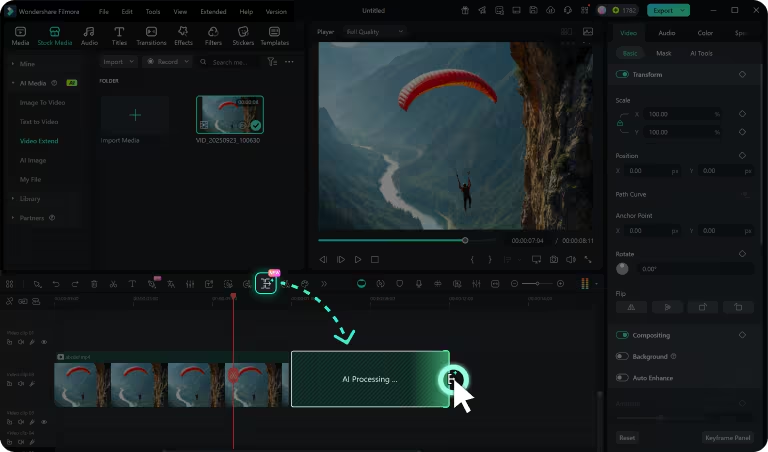
The standout feature of the latest Filmora release is the AI Video Extender. This tool utilizes generative algorithms to analyze the frames of a video and "predict" what would happen before or after the existing footage. By using a "Smart Pen" on the editing dashboard, users can prompt the software to generate additional seconds of content. This addresses a common pain point for editors: the lack of sufficient "handles" for transitions or the need for a longer intro or outro when the original recording was cut too short.
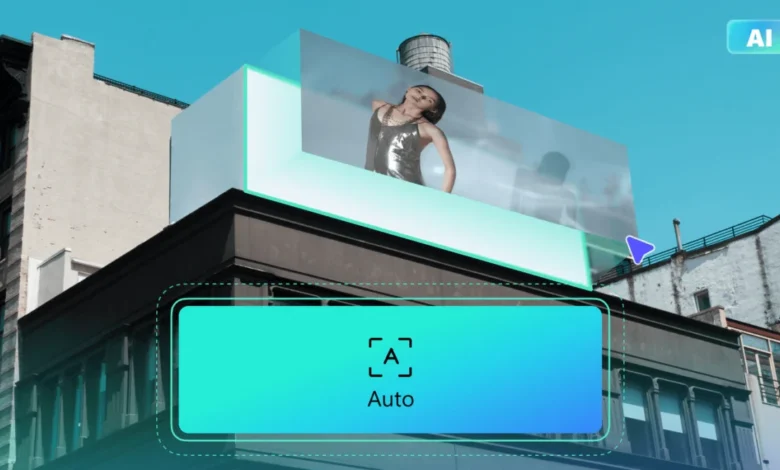
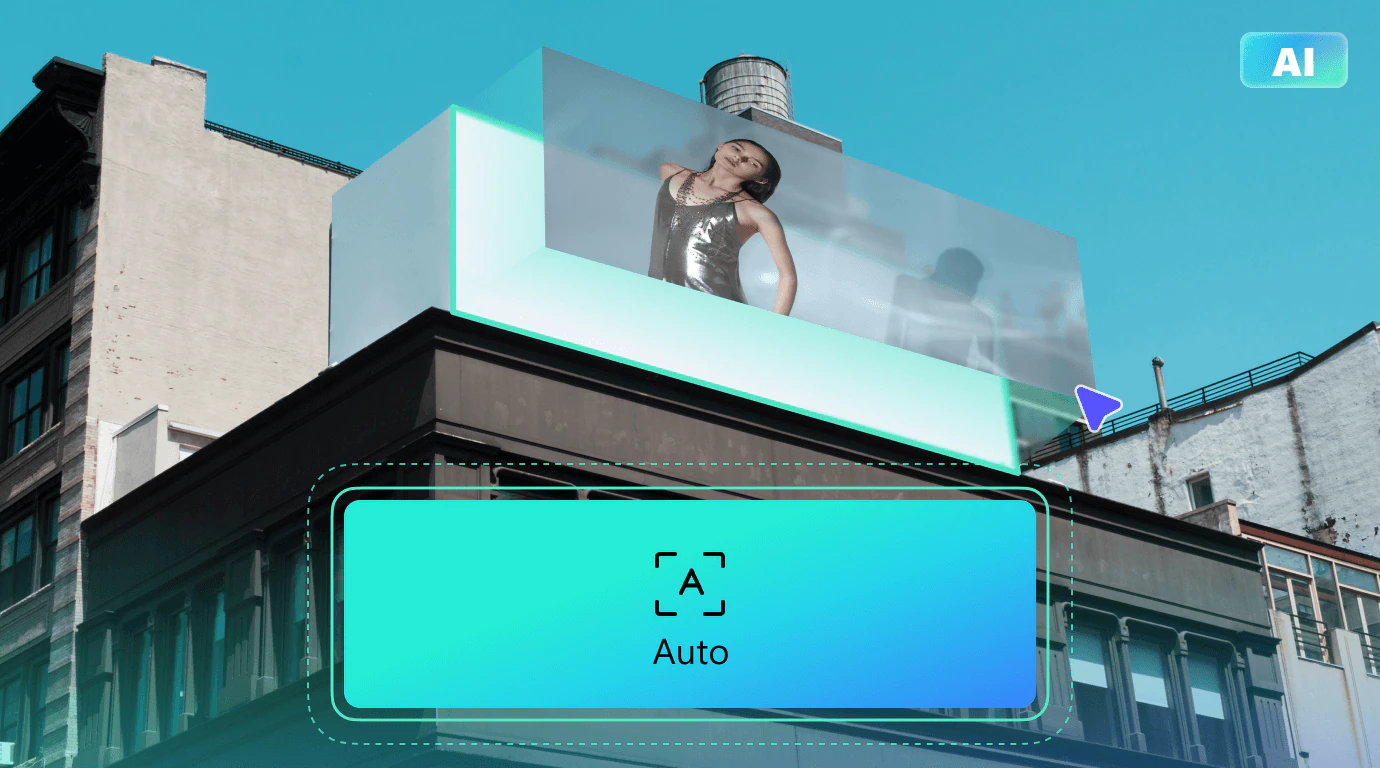
Furthermore, the implementation of Prompt-Based Video Editing represents a fundamental change in how users interact with the timeline. Traditionally, removing an object required frame-by-frame masking or complex rotoscoping. Filmora’s new system allows users to describe an action—such as "remove the stray cat from the background" or "replace the blue sky with a sunset"—and the AI handles the pixel-level manipulation. This is supported by advanced planar tracking, which allows the software to follow flat surfaces across a moving shot. This capability is particularly useful for commercial editors who need to insert logos onto moving vehicles or billboards with realistic perspective and motion blur.
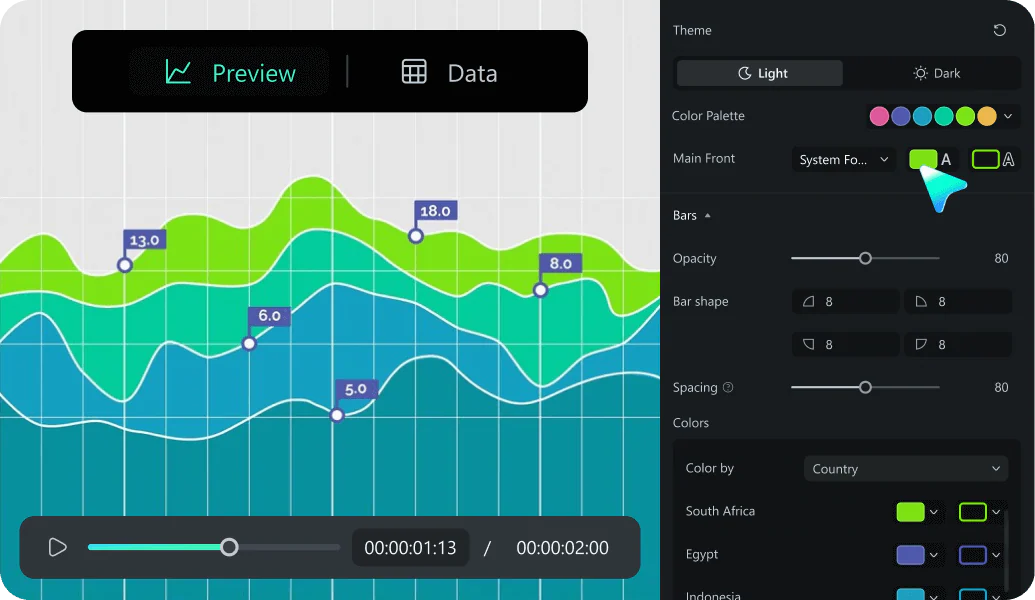
For corporate and educational creators, the introduction of Animated Charts provides a bridge between data visualization and video production. By importing CSV or Excel files directly into the editor, users can generate dynamic, animated line graphs and pie charts. This feature replaces the need for external motion graphics software, streamlining the workflow for business presentations and documentary-style content.
Structural Overview of Pricing and Market Accessibility
Filmora’s pricing strategy reflects a tiered approach designed to capture both casual hobbyists and professional content teams. However, the structure of its free plan serves as a point of contention in an increasingly competitive market. Unlike competitors such as Adobe Firefly, Kapwing, or Fliki, Filmora’s free tier is strictly limited to basic editing and does not include AI credits. This means that users looking to test the generative features must commit to a paid subscription or a perpetual license.
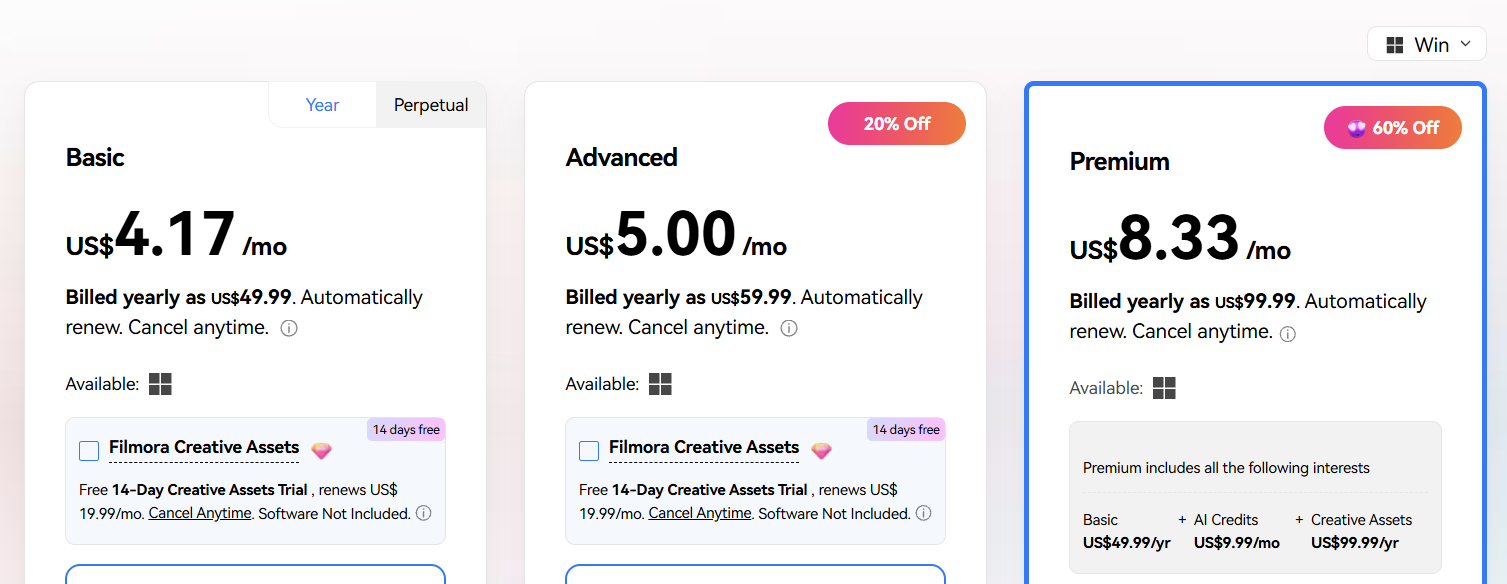
The pricing for the Windows ecosystem is structured as follows:
- Basic Plan ($4.17/month): Provides 500 uses of the AI Mate and 1GB of cloud storage. This is essentially a professional version of the free tier without the AI content generation capabilities.
- Advanced Plan ($5.00/month): This is the entry point for AI creators, offering 1,000 AI credits per month. It unlocks Text-to-Speech, Text-to-Object, AI Music, and AI Image generation.
- Premium Plan ($8.33/month): Often cited as the best value, this plan includes 2,000 AI credits and 100GB of cloud storage. Crucially, it bundles the "Creative Assets" package, which otherwise costs an additional $19.99 per month.
It is important to note that the Mac version of the software carries a slight premium, with the Basic plan starting at $5.83 per month and the Premium plan at $10.00 per month. Despite this disparity, Filmora remains significantly more affordable than cloud-based competitors like Veed ($12/month) or Kapwing ($16/month), particularly when considering the depth of its offline editing capabilities.
Performance Testing and User Experience Metrics
In a controlled testing environment on a Windows 11 system, Filmora 15 demonstrated high stability during complex rendering tasks. The installation process is streamlined, taking less than two minutes on a standard broadband connection. The user interface, while feature-rich, maintains a logical three-pane structure: the media and element library on the top left, the preview monitor on the top right, and the multi-track timeline at the bottom.
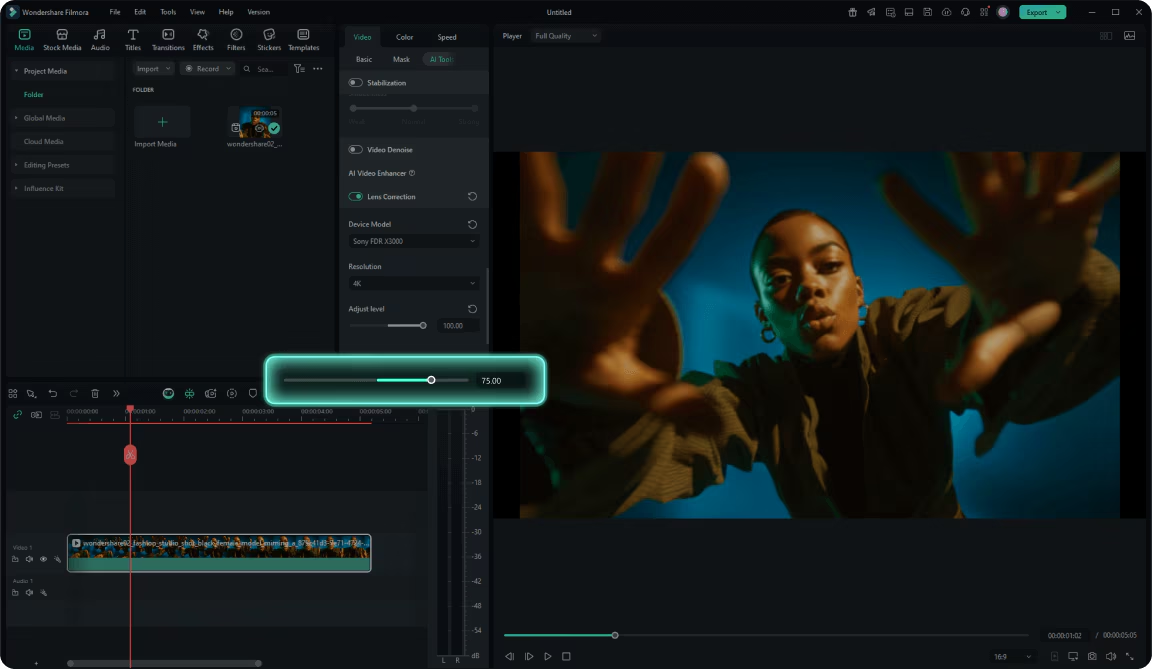
During testing, the software’s ability to handle high-motion footage was evaluated using an RGB Stroke effect on a skateboarding sequence. The AI-driven subject isolation was able to track the athlete with minimal artifacts, even during rapid rotations. Similarly, the built-in video stabilization and lens correction tools were tested on wide-angle action camera footage. The software successfully mitigated the "fisheye" distortion typical of GoPro-style lenses, producing a rectilinear image suitable for professional broadcasts.
One of the platform’s most significant advantages is its massive library of creative assets. The Premium subscription provides access to over 12,000 effects, 7,000 transitions, and 1.5 million stock media assets. This internal ecosystem reduces the need for editors to source materials from third-party sites like Envato or Epidemic Sound, further consolidating the production process.
Comparative Analysis: Filmora vs. Industry Alternatives
When placed alongside other AI-focused editors, Filmora’s strengths and weaknesses become clear. Tools like Fliki and Kapwing excel in rapid, cloud-based generation where the user wants to go from a text script to a finished video in minutes. These platforms offer more robust free tiers for AI experimentation. However, they lack the "heavyweight" editing tools found in Filmora, such as motion compensation algorithms, advanced color grading, and dual-monitor support.
For professional editors, the choice often comes down to the balance between automation and control. Adobe Premiere Pro offers deeper integration with the Creative Cloud but requires a much steeper learning curve and a higher monthly cost. Filmora occupies the "Goldilocks zone"—it is powerful enough for professional results but intuitive enough that a new user can produce a polished video within a few hours.
Broader Impact and Industry Implications
The democratization of advanced VFX tools through Filmora has significant implications for the media industry. Features like AI Video Translation and Lip Sync allow small-scale creators to reach global audiences without the expense of hiring dubbing actors or translation services. This effectively levels the playing field between independent creators and larger media houses with bigger budgets.
However, the "learning curve" identified in user feedback suggests that as AI tools become more complex, the barrier to entry is shifting from "technical skill" to "prompt engineering." Users must now learn how to communicate effectively with the AI to achieve specific visual outcomes.
Furthermore, the lack of AI access in the free plan may hinder Filmora’s growth among the youngest demographic of creators who are accustomed to "freemium" models. As AI becomes a commodity, Wondershare may eventually find it necessary to offer a limited number of free credits to remain competitive with emerging web-based AI video generators.
Final Assessment
Wondershare Filmora 15 stands as a testament to the rapid maturation of AI in the creative arts. It is a comprehensive, feature-heavy platform that offers exceptional value for money, particularly through its Premium subscription. While the initial complexity of the dashboard and the restrictions on the free plan are notable drawbacks, the software’s ability to handle everything from simple social media clips to complex, data-driven commercial presentations makes it a formidable tool in the modern editor’s arsenal. For those willing to invest the time to master its interface, Filmora provides a professional-grade production studio that fits within a modest budget.
Related posts: