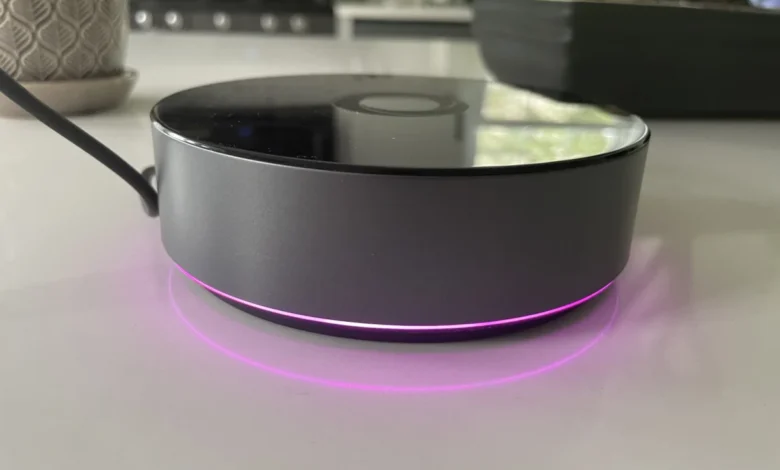
The smart home landscape in the United States is undergoing a subtle yet significant shift toward local-first automation, privacy, and unified hardware standards. Following the earlier introduction of the $69 Homey Bridge, smart home enthusiasts in the U.S. can now purchase the flagship $399 Homey Pro. While the entry-level Bridge relied heavily on cloud infrastructure and required a monthly subscription for expanded device connectivity, the robust Homey Pro aims to eliminate these limitations. Packed with local processing capabilities, an extensive suite of wireless protocols, and an advanced automation engine, the Homey Pro targets power users and privacy-conscious consumers alike. However, a rigorous hands-on evaluation reveals that despite its impressive hardware architecture and vast theoretical compatibility list, prospective buyers must carefully verify device integration before investing.
Evolution of the Homey Ecosystem and Hardware Enhancements
The trajectory of the Homey brand reflects the broader evolution of the Internet of Things (IoT) industry. Athom, the Dutch company behind Homey, originally launched the first-generation Homey Pro in 2019. That initial release carved out a dedicated niche among European automation enthusiasts who valued multi-protocol support without being locked into a single ecosystem like Apple HomeKit, Amazon Alexa, or Google Home.
When Athom introduced the more affordable Homey Bridge in March of the same year, the company tested the waters for a broader consumer base, utilizing a cloud-centric architecture to keep upfront hardware costs low. However, cloud dependence brought familiar drawbacks: latency during internet outages, privacy concerns regarding data routing, and tiered subscription models that charged users to connect more than five devices.
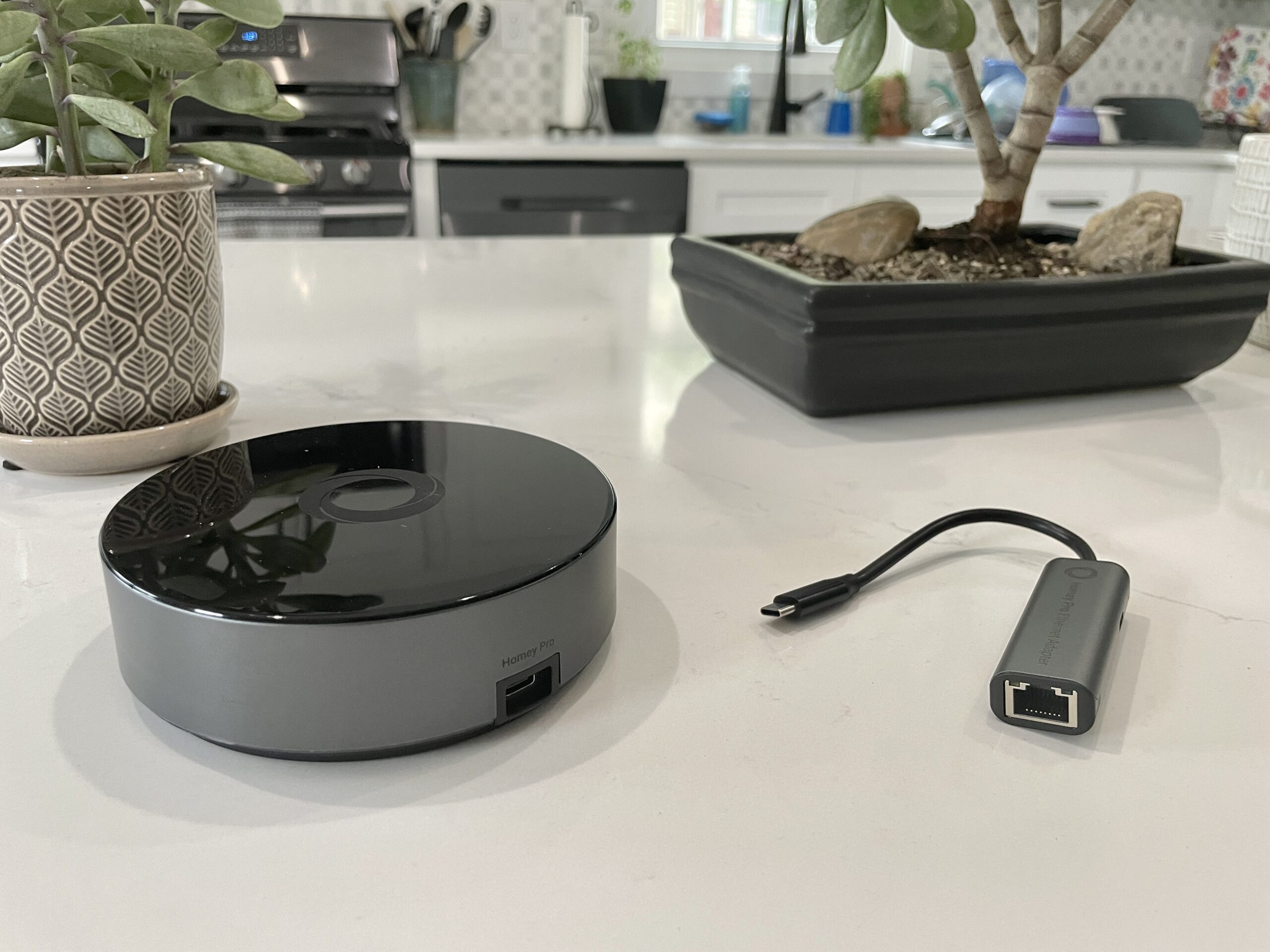
The arrival of the $399 Homey Pro in the U.S. market addresses these core complaints by bringing the ecosystem back to its local-first roots. Under the hood, the Homey Pro represents a massive generational leap over its 2019 predecessor. Athom claims the new unit delivers 3.5 times the CPU performance of the original model. Furthermore, memory and storage have been doubled to 2GB of RAM and 8GB of internal flash storage, respectively.
These hardware upgrades are not merely incremental; they are essential for running a local smart home server. Unlike the Bridge, which offloads heavy lifting to remote cloud servers, the Homey Pro processes automation routines, handles local API requests, and maintains device states directly on the hardware. This architecture ensures that even during a complete broadband internet outage, local automations continue to execute seamlessly, and local-control devices remain fully responsive.
Comprehensive Radio Support and Connectivity Options
One of the most compelling selling points of the Homey Pro is its radio versatility. For the U.S. market, the hub is equipped with an impressive array of built-in transceivers, including Wi-Fi (supporting both 2.4 GHz and 5 GHz bands), Bluetooth, infrared (IR), Zigbee, and Z-Wave. This multi-protocol approach allows the hub to act as a universal translator for legacy devices as well as modern smart home gear.
Furthermore, the Pro model includes a Thread radio and an 833MHz radio designed to communicate with older proprietary devices. For users requiring absolute network stability, Athom offers an optional Ethernet adapter module for an additional $29, enabling a hardwired network connection rather than relying solely on Wi-Fi.

In terms of subscription fees, the Homey Pro represents a significant financial relief compared to the entry-level Bridge. While the Bridge requires a $2.99 monthly fee to bypass the five-device limitation, the Pro model imposes no device caps. The sole optional subscription is a modest cloud backup service, priced at $0.99 per month, ensuring that users can easily restore their automation configurations in the event of hardware failure.
Initial Setup and User Experience
Setting up the Homey Pro is designed to be approachable, even for users transitioning from simpler commercial ecosystems. Powering the device via the included USB-C cable and charger initiates the configuration process through the mobile application.
A standout feature during the initial software walkthrough is the app’s structural questionnaire. Instead of merely asking for a home name, the setup wizard prompts users to define the physical layout of their residence, specifying the number of floors and assigning individual rooms to their respective levels. Industry analysts note that this upfront spatial organization saves considerable time compared to other mainstream platforms, where room assignment is typically an afterthought performed device by device.
The Homey mobile application itself boasts a modern, polished interface that successfully bridges the gap between basic device toggles and advanced system management. Controls are responsive, and the user interface delivers near-instantaneous feedback when executing commands on supported hardware.

Another notable software feature is the comprehensive energy management dashboard. While many smart home hubs offer energy tracking only for specialized plugs, Homey Pro allows users to monitor estimated power consumption across a wide array of connected devices. Because many appliances do not report native wattage, users can manually input power ratings during setup. The software dynamically calculates energy draw based on state changes—such as dimming a light bulb to 50 percent, which accurately cuts the estimated power consumption in half. For users utilizing the web-based management portal, this energy data is paired with local environmental telemetry, including ambient temperature, barometric pressure, and relative humidity.
The Device Compatibility Hurdle
Despite the hardware’s stellar potential and intuitive software design, real-world testing exposes a critical friction point: device fragmentation and integration support. Athom markets the Homey ecosystem as supporting more than 50,000 distinct devices through its expansive app store architecture, where individual manufacturers or community developers build specific drivers.
In practical testing environments, however, this theoretical compatibility does not always translate to universal support. When attempting to populate a mature smart home containing hardware from various major manufacturers, users may find that while a brand is officially recognized by the platform, specific model iterations are frequently left out.
For instance, foundational devices such as Lutron Caseta switches, Philips Hue smart lighting, and Sonos audio equipment integrate smoothly and operate with zero latency. Yet, complications arise with prominent smart home brands like Ecobee, Schlage, Nanoleaf, Govee, and Meross.

During evaluations, older or alternative product lines often failed to establish connections. While an Ecobee brand integration exists within the ecosystem, compatibility was restricted to older hardware like the Ecobee 3 Lite and legacy room sensors, leaving newer iterations—such as the Ecobee Thermostat Premium and current-generation sensors—unsupported. Similarly, popular Wi-Fi door locks like the Schlage Encode experienced authentication loops culminating in "no devices found" error messages, while specialized appliances like smart gooseneck kettles triggered application exceptions.
A significant factor in these integration roadblocks involves the rapid adoption of the emerging Matter connectivity standard. Many modern smart plugs, smart bulbs, and wall switches rely on Matter-over-Thread protocols. Because native Matter-over-Thread support for the Homey Pro platform rolls out incrementally, devices utilizing Thread exclusively may remain unreachable until software updates are fully implemented. Homey representatives have clarified that Wi-Fi-based Matter devices generally function, but Thread-dependent hardware requires the hub’s Thread stack to be fully mature.
Advanced Automation via Flows
For users whose devices are fully supported, the true power of the Homey Pro shines through its automation engine, known as "Flows." Moving away from the rigid, linear "If This, Then That" paradigm popularized by mainstream voice-assistant platforms, Flows utilize a more versatile "When… And… Then…" logical framework.
This structure allows for highly nuanced conditional automation. Users can incorporate "else" clauses, establish time-based dependencies, and even have one Flow trigger another, creating complex behavioral chains reminiscent of advanced platforms like Home Assistant. Basic Flows can be constructed effortlessly within the mobile application, while power users can access an advanced web-based interface to build intricate, multi-layered automation logic.

For software developers and tech hobbyists, the Homey Pro offers an API key generation system coupled with JavaScript and Node.js examples. This capability effectively turns the hub into a programmable Node.js server, allowing technically inclined users to write custom integrations for unsupported hardware. While this functionality will largely go unnoticed by mainstream consumers, it provides a powerful escape hatch for developers dissatisfied with native app limitations.
Market Implications and Purchasing Considerations
The launch of the Homey Pro in the United States highlights a fundamental tension in the modern smart home market: the ongoing conflict between closed, cloud-dependent ecosystems and open, local-first automation servers.
Priced at $399, the Homey Pro occupies a premium tier, competing directly with advanced custom integration systems and enthusiast-grade servers running platforms like Home Assistant. For consumers seeking a privacy-focused hub with exhaustive multi-protocol radio support, local execution, and a polished user interface, the Homey Pro presents an exceptionally attractive proposition.
However, the reality of smart home fragmentation means that hardware investments must be heavily scrutinized. Industry analysts strongly advise potential buyers to bypass promotional marketing claims and utilize the free Homey mobile application to audit their existing and planned hardware inventory before purchasing the hardware.

Ultimately, the Homey Pro is a brilliantly engineered smart home hub burdened by the realities of third-party ecosystem support. For households whose device inventories align with its current library of integrations, it offers a fast, private, and exceptionally powerful automation experience. For others with diverse, cutting-edge smart home deployments, the platform may require waiting for future software updates before it can serve as a primary household controller.
Related posts: