Philips 34B2U5900C Review: A High-Resolution LCD Powerhouse Defying the OLED Trend


In an era dominated by the relentless march of organic light-emitting diode technology, the release of the Philips 34B2U5900C serves as a striking reminder that traditional liquid crystal display panels still hold considerable ground. Positioned firmly within the competitive landscape of 2026, this 34-inch ultrawide monitor targets professionals, data analysts, and multi-device power users who demand extraordinary pixel density and expansive screen real estate. While consumer technology headlines frequently celebrate OLED’s infinite contrast ratios and per-pixel illumination, the Philips 34B2U5900C carves out a vital niche by offering a native 5K2K resolution that current ultrawide OLED counterparts simply cannot replicate.
Background Context and Technological Evolution
The market for high-resolution productivity displays has experienced a distinct bifurcation over recent years. As media consumption and content creation workflows grew increasingly complex, users demanded sharper text, more granular image rendering, and broader multitasking spaces. While standard 4K resolution (3,840 by 2,160 pixels) became ubiquitous in 27-inch configurations, translating that level of clarity into an ultrawide 21:9 aspect ratio presented manufacturing and engineering hurdles.
Historically, ultrawide monitors settled for a resolution of 3,440 by 1,440 pixels, often leaving users wanting for crisper font rendering—a crucial factor for software developers, financial traders, and document editors who stare at text for hours on end. The introduction of the 5K2K format (5,120 by 2,160 pixels) addressed this limitation, matching the vertical pixel density of a 27-inch 4K monitor while extending the horizontal axis.
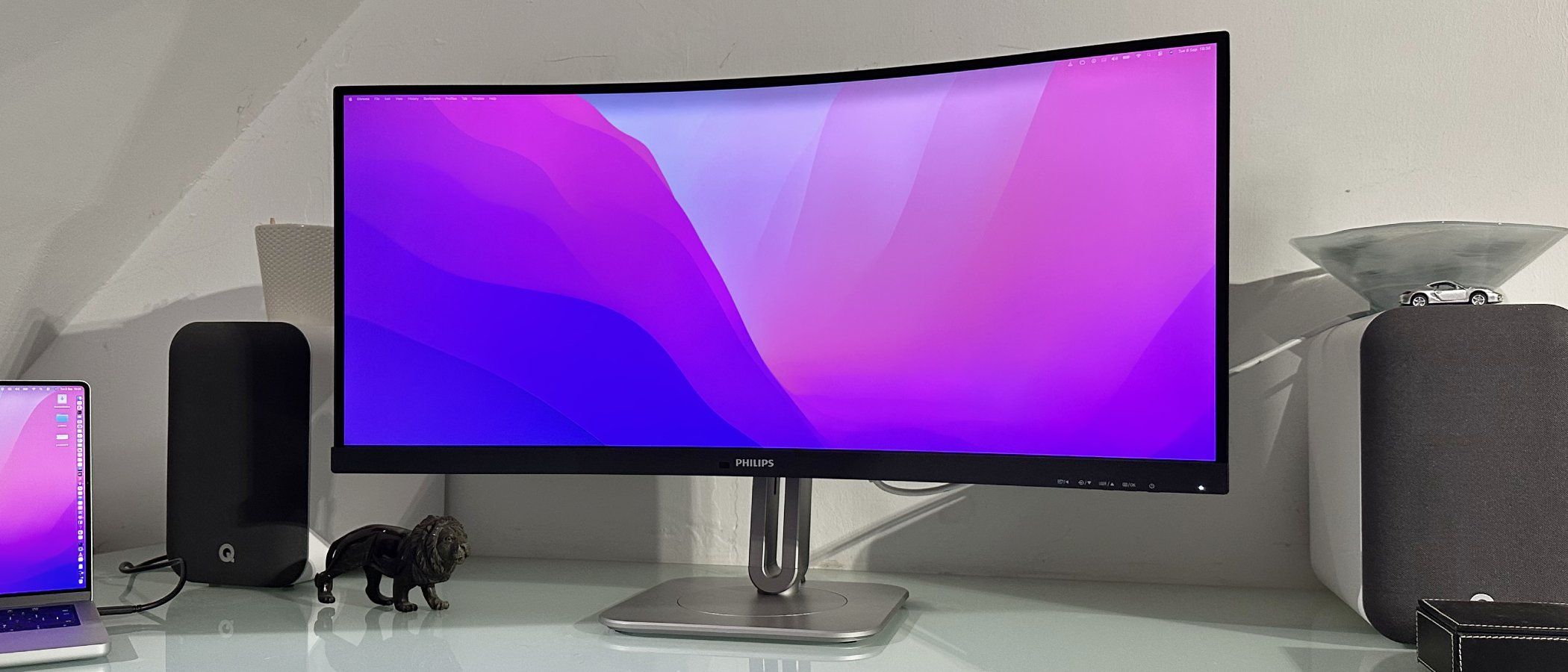
Until recently, implementing this resolution required leaning heavily on In-Plane Switching (IPS) panels. However, Philips took a calculated risk with the 34B2U5900C by employing a Vertical Alignment (VA) panel. This engineering choice fundamentally alters the display’s performance characteristics, yielding static contrast ratios that traditional IPS panels struggle to match.
Design, Ergonomics, and Comprehensive Connectivity
Upon first impression, the physical architecture of the Philips 34B2U5900C leans toward a functional, enterprise-grade aesthetic rather than the razor-thin profile of consumer-focused screens. The lower bezel is notably substantial, housing various integrated sensors and componentry. Nevertheless, the hardware is exceptionally well-constructed, offering robust ergonomic flexibility. The monitor rests upon a fully articulated base that supports a complete 360-degree swivel, alongside standard height, tilt, and pivot adjustments.
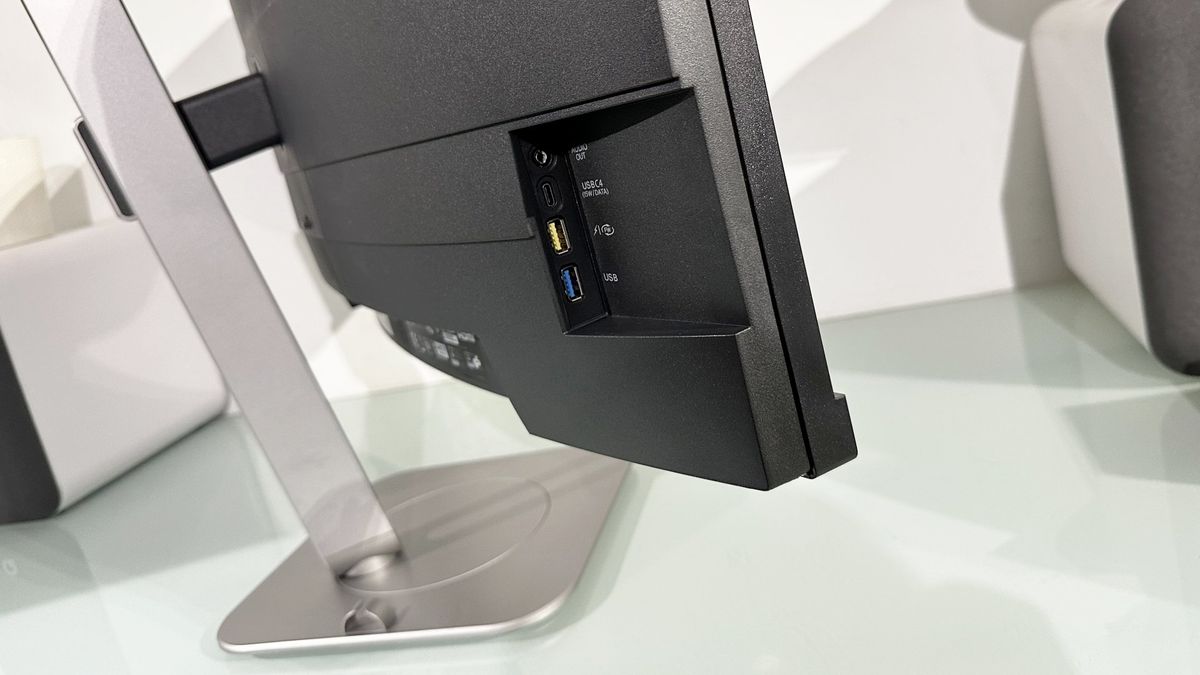
Connectivity options represent one of the most rigorously engineered aspects of the display. Recognizing the frustration users often face when attempting to access rear input ports, Philips positioned all interfaces logically with clear labeling. The lineup includes two HDMI 2.1 ports, a DisplayPort 1.4 connection, and a versatile USB-C port.
Crucially, the USB-C interface implements Power Delivery version 3.1 (PD 3.1), allowing the monitor to output a robust 140 watts of power to a connected laptop. This represents a substantial generational leap from previous 96W standards, enabling users to drive the display and fully charge high-performance desktop-replacement notebooks through a single cable.
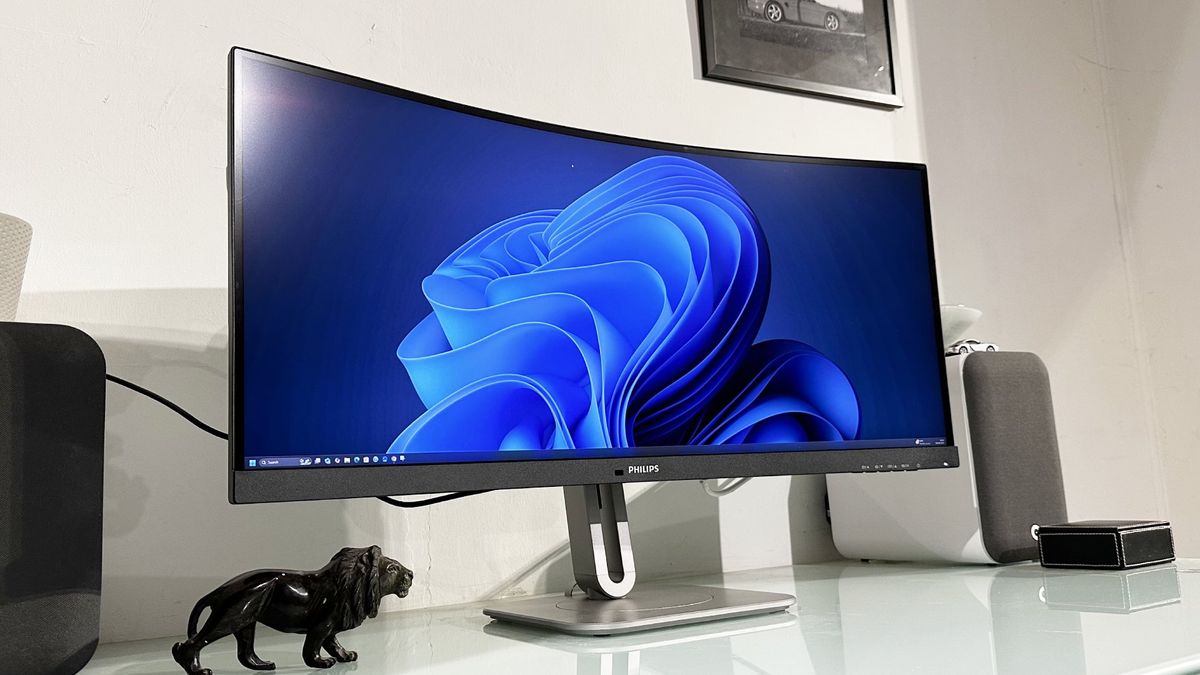
Furthermore, the integration of a built-in KVM (Keyboard, Video, Mouse) switch allows seamless peripheral sharing across two distinct computing devices, such as a corporate laptop and a personal workstation. An onboard Ethernet port expands networking capabilities to connected laptops lacking native wired internet ports, while a convenient three-port USB hub on the left bezel—featuring two USB-A ports and one USB-C connection—complements the comprehensive input-output architecture.
Performance Analysis: Sharpness, Color, and Speed
At the core of the monitor’s appeal is its 5,120 by 2,160 native resolution distributed across a 34-inch curved surface, resulting in a pixel density of approximately 163 pixels per inch (PPI). Supplemented by a gentle 1500R curvature, the display delivers an immersive environment that balances wide-format multitasking with sharp visual fidelity.
Operating system compatibility is smooth across both Windows and macOS. The on-screen display (OSD) menu includes specific color space presets for sRGB and Display-P3, enabling immediate calibration to match the native profiles of different operating systems. macOS users, in particular, benefit from the high pixel density, which delivers clean font rendering and allows for three application windows to be positioned comfortably side-by-side.
The decision to utilize a VA panel yields an impressive static contrast ratio of 3,000:1. This architectural choice significantly reduces background light bleed compared to typical IPS displays, producing deeper blacks and more pronounced shadow detail. Addressing the historical drawback of VA technology—sluggish pixel response times—Philips integrated a three-level configurable overdrive system. Set to its median configuration, the monitor achieves motion clarity closely aligned with its advertised 2-millisecond response metric, ensuring that daily desktop navigation remains fluid.
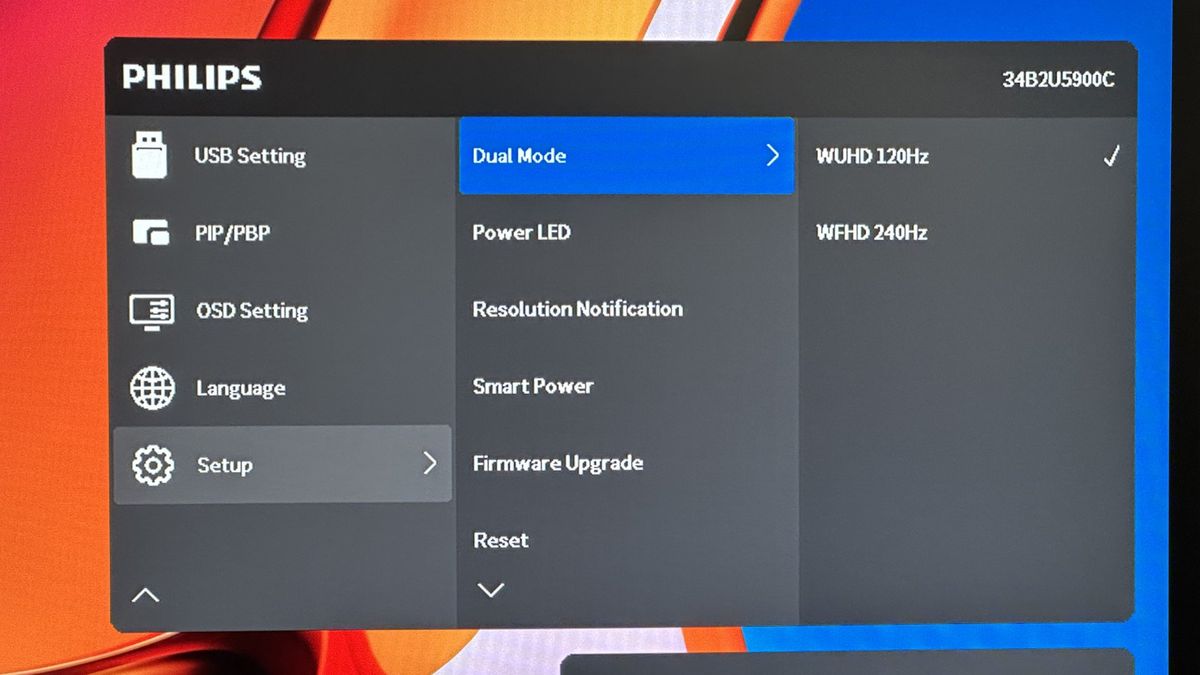
Performance metrics further benefit from a 120Hz refresh rate at the native 5K2K resolution. While the monitor is not marketed primarily as a gaming peripheral, the higher refresh rate enhances standard user interface responsiveness and window dragging. Additionally, Philips included a specialized dual-mode feature that uses pixel doubling to drop the resolution to 2,560 by 1,080 pixels while boosting the refresh rate to 240Hz, catering to users who occasionally engage in high-speed gaming sessions.
Limitations and Trade-offs
Despite its extensive feature set, objective evaluation reveals certain technical limitations inherent to the hardware class. High Dynamic Range (HDR) performance is capped at the entry-level DisplayHDR 400 certification. Consequently, peak brightness tops out at 400 nits, and the monitor lacks local dimming zones. Users seeking true cinematic HDR performance will find this implementation insufficient, as true high dynamic range remains the domain of OLED or advanced Mini-LED panel technologies.
Color accuracy presents another minor constraint. Covering approximately 95% of the DCI-P3 color gamut, the display is more than adequate for general business operations and standard office applications. However, professional colorists and graphic designers demanding absolute, wide-gamut color fidelity for high-end print or video production may find competing IPS panels more suitable, though the monitor is Calman Ready for rapid automated calibration.
Broader Market Implications and Industry Impact
The launch of the Philips 34B2U5900C underscores a maturing market where manufacturers are tailoring displays to specific professional workflows rather than pursuing universal design paradigms. By combining ultra-high pixel density, robust 140W USB-C power delivery, and advanced multitasking tools into a single chassis, Philips has established a compelling benchmark for enterprise and productivity displays.
As remote and hybrid work environments continue to demand versatile, single-cable workstation integration, monitors equipped with comprehensive hubs, Ethernet pass-through, and KVM switches are becoming central infrastructure components rather than mere peripherals. While OLED technology continues to capture consumer headlines for entertainment and gaming, the Philips 34B2U5900C demonstrates that traditional LCD engineering retains a vital, highly functional role in the modern professional workspace.