Id Software’s Internal Discord Erupts as Developers Disagree with Director’s Optimism Following Mass Layoffs

The gaming industry remains in a state of upheaval following Microsoft’s significant Xbox division layoffs, which saw approximately 3,200 employees impacted across various studios. Among the affected was the venerable id Software, the studio behind the iconic Doom and Quake franchises. While studio director Hugo Martin publicly downplayed concerns that id Software had been relegated to a mere support studio, a growing chorus of current and former employees is now voicing their dissent, painting a starkly different picture of the studio’s current state and future prospects. This internal discord highlights a significant disconnect between leadership’s public messaging and the lived experiences of those directly impacted by the recent workforce reductions.
The Layoffs and the Initial Response
The initial wave of layoffs, announced on January 25, 2024, sent shockwaves through the gaming community. Microsoft stated that the cuts were a necessary step to address market shifts and streamline operations. However, the scale of the reductions, impacting nearly 10% of its gaming workforce, raised immediate concerns about the health and direction of its first-party development studios. Reports soon emerged suggesting that id Software, a studio with a storied history and a pivotal role in shaping the first-person shooter genre, had also experienced substantial cuts. This led to speculation that the studio, once a powerhouse of innovation, might be losing its creative autonomy.
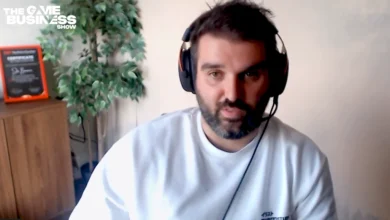
In the immediate aftermath, Hugo Martin, the director of the recent Doom entries, attempted to assuage these fears. Speaking in a livestream, Martin asserted that id Software was not diminished and would continue its work on its flagship franchises. He suggested that the studio’s core capabilities and creative vision remained intact, aiming to reassure both the remaining staff and the wider gaming audience. His statements were intended to project an image of resilience and continuity, emphasizing that the studio’s foundational strengths were untouched by the broader organizational changes.
A Dissenting Voice from Within
However, just days after Martin’s reassurances, a report from Game Developer, citing multiple anonymous sources, directly contradicted his optimistic outlook. The report detailed that "around two thirds of those left at id Software who worked on Doom (2016) were laid off at the beginning of the month." This figure, if accurate, suggests a far more profound impact than initially presented, impacting a significant portion of the team responsible for one of the studio’s most critically acclaimed modern titles.
The sources quoted by Game Developer expressed deep disappointment and frustration with Martin’s public statements. One anonymous developer, who was among those laid off, stated, "I don’t agree with Hugo’s statement and many who were laid off were upset by those comments and saw it as viewing their contributions as insignificant to the success of our games." This sentiment reveals a perceived devaluation of the work and dedication of the employees who were let go. The developer further elaborated, drawing an analogy to game mechanics: "I’ve been a gamer my whole life. If you cut a stat in half everyone would call that nerfed. In truth the Doom team is half here, half thrown away." This powerful metaphor underscores the feeling that the studio’s talent pool has been drastically depleted, akin to a significant nerf in a competitive game.

Historical Context: The Shadow of Doom 4 and the Crucible of Doom (2016)
To understand the current disquiet, it is crucial to revisit the challenging development history of id Software. The studio faced a significant crisis with the cancellation of "Doom 4," a project that reportedly went through multiple iterations and was plagued by creative and developmental issues. This period was so tumultuous that sources suggest it "almost killed the studio." The eventual rebirth of the franchise with "Doom (2016)" was a monumental undertaking. This reboot was not only a critical and commercial success but also a testament to the resilience and talent within id Software. However, it came at a considerable cost.
According to the anonymous sources, the development of "Doom (2016)" was a grueling process that lasted approximately seven years and involved "an absurd amount of crunch." This intense period of overwork, often characterized by excessively long hours and immense pressure, was instrumental in bringing the game to fruition. The fact that individuals who endured "an unsafe number of hours to make that happen" were among those laid off this month adds another layer of grievance. It suggests a lack of long-term appreciation for their sacrifices and a potentially cyclical pattern of understaffing and overreliance on intense development cycles.
The Long Shadow of Past Restructuring
Another source pointed to a critical period in id Software’s history: the significant turnover and exodus of staff between 2010 and 2011. This era, following the acquisition of ZeniMax Media (id Software’s parent company at the time) by Microsoft, reportedly left the studio in a "terrible spot." Subsequent hiring efforts, coupled with the engagement of external studios, were necessary to rebuild capacity and deliver on projects. The implication is that id Software has a history of relying on external support and extensive hiring sprees to recover from periods of significant staff reduction.

The current situation, with a reportedly trimmed-down id Software under Microsoft’s ownership, raises serious questions about its capacity to independently develop another AAA shooter to meet the high expectations of both the publisher and the player base. The studio has historically thrived on its ability to innovate and push the boundaries of technology and gameplay. A significant reduction in experienced personnel, particularly those who were integral to the successful revival of the Doom franchise, could hinder its ability to do so in the future.
Broader Implications for id Software and Xbox
The controversy surrounding the id Software layoffs and the differing accounts of the studio’s status has broader implications for Microsoft’s Xbox gaming division. The company has made significant investments in acquiring studios and intellectual properties, aiming to bolster its first-party content offerings. The perceived mishandling of established and respected studios like id Software could damage Microsoft’s reputation within the industry and among developers, potentially making it harder to attract and retain top talent in the future.
Furthermore, the future of the Doom and Quake franchises, which are reportedly of keen interest to Xbox leadership, now appears more uncertain. While the recent release of "Doom: The Dark Ages" expansion "Revelations" has been met with positive reception, the long-term development pipeline for these iconic series may be jeopardized if the studio’s creative and technical capacity is significantly diminished. The ability to sustain and innovate within these beloved IPs will heavily depend on the remaining talent and Microsoft’s commitment to rebuilding and supporting id Software effectively.

A Call for Transparency and Support
The internal dissent emerging from id Software serves as a critical reminder that behind the corporate announcements and strategic decisions, there are individuals whose careers and livelihoods are directly affected. The discrepancy between Hugo Martin’s public statements and the accounts of laid-off employees underscores the importance of transparency and empathy in times of organizational change.
As the industry continues to grapple with the economic realities of game development, the focus must remain on fostering sustainable work environments and respecting the contributions of all team members. The legacy of id Software is built on groundbreaking innovation and passionate development. The current situation presents a critical juncture, where the decisions made by Microsoft and id Software leadership will determine whether this legacy can continue to flourish or will be irrevocably altered by the recent turmoil. The gaming community will be watching closely to see how these internal tensions are resolved and what the future holds for one of its most storied developers.