The Google Pixel 11 Series: A Global Launch Unveiling with Strategic Focus on the Indian Market


Google is poised to make a significant global splash with the official launch of its highly anticipated Pixel 11 series, strategically rolling out its media invitations for major events in both the United States and India. The Mountain View-based technology giant has confirmed a grand unveiling in New York City on August 12 at 6 PM ET, an event that will set the stage for its latest flagship smartphone lineup. Following closely, Google will host a dedicated launch event for the Indian market in Gurugram on August 13, signaling a concerted effort to strengthen its foothold in one of the world’s most dynamic and competitive smartphone arenas.
The Global Unveiling and Strategic Timing
The primary global launch event in New York City on August 12 is expected to be a comprehensive showcase of Google’s latest advancements in smartphone technology. This annual spectacle typically features deep dives into new hardware capabilities, significant software innovations powered by the latest iteration of Google’s custom Tensor chip, and the unveiling of new AI-driven features that are hallmarks of the Pixel experience. The 6 PM ET timing suggests a prime-time broadcast slot, designed to capture maximum international attention from tech enthusiasts, industry analysts, and potential consumers across various time zones.
Google’s decision to maintain a consistent annual launch cycle for its Pixel series underscores its commitment to the premium smartphone segment. Historically, Pixel launches have been keenly observed for their implications on the broader Android ecosystem, often serving as a reference point for software and AI integration. The August 12 event is expected to reiterate Google’s vision for ambient computing, where hardware and software seamlessly blend to provide an intuitive and personalized user experience. Given the recent advancements in generative AI and on-device machine learning, a substantial portion of the keynote will likely be dedicated to demonstrating how the Pixel 11 series leverages these technologies to enhance photography, communication, and daily productivity.
India’s Pivotal Role in Google’s Hardware Ambitions
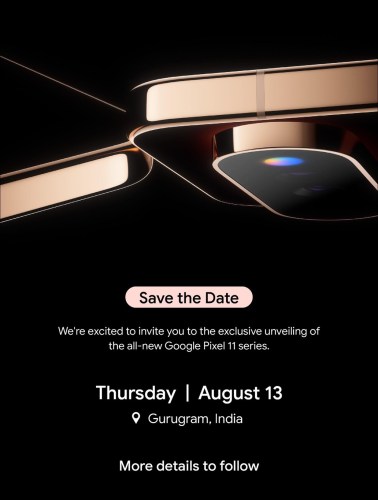
Crucially, Google has swiftly followed its US invitation with a dedicated media invite for an Indian launch event. Scheduled for August 13 in Gurugram, this event highlights India’s strategic importance in Google’s global expansion strategy. While the exact start time for the Gurugram event has not been explicitly stated in the invites, industry observers anticipate it could commence around 12 PM local time, allowing for detailed discussions on local pricing, availability, and market-specific features immediately following the global reveal.
India, as the second-largest smartphone market globally, presents both immense opportunities and unique challenges for premium device manufacturers. Its rapidly expanding middle class and increasing appetite for advanced technology make it a critical battleground for tech giants. Google’s commitment to a near-simultaneous launch in India, merely a day after the global unveiling, demonstrates a heightened focus on catering to this demographic directly. This approach minimizes the lag often seen with international product rollouts, which can sometimes dampen local enthusiasm and give competitors an advantage.
Further cementing its commitment to the Indian market, Google’s online India store has already initiated pre-order preparations. While the official launch is set for August 13, the store indicates that pre-orders for the Pixel 11 series will commence on August 12. This proactive move allows interested consumers to secure their devices almost immediately after the global announcement. Moreover, Google is offering an exclusive incentive for early adopters: those who sign up by August 8 at 12:29 PM local time will be eligible to receive a special offer on eligible Pixel Buds or Pixel Watch when purchased alongside a new Pixel 11 series phone. This bundling strategy is a common tactic in premium segments to encourage ecosystem adoption and increase the overall value proposition for consumers. Such targeted offers are vital in a price-sensitive yet aspirational market like India, where consumers often seek added value with their high-end purchases.
A Legacy of Innovation: The Pixel Journey
The Pixel series represents Google’s long-standing ambition to create its own vision of the ideal Android smartphone, evolving from the earlier Nexus program. Launched in 2016, the Pixel line has consistently emphasized a "hardware meets software meets AI" philosophy, aiming to deliver a seamless user experience that leverages Google’s unparalleled strengths in artificial intelligence and cloud services. Unlike many Android manufacturers that prioritize raw specifications, Google has historically focused on optimizing performance through tight integration between its proprietary hardware components (most notably the Tensor chip since the Pixel 6), the latest Android software, and advanced computational photography.
The introduction of the Tensor chip was a pivotal moment for the Pixel lineup, allowing Google to custom-design a system-on-chip tailored specifically for its AI and machine learning workloads. This bespoke silicon has enabled features such as advanced speech recognition, real-time language translation, and sophisticated image processing that often surpass what is achievable with off-the-shelf processors. Each successive generation of the Tensor chip has aimed to further enhance on-device AI capabilities, making the Pixel series a frontrunner in intelligent smartphone features.
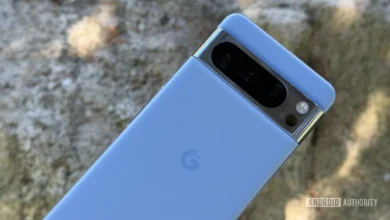
Pixel phones have also garnered a reputation for their exceptional camera quality, often achieving top rankings in independent reviews despite not always featuring the largest sensors or highest megapixel counts. This prowess stems from Google’s computational photography algorithms, which fuse multiple exposures and employ AI to produce stunning images, particularly in challenging lighting conditions. The Pixel 11 series is expected to build upon this legacy, potentially introducing new camera hardware alongside even more refined software processing.
Google’s journey with the Pixel has not been without its challenges. Early generations faced criticism for limited market availability, relatively high pricing in some regions, and occasional hardware quirks. However, with each iteration, Google has demonstrated a learning curve, gradually expanding its market reach, refining its supply chain, and addressing consumer feedback. The Pixel 6 and Pixel 7 series, in particular, saw Google make significant strides in market penetration and critical acclaim, solidifying its position as a serious contender in the premium segment. The Pixel 8 series continued this trend, pushing the boundaries of AI integration and user experience. The upcoming Pixel 11 series is thus poised to be a culmination of these years of development and strategic refinement.
Anticipated Innovations: What to Expect from the Pixel 11 Series
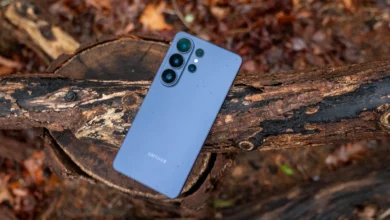
While Google remains tight-lipped about the specifics of the Pixel 11 series, industry leaks and reliable analyst predictions offer a glimpse into what consumers can expect. The series is reportedly set to include four distinct models: the standard Pixel 11, the Pixel 11 Pro, the larger Pixel 11 Pro XL, and the much-anticipated Pixel 11 Pro Fold. This diverse lineup suggests Google’s intent to cater to a broader range of preferences and price points within the premium market, from traditional slab phones to cutting-edge foldable form factors.
The standard Pixel 11 and Pixel 11 Pro/Pro XL models are expected to feature upgrades to the core components, including a new generation of the Tensor chip (likely Tensor G4 or G5, depending on Google’s naming convention for its latest silicon), which will undoubtedly bring further enhancements to AI processing, power efficiency, and overall performance. Camera improvements are a near certainty, with potential advancements in sensor technology, lens configurations, and new computational photography features. Displays are likely to see refinements in brightness, refresh rates, and color accuracy, while battery life optimization remains a key focus for all smartphone manufacturers. Software-wise, the Pixel 11 series will ship with the latest version of Android, promising exclusive Pixel-only features and guaranteed long-term software support.
The inclusion of the Pixel 11 Pro Fold in the lineup is particularly noteworthy. Google’s entry into the foldable market with the Pixel Fold (predecessor to Pixel 11 Pro Fold) demonstrated its commitment to innovation in form factors. The Pixel 11 Pro Fold is expected to refine the original design, potentially addressing feedback on hinge durability, display crease visibility, and overall device thickness. Foldable phones represent the pinnacle of smartphone engineering, and Google’s presence in this segment not only showcases its technical capabilities but also positions the Pixel brand at the forefront of mobile innovation. Given that Google launched the predecessors of these devices in India last year, there is a strong expectation that the company will bring the full lineup, including the foldable, to the Indian market, reflecting the increasing consumer demand for premium and innovative devices in the region.
Market Dynamics and Competitive Landscape
The Indian smartphone market is characterized by intense competition across all segments, with the premium category (devices priced above INR 30,000 or approximately $360) experiencing rapid growth. While Samsung and Apple traditionally dominate this segment, brands like OnePlus and Xiaomi have also carved out significant niches. Google’s Pixel series, with its unique software-first approach and strong camera performance, occupies a distinct position.
For Google, the challenge in India lies not just in product differentiation but also in establishing robust distribution channels, effective marketing, and reliable after-sales service – areas where its competitors have had a head start. However, Google’s widespread brand recognition through its search engine, Android operating system, and other services provides a significant advantage. The Pixel’s appeal to tech enthusiasts, photographers, and users who prioritize a clean Android experience with timely updates remains strong.
Market data consistently indicates that while price remains a key factor for Indian consumers, there is a growing willingness to invest in premium devices that offer tangible benefits in performance, camera quality, and brand prestige. This trend works in Google’s favor, as the Pixel 11 series is expected to deliver on all these fronts. The "Made in India" initiative, which Google has increasingly adopted for its devices, could also play a crucial role in reducing import duties and potentially making the devices more competitively priced, while also resonating with nationalistic consumer sentiment.
Economic Implications and Ecosystem Expansion
The launch of the Pixel 11 series, particularly with a strong focus on India, has broader economic implications for Google. Beyond direct smartphone sales, the Pixel line serves as a gateway to Google’s vast ecosystem of services, including Google Assistant, Google Photos, YouTube Premium, and cloud storage offerings. Each Pixel device sold contributes to the active user base for these services, driving engagement and potentially increasing subscription revenues.
Furthermore, Google’s continued investment in its hardware division, exemplified by the Pixel series, signals a long-term commitment to controlling the end-to-end user experience, much like Apple. This strategy allows Google to showcase the full potential of Android and its AI capabilities without the fragmentation often associated with third-party manufacturers. The bundling offer for Pixel Buds and Pixel Watch in India underscores this ecosystem approach, encouraging consumers to adopt Google’s full suite of interconnected devices.
The pricing strategy for the Pixel 11 series in India will be a critical determinant of its success. Google will need to carefully balance its premium positioning with the competitive pressures of the market. Historically, Google has sometimes struggled with aggressive pricing in India compared to its global pricing, but recent trends suggest a more localized and competitive approach. Analysts will be keenly watching the pricing announcements on August 13 to gauge Google’s strategic intent for market penetration versus margin optimization.
Expert Insights and Future Outlook
Industry analysts generally view Google’s aggressive push with the Pixel series as a strategic imperative. "Google cannot afford to be just a software company anymore," states a hypothetical market analyst. "In a world increasingly driven by integrated hardware and AI, having a strong first-party device portfolio is crucial for driving innovation in the Android ecosystem and for showcasing the full potential of their AI research. India, with its sheer scale and rapid digital transformation, is indispensable to this vision."
The Pixel series also acts as a benchmark for other Android manufacturers, pushing the boundaries of what is possible with Android software and AI integration. Google’s innovations in computational photography and on-device machine learning often trickle down to other OEMs, influencing the broader smartphone industry. The Pixel 11 series is expected to continue this trend, setting new standards for smartphone intelligence and user experience.
In conclusion, the impending global and Indian launch of the Google Pixel 11 series represents a pivotal moment for Google’s hardware ambitions. With a comprehensive lineup, an intensified focus on key markets like India, and a continued commitment to AI-driven innovation, Google aims to solidify its position as a leading player in the premium smartphone segment. The strategic decisions made in the coming weeks regarding pricing, availability, and marketing will undoubtedly shape the Pixel 11 series’ trajectory and its impact on the fiercely competitive global smartphone landscape.