Navigating the Landscape of Sub-$500 Laptops: Performance, Value, and Evolving Consumer Expectations

The quest for a high-performing laptop within a strict budget of $500 or less remains a significant challenge for consumers, yet the market continues to offer compelling options that balance essential functionality with surprising features. While the budget segment inherently involves compromises on cutting-edge specifications, premium materials, and high-end graphics, a discerning approach can yield reliable devices perfectly suited for everyday tasks such as web browsing, document creation, media streaming, and productivity applications. This category is particularly vital for students, young users, or individuals seeking a dependable secondary computing device without a substantial financial outlay. Notably, Chromebooks frequently present a superior value proposition in this price bracket compared to their Windows counterparts, often delivering more robust performance and longer battery life for the cost.
The Evolving Landscape of Affordable Computing

The journey of the budget laptop has seen a remarkable transformation over the past decade. What once constituted a compromise-laden experience, often characterized by sluggish performance and flimsy builds, has matured into a segment offering genuinely capable machines. This evolution is largely attributable to advancements in processor efficiency, the rise of cloud-centric operating systems like ChromeOS, and manufacturers’ strategic focus on optimizing core functionalities. Early budget laptops, often referred to as netbooks in the late 2000s, were notoriously underpowered, struggling with even basic multitasking. However, by the mid-2010s, improvements in Intel’s Atom and Celeron processors, coupled with the introduction of more streamlined operating systems, began to elevate the user experience.
The emergence and subsequent widespread adoption of Chromebooks, which debuted around 2011, marked a pivotal shift. Designed to run Google’s ChromeOS, these devices leveraged cloud services, minimized local storage requirements, and prioritized battery efficiency and quick boot times. This philosophy allowed manufacturers to build capable machines with less expensive hardware, directly addressing the performance shortcomings prevalent in budget Windows laptops. Today, the sub-$500 market is heavily influenced by this trend, with many of the top-performing and best-value devices running ChromeOS.
Key Attributes of Sub-$500 Laptops
When evaluating laptops in this price range, setting realistic expectations is paramount. Consumers should anticipate slower processors (such as Intel N-series, older Core i3s, or ARM-based Snapdragon/MediaTek chips), limited solid-state or eMMC storage (typically 64GB to 128GB), and displays that, while often 1080p, may lack the brightness or color vibrancy of premium models. However, the most successful budget laptops make intelligent trade-offs, prioritizing essential user experience elements. A standout feature across many recommended models is extended battery life, a critical factor for portability and uninterrupted workflow, especially for students or mobile professionals.
-
Operating System Choice: Windows vs. ChromeOS
The choice of operating system is perhaps the most significant differentiator in the sub-$500 segment. While Windows laptops offer broad software compatibility and a familiar interface, achieving satisfactory performance at this price point is challenging. Windows demands more resources, and cheaper components often lead to frustratingly slow experiences. Industry analysts frequently observe that a Windows machine under $500 will almost certainly feature an entry-level processor (e.g., Intel Celeron, Pentium, or very basic Core i3) and minimal RAM (4GB-8GB), resulting in noticeable lag during multitasking or with demanding applications.Chromebooks, conversely, thrive in this environment. Their lightweight ChromeOS is optimized for web-based applications and cloud storage, requiring fewer hardware resources to deliver a fluid experience. This allows manufacturers to equip Chromebooks with more capable components for the price, such as 8GB of RAM and efficient processors, leading to snappier performance for typical productivity and entertainment tasks. The lower system overhead also contributes significantly to their often superior battery life.
-
Performance Metrics and Benchmarking
Performance in budget laptops is not about raw power but rather efficient execution of common tasks. Benchmarking tools like Geekbench and Jetstream provide objective measures. For instance, a Geekbench 6 multi-core score above 5,000 for a Chromebook indicates strong performance for its class, capable of handling multiple browser tabs and productivity apps without significant slowdowns. For Windows laptops, even a score around 3,800 on Geekbench 5 (an older version but still relevant for comparison) is considered commendable, signifying a machine that won’t "combust" under light loads. The transition from older eMMC storage to faster SSDs, even in smaller capacities, also plays a crucial role in overall responsiveness, affecting boot times and application loading speeds. -
Display Quality and Form Factor
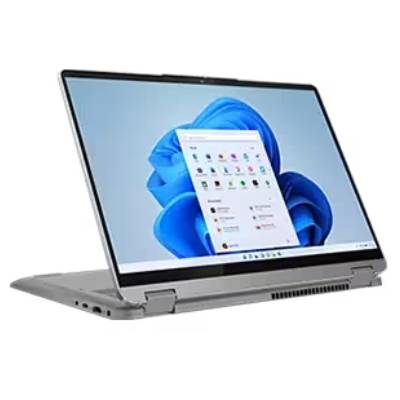
Displays in the sub-$500 range typically offer Full HD (1920×1080) resolution, which is adequate for sharp text and clear images. However, brightness (measured in nits) and color gamut (DCI-P3 percentage) are often where cost-cutting becomes apparent. A display with around 300 nits of brightness is considered good for indoor use, while higher DCI-P3 coverage (e.g., 85%+) indicates richer, more accurate colors. The inclusion of an OLED panel, as seen in some higher-end budget Chromebooks, is a rare and significant bonus, offering vibrant colors and deep blacks usually reserved for much pricier devices.Form factors vary, from traditional clamshell designs to versatile 2-in-1 convertibles with 360-degree hinges or detachable keyboards. Convertibles offer greater flexibility, transforming from laptop to tablet mode, which is particularly beneficial for note-taking or media consumption. While clamshells often provide better value in terms of internal specifications for the price, the added utility of a 2-in-1 can justify its cost for users needing that adaptability.
-
Battery Life: A Non-Negotiable Essential
For any portable device, battery life is a critical factor, and it’s particularly important in the budget segment where users often prioritize mobility. Modern budget laptops are increasingly capable of delivering all-day power. A device offering 10 hours or more of continuous web surfing on Wi-Fi is considered excellent and meets the demands of a full workday or academic session without needing a charger. This longevity is often a result of energy-efficient processors and operating systems like ChromeOS.
Market Dynamics and Consumer Trends
The sub-$500 laptop market is a bellwether for broader economic and technological shifts. The sustained demand for affordable computing solutions has been significantly amplified by the global trends of remote work and distance learning, especially since 2020. Educational institutions, families, and individuals seeking cost-effective solutions for productivity and connectivity have fueled growth in this segment. Industry reports from firms like IDC and Gartner consistently highlight the resilience of the budget and entry-level PC market, even as overall PC sales fluctuate.

Manufacturers like Lenovo, Acer, HP, and Dell have responded by refining their budget offerings, understanding that basic functionality no longer suffices. Consumers now expect a certain level of performance, build quality, and battery endurance, even at lower price points. This competitive landscape drives innovation, albeit incremental, in areas such as processor efficiency, display technology (e.g., occasional OLED panels), and chassis design, moving away from the purely utilitarian aesthetics of the past. The inclusion of AI-infused performance, as seen in newer Chromebook Plus models, also signals a forward-looking trend, aiming to bring advanced capabilities to more accessible price points.
Spotlight on Top Performers in the Sub-$500 Category
-
Lenovo IdeaPad Flex 5i Chromebook Plus: The Modern All-Rounder
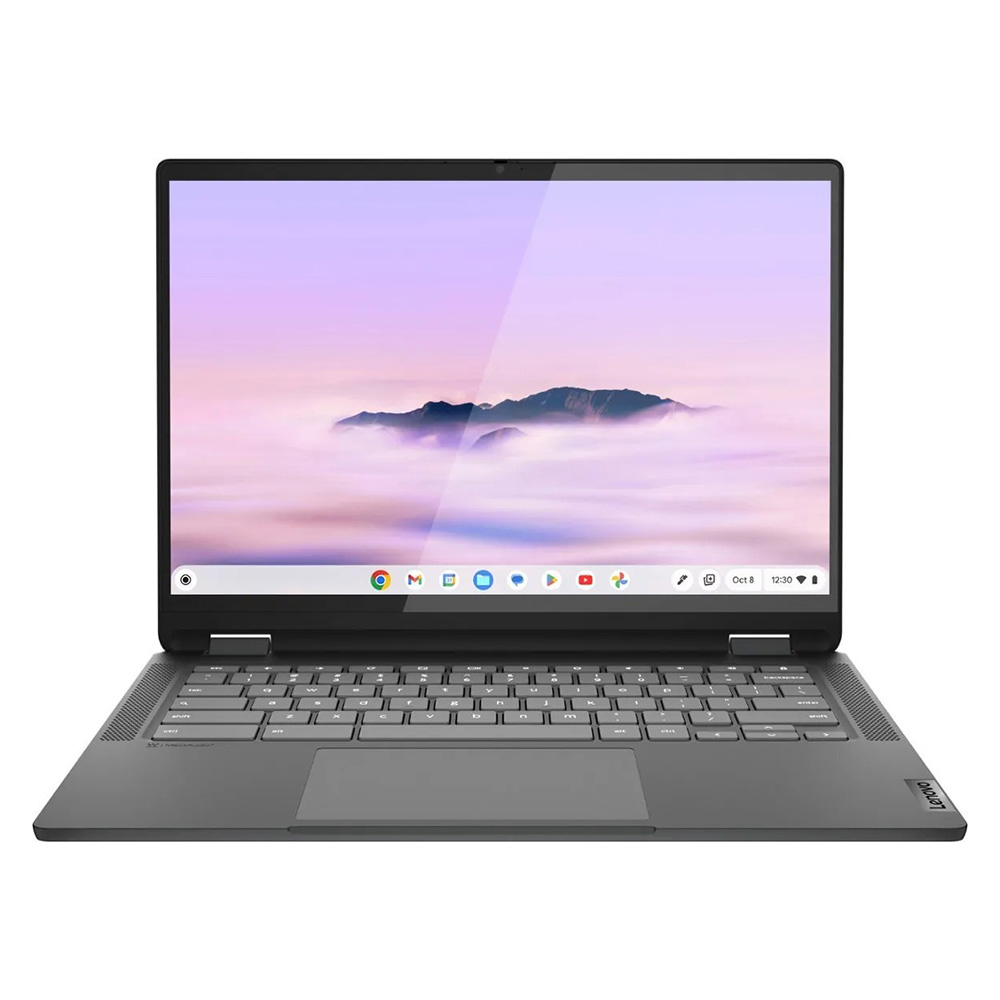
The Lenovo IdeaPad Flex 5i Chromebook Plus exemplifies the pinnacle of modern budget computing, especially within the ChromeOS ecosystem. Priced just under $500, it defies typical budget laptop aesthetics with a sleek, premium-looking design. Powered by an Intel Core i3-1315U processor and 8GB of RAM, it delivers AI-enhanced performance that surpasses the average Chromebook, achieving a Geekbench 6 multi-core score of 5,384. This level of processing power ensures a smooth user experience for everyday tasks, a significant leap from previous generations of budget Chromebooks. Its 14-inch, 1080p IPS touchscreen, while not the most vibrant (46.5% DCI-P3 coverage), offers a productivity-friendly 16:10 aspect ratio, providing more vertical screen real estate. With nearly 10 hours of battery life, sturdy hinges, and a comfortable keyboard, it stands out as an attractive and highly functional 2-in-1 device for a wide range of users.
-
Lenovo Duet 5 Chromebook: Unbeatable Value Under $300
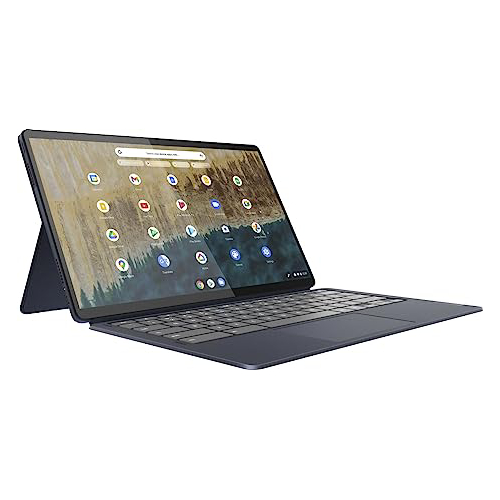
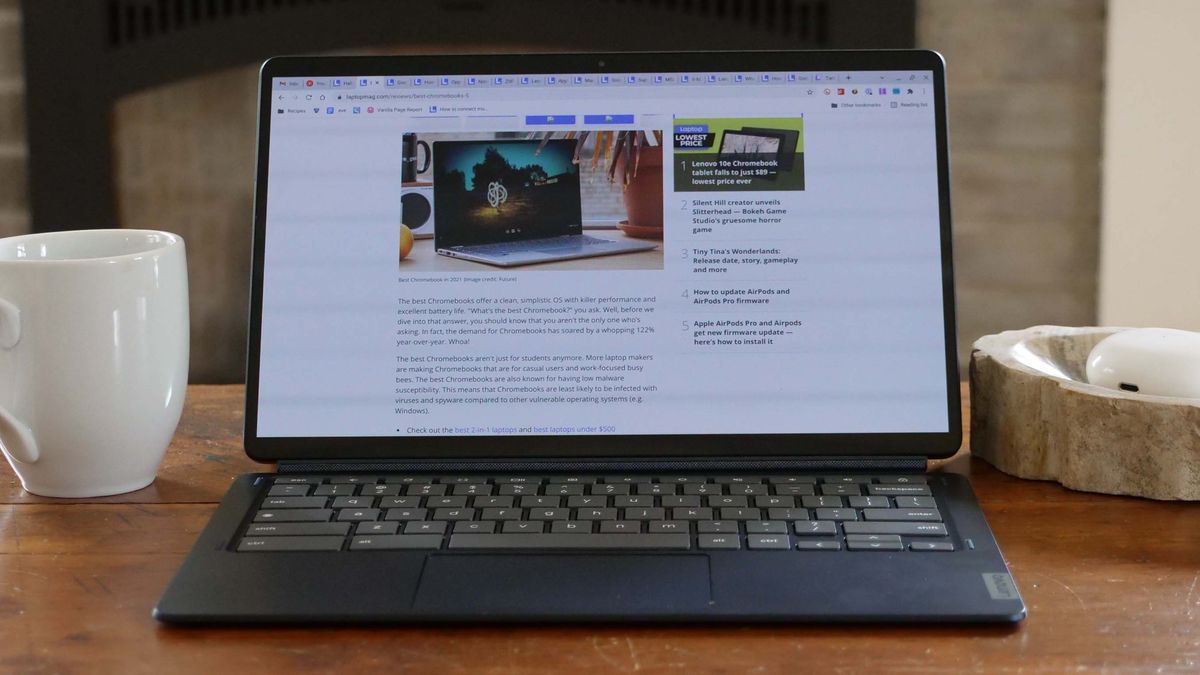
For those seeking maximum versatility at an even lower price point, the Lenovo Duet 5 Chromebook remains a champion. Often available for under $300, this detachable 2-in-1 offers an extraordinary feature set. Its most striking attribute is a 13.3-inch, 1920×1080 OLED display, a rarity in any budget device. This panel boasts vivid colors (85.2% DCI-P3) and impressive brightness (361 nits), delivering a visual experience typically found in premium laptops or high-end televisions. Despite its Qualcomm Snapdragon 7c Gen 2 processor yielding more modest Geekbench 5 scores (1,727), the efficiency of ChromeOS ensures adequate performance for its intended use as a tablet-laptop hybrid. Crucially, its battery life extends to an outstanding 13 hours and 31 minutes, making it one of the longest-lasting devices available, regardless of price. The inclusion of a keyboard and cover, which are often sold separately with other detachables, further enhances its value proposition. -
Lenovo IdeaPad Flex 5 14 (Intel): The Robust Windows Contender
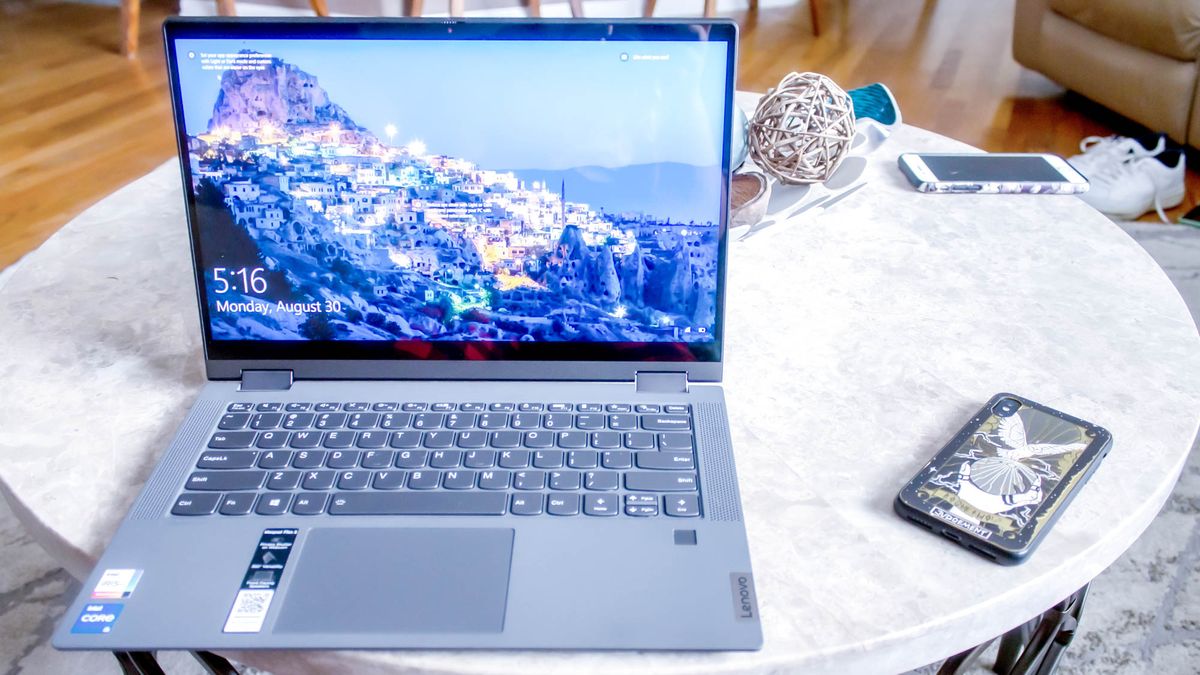
Finding a reliable Windows laptop under $500 is a notoriously difficult task, often leading to devices that quickly become frustrating to use. The Lenovo IdeaPad Flex 5 14 (Intel) emerges as a notable exception, offering a commendable balance of performance, battery life, and user comfort. Equipped with an Intel Core i5-1135G7 processor, 16GB of RAM, and a 512GB SSD (configurations vary, but budget-friendly options exist), it provides solid performance for a Windows machine in this class, scoring 3,841 on Geekbench 5. Its exceptional battery life of over 14 hours is a significant advantage, outlasting many more expensive laptops. The responsive keyboard and robust build quality also contribute to a pleasant user experience. While its 12.3-inch display (2400×1600 IPS) may be dimmer (200 nits) and less colorful (45% DCI-P3) than ideal, the overall package makes it a strong choice for those who require Windows compatibility without breaking the bank. The availability of an AMD Ryzen 3 model offers an alternative for those who cannot find the Intel version, promising similar benefits with potentially different performance characteristics. -
Acer Chromebook Spin 312: The Student’s Dependable Companion
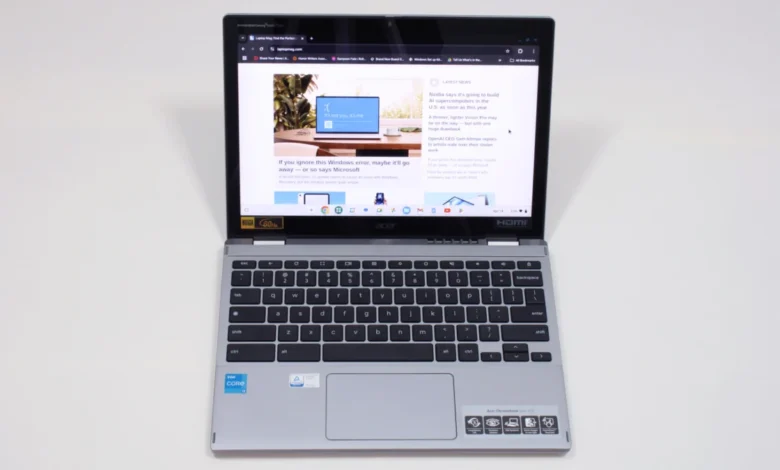
Specifically tailored for the demands of student life, the Acer Chromebook Spin 312 offers a compelling combination of durability, portability, and essential features at a $450 price point. Its Intel Core i3-N305 processor and 8GB of RAM deliver a Geekbench 6 score of 4,477, ensuring smooth performance for academic tasks. The 12.2-inch, 1920×1200 IPS touchscreen is enhanced by a Corning Gorilla Glass coating, which boosts perceived color vibrancy despite a measured 55% DCI-P3 coverage. Weighing under 3 pounds and offering over 10 hours of battery life, it is ideal for carrying between classes. Unique features like the smooth OceanGlass touchpad further enhance its appeal. As a 2-in-1, it supports both traditional laptop use and tablet mode for note-taking, making it a versatile tool for diverse learning styles.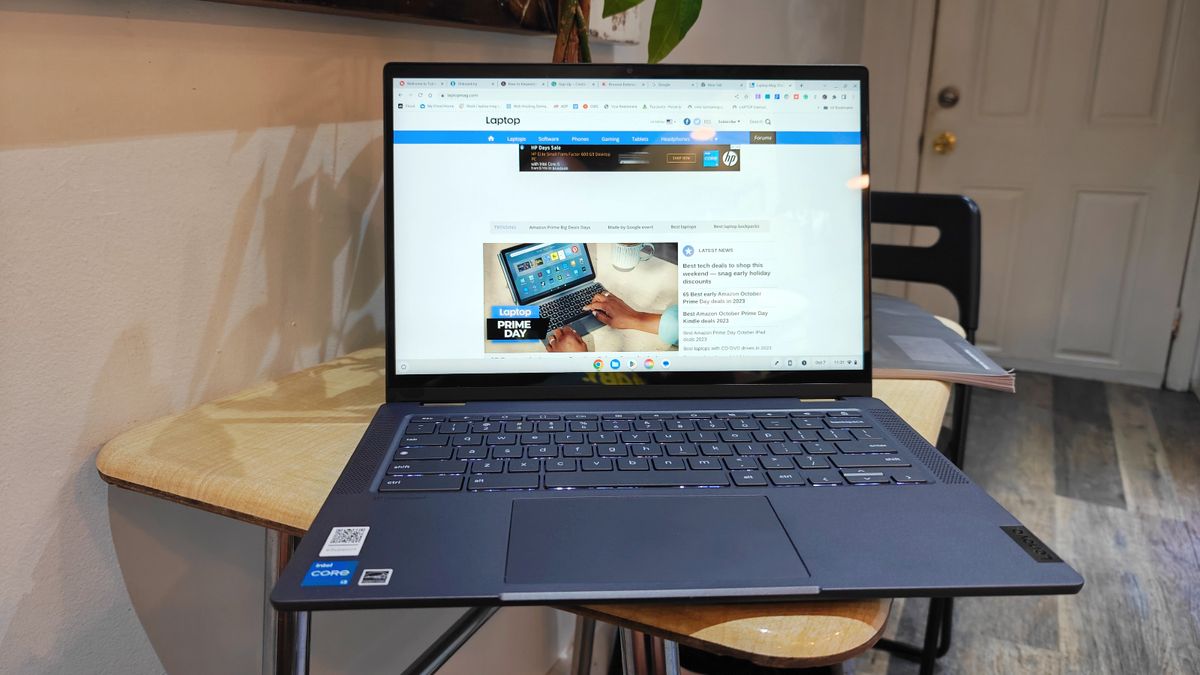
Challenges and Trade-offs in the Budget Segment
The primary challenge for manufacturers in the sub-$500 category lies in balancing cost with acceptable performance and features. This often necessitates strategic compromises. Consumers frequently encounter slower eMMC storage instead of faster SSDs, which impacts boot times and file transfers. Processor choices are limited to entry-level or older-generation chips, which are perfectly adequate for basic tasks but will struggle with photo/video editing or more intensive software. Displays may lack the brightness, contrast, and color accuracy of premium panels. Furthermore, build materials are typically plastics, which, while durable, lack the premium feel of metal chassis.
Another consideration is longevity. While budget laptops are improving, the rapid pace of technological advancement means that entry-level components can become outdated more quickly. However, the strong battery life observed in many top models indicates that manufacturers are making smart investments in areas that directly enhance the user experience and extend the practical lifespan of these devices for their intended purposes.
Expert Outlook and Future Implications
The future of budget laptops appears promising, driven by continued innovation in chip efficiency and the growing sophistication of cloud-based ecosystems. Industry experts predict that AI integration, already seen in Chromebook Plus models, will become more prevalent, offering features like enhanced video conferencing and smart productivity tools even in affordable devices. There’s also a growing emphasis on sustainability, with manufacturers exploring recycled materials and more energy-efficient designs.
However, external factors could influence pricing. Discussions around potential tariff hikes on electronic goods, as previously seen and debated, could impact the cost of manufacturing and subsequently increase retail prices, making it harder to find quality laptops under $500. Conversely, continued competition and technological scaling could further drive down component costs, allowing for even better features at current price points.
Ultimately, the sub-$500 laptop segment is no longer merely about finding the cheapest device, but about identifying intelligent engineering and design choices that deliver tangible value. With careful consideration of operating system, intended use, and key specifications like battery life, consumers can indeed find a capable and satisfying computing experience without a hefty investment. The regular updates to product lines, as noted by publications like Laptop Mag, underscore the dynamic nature of this market, constantly striving to offer more for less.
Related posts: