Google’s Find Hub: A Comprehensive Guide to Locating and Securing Your Android Ecosystem

For years, Apple’s "Find My" network stood as a significant competitive advantage for its ecosystem, leveraging hundreds of millions of interconnected devices to provide a robust, crowdsourced tracking solution for everything from iPhones to AirTags. Google, acknowledging this gap, has steadily built and recently expanded its own formidable alternative, now broadly known as Find Hub (officially the Find My Device network). While the service has been present in various forms for some time, its recent enhancements and expanded capabilities have elevated it to a crucial tool for Android users, allowing them to locate and protect their smartphones, Wear OS watches, Bluetooth accessories, and compatible item trackers. This evolution marks a pivotal moment for Android users, offering a comprehensive suite of features designed to provide peace of mind in an increasingly connected, yet easily misplaced, world. Many users, however, may still be discovering the full potential of Find Hub, overlooking its array of functionalities that extend far beyond basic GPS tracking. This in-depth exploration will delve into the essential features of Find Hub, providing a complete understanding of how to leverage this powerful tool to safeguard your digital life and retrieve your valuable devices.
The Evolution of Device Tracking: From Basic GPS to Crowdsourced Networks
The concept of remotely locating a lost or stolen phone is not new, tracing its roots back to early smartphone operating systems. Initial iterations, often called "Find My Phone" services, relied primarily on GPS to pinpoint a device’s last known location when it was online. These services were rudimentary, often failing if a device ran out of battery, was powered off, or lacked an active internet connection. The technological landscape began to shift dramatically with Apple’s introduction of its "Find My" network, which revolutionized device tracking by incorporating Bluetooth Low Energy (BLE) signals from nearby Apple devices. This innovative approach created a vast, anonymous, and encrypted crowdsourced network, enabling users to locate devices even when they were offline or out of Wi-Fi/cellular range. This capability, further popularized by the introduction of AirTags, set a new standard for device recovery, offering unparalleled reach and accuracy.
Google’s journey to a comparable solution has been a measured, multi-stage process. The original "Android Device Manager" launched in 2013, providing basic locate, ring, lock, and erase functions. This service was rebranded as "Find My Device" in 2017, aligning its name more closely with its Apple counterpart while retaining similar core functionalities. However, it was the ambitious expansion into a true crowdsourced network, often colloquially referred to as "Find Hub" by the community, that truly leveled the playing field. This network, fully rolled out in April 2024, leverages the immense global footprint of Android devices – numbering in the billions – to create a dense web of tracking points. This infrastructure allows for the detection of lost items via BLE signals, even if they are offline, and then relays their encrypted location data back to the owner through the Find Hub app. This strategic enhancement was a direct response to the market demand for more resilient tracking solutions and positioned Google as a formidable player in the device recovery space.
Key Milestones in Google’s Device Tracking Journey:
- 2013: Launch of Android Device Manager, offering remote locate, ring, lock, and erase functionalities.
- 2017: Rebranding to "Find My Device," enhancing the user interface and streamlining features.
- 2202: Integration of Fast Pair-enabled headphones and Wear OS devices into the Find My Device app, allowing their last known location to be displayed.
- 2023 (I/O Announcement): Google announces plans for a vastly expanded "Find My Device network" with offline tracking capabilities and support for third-party Bluetooth trackers.
- 2024 (April): Full global rollout of the expanded Find My Device network, including offline tracking and initial support for Chipolo and Pebblebee trackers. This rollout was deliberately delayed to allow for the development of a joint industry specification with Apple to combat unwanted tracking, underscoring a commitment to user safety.
Google’s Strategic Vision and Network Mechanics
Google’s motivation behind the substantial investment in Find Hub is multifaceted. Strategically, it aims to fortify the Android ecosystem, making it more attractive and sticky for users by addressing a critical need for device security and recovery. By offering a robust, competitive tracking solution, Google reduces a key differentiator previously held by Apple. For users, the implications are significant: greater peace of mind knowing their valuable devices are more discoverable, even in adverse circumstances.
The technical backbone of Find Hub is its vast, anonymous, and encrypted network. When an Android device is part of the network, it passively listens for BLE signals from other lost Android devices or compatible trackers. If it detects a signal from a lost item, it securely and anonymously relays that location data back to Google, which then makes it accessible to the rightful owner via the Find Hub app or web interface. This process is end-to-end encrypted, meaning only the owner can decrypt the location information, ensuring privacy. The network is designed to be incredibly power-efficient, with minimal impact on the battery life of participating devices. Each device within the network periodically changes its Bluetooth identifier, further enhancing privacy by preventing persistent tracking of individual devices. This design choice highlights Google’s commitment to balancing robust tracking capabilities with strong privacy safeguards.
Broader Impact and Implications for the Android Ecosystem
The expanded Find Hub network has far-reaching implications across several domains:
- Enhanced Security and Theft Deterrence: The ability to track devices offline significantly increases the chances of recovery, potentially deterring theft. Even if recovery isn isn’t possible, the remote lock and erase features offer a critical line of defense against data breaches. This translates into tangible benefits for users who invest heavily in their Android devices and the personal data they contain.
- Increased User Confidence and Loyalty: A more secure and reliable ecosystem fosters greater user trust and satisfaction. Knowing that Google has invested in such a comprehensive safety net can sway purchasing decisions, encouraging users to remain within the Android fold or even attract new users from competing platforms.
- Boom for Third-Party Accessories: The network’s open architecture, supporting third-party Bluetooth trackers from manufacturers like Chipolo and Pebblebee (with Samsung’s SmartThings Find and Tile expected to join), creates a burgeoning market for smart tracking devices. This fosters innovation and offers consumers a wider array of options for tracking not just their electronics, but also keys, wallets, luggage, and even pets.
- Privacy Considerations and Google’s Response: A network of this scale inevitably raises privacy questions. Google has proactively addressed these concerns by implementing stringent privacy measures:
- End-to-end encryption: Location data is encrypted from the source device to the owner’s device.
- Anonymous crowdsourcing: No individual device’s location is revealed to Google or other users.
- Rotating identifiers: Bluetooth identifiers are frequently changed to prevent persistent tracking.
- Unwanted tracking alerts: Google collaborated with Apple to develop an industry-wide specification for alerting users if an unknown tracker is moving with them, a critical step in preventing misuse. This collaborative effort showcases a broader industry commitment to user safety.
- Future Expansions and Innovations: As the network matures, it is likely to see further integration with Google’s broader AI and smart home ecosystems. Imagine voice commands to locate devices through Google Assistant, or even more precise indoor tracking capabilities with wider adoption of Ultra-Wideband (UWB) technology in Android devices. The potential for a truly seamless and intelligent lost-and-found experience is immense.
Mastering Find Hub: Essential Features for Every Android User
Understanding and utilizing the full spectrum of Find Hub’s capabilities is paramount for any Android user. Here are the five critical features you need to know:
1. Real-time Status Monitoring: Wi-Fi Network and Battery Percentage
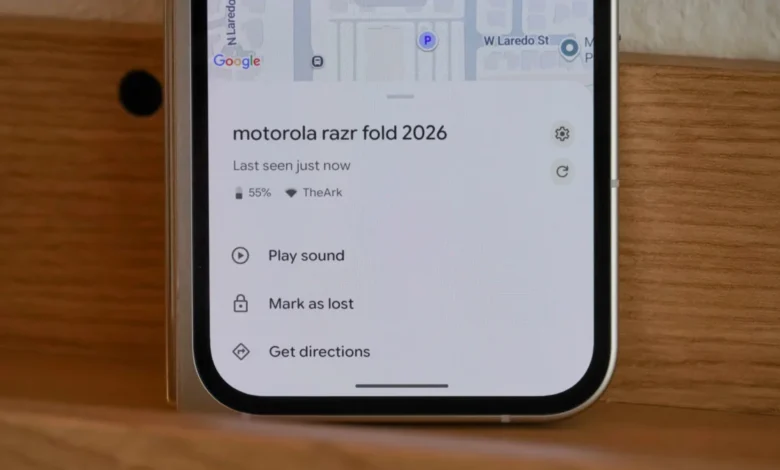
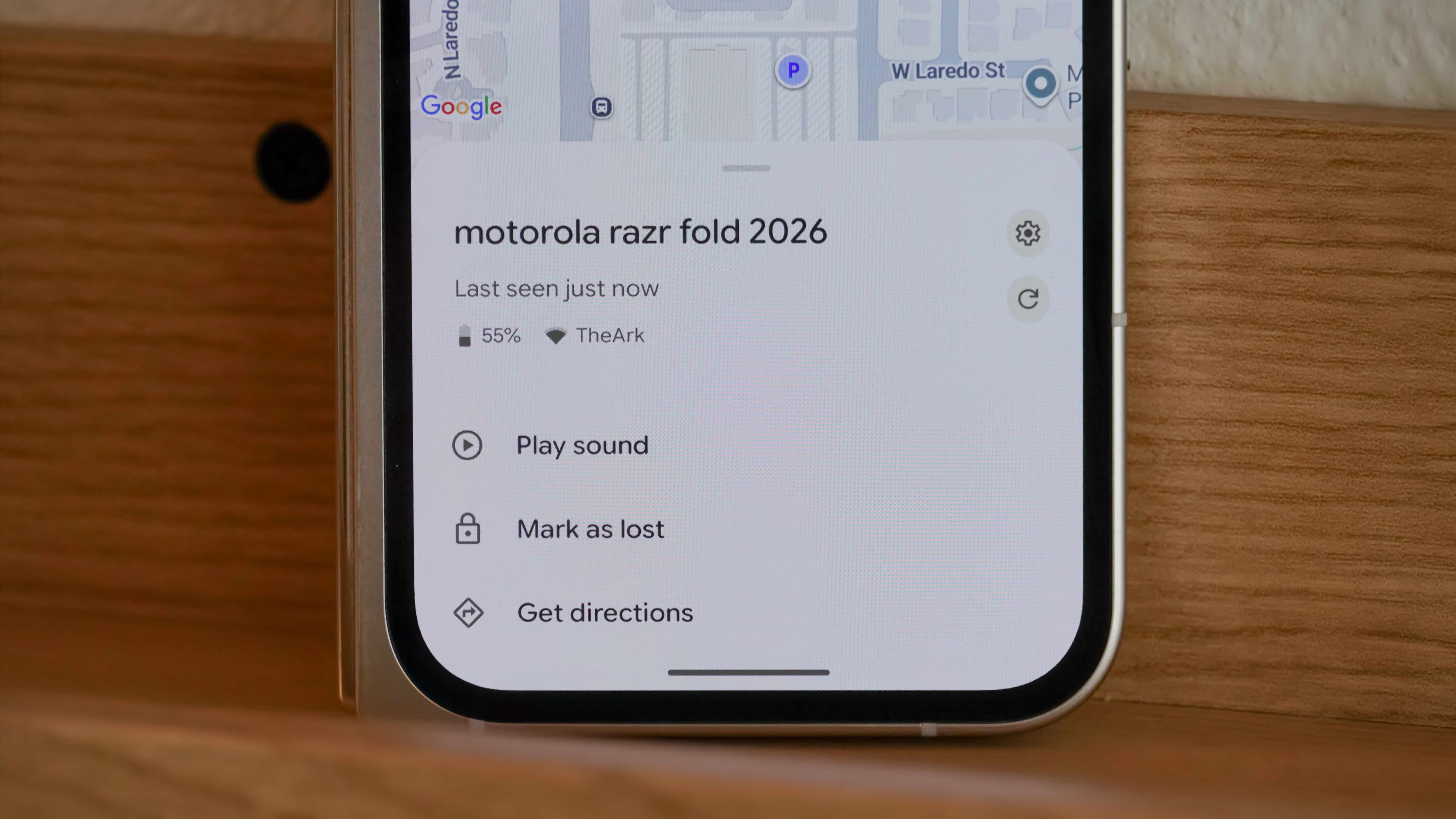
Beyond merely showing a device’s location on a map, Find Hub provides crucial contextual information that can significantly aid in its recovery. Upon selecting a device within the Find Hub app, users are presented with its current battery percentage and the Wi-Fi or cellular network it is connected to, along with signal strength indicators. This data is invaluable for strategic decision-making. For instance, knowing a phone has only 15% battery remaining signals urgency, prompting a quicker search. Furthermore, observing the network connection can offer immediate clues. A strong Wi-Fi signal linked to your home network strongly suggests the device is within your residence, while a weaker signal might indicate it’s just outside, perhaps in a car or garden shed. Conversely, a cellular connection implies it’s out in the wider world, guiding whether to physically search nearby or prepare for a longer retrieval journey. This granular data often proves more immediately actionable than raw GPS coordinates alone, especially for devices misplaced within a known area.
- How to use: Open the Find Hub app. Tap on the desired device in the Devices list. The battery percentage, last seen timestamp, and network connection status (Wi-Fi/cellular and signal strength) will be displayed directly below the device name if the device is online.
2. Precision Mapping and Navigation to Your Device
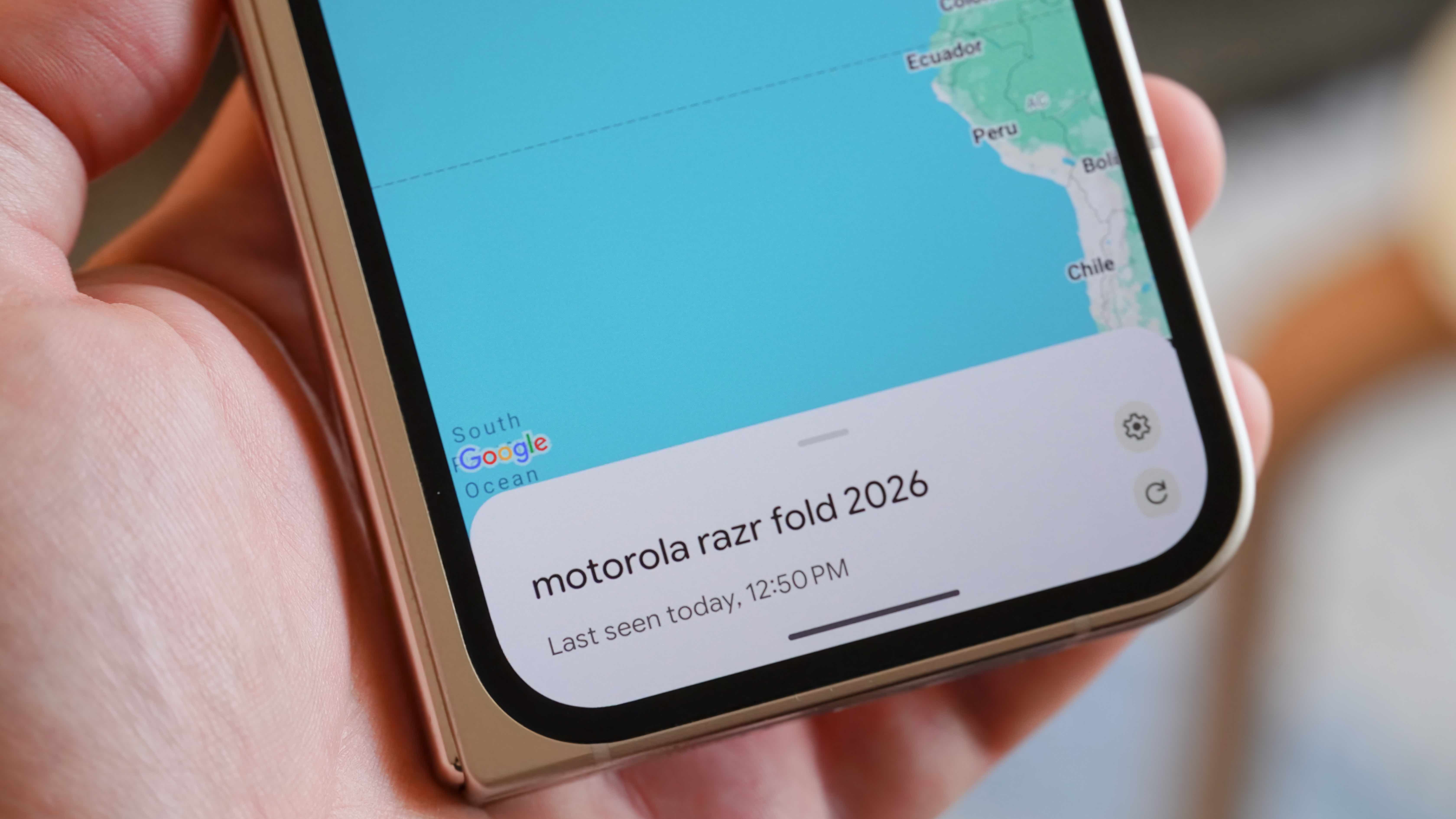
When the exact whereabouts of a device are unknown, Find Hub’s mapping feature becomes indispensable. It plots your device’s last known location on a map, leveraging GPS for outdoor accuracy and the crowdsourced BLE network for offline or indoor estimations. While GPS offers general coordinates, the network’s ability to pick up signals from even powered-off devices can provide a crucial starting point. This feature is particularly useful for identifying if a device was left at home, work, a friend’s house, or a public venue. The integration with Google Maps is seamless, allowing users to instantly generate driving, walking, or public transport directions to the device’s pinned location. It’s important to note that while UWB technology offers pinpoint indoor accuracy, its widespread integration across all Android devices and full utilization within Find Hub for direct device finding (as opposed to just tracker finding) is still evolving. Therefore, the map provides a general area, with other tools assisting in the final pinpointing.
- How to use: Open the Find Hub app and tap the name of your device in the Devices list. A map will appear with a pin indicating the device’s location. Tap the Get directions button to open Google Maps and receive navigation instructions.
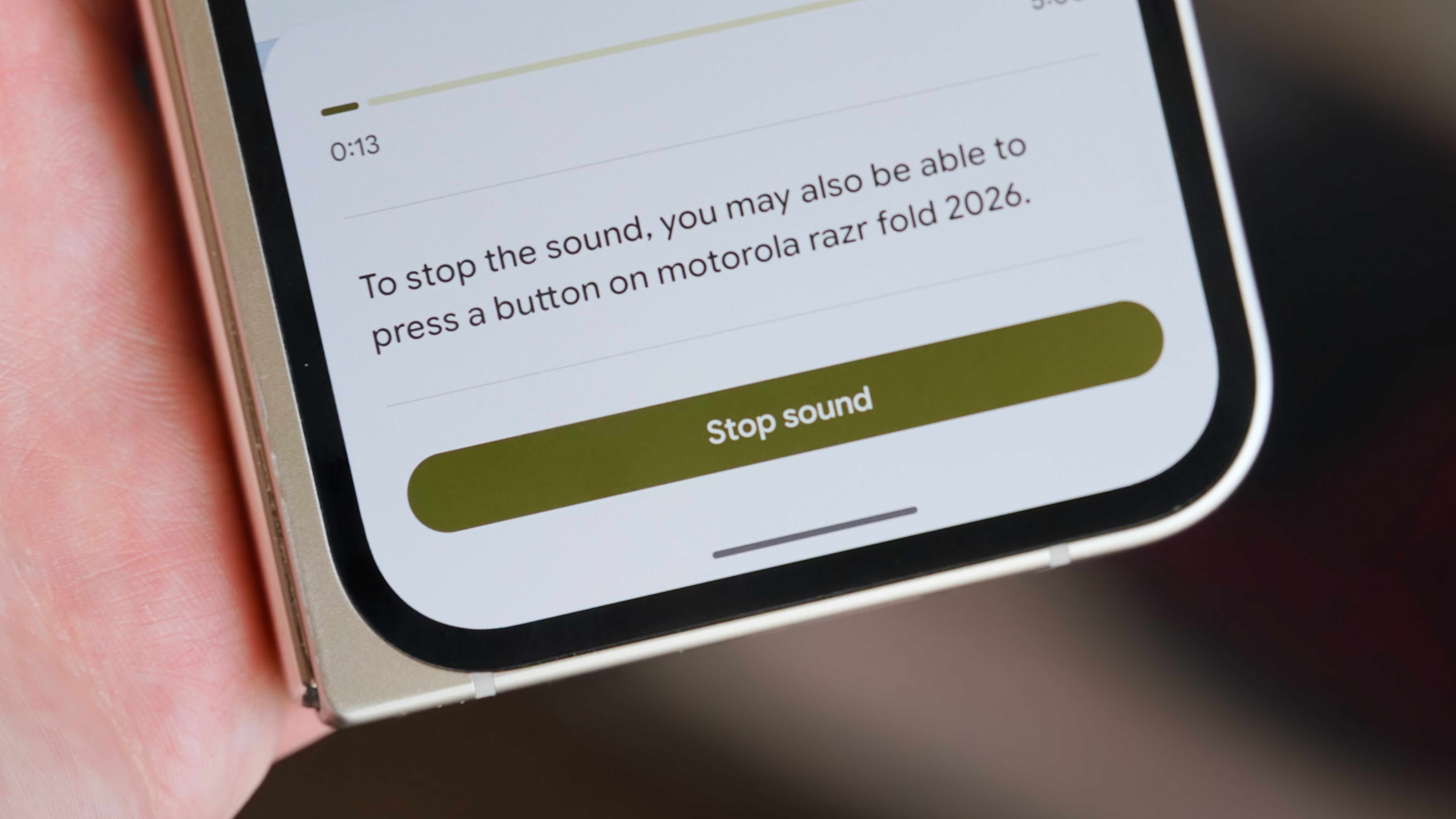
3. Audible Alerts for Proximity Tracking: "Play Sound"
For those moments when a device is believed to be nearby but out of sight—tucked under a couch cushion, buried in laundry, or hidden by clutter—the "Play sound" feature is a lifesaver. This function commands your lost device to emit a loud, persistent alarm, even if it was previously set to silent or vibrate. The sound is designed to be attention-grabbing and continues for a duration, making it easy to home in on the exact location of the item within a room or confined space. This feature complements the map functionality, bridging the gap between knowing the general area and identifying the precise spot. It is particularly effective for items like phones, tablets, and even earbuds that might be lost within earshot.
- How to use: Navigate to Find Hub > [Device Name] > Play sound. The device will begin to play a loud sound. You can tap Stop sound once you’ve located it.
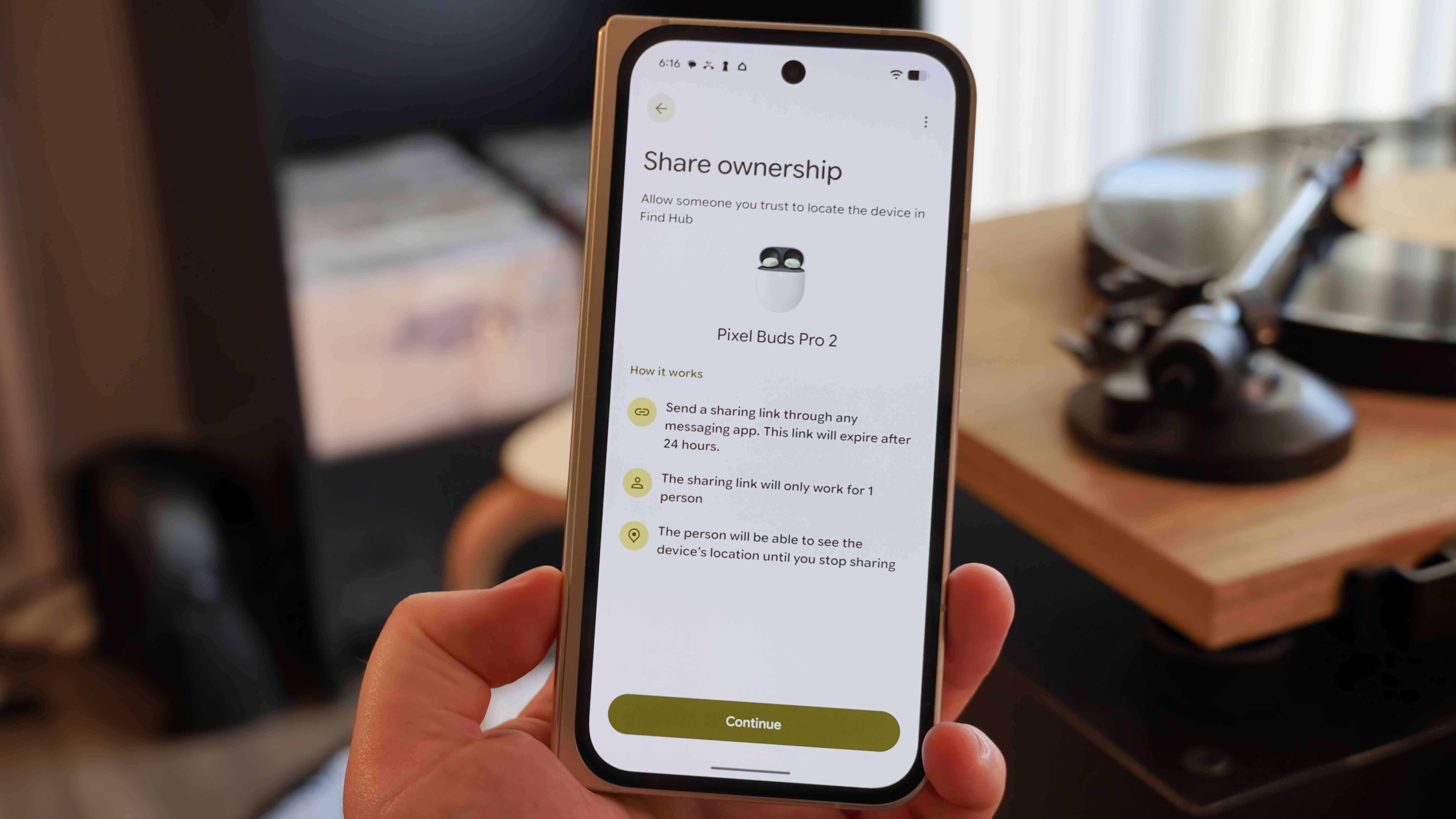
4. Shared Device Ownership for Accessories
Recognizing that many accessories, such as headphones or smart trackers, are often shared among family members or housemates, Find Hub includes a "Share ownership" feature. This allows one owner to grant tracking access to another trusted individual for specific accessories. Once accepted, the shared individual can also view the accessory’s location within their own Find Hub app, eliminating the frustration of one person being unable to locate a shared item. The sharing mechanism is designed with security in mind: it generates a unique, time-limited link that can only be used once, ensuring that access is granted intentionally and to the correct person. This feature greatly enhances the utility of tracking for multi-user households and promotes collective responsibility for shared gadgets.
- How to use: Open the Find Hub app, find your accessory in the Devices list, and tap it. Then, press Share ownership and hit Continue. This generates a shareable link that expires after 24 hours and can be sent to one person.
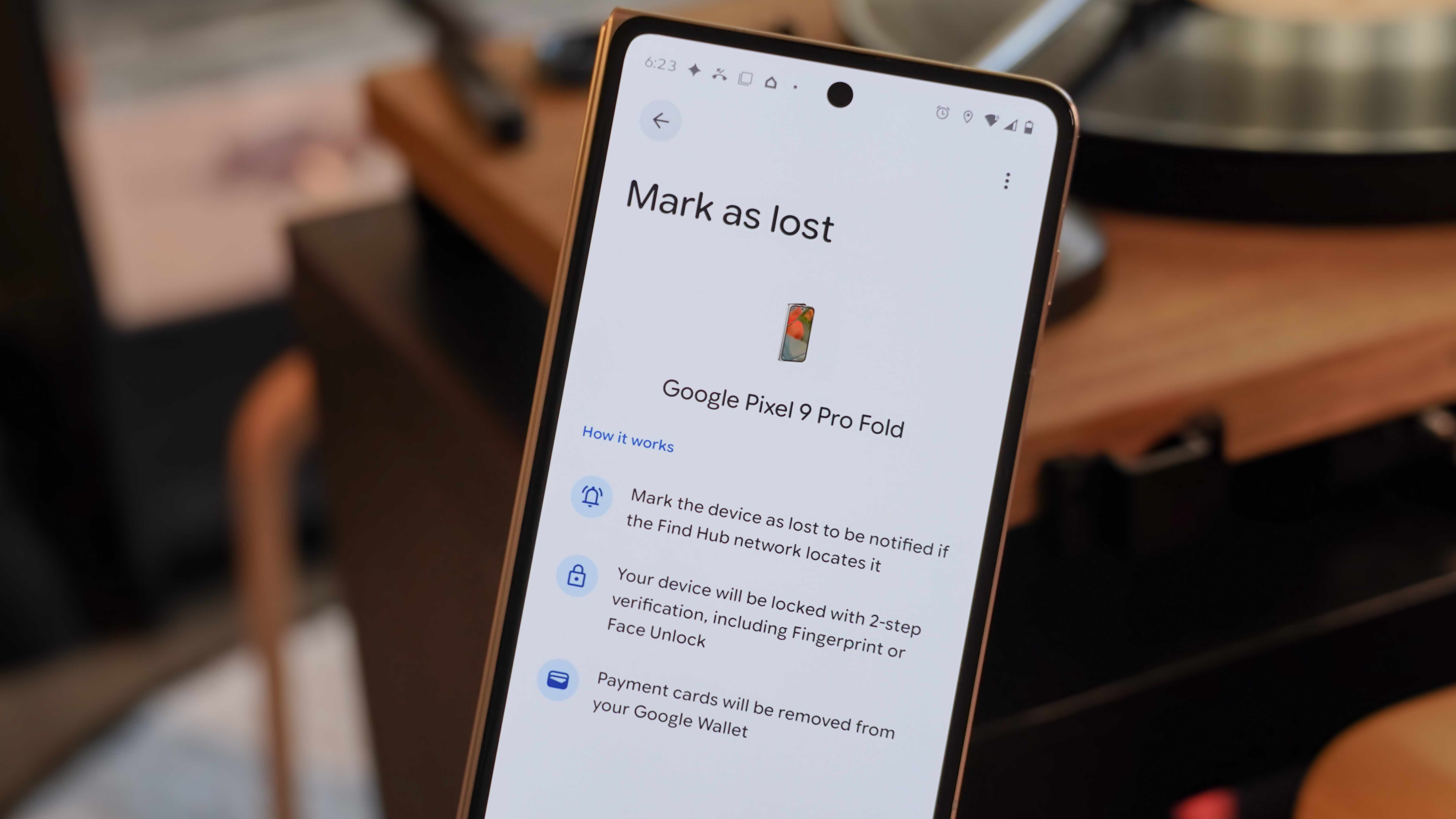
5. "Mark as Lost" Mode and Custom Contact Information
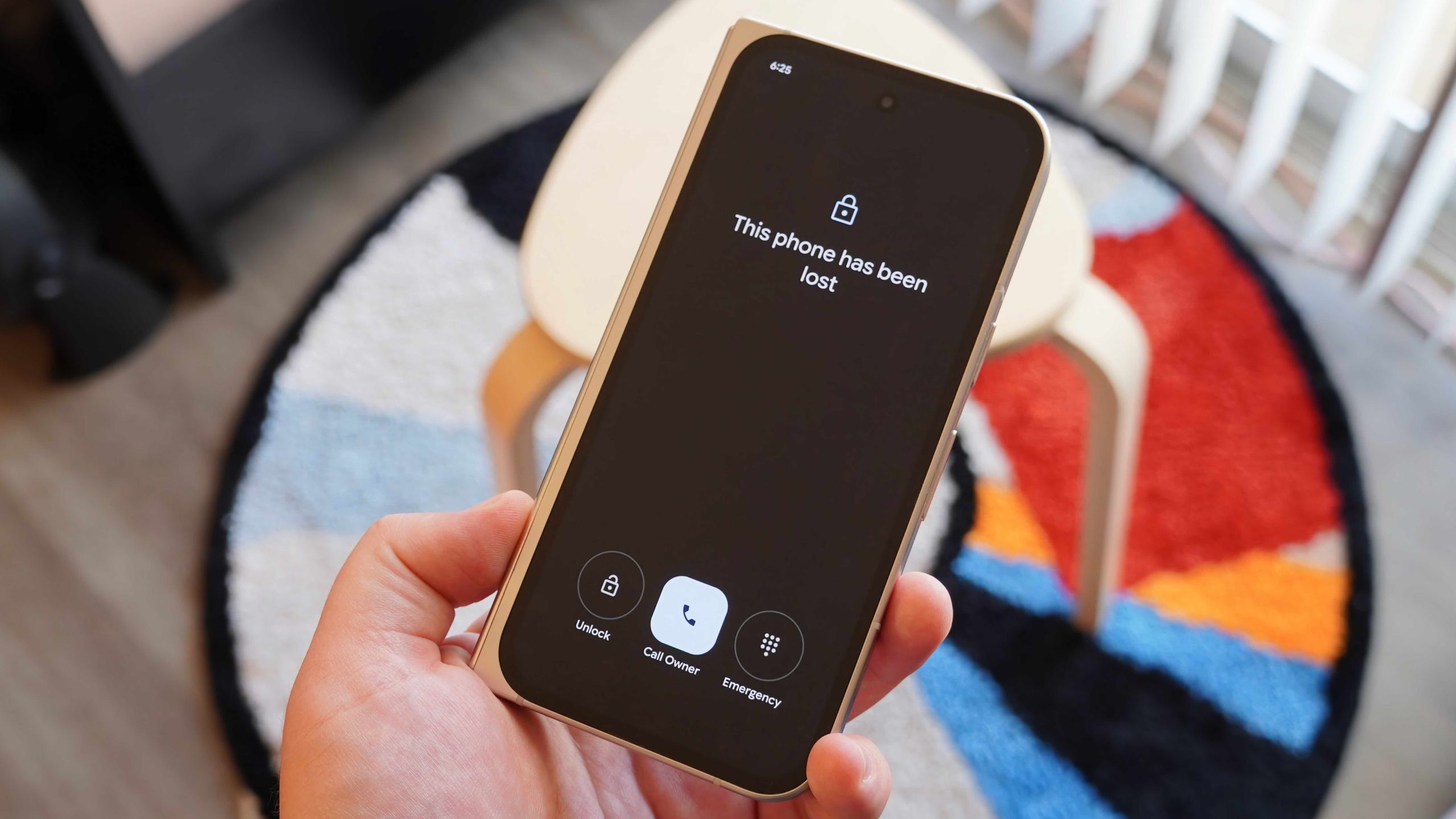
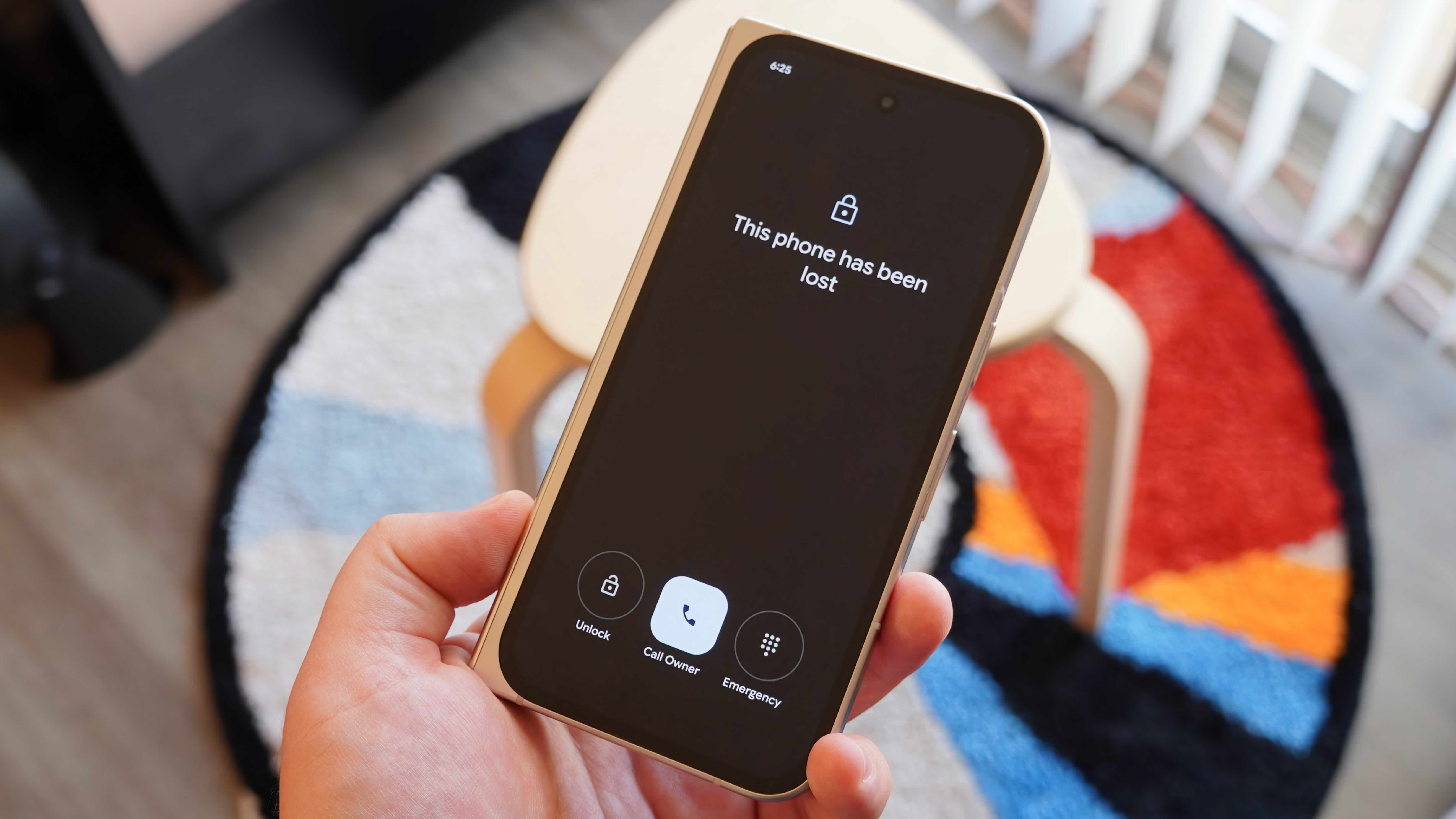
In scenarios where a device is genuinely lost or potentially stolen, Find Hub provides a critical "Mark as lost" mode. Activating this feature immediately locks the device, preventing unauthorized access to your personal data. More importantly, it allows you to display a customizable message on the lock screen, along with a contact phone number. This message could be a plea for its return, instructions, or an offer of a reward. Crucially, it provides a direct, one-tap call button for the finder to contact you without being able to access any other part of your phone. When the device is recovered, unlocking it requires your Google account credentials, often with two-factor authentication, ensuring only you can regain access. This feature serves as a digital lost-and-found, significantly increasing the chances of a device being returned while maintaining data integrity.
- How to use: In the Find Hub app, locate your lost device in the Devices list and tap its name. Then, hit Mark as lost and Continue. You will be prompted to add a contact phone number and a message to be displayed on the lost device’s screen.
6. Remote Data Erasure: The Ultimate Security Measure
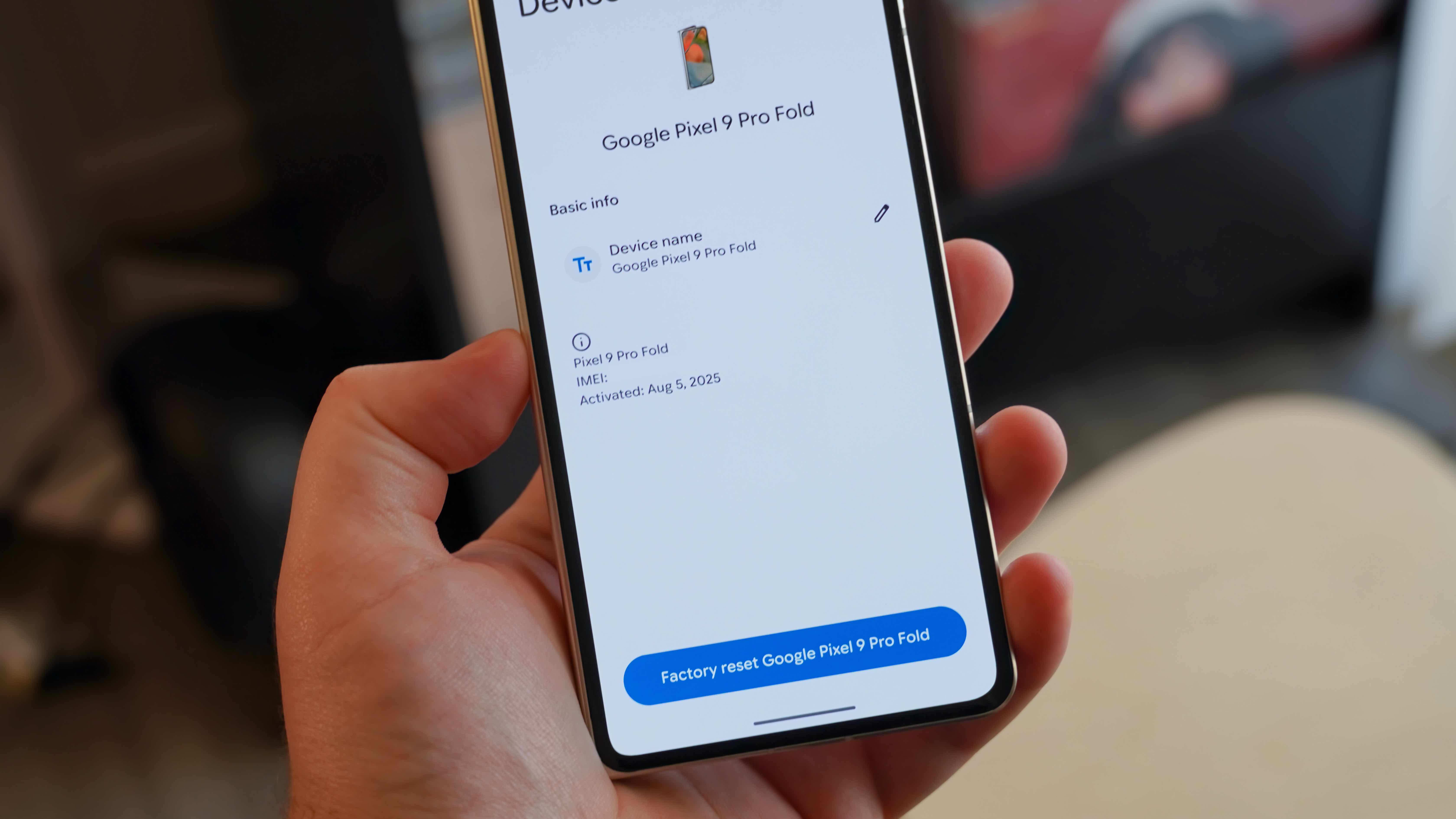
While recovery is always the primary goal, there are instances where a device is irretrievably lost or stolen, and the paramount concern shifts to data protection. In such dire circumstances, Find Hub offers the "Factory reset" or "Remove device" function. This is the ultimate last resort, allowing users to remotely wipe all data from their lost device, permanently deleting personal information, photos, apps, and sensitive credentials. The decision to perform a factory reset is irreversible and comes with a significant consequence: once erased, the device is removed from Find Hub, and its location can no longer be tracked. This difficult choice prioritizes data security over device recovery, providing a final safeguard against identity theft and unauthorized access to your digital life. It underscores the comprehensive security architecture Google has built into Find Hub, empowering users with control even in the face of irreparable loss.
- How to use: Open the Find Hub app, find your device in the list, and tap it. Then press the Settings gear icon next to your device’s name. Tap either Factory reset (for phones/tablets) or Remove device (for accessories). Confirm your decision to proceed with the remote wipe.
Google’s Find Hub has matured into a sophisticated and essential service for the Android ecosystem. By combining the power of GPS with an expansive crowdsourced Bluetooth network, it provides unparalleled capabilities for locating lost devices and safeguarding personal data. From checking battery levels and network strength to navigating to a precise location, sounding an alarm, sharing access to accessories, or even remotely wiping sensitive information, Find Hub offers a comprehensive toolkit for peace of mind in our increasingly connected lives. Embracing and understanding these features is no longer just a convenience but a vital aspect of modern digital security and asset management for every Android user.