AMD Unveils X100 Series APUs, Powering the Next Generation of Embedded AI and Robotics with Enhanced Durability and Performance

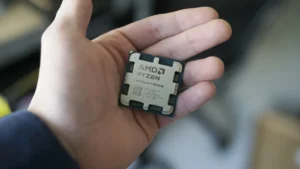
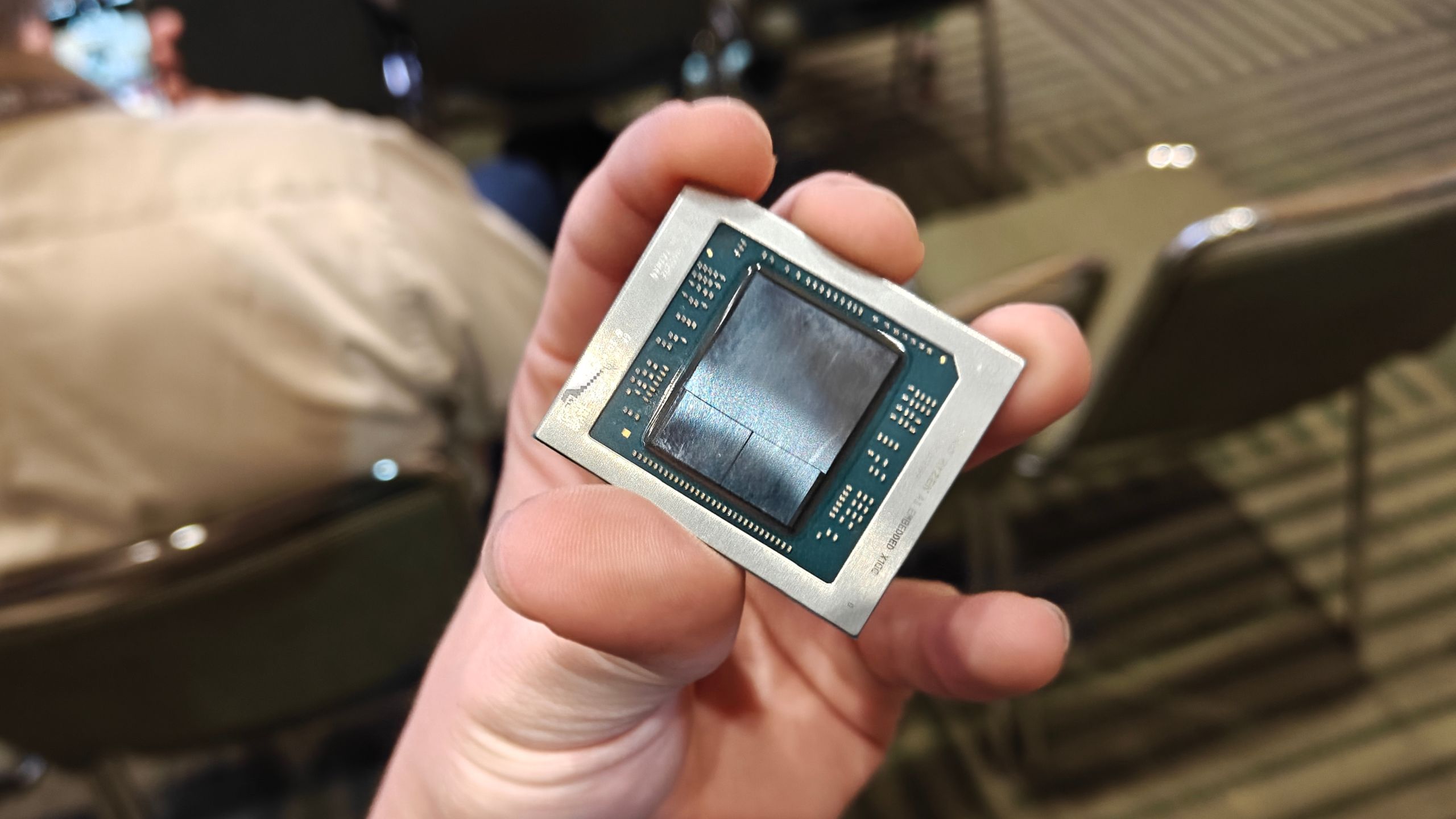
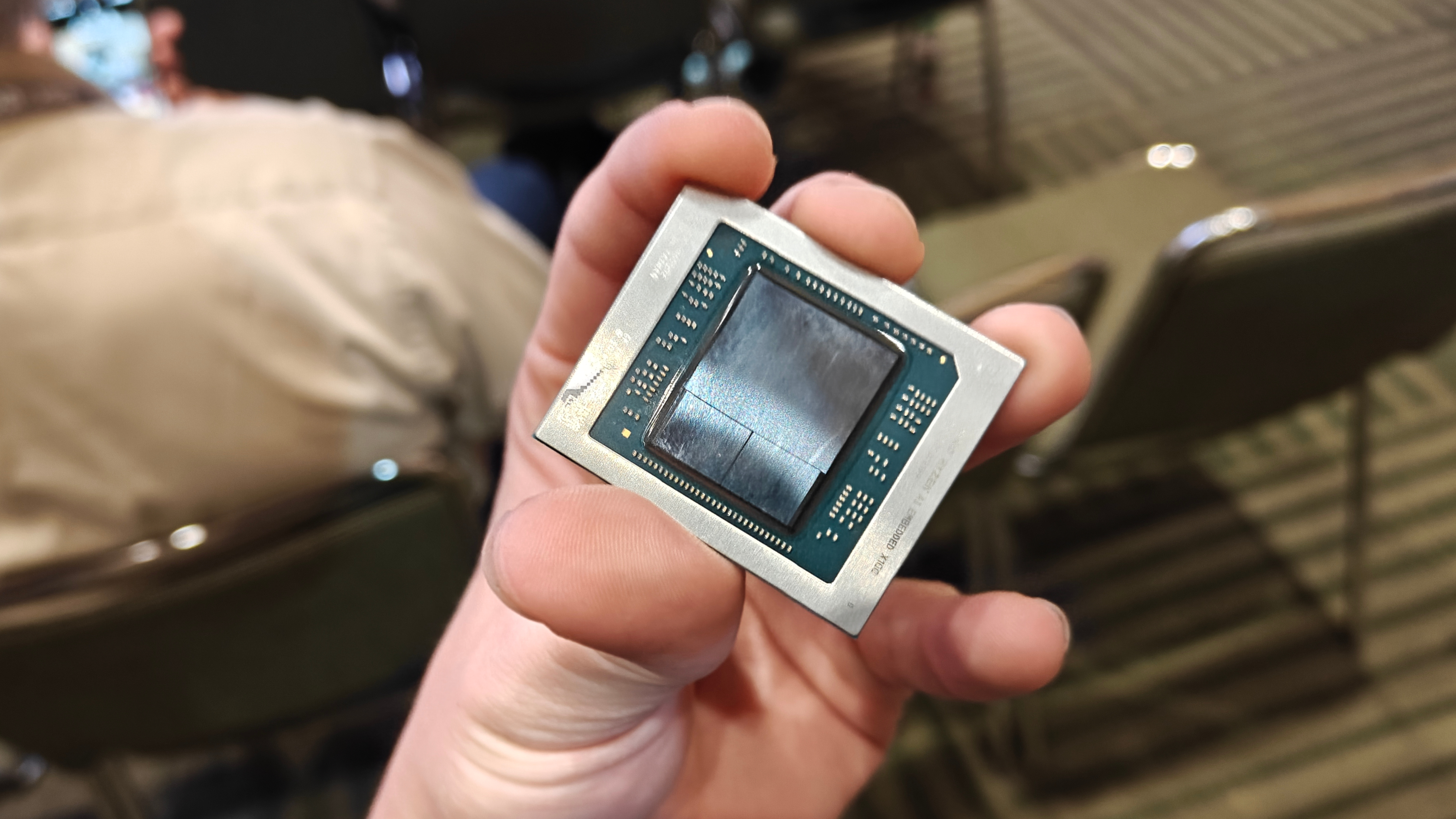
Advanced Micro Devices (AMD) has formally introduced its X100 series of embedded Accelerated Processing Units (APUs), marking a significant strategic expansion into the burgeoning domain of physical artificial intelligence and robotics. These new processors, leveraging the formidable Strix Halo APU architecture, are meticulously engineered for demanding, continuous operation in embedded applications, offering a robust 10-year product lifecycle and an extended operating temperature range crucial for industrial environments. This launch positions AMD as a formidable competitor in a market increasingly reliant on high-performance, low-latency processing at the edge.
The X100 series is designed to bridge the gap between high-performance client devices and the rigorous demands of industrial and robotic systems. While sharing core architectural similarities with the Ryzen AI Max models found in consumer laptops, the X100 variants are optimized for 24/7 reliability and long-term deployment. This focus on endurance and stability is paramount for applications such as autonomous vehicles, industrial automation, medical imaging, and advanced robotics, where system failures can have significant operational or safety implications.
Core Specifications and Architectural Prowess
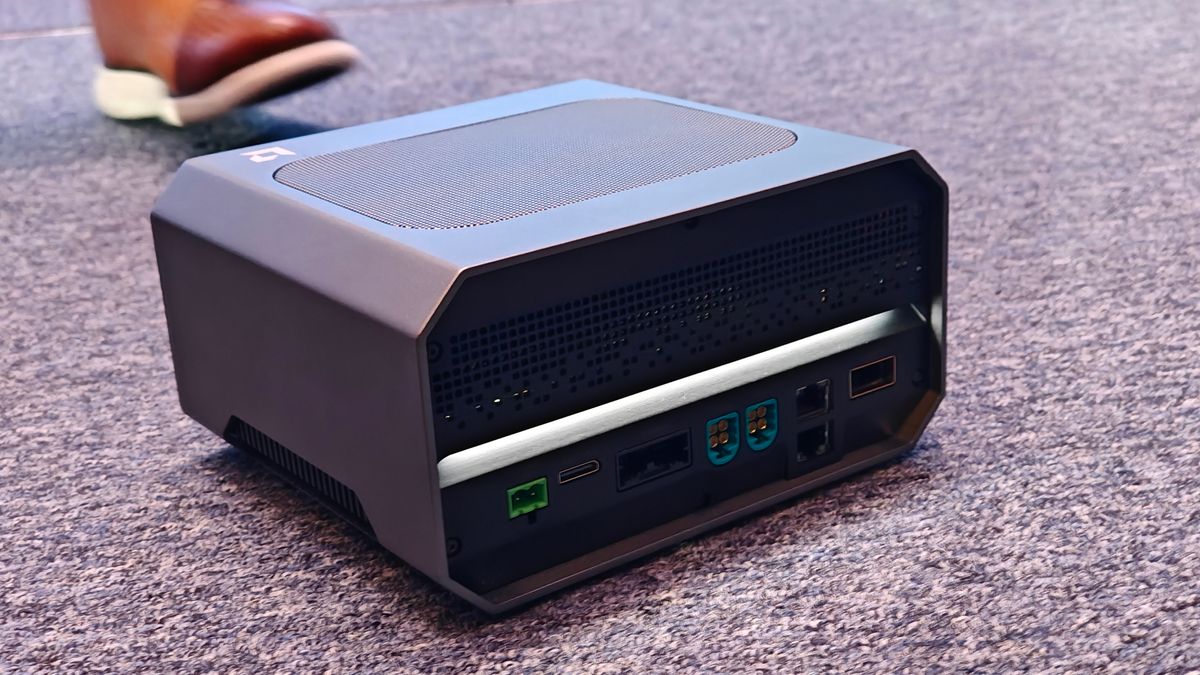
The new series comprises three distinct SKUs, aligning with the original Strix Halo models. The flagship X199 APU boasts a formidable configuration featuring 16 Zen 5 CPU cores and 40 RDNA 3.5 Graphics Compute Units (CUs). Stepping down, the X188 offers 12 Zen 5 cores and 32 RDNA 3.5 CUs, while the X168 includes eight Zen 5 cores and retains the 32 RDNA 3.5 CUs. While precise clock speeds for each individual model remain undisclosed, AMD has confirmed that the series supports boost clocks up to 5.1 GHz.
A critical feature across the X100 lineup is the inclusion of an XDNA 2 Neural Processing Unit (NPU), delivering up to 50 TOPS (Tera Operations Per Second) of AI compute performance. This dedicated AI accelerator is vital for handling complex AI inference tasks directly at the edge, such as object recognition, natural language processing, and predictive maintenance, without constant reliance on cloud connectivity. The integrated NPU offloads AI workloads from the CPU and GPU, enhancing efficiency and reducing overall system power consumption.
Further enhancing their appeal for embedded applications, these APUs support an impressive 128 GB of unified memory. Unified memory architecture allows the CPU, GPU, and NPU to access the same pool of high-bandwidth memory, significantly reducing data transfer bottlenecks and latency, which is critical for real-time AI and graphics processing. The configurable Thermal Design Power (TDP) ranges from 45W to 120W, providing system integrators with flexibility to tailor performance and power consumption to specific application requirements and thermal envelopes. Furthermore, the chips are rated for an extreme operating temperature range, from -40 degrees Celsius up to 105 degrees Celsius, underscoring their suitability for harsh industrial and outdoor environments where temperature fluctuations are common.
The Rise of Physical AI and Edge Computing
The introduction of the X100 series is set against the backdrop of a rapidly accelerating trend: the decentralization of AI from cloud data centers to the "edge" – closer to where data is generated and actions are taken. This paradigm shift, often termed "physical AI," involves intelligent systems directly interacting with and manipulating the physical world. Robotics, in particular, is a prime beneficiary, requiring immediate, reliable, and secure decision-making capabilities that cloud-based AI cannot always provide due due to latency, bandwidth, and connectivity constraints.
Edge AI solutions mitigate these issues by performing computations locally, enabling real-time responses essential for applications like autonomous navigation, collaborative robots (cobots) in manufacturing, and sophisticated surveillance systems. The X100 series, with its integrated CPU, GPU, and NPU on a single System-on-Chip (SoC), exemplifies this approach. By consolidating these disparate processing units, AMD aims to reduce system complexity, power consumption, and crucially, the latency associated with data transfers between separate chips. This integrated design also contributes to a smaller physical footprint, a significant advantage in space-constrained embedded systems.
Navigating the Competitive Landscape
AMD’s foray into hardened embedded AI with the X100 series marks a direct challenge to established players, notably Intel and Nvidia. Intel, earlier this year, launched its Panther Lake SoCs, also targeting physical AI applications. These chips, featuring a mix of performance and efficiency cores, Intel Arc Xe3 iGPUs, and dedicated NPUs, aim for similar embedded markets. The key differentiator AMD highlights is the X100 range’s physically larger silicon, enabling it to pack more processing power onto the SoC for more demanding deployments, potentially offering a performance advantage in compute-intensive scenarios.
Nvidia, with its ubiquitous Jetson platform and CUDA ecosystem, has long been a dominant force in the robotics and edge AI space. Nvidia’s GPU-centric approach, coupled with a vast and mature software development environment, has fostered a strong developer community. AMD’s strategy with the X100 series and its broader ecosystem aims to provide a compelling alternative, emphasizing an integrated, power-efficient, and thermally robust solution tailored for long-lifecycle industrial applications. The competition among these silicon giants underscores the strategic importance and rapid growth of the edge AI market.
Performance Benchmarks: A Critical Examination
AMD provided a series of performance benchmarks, comparing the flagship X199 against Intel’s Core Ultra X7 358H, a 16-core chip with Intel’s Arc B390 iGPU (12 Xe3 cores). AMD claimed a 1.2X lead in GeekBench 6.1 and 1.3X in PassMark for CPU performance. In integer workloads, an unofficial SPECrate 2017 run suggested a 1.5X advantage. For graphics, AMD reported superior performance, with 1.4X faster Vulkan and 1.7X faster OpenGL metrics (measured with GFXBench 5 on Ubuntu), and a 1.6X lead in Unigine Heaven Extreme.
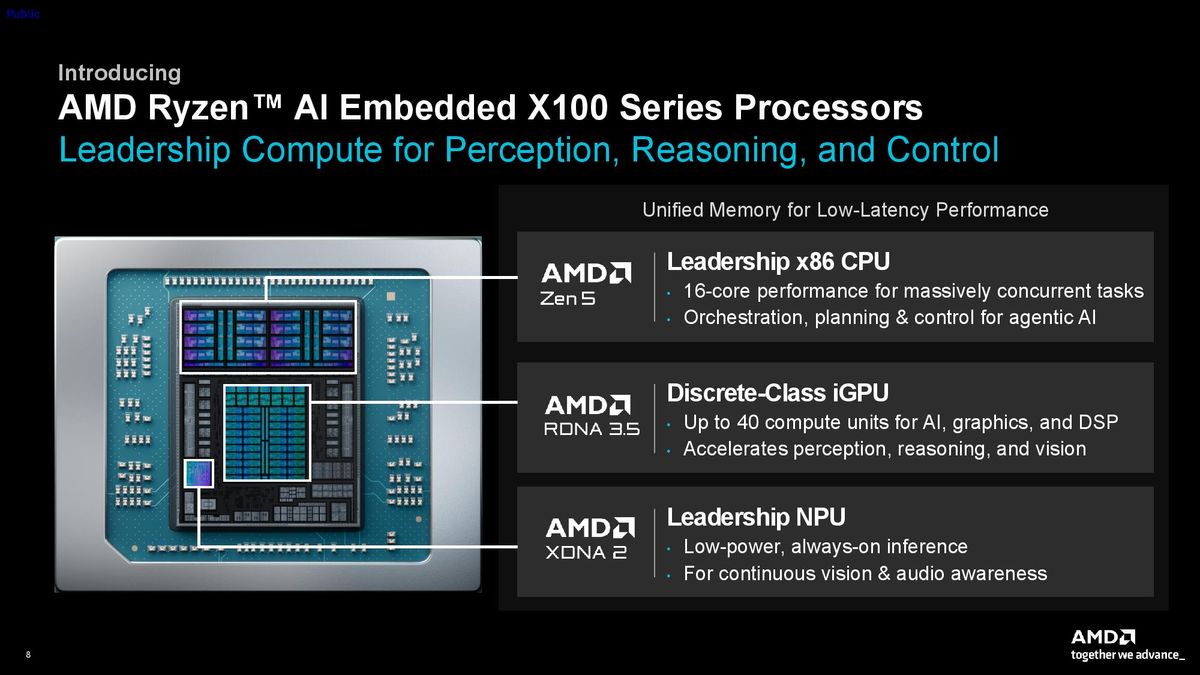
On the physical AI front, AMD presented data indicating a 1.4X improvement in Time to First Token (TTFT) and 3.5X faster tokens per second in Llama-bench, utilizing a Vulkan backend at a 45W TDP. However, these benchmarks come with significant caveats. AMD explicitly stated that it tested a Ryzen AI Max 395+ "configured to reflect Ryzen AI Embedded X199 specifications" on a Maple reference board, running at a sustained 45W TDP. In contrast, the Intel X7 358H was tested in an MSI Prestige 16 Flip AI+ with an enforced TDP limit of 30W, and its 45W performance was "projected" using scaling factors derived from public benchmark data.
This methodological discrepancy means the comparisons are not strictly "apples-to-apples." The thermal and power environments, as well as the inherent differences between a reference board setup and a retail laptop, can profoundly impact performance. While AMD’s claims suggest a strong competitive position, independent verification under identical, controlled conditions will be crucial for a definitive assessment of the X100 series’ real-world performance advantages.
The Kria Ecosystem: SOMs and Developer Platforms for Rapid Deployment
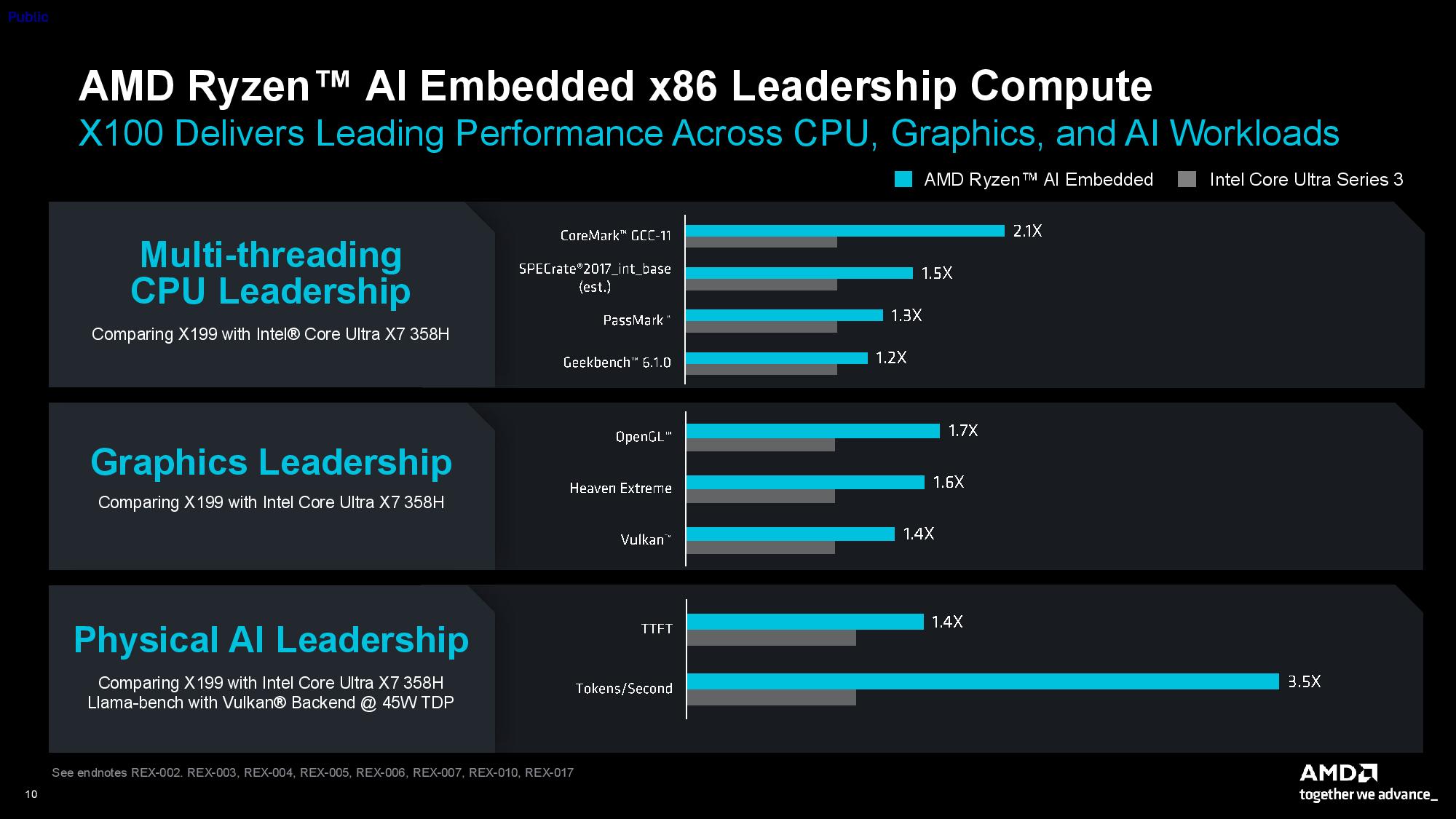
Beyond the discrete APU offerings, AMD is strategically packaging the X100 models into a Kria System on Module (SOM) and an integrated robotics developer platform. The Kria X100 board adheres to the standardized COM-HPC (Computer-On-Module High-Performance Computing) form factor, measuring 120mm x 120mm. This standardization is a significant advantage for embedded system developers, allowing for easier integration and future upgrades without redesigning the entire carrier board. SOMs streamline development by providing a pre-validated, compact computing core that can be integrated into custom-designed carrier boards, accelerating time-to-market for specialized applications.
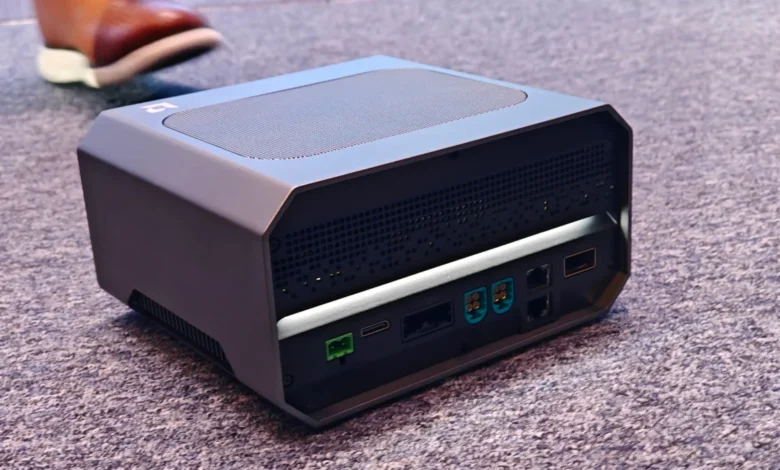
To further empower developers, AMD is offering the Kria AI robotics developer platform. This "turnkey" solution is a fully integrated box that combines the X100 Kria SOM with an AMD Spartan UltraScale+ FPGA baseboard. The platform includes specialized connectivity options essential for robotics, such as interfaces for cameras, industrial networking protocols, and various robotic sensors. This comprehensive package aims to simplify and accelerate the development cycle for robotics applications, providing a robust hardware foundation and a ready-to-use development environment. The platform is currently available in early access, with full production anticipated in Q4 of this year, signaling AMD’s commitment to supporting the entire development lifecycle.
Benchmarking Kria: A Look at Nvidia Thor Competition
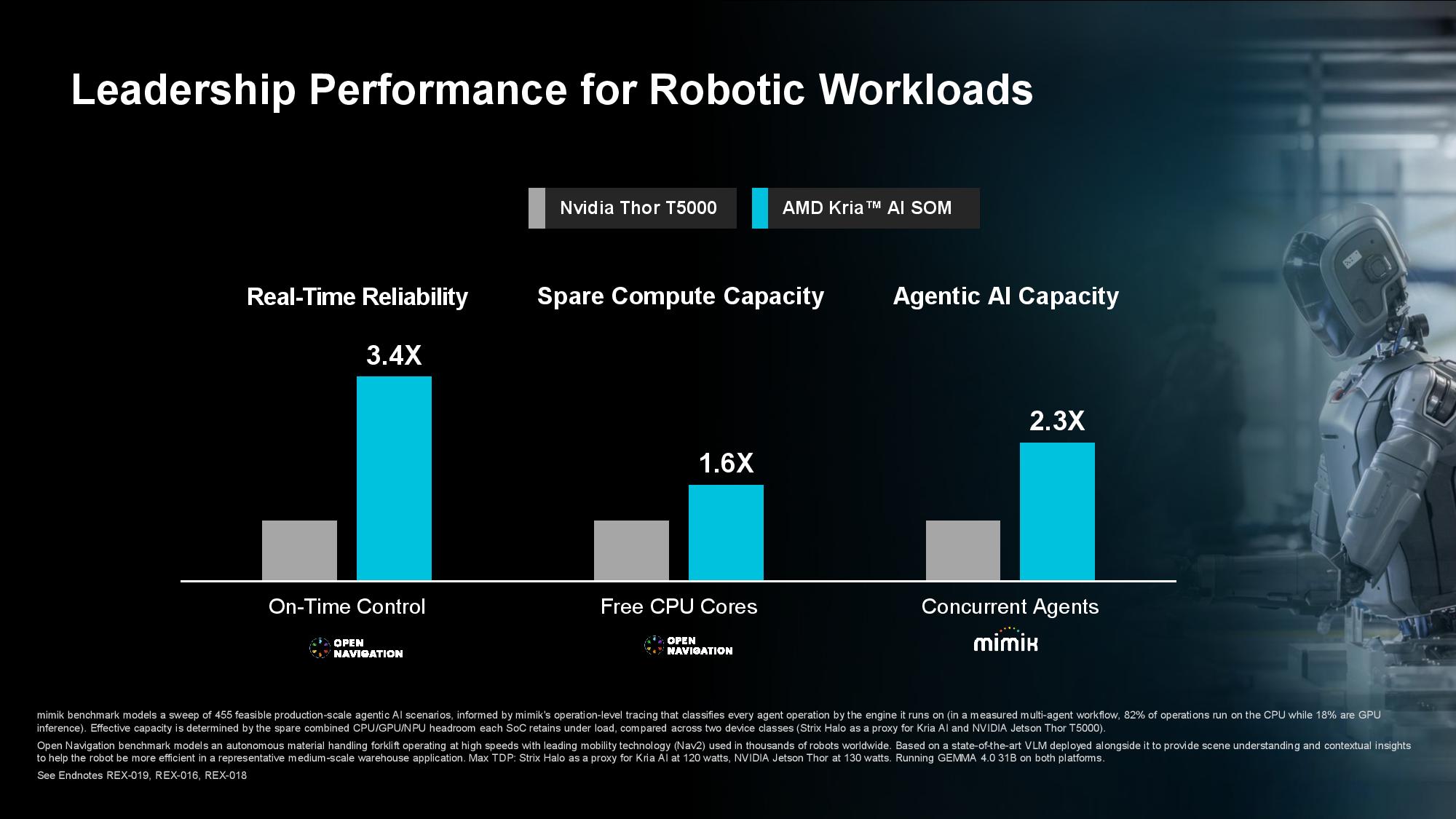
In further competitive analysis, AMD commissioned benchmarks comparing the X100 Kria against Nvidia’s Thor T5000, a key component of Nvidia’s Jetson AGX Thor developer kit. These benchmarks, conducted by Open Navigation and Mimix, aimed to showcase the Kria’s capabilities in typical robotics workloads. However, similar to the X100 APU benchmarks, the testing methodology requires careful consideration. The comparisons were made between Nvidia’s Jetson AGX Thor developer kit and a GMKtech EVO-X2 AI mini PC equipped with a Ryzen AI Max+ 395 "configured to reflect Ryzen AI embedded x199 specifications."
Again, the use of a consumer mini PC configured to approximate an embedded chip, rather than the actual Kria X100 SOM, introduces variables that could affect the direct comparability of the results. The thermal and power management characteristics of a mini PC, even if configured to specific TDPs, may differ from a purpose-built embedded SOM or developer kit. Despite these caveats, the commissioning of these benchmarks by AMD, and their public presentation, clearly indicate AMD’s intent to aggressively position the Kria X100 as a strong, high-performance alternative to Nvidia’s established Jetson offerings in the robotics sector.
Software Strategy: Challenging CUDA’s Dominance with HIPIFY
A critical aspect of AMD’s strategy to gain traction in the embedded AI and robotics markets is its commitment to a robust and accessible software ecosystem, specifically targeting Nvidia’s long-standing dominance with its CUDA platform. CUDA has been the de facto standard for GPU-accelerated computing, fostering a vast library of tools, frameworks, and a large developer community. Recognizing the significant hurdle this presents for developers considering AMD hardware, the company continues to invest in its HIPIFY tool.
HIPIFY is designed to convert CUDA code into AMD’s HIP (Heterogeneous-compute Interface for Portability) C++ portable code. HIP is an open standard that allows developers to write code once and run it on both AMD and Nvidia GPUs, theoretically easing the transition for developers. AMD claims that HIPIFY can now handle 70-80% of the "effort" involved in porting existing CUDA code. This claim is based on internal testing involving the porting of 15 CUDA applications, comprising 1,199 lines of code, to a Ryzen AI Max+ 395 (configured to match X199 specifications). If these efficiency claims hold true in broader development scenarios, HIPIFY could significantly lower the barrier for developers to adopt AMD platforms, fostering greater competition in the software layer for AI and high-performance computing. This initiative is part of AMD’s broader ROCm (Radeon Open Compute) platform, which aims to provide an open-source software stack for GPU programming.
An End-to-End Vision for Advanced Robotics
AMD’s ambition extends beyond just the X100 series, envisioning an end-to-end solution for complex robotic systems, including humanoid robots. While the X100 Kria serves as the "brain" for high-level AI processing and decision-making, AMD integrates its broader portfolio of FPGAs (Field-Programmable Gate Arrays) and SoCs to provide a comprehensive solution. This includes the Spartan UltraScale+, Zynq UltraScale+, and Versal AI Edge Gen 2 FPGAs and SoCs.
These complementary devices play crucial roles in robotics. FPGAs are highly valued for their ability to perform real-time control tasks, sensor fusion, and custom hardware acceleration with extremely low latency and high determinism. For instance, an FPGA might handle the precise motor control, sensor data aggregation, and safety protocols, while the X100 Kria handles complex visual perception, path planning, and high-level AI inference. The Zynq UltraScale+ combines an ARM processor with an FPGA, offering both flexibility and powerful processing. The Versal AI Edge Gen 2 devices, with their advanced AI engines and adaptable engines, further enhance edge AI capabilities, particularly for specialized acceleration. By offering such a diverse and integrated portfolio, AMD aims to provide a complete ecosystem for designers to build sophisticated, multi-functional robots from the ground up.
Market Implications and Future Outlook
The launch of AMD’s X100 series APUs and the accompanying Kria robotics developer platform represents a significant strategic maneuver in the rapidly expanding market for embedded AI and robotics. By focusing on industrial-grade durability, long-term support, and a high degree of integration, AMD is directly addressing the specific needs of mission-critical applications where consumer-grade components fall short.
The intensifying competition with Intel and Nvidia in this sector underscores the immense growth potential of edge AI. As industries continue to automate and integrate intelligent systems into their operations, the demand for powerful, efficient, and reliable embedded processing units will only escalate. AMD’s dual approach of offering high-performance APUs alongside a developer-friendly ecosystem, including tools like HIPIFY, is a clear attempt to carve out a substantial share of this lucrative market.
While the preliminary benchmarks presented by AMD are promising, independent verification will be key to validating the X100 series’ competitive advantages. Nevertheless, AMD’s comprehensive strategy, encompassing robust hardware, a facilitating developer platform, and a concerted effort to ease software migration, positions it as a serious contender in the race to power the next generation of intelligent, autonomous machines. The success of the X100 series will not only depend on its raw performance but also on the adoption rate by developers and system integrators who seek reliable, long-lifecycle solutions for their advanced physical AI deployments.