MacOS 27 Golden Gate Transforms the Photos Experience with Advanced Apple Intelligence and Refined Library Management

The release of macOS 27 Golden Gate marks a significant shift in Apple’s approach to desktop media management. Rather than pursuing a radical aesthetic overhaul of the Photos application, the latest iteration of Apple’s operating system focuses on functional depth, integrating sophisticated generative AI tools and refined organizational workflows. This update arrives as the culmination of years of iterative development, following a trajectory that began with basic cloud synchronization and has now arrived at a point of high-fidelity, on-device computational photography.
The Evolution of Apple Intelligence in Photography
At the heart of the macOS 27 experience is a suite of Apple Intelligence-powered editing tools housed within a revamped Tools pane. These features, which require the hardware acceleration of Apple’s modern Silicon architectures, represent a substantial leap in the software’s ability to interpret and manipulate pixel data.
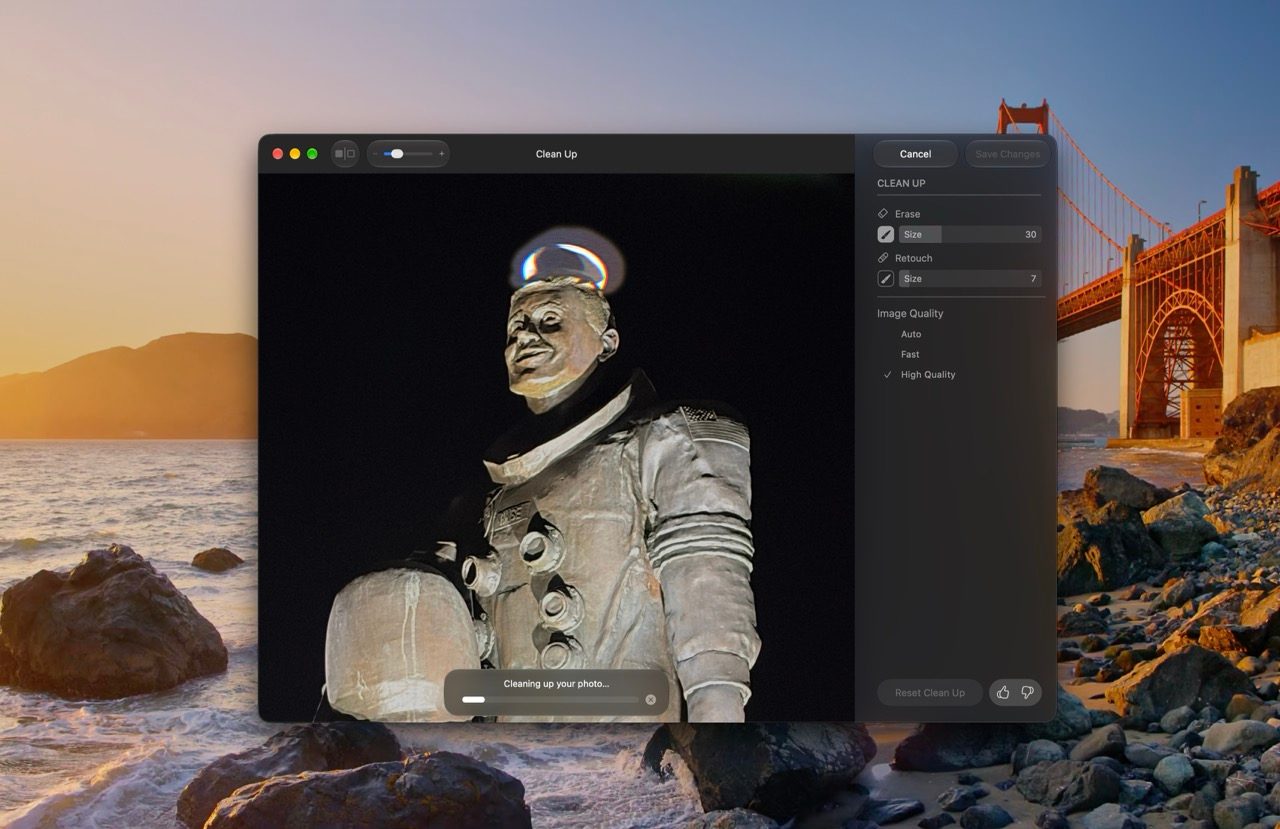
The "Clean Up" tool, a feature previously introduced in earlier versions, has seen a fundamental architectural upgrade. According to Apple’s technical documentation, the engine now utilizes advanced neural networks to handle high-density scenes. Where earlier iterations struggled with complex backgrounds or intricate textures, the Golden Gate release employs a dual-mode system: a "Fast Mode" optimized for removing small, unwanted blemishes, and a "High-Quality Mode" that utilizes more intensive processing to reconstruct segments of an image behind removed subjects.
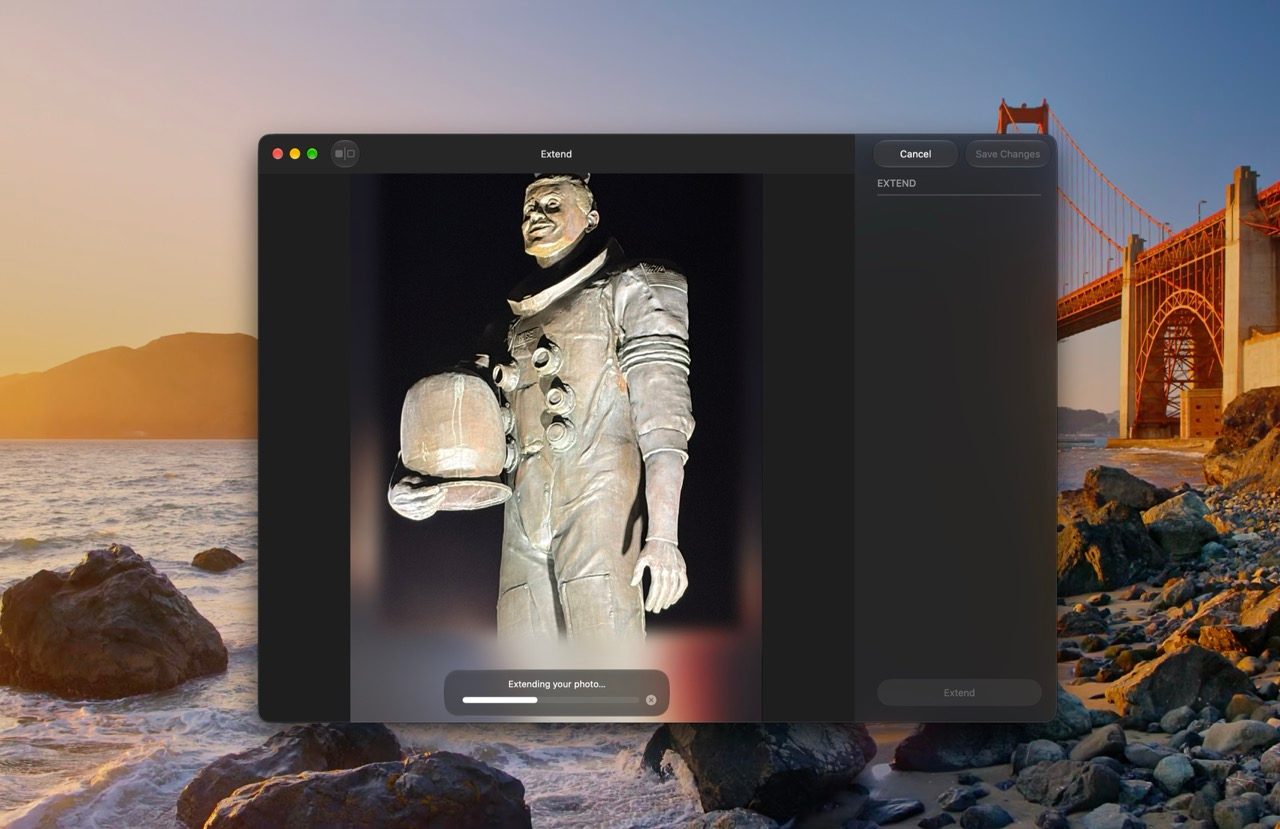
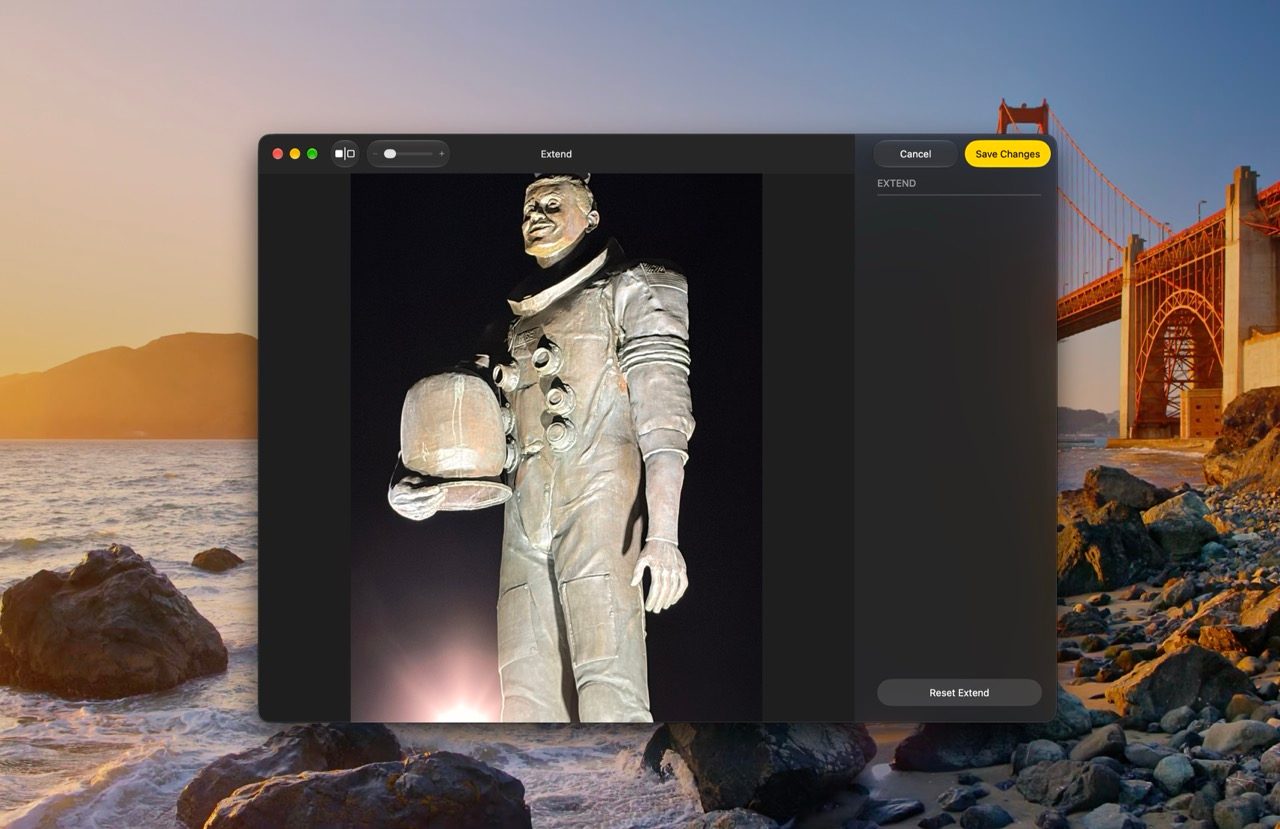
This is complemented by the new "Extend" tool. By leveraging generative models, users can now expand the borders of an image beyond its original captured field of view. This feature is particularly useful for correcting composition issues, such as straightening a horizon line that would otherwise require aggressive cropping, or adapting an image to different aspect ratios for social media or professional print requirements.
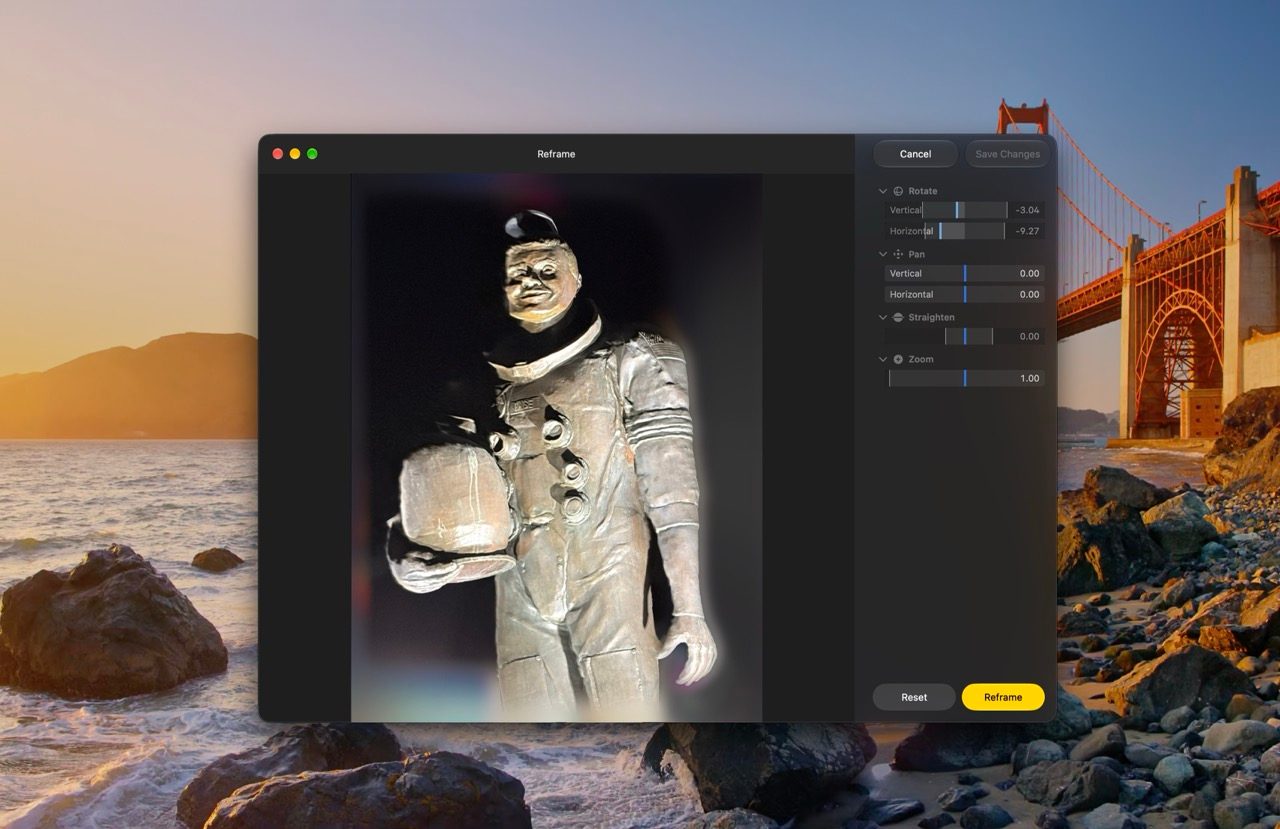
Perhaps the most ambitious addition is "Spatial Reframing." By constructing a 3D depth map of the scene, the software allows users to simulate a change in camera position. While not a true 3D capture, the software uses the depth data to perform minor rotations and pans, while the generative AI engine fills in the resulting "voids" created by the shifting perspective. This represents a significant milestone in computational photography, moving from simple enhancement to structural modification of the image data.
Enhancing Collaboration and Library Infrastructure
For years, the iCloud Shared Albums feature was criticized for its compression protocols and limited accessibility. macOS 27 addresses these grievances directly. The platform now supports full-resolution file hosting, ensuring that professional photographers and hobbyists alike can maintain the integrity of their original files.
Furthermore, Apple has expanded the accessibility of these albums to the web. Users on Android and Windows platforms can now interact with shared albums via iCloud.com, allowing for seamless collaboration across device ecosystems. This move toward interoperability is a strategic shift for Apple, acknowledging that the modern media workflow is rarely confined to a single hardware brand.
The update also streamlines the management of these libraries. A new "single-click" save function allows users to pull content from a shared space into their personal library instantaneously. Additionally, the introduction of a 30-day expiration timer for temporary albums provides a native solution for users who share event-based photos—such as those from a wedding or a conference—without the need for manual cleanup.
Advanced Organization and Presentation Tools
Beyond editing, macOS 27 introduces features aimed at the power user. The return of granular control over slideshows is a notable inclusion. Users can now define specific transition styles, slide durations, and musical scores, with the ability to export the final presentation as a standalone video file. This functionality, which was once a staple of the iPhoto era, has been modernized to integrate with the high-resolution, high-frame-rate content captured by modern iPhones and cameras.
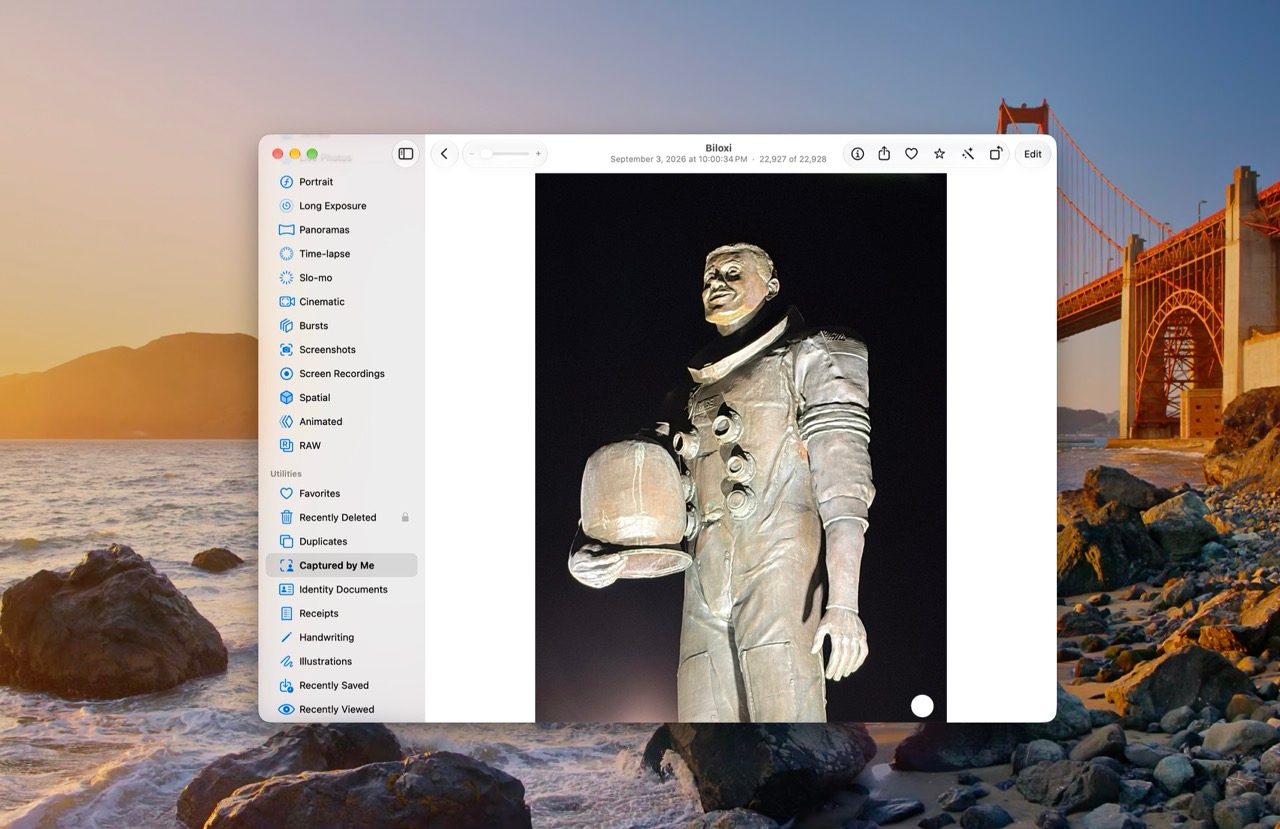
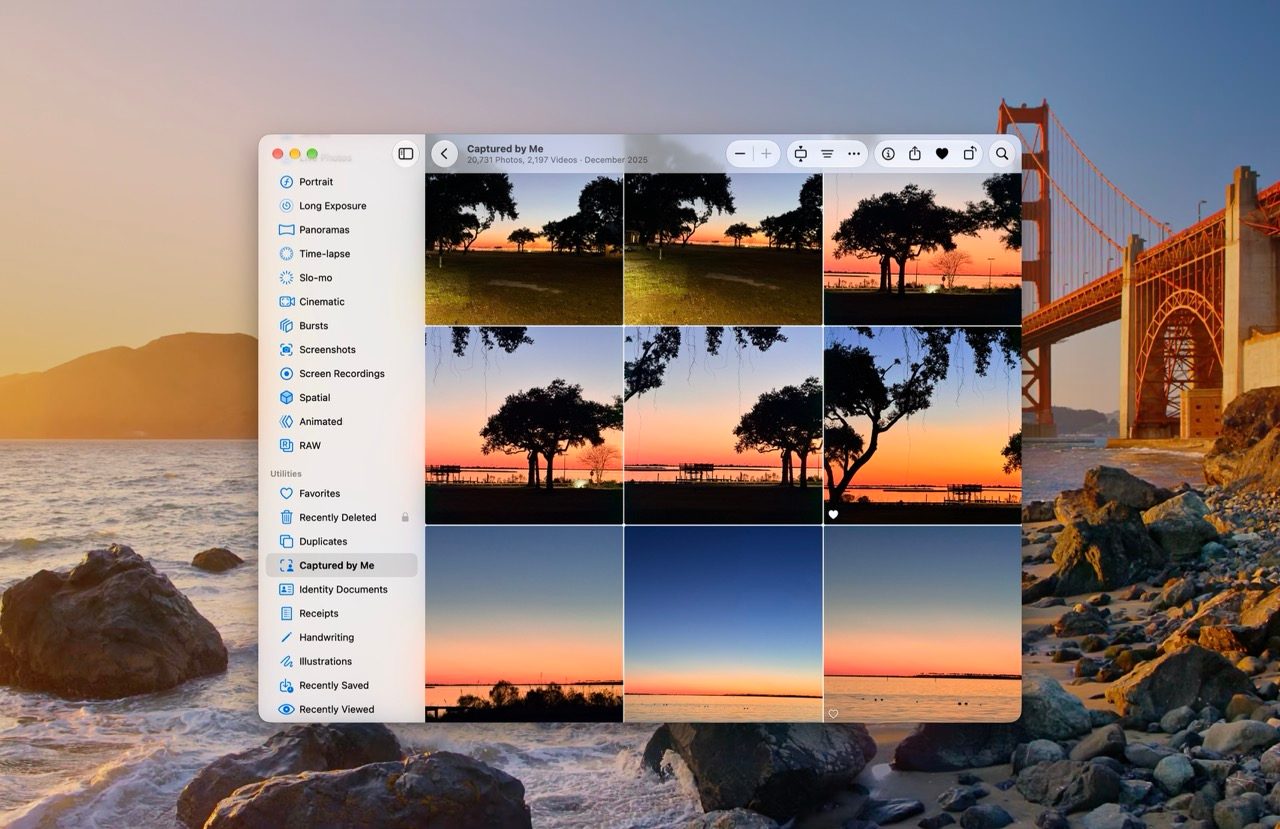
The new "Captured by Me" collection provides a systematic way to filter through a library. By parsing metadata, the app automatically segregates photos captured by the user’s hardware from images synced from third-party sources, social media downloads, or messages. This distinction helps in decluttering the library and provides a clearer chronological narrative of the user’s own photography journey.
For those requiring strict categorization, the inclusion of one-to-five-star ratings finally brings a standard professional organizational tool to the native app. These ratings are not merely cosmetic; they function as a primary filter across the entire library. It is important to note that this feature is disabled by default, requiring a quick toggle in the Photos settings, a design choice likely intended to keep the interface approachable for casual users.
Infrastructure: Speed and Search Efficiency
The underlying performance of the Photos app has also been addressed through a complete rebuild of the system-wide search architecture. This new foundation, which serves Spotlight, Mail, and Photos, utilizes a more efficient indexing system that runs in the background to ensure that metadata and object recognition stay current throughout the day.
Complementing this is a change in the synchronization logic. Users can now prioritize specific uploads to iCloud. For those who frequently import large batches of high-resolution RAW files, the ability to instruct the system to "upload now" ensures that critical assets are available on remote devices without waiting for the system’s background maintenance cycles to finish.

Industry Context and Strategic Implications
The release of macOS 27 Golden Gate aligns with broader industry trends in the digital asset management space. As smartphone sensors and dedicated mirrorless cameras produce increasingly massive data sets, the burden of storage and organization has become a primary pain point for consumers. By integrating generative AI, Apple is attempting to solve the "organization fatigue" that often leads users to abandon their libraries.
Data from the past five years suggests that user engagement with cloud-based photo services has grown by approximately 15% annually, driven largely by the ubiquity of high-quality mobile imaging. However, the limitation has always been the "silo" effect. By opening Shared Albums to non-Apple users and improving cross-platform compatibility, Apple is positioning iCloud not just as a storage bucket, but as a collaborative hub.
From a competitive standpoint, these updates serve to deepen the "walled garden" while simultaneously making it more hospitable. The focus on on-device processing for Apple Intelligence tasks also serves to highlight the company’s emphasis on privacy—a core pillar of its marketing strategy. By performing complex generative tasks locally on the Mac’s neural engine rather than in the cloud, Apple maintains a security posture that is difficult for cloud-only competitors to replicate.
Conclusion
The changes introduced in macOS 27 Golden Gate represent a maturation of the Apple ecosystem. While there are no headline-grabbing, interface-changing "reinventions," the sum of these parts is a more capable, more collaborative, and significantly more intelligent platform. For the average user, these tools mean fewer blemishes on photos, easier ways to find specific memories, and a more seamless way to share experiences with friends regardless of their preferred mobile platform. As we look toward the future of digital photography, it is clear that the focus has shifted from merely capturing the moment to the intelligent, long-term management of those digital memories.