Capture One Unveils Version 16.7.7, Introducing Seamless Affinity Photo Integration, Enhanced Studio Organization, and New Lens Support

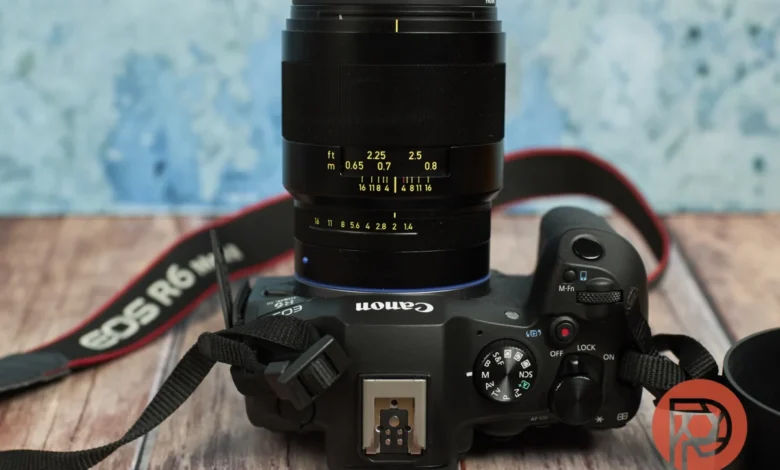
Capture One, a stalwart in professional photo editing software, has consistently demonstrated a commitment to evolving its platform, introducing significant enhancements that elevate the creative workflow for photographers. The latest iteration, version 16.7.7, marks a pivotal moment, integrating long-awaited features that address key user demands and streamline the post-production process. This update prominently features a revolutionary Affinity Photo round-trip workflow, advanced export recipe folder management for Capture One Studio users, and the much-anticipated dedicated lens profile for the Zeiss Otus ML 35mm f1.4.
The ongoing evolution of Capture One underscores its strategic focus on empowering photographers with more flexible and efficient tools. Over the years, the company has systematically refined its feature set, moving beyond basic editing capabilities to offer a comprehensive ecosystem for image management and manipulation. Version 16.7.7 is a testament to this philosophy, delivering practical solutions that directly impact how photographers integrate different software into their workflow and manage their output.
A New Era of Interoperability: The Affinity Photo Round-Trip Workflow
For a significant segment of the photography community, the seamless integration between Capture One and Affinity Photo has been a persistent aspiration. Previously, transferring images between these two powerful editing suites involved a cumbersome manual process. Photographers were compelled to export their images from Capture One as TIFF files, meticulously edit them within Affinity Photo, and then navigate a complex workaround to re-import the processed files back into Capture One for final output. This multi-step procedure not only consumed valuable time but also presented potential challenges in preserving critical metadata and editing data.
Capture One’s 16.7.7 update fundamentally transforms this workflow by introducing a native import and export feature for Affinity Photo’s proprietary .af file format. This breakthrough means that photographers can now effortlessly send their images from Capture One to Affinity Photo, with an unprecedented level of fidelity. Crucially, essential elements such as metadata, guides, overlays, annotations, watermarks, and masks are preserved, with masks being seamlessly translated into alpha channels within Affinity. This ensures that the integrity of the original image and its associated data are maintained throughout the transfer.
The return journey is equally streamlined. Once edits are completed in Affinity Photo, users can send the files back to Capture One. The software intelligently recognizes and imports these .af files, allowing them to be managed and exported alongside the rest of the photographer’s image catalog. This bidirectional flow eliminates the need for manual re-linking or data reconstruction, significantly accelerating the editing process and reducing the potential for errors.
The implementation of this feature is accessible through Capture One’s Export panel and the Edit With / Open With command, providing intuitive access for users. This allows photographers to leverage the specialized strengths of each application – Capture One for its robust RAW processing, cataloging, and color grading, and Affinity Photo for its advanced pixel-editing capabilities and layer-based compositing – without the friction of inefficient data transfer.
Capture One has also confirmed that on the return trip, the software will support both 8-bit and 16-bit .af files, offering flexibility for those working with high bit-depth imagery. This commitment to preserving image quality is paramount for professional workflows where subtle tonal gradations and color accuracy are critical.
However, this groundbreaking feature comes with a specific caveat: its current availability is exclusive to macOS users operating on Apple Silicon (M-series chips). This limitation means that Intel Mac and Windows users will need to await a future rollout of this functionality. Furthermore, to ensure compatibility, users on both platforms will require Affinity Photo version 3.2 or later. This phased release strategy is not uncommon in software development, often prioritizing platforms where performance and integration can be optimized first. The anticipation for its broader availability is palpable within the user community.
Streamlining Output Management: Export Recipe Folders for Capture One Studio
Capture One Studio users, particularly those managing multiple clients and diverse project requirements, will find significant relief in the introduction of Export Recipe Folders. Historically, the management of export recipes – the predefined settings for outputting images in various formats, sizes, and quality levels – could become disorganized as the number of custom recipes grew. These recipes, essential for maintaining consistent output standards across different projects and clients, were often presented as an unmanageable list, leading to time wasted searching for the correct settings.
Version 16.7.7 addresses this challenge by enabling users to export and organize their recipes into folders. This hierarchical structure allows for a much more logical and intuitive arrangement of output presets. Photographers can now categorize their recipes by client, by delivery type (e.g., web, print, social media), by project, or any other organizational scheme that best suits their individual workflow. This level of customization is invaluable for professionals who juggle numerous assignments, each with its own specific output demands.
Adding another layer of efficiency, Capture One Studio now supports syncing these organized folders via Cloud Settings. This crucial feature ensures that the meticulously arranged export recipes are automatically synchronized across all devices within a user’s setup. This means that whether a photographer is working on their primary workstation or a secondary laptop, their organizational structure and preferred export settings are consistently available, eliminating the need for manual configuration on each machine. This fosters a truly cohesive and efficient multi-device workflow, a vital aspect for modern professional photographers.
The implications of this feature are substantial for studios and freelance professionals alike. It directly combats the potential for human error in selecting export settings, which can lead to costly mistakes and client dissatisfaction. By providing a robust organizational framework, Capture One Studio empowers users to maintain brand consistency and meet delivery specifications with greater accuracy and speed. This enhancement speaks to Capture One’s understanding of the operational complexities faced by its professional user base.
Enhanced Lens Support: Dedicated Profile for Zeiss Otus ML 35mm f1.4
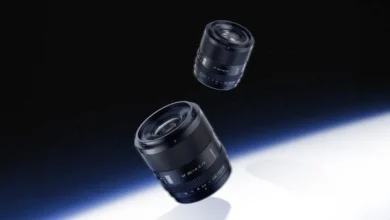
In a move that will be celebrated by many, Capture One 16.7.7 introduces dedicated lens profile support for the highly regarded Zeiss Otus ML 35mm f1.4 lens. This modern manual focus lens is renowned for its exceptional optical quality, delivering sharpness and image rendering that appeals to discerning photographers.
The integration of a dedicated lens profile is more than just a software update; it signifies a deeper level of technical collaboration. This particular profile has been developed using correction data directly provided by Zeiss. This ensures that the profile accurately addresses the specific optical characteristics of the Zeiss Otus ML 35mm f1.4, enabling Capture One to apply precise corrections for distortion, chromatic aberration, vignetting, and other optical imperfections inherent in any lens.
For photographers utilizing this lens with Nikon, Canon, or Sony camera bodies, the addition of this profile means they can now select it directly within Capture One’s library of lens profiles. This seamless integration allows for automatic or easily applied corrections, ensuring that images captured with the Zeiss Otus ML 35mm f1.4 are rendered with optimal clarity and fidelity from the outset of the editing process. This is particularly beneficial for manual focus lenses, where precise optical performance is paramount.
The availability of dedicated lens profiles is a cornerstone of Capture One’s appeal, offering photographers the confidence that their RAW files will be processed with the most accurate lens corrections possible. This continuous expansion of the lens profile library underscores Capture One’s commitment to supporting a wide array of photographic equipment, reinforcing its position as a versatile and comprehensive editing solution.
Bug Fixes and Performance Enhancements
Beyond these headline features, version 16.7.7 also addresses specific bug fixes that were impacting user experience. Two notable issues have been resolved:
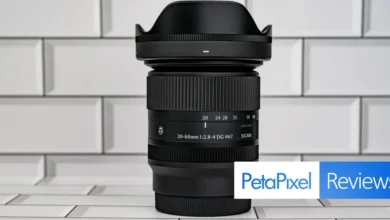
- Vignette Issue with Canon RF 85mm f1.2: A recurring vignette problem affecting images captured with the Canon RF 85mm f1.2 lens has been rectified. This fix ensures that users of this popular Canon lens can expect consistent and accurate vignette correction within Capture One.
- Parametric Masks on macOS: A bug related to the behavior of parametric masks on macOS has also been resolved. This ensures the stable and predictable performance of this advanced masking tool, which is crucial for precise selective adjustments.
These bug fixes, while perhaps less glamorous than new feature introductions, are vital for maintaining the stability and reliability of the software. They demonstrate Capture One’s ongoing commitment to refining its platform and addressing user-reported issues promptly, contributing to a smoother and more productive editing experience.
Compatibility and Availability
Capture One 16.7.7 maintains compatibility with existing Sessions and Catalogs from previous releases. However, it is important to note that when accessing parameters from older versions, they will require an update to be compatible with the new version. Once updated, these parameters cannot be reopened in older versions of Capture One by restoring from a backup. This is a standard practice to ensure data integrity and prevent compatibility conflicts as software evolves.
Users can download the latest firmware update directly from Capture One’s official website. The update process is typically straightforward, allowing users to quickly benefit from the new features and improvements.
The release of version 16.7.7 signifies Capture One’s continued dedication to innovation and user-centric development. By introducing seamless cross-software integration, enhancing organizational tools for professionals, and expanding its lens support, Capture One is not just releasing an update; it is actively shaping the future of digital photography workflows. The company’s strategic approach to incorporating user feedback and addressing workflow inefficiencies solidifies its position as a leader in the competitive landscape of photo editing software. The ongoing development suggests a future where Capture One remains at the forefront, empowering photographers with the tools they need to realize their creative vision with unparalleled efficiency and precision.