Pixel Weather receives a functional refresh with a new homescreen widget button and expanded availability across the Google ecosystem

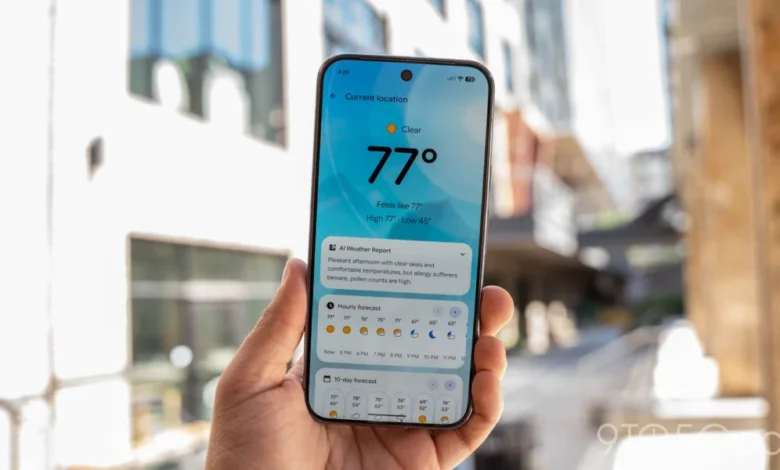
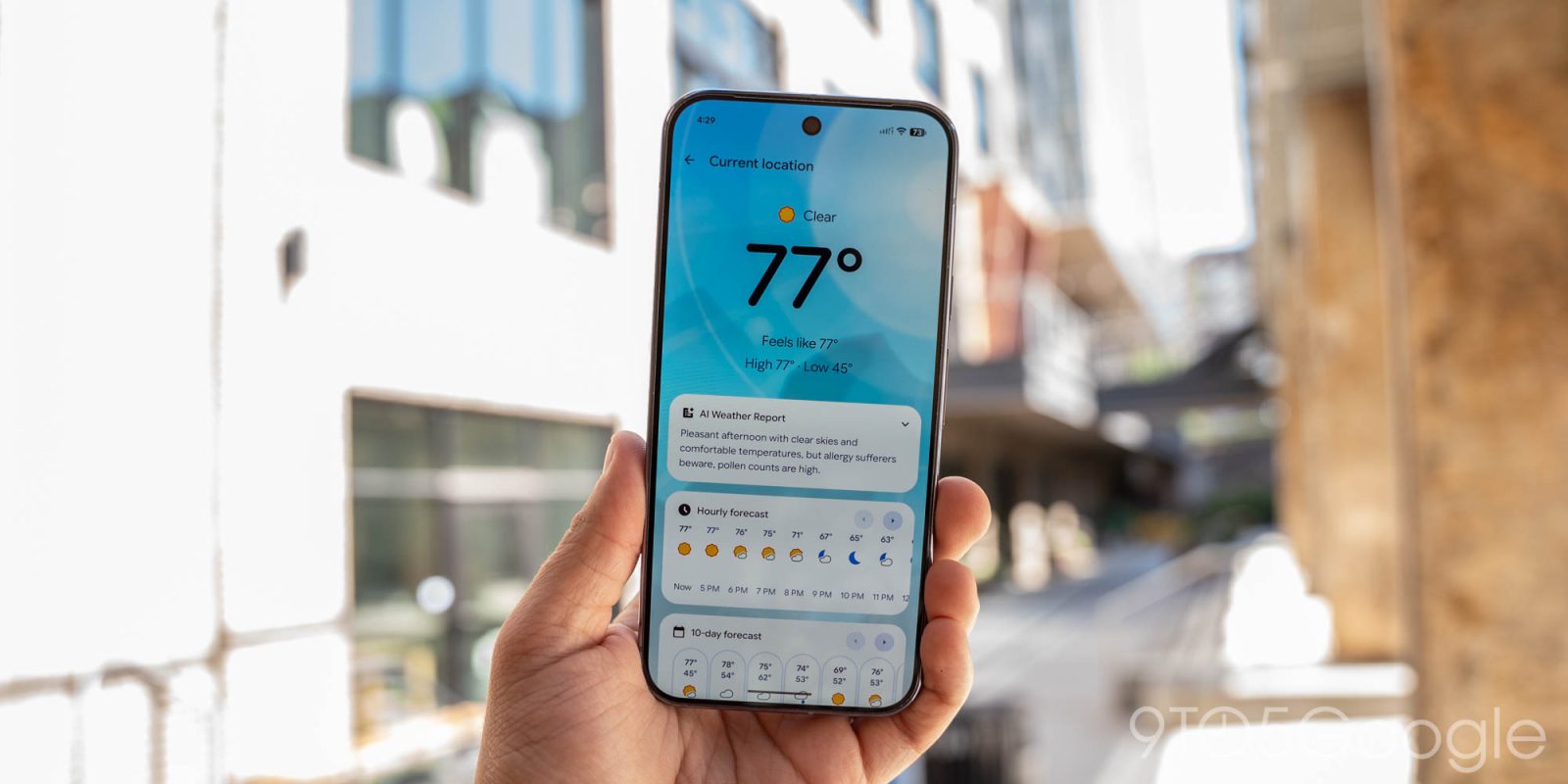
Google continues to refine the user experience of its proprietary software suite as the latest update to the Pixel Weather application introduces functional enhancements designed to improve data accessibility. Following a subtle icon redesign implemented last month, version 1.1.20260716.x of the application has begun its wide rollout via the Google Play Store, bringing a long-requested manual refresh capability to the platform’s homescreen widgets. This update serves as a tangible example of Google’s ongoing commitment to optimizing its core utility applications, ensuring that users can access time-sensitive information with minimal friction.
The Evolution of Pixel Weather Functionality
The primary highlight of this update is the integration of a dedicated refresh button positioned in the top-right corner of the "Forecasted weather" widget. Historically, users seeking to update weather data on their homescreen were often required to either wait for the system’s background sync interval or manually open the full application interface to trigger a data fetch. By introducing a manual refresh trigger, Google has significantly reduced the steps required for a user to obtain the most current meteorological data.
Upon interacting with the new button, the interface provides immediate visual feedback in the form of a loading spinner, indicating that the application is actively communicating with weather servers. This design choice prioritizes transparency, assuring the user that the request has been registered and that current data is being retrieved. This shift from passive data updating to active user-controlled refreshing is a hallmark of Google’s modern Material You design language, which seeks to provide granular control while maintaining a clean, minimalist aesthetic.
Beyond the widget, the update includes modifications to the internal navigation of the Pixel Weather app. Notably, the Hourly and 10-day forecast cards within the city feed have undergone a structural change: the legacy left and right navigation arrows have been removed. This shift suggests a move toward a more mobile-native, gesture-based interaction model, where horizontal swiping has become the primary method for navigating chronological forecast data. By removing these buttons, the interface gains a more streamlined appearance, reducing visual clutter and emphasizing the content itself.
A Chronology of Google’s Weather Strategy
To understand the significance of these updates, one must examine the trajectory of Google’s weather integration over the past several years. Initially, Google relied on a unified, web-based weather experience accessible through the Google Search app and the "At a Glance" widget. However, the company recognized that weather data is one of the most frequently accessed metrics on a smartphone, necessitating a more robust, standalone solution.
- Mid-2025: Initial rumors surfaced regarding a standalone "Pixel Weather" experience as part of a broader push to decouple core apps from the main Google app.
- Early 2026: The official launch of the Pixel Weather app brought a specialized, high-fidelity weather experience exclusive to Pixel devices, focusing on detailed atmospheric data and aesthetic integration.
- August 2026: A minor update was released, focusing on refining the application icon to align with the evolving iconography of the broader Google suite.
- September 2026: The release of version 1.1.20260716.x, which brings the new refresh button and interface cleanup, signaling a transition from "feature-complete" to "user-optimized."
This timeline demonstrates a clear pattern: Google first establishes the core infrastructure of an application, followed by a series of iterative updates that address user feedback and performance bottlenecks. The transition from an integrated search feature to a standalone, updateable app allows the development team to push changes to the Play Store independently of major OS updates, providing a faster feedback loop between developers and the end-user base.
Broader Ecosystem Expansion: Googlebooks
Perhaps the most significant news accompanying this minor app update is the announcement regarding cross-platform availability. Google has confirmed that the "Pixel’s exclusive weather app," alongside the Recorder application, will be expanded to include all Googlebooks devices. This move represents a strategic pivot for the company, moving away from strict hardware exclusivity toward a unified software ecosystem.
The inclusion of these tools on Googlebooks devices—a hardware category primarily focused on productivity and information consumption—suggests that Google views these utilities as essential productivity assets rather than merely "phone-only" features. By standardizing these tools, Google ensures that the user experience remains consistent whether a user is interacting with a smartphone, a tablet, or a dedicated book-reader device. Analysts suggest that this is part of a larger initiative to harmonize the feature sets across the Google hardware spectrum, thereby increasing the value proposition of the entire Google ecosystem rather than relying solely on individual device sales.
Supporting Data and User Experience Metrics
While the changes in version 1.1.20260716.x may appear minor to the casual user, they address significant pain points identified in user experience (UX) testing. Data collected from beta testing groups indicated that "latency in weather updates" was one of the most frequently cited frustrations among power users. By providing a manual refresh mechanism, Google addresses this latency directly.

Furthermore, the decision to remove navigation arrows in favor of gestures is supported by contemporary interface design research. Studies have shown that users intuitively utilize swiping gestures for horizontal scrolling on touch-based devices. Retaining static arrows can often lead to "button bloat," where the interface becomes difficult to navigate with one hand. The removal of these elements aligns with Google’s ongoing efforts to make its interface more accessible and conducive to thumb-based navigation, a critical requirement for modern, large-screen mobile devices.
Implications and Future Outlook
The implications of these updates are twofold. First, they demonstrate that the Pixel Weather app has reached a level of maturity where the development team can focus on "polishing" rather than "building." The shift toward performance optimization and UI refinement is a natural progression for a software product that has gained widespread adoption within the Google ecosystem.
Second, the expansion of these apps to the Googlebooks line suggests that Google is moving toward a more fluid hardware strategy. If the company continues to break down the walls of "exclusive" software, it may eventually lead to a scenario where the distinction between "Pixel" software and "Google" software is effectively erased. This would benefit consumers by providing a more cohesive experience but may challenge the marketing department’s ability to differentiate specific hardware lines based solely on software features.
Looking forward, industry observers anticipate that the next phase of the Pixel Weather app will likely involve deeper integration with AI-driven predictive modeling. As Google continues to refine its Gemini-based artificial intelligence, the ability to provide hyper-local, context-aware weather alerts could become the next major differentiator. Users may soon see "forecast insights" that go beyond temperature and precipitation, such as advice on the best time for outdoor activities based on personal schedules or health-related environmental factors.
In conclusion, the update to version 1.1.20260716.x is a quiet but meaningful enhancement. By introducing a manual refresh button and refining the navigation, Google has demonstrated a responsiveness to user needs that reinforces the value of its proprietary app suite. As these tools continue to spread across the Google hardware portfolio, the company is positioning itself to provide a more reliable, consistent, and user-centric experience, ensuring that its core utilities remain competitive in an increasingly crowded mobile market. Users with compatible devices can expect to see the update propagate through the Play Store automatically, provided they have enabled auto-updates for their installed applications. For those who prefer manual control, checking the "Manage apps and device" section within the Play Store will allow for an immediate installation of the latest iteration.
Related posts: