Windows Administrators Report Severe Remote Desktop Services Failures Following September 2026 Cumulative Updates


System administrators managing enterprise Windows environments are currently grappling with widespread disruptions affecting Remote Desktop Services (RDS) across multiple server operating systems. The core issue traces back to the deployment of the September 2026 cumulative updates, which were released as part of Microsoft’s regular Patch Tuesday schedule. According to extensive reports gathered from IT professionals on platforms such as Reddit, specialized technical forums, and direct communications with industry publications, these cumulative updates are triggering critical failures on Windows Server 2019, Windows Server 2022, and the newly integrated Windows Server 2025 platforms.
The cascading failures manifest primarily as unresponsive session hosts, frozen user connections, and sudden disconnections. In many instances, the affected systems become so thoroughly locked up that standard remote management tools fail, leaving administrators with no choice but to perform physical or hypervisor-level hard resets to restore basic input/output functionality. These unexpected outages are causing significant operational friction for organizations that rely heavily on remote desktop infrastructure for daily business workflows, remote workforce management, and centralized application delivery.
Anatomy of the RDS Failure and Technical Insights
The behavior of the bug presents a particularly insidious challenge for IT departments because the servers often appear to function normally immediately following a reboot and the subsequent application of the patches. Typically, systems operate without noticeable degradation for a window ranging from a few hours up to a full day. However, once users begin interacting with the environment—specifically when logging out, disconnecting sessions, or attempting to establish new connections—the underlying Remote Desktop services begin to destabilize.
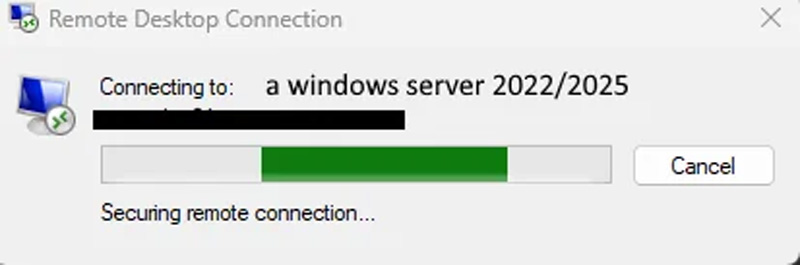
Once a server crosses this failure threshold, existing user sessions frequently become orphaned or impossible to cleanly terminate. When new users attempt to authenticate and establish a connection, the login sequence hangs indefinitely at the "Configuring remote session" or connection establishment phase, eventually timing out and leaving the user locked out. Standard administrative commands to restart the RDS services locally or via remote PowerShell scripts often hang indefinitely, refusing to stop or restart because the underlying processes are entrapped in a system state from which they cannot recover.
Preliminary technical investigations conducted by systems engineers have provided deeper insights into the root cause of the behavior. Debugging sessions performed on impacted Windows Server 2022 instances suggest that a severe deadlock condition develops between the Remote Desktop component and the Local Session Manager (LSM). Specifically, administrators analyzing memory dumps and trace logs noted that threads become stuck at RDPSERVERBASE!WDLIB_Close. Because the code apparently lacks a definitive timeout mechanism for this specific closure routine, the thread waits perpetually, precipitating a systemic deadlock that halts all subsequent connection requests and freezes session management routines.
Chronology of the September 2026 Patch Deployment
The timeline of the crisis aligns directly with the release cycle of Microsoft’s September 2026 Patch Tuesday updates. On the day of the release, Microsoft published a comprehensive suite of security and quality updates designed to address nearly a thousand vulnerabilities across its software ecosystem, including critical zero-day flaws.
Within twenty-four hours of deployment, administrators across various enterprise sectors began pushing the updates to their testing and production rings. Initial deployment went smoothly for many, but as the first business cycle rolled over and users began logging off at the end of their shifts, the first wave of service crashes was recorded. By the end of the second day, community forums were flooded with troubleshooting threads.
The affected update packages have been specifically identified across the modern server family:
- Windows Server 2019: Impacted by update KB5122876
- Windows Server 2022: Impacted by update KB5122882
- Windows Server 2025: Impacted by update KB5122871
As administrators shared their findings across communities like Reddit’s r/sysadmin, a clear consensus emerged that the September cumulative updates were the common denominator. While restarting the servers temporarily clears the symptoms, the underlying deadlock condition inevitably re-triggers as soon as users cycle through subsequent login and logout procedures, rendering regular reboots an ineffective long-term mitigation strategy.
Mitigation Strategies and Operational Dilemmas
For IT departments facing crippled production environments, immediate remediation has necessitated difficult security compromises. Administrators who have chosen to roll back the problematic cumulative updates have reported immediate restoration of normal Remote Desktop Services functionality. Un-installing KB5122876, KB5122882, and KB5122871 successfully breaks the deadlock loop and allows terminal servers to process user logouts and new connections without freezing.
However, this workaround introduces a severe security dilemma. By rolling back the September cumulative updates, organizations are effectively stripping away the crucial security patches that accompanied Patch Tuesday. Given that the September update addressed 966 distinct flaws—including actively exploited zero-day vulnerabilities—leaving servers unpatched exposes the enterprise to external cyber threats. Consequently, systems administrators find themselves forced to choose between maintaining operational continuity via vulnerable infrastructure or enduring catastrophic productivity losses to keep their systems securely updated.
Alternative mitigations, such as disabling specific Remote Desktop features, adjusting Group Policy object settings related to session time-outs, or tweaking keep-alive configurations, have yielded mixed and generally unreliable results. For most organizations, the only guaranteed method to maintain stability while retaining the patches has been to temporarily migrate workloads to unaffected backup infrastructure or to restrict remote access entirely while awaiting an official fix from Microsoft.
Industry Response and the Absence of Official Guidance
As of the time of publication, Microsoft has not issued a formal advisory acknowledging the Remote Desktop Services deadlock bug, nor has it released an out-of-band hotfix or updated cumulative package to resolve the issue. Media inquiries directed to Microsoft’s communications and security response teams regarding whether engineers are actively investigating the telemetry data from these crashes have not yet received a substantive reply.
The lack of immediate official acknowledgment has drawn criticism from the enterprise IT community, where timely communication from vendors is critical during widespread deployment failures. Without official confirmation or an estimated timeline for a patch, system administrators are left operating in a vacuum, relying entirely on peer-to-peer intelligence sharing via community forums to diagnose and temporarily mitigate core infrastructure failures.
Broader Business Implications and Enterprise Risk
The recurrence of stability issues stemming from mandatory or cumulative monthly patches highlights a persistent vulnerability in modern IT service management: the tension between aggressive security patching and absolute system reliability. In enterprise environments where Remote Desktop Services serve as the backbone for virtual desktop infrastructures (VDI), remote workforce connectivity, and published application delivery, unexpected service halts translate directly to significant financial losses and operational downtime.
When foundational services like the Local Session Manager and Remote Desktop fail in tandem, the administrative overhead required to manually intervene—often requiring physical data center access or hypervisor console management to force hard resets—strains IT human resources. Furthermore, the risk profile of reverting security updates to maintain uptime leaves corporate networks exposed to sophisticated threat actors who rapidly weaponize vulnerabilities disclosed during Patch Tuesday cycles.
As enterprises continue to navigate these disruptions, industry analysts emphasize the growing necessity for robust pre-deployment testing environments, phased rollout rings, and rapid-rollback capabilities. Nevertheless, when cumulative updates bypass rigorous staging rings or impact core operating system libraries in ways that standard telemetry fails to predict, even the most disciplined IT organizations remain vulnerable. The IT community now awaits an expedited patch or formal remediation guideline from Microsoft to safely restore both operational stability and baseline security across their Windows Server deployments.