Valve Rolls Out Major Steam Client Beta Update Featuring Big Art Mode, Screensavers, and Performance Optimizations


Valve has released a comprehensive new Steam client beta update targeted primarily at users who navigate the platform via the Steam Deck or the television-and-living-room-oriented Big Picture Mode. The latest software iteration introduces a striking visual overhaul known as "Big Art Mode," alongside a nostalgic nod to classic consumer electronics through customizable screensavers, enhanced startup speeds, and under-the-hood performance optimizations designed to streamline resource management across both Windows and Linux operating systems.
This latest update represents Valve’s ongoing commitment to refining the user experience for hardware ecosystems outside the traditional desktop environment. As portable PC gaming hardware continues to expand its footprint in the global market, interface responsiveness and visual fidelity have become core priorities for software developers striving to deliver a polished, console-like experience on open PC architecture.
The Core Innovation: Big Art Mode
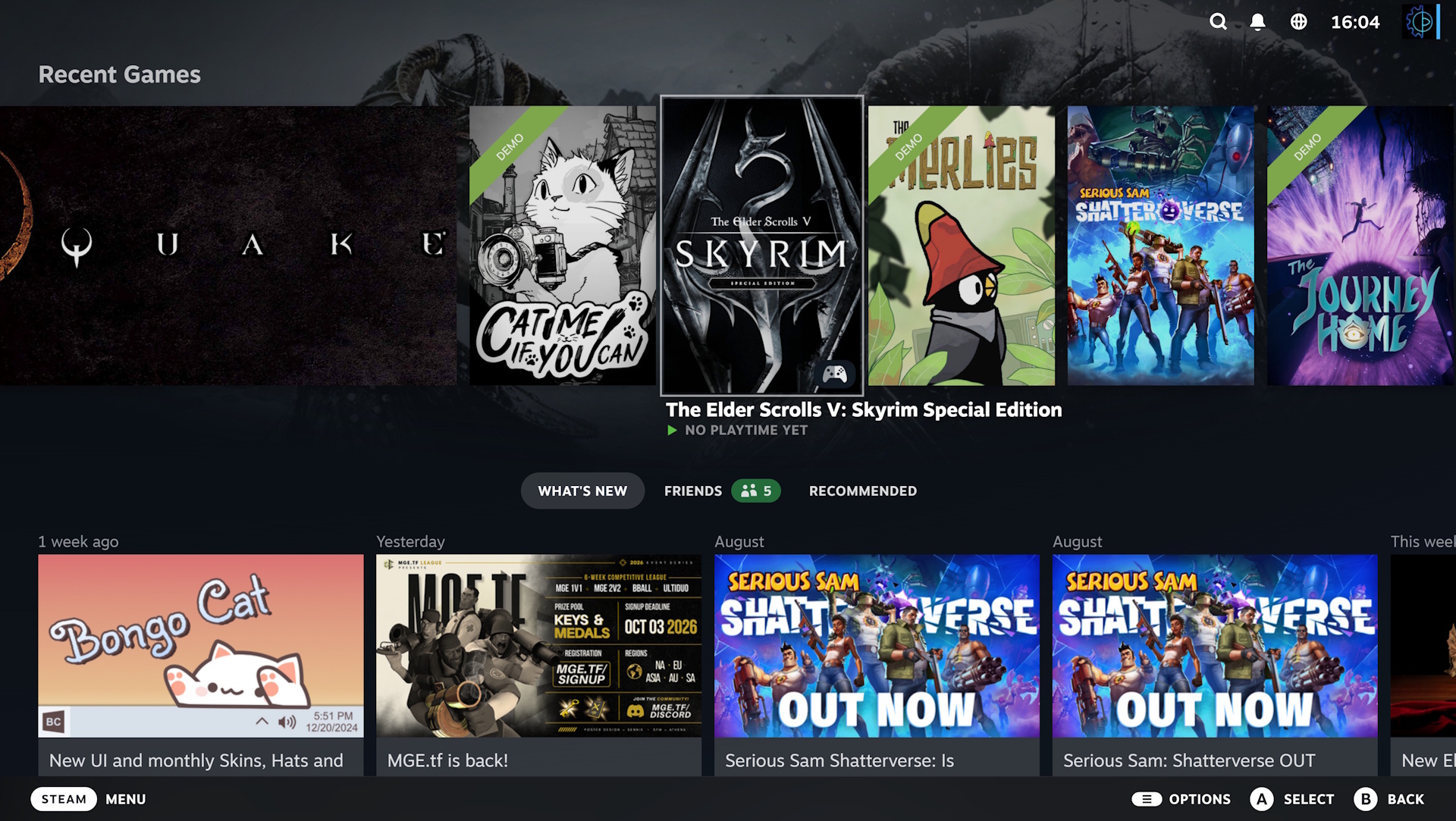
At the center of the new beta release is Big Art Mode, a design philosophy shift intended to eliminate visual clutter from the primary landing page. In the standard iterations of Steam’s Big Picture Mode and the Steam Deck interface, the user home screen often presents a dense arrangement of recently played titles alongside news feeds, community screenshots, friends lists, and promotional banners.
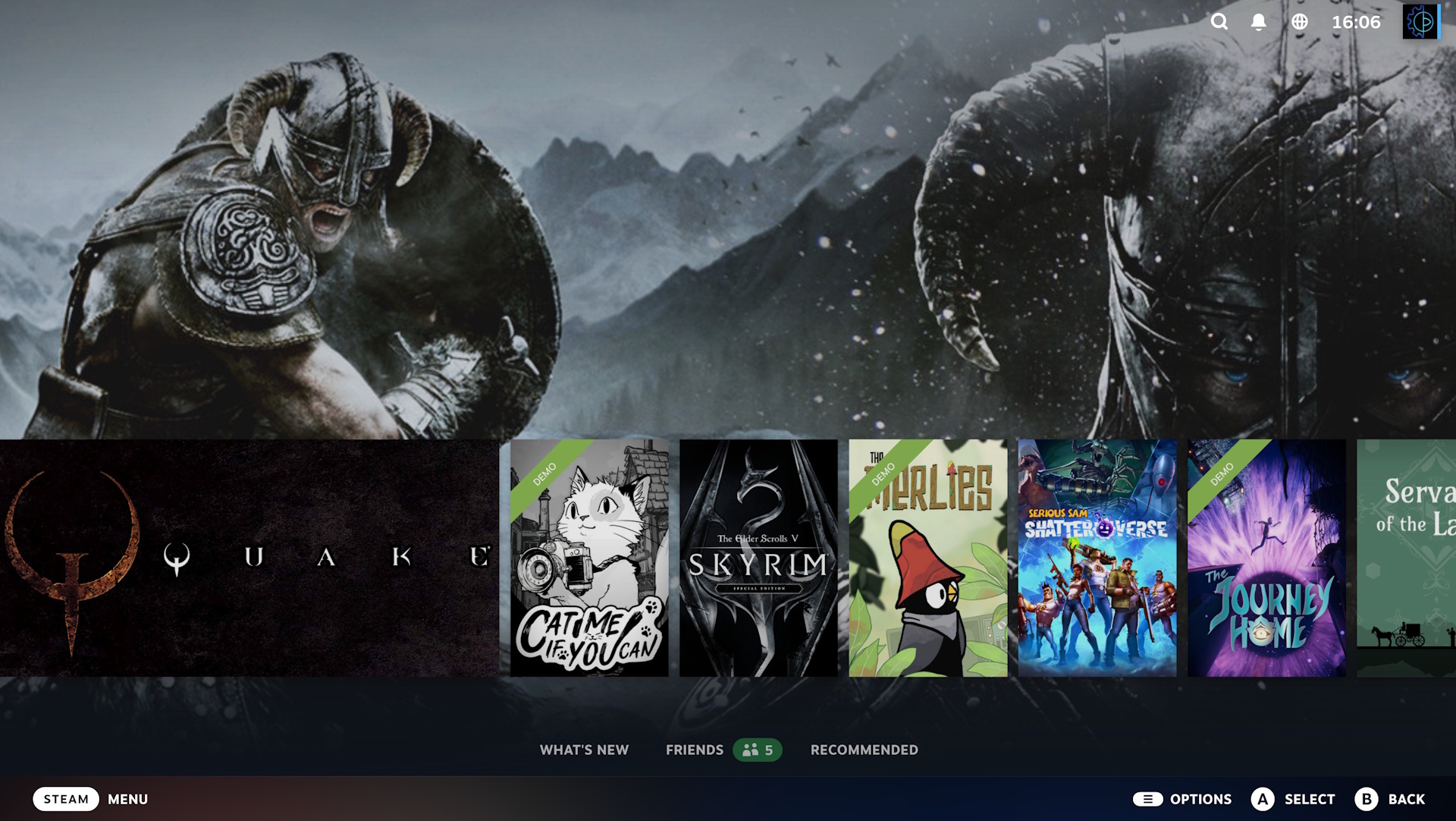
Big Art Mode restructures this spatial hierarchy. By relocating and lowering the traditional horizontal carousel of recently played games, the interface opens up significant background real estate. When a user highlights a specific title, high-resolution promotional artwork associated with that game cascades across the entire backdrop of the display. This dynamic scaling transforms the static menu into a gallery-like showcase, emphasizing the artistic direction of individual titles as users navigate their digital libraries.
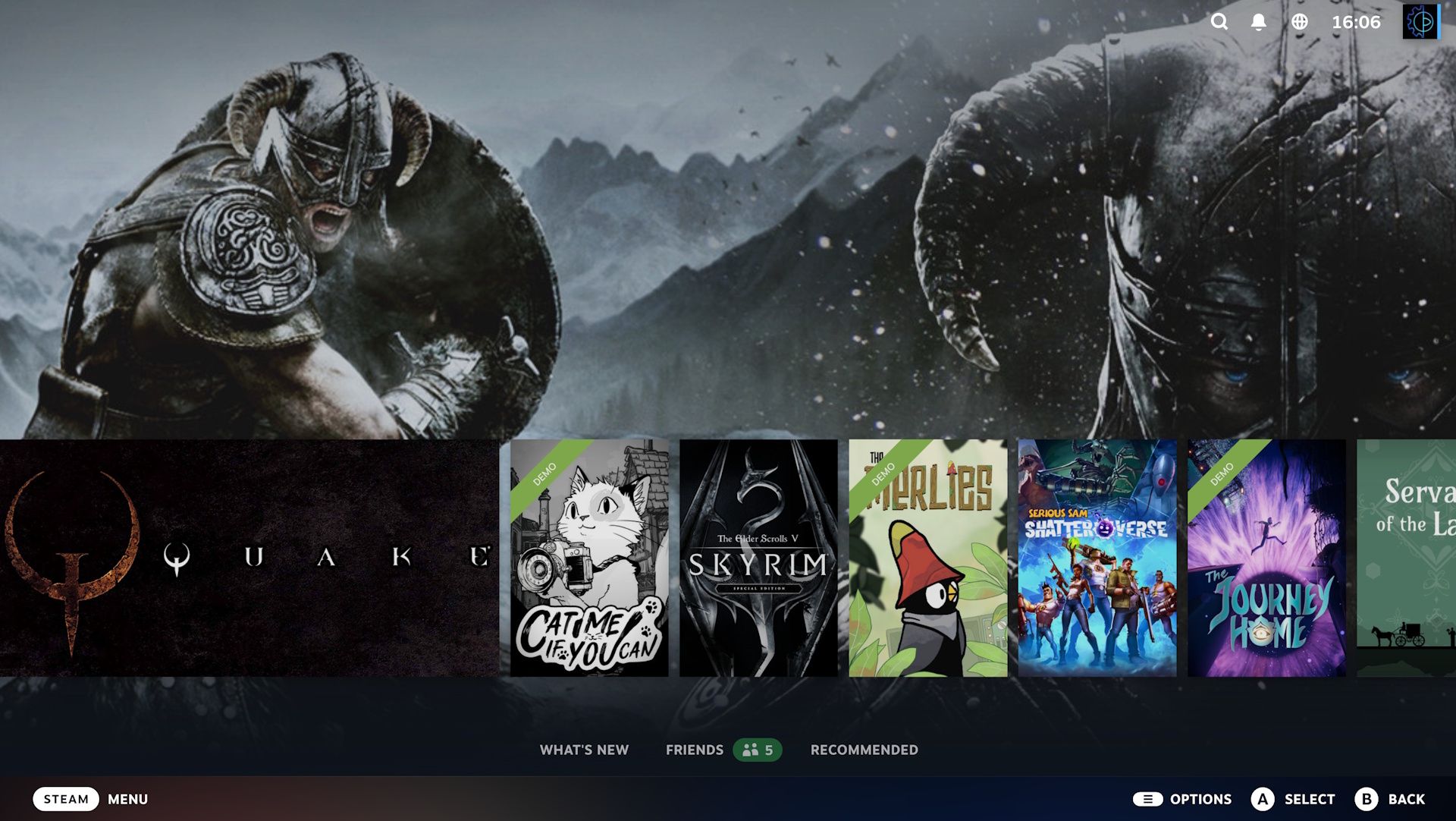
Early feedback from the beta testing community indicates that while the feature successfully achieves a sleeker, more immersive aesthetic, implementation varies depending on how individual developers asset-tag their games. Titles with standard landscape capsule art adapt seamlessly, whereas independent games or older catalog items with non-standard aspect ratios may occasionally yield awkward framing or negative space utilization. Despite these minor inconsistencies, the overarching design provides a cleaner alternative for users who favor minimalist interface navigation. Essential tools, community updates, and secondary features remain accessible via a simple downward scroll.
Nostalgic Screensavers and Aesthetic Customization
Accompanying the visual update to the home screen is a completely redesigned screensaver feature set. Operating within Big Picture Mode, the updated screensaver utility gives users multiple options for idle screen display. Gamers can choose a curated slideshow composed of artwork pulled dynamically from their recently played game libraries, with optional integration for personal in-game screenshots captured via Steam’s native utility.
For users seeking a more nostalgic aesthetic, Valve has included a retro-inspired "bouncing logo" screensaver. Modeled after the iconic screen-bouncing animations found on legacy DVD players and early consumer electronics hardware, the classic Steam logo slowly drifts across the display, changing color or triggering a corner impact with each pass. Furthermore, Valve has built backend hooks that allow tech-savvy users to configure custom screensavers, opening the door for community-driven modifications and personalization.
Performance Enhancements and Technical Improvements
Beyond aesthetic modifications, the beta update addresses several critical performance metrics that affect day-to-day usability. Most notably, Valve has targeted Steam startup performance, implementing optimizations that reduce the time required for the client initialization sequence to complete upon system boot. For Steam Deck users, who frequently power their devices on and off during portable gaming sessions, even fractional improvements in startup latency translate to a more responsive user experience.
On the Windows front, the update tackles resource overhead associated with the platform’s native game recording capabilities. Specifically, the patch notes highlight a measurable reduction in the performance impact that background game recording exerts on Direct3D 12 applications. As modern PC games increasingly adopt DX12 rendering pipelines, minimizing the performance tax of auxiliary recording tools ensures that players do not experience frame rate degradation or stuttering while capturing gameplay footage.
Additionally, Linux system support has received a series of targeted updates. Given that SteamOS—Valve’s proprietary Linux-based operating system—powers the Steam Deck, ongoing refinements to the Linux client architecture are vital for maintaining system stability, driver compatibility, and efficient power management across diverse hardware configurations.
Background Context and Chronology of Big Picture Evolution
To understand the significance of the Big Art Mode update, it is necessary to examine the historical trajectory of Valve’s ten-foot interface initiatives. Steam originally introduced "Big Picture Mode" in September 2012, designed to bridge the gap between traditional desktop personal computers and living room televisions equipped with game controllers. For nearly a decade, that interface remained largely unchanged, serving as a functional, albeit dated, portal for couch-based gaming.
The modern era of Steam’s ten-foot interface began in earnest with the conceptualization and subsequent launch of the Steam Deck in February 2022. Recognizing that the handheld hardware required a fundamentally more modern, scalable, and touch-friendly interface than the legacy Big Picture Mode, Valve developed the Steam Deck UI. In February 2023, Valve officially replaced the aging 2012 Big Picture Mode across all platforms with this unified interface derived from the Steam Deck architecture.
The introduction of Big Art Mode in late 2024 represents the next evolutionary step for this unified codebase. By iterating directly upon the modern framework established by the Steam Deck launch, Valve continues to narrow the functional gap between handheld, desktop, and console gaming environments.
Implications and Industry Reactions
The release of these features via the Steam client beta underscores Valve’s strategy of iterative, community-informed software development. Rather than deploying sweeping interface changes directly to the stable production branch, Valve utilizes its opt-in beta system to stress-test visual modifications and performance patches across a vast, fragmented array of PC hardware configurations.
Industry analysts note that as the boundaries between handheld gaming PCs, traditional desktop rigs, and living room media centers continue to blur, operating system aesthetics and resource efficiency become primary competitive differentiators. While Microsoft continues to iterate on its own handheld-friendly interface concepts for Windows-based portable devices, Valve maintains a distinct advantage through the seamless integration of SteamOS and its specialized client interfaces.
For users interested in examining the updates firsthand, participation in the beta program is entirely voluntary. Users can opt into the testing branch by navigating to the Interface submenu within the Steam client settings, restarting the application, and downloading the patch. While beta builds occasionally carry a minor risk of instability, Valve’s historical reliability with client patches suggests that the current iteration is stable enough for daily use, offering a preview of how the future of PC gaming navigation will look on both screens and handhelds alike.
Related posts: