Toyota Leads US Electric Vehicle Sales Growth in August 2026 Driven by Refreshed Lineup and Lower Pricing

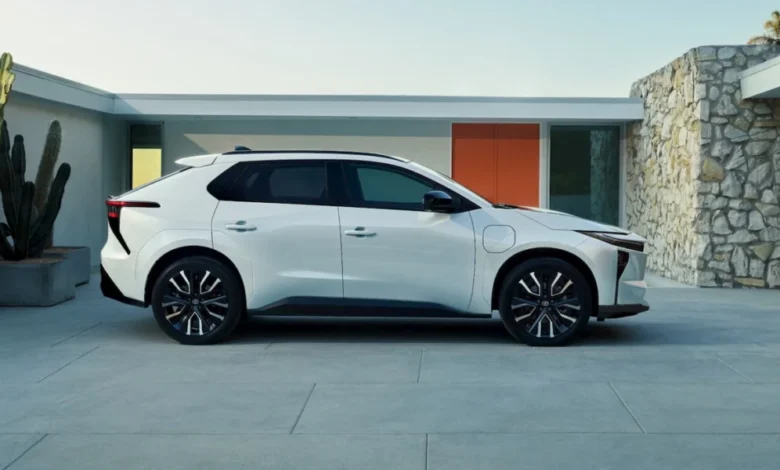
The United States electric vehicle market experienced a modest recovery in August 2026, registering a 2.5% sales increase compared to the previous month, with approximately 78,895 total units sold. Spearheading this growth was legacy automaker Toyota, which surged past competitors in month-over-month sales acceleration, propelled by a revitalized and strategically priced electric SUV lineup. According to fresh data compiled in Cox Automotive’s August 2026 EV Market Monitor, the broader industry landscape is undergoing a notable pricing shift. While overall volumes remain down roughly 46.9% compared to the frantic rush of August 2025—when consumers scrambled to leverage the expiring federal $7,500 EV tax credit—the market is stabilizing through the introduction of more accessible, lower-priced consumer options.
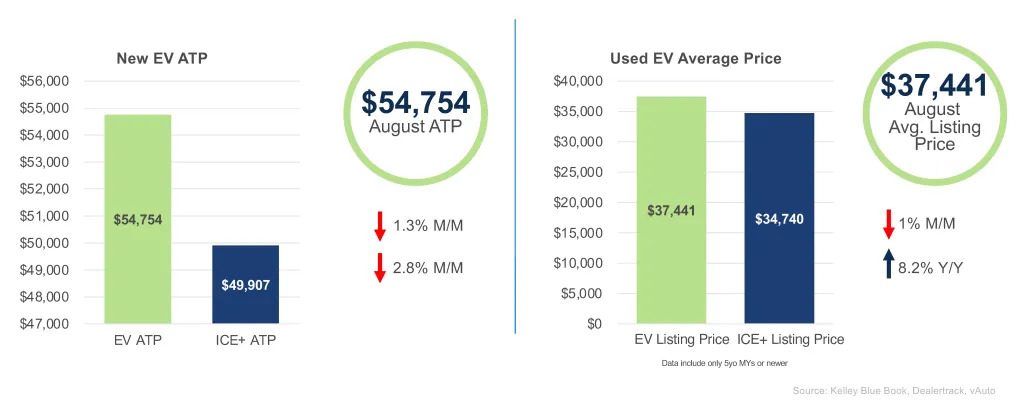
The average transaction price (ATP) for a new electric vehicle dropped to $54,754 in August, representing a 1.3% decline from July and a 2.8% decrease year-over-year. This downward trajectory in costs has significantly narrowed the price premium historically associated with battery-powered cars. The remaining price gap between a new EV and an internal combustion engine vehicle has compressed to $4,847, or approximately 9.7%. Industry analysts attribute this narrowing gap to a concentrated push by manufacturers toward budget-friendly models, pointing specifically to strong performances from the Toyota bZ, the Chevrolet Bolt, the updated Toyota C-HR, and price adjustments across Tesla’s high-volume Model 3 range, which saw its individual ATP drop 1.9% month-over-month.
Market Share Shifts and Manufacturer Performance
Tesla continues to command the lion’s share of the American battery-electric vehicle market, retaining its position at the top by a wide margin. In August 2026, Tesla accounted for 40,816 vehicle registrations. However, increased competition from traditional automakers trimmed Tesla’s market share down to 51.7%, representing a 3.8% sales contraction compared to July figures.
In contrast, traditional original equipment manufacturers (OEMs) made substantial headway. Toyota emerged as the undisputed leader in US EV sales growth for the month, moving 4,964 units of its electric SUV portfolio—a remarkable 35% jump from July. To contextualize this scale, Toyota sold slightly more than 1,000 units of the older bZ4X in August 2025, illustrating a massive year-over-year operational scaling. Other traditional brands also posted healthy gains: Chevrolet recorded a 30% month-over-month increase, Cadillac grew by 13%, and Kia expanded its electric sales footprint by 12%.
To further understand the shifting competitive dynamics, legacy competitors are facing contrasting fortunes. For instance, Ford Motor Company moved 15,484 units of its Mustang Mach-E through the first eight months of 2026, marking a 55% decline over the same period in 2025. Toyota’s contrasting momentum highlights how timely mid-cycle refreshes, aggressive pricing, and infrastructure alignment can capture shifting consumer sentiment.
The Evolution of Toyota’s EV Strategy: From bZ4X to the 2027 bZ Lineup
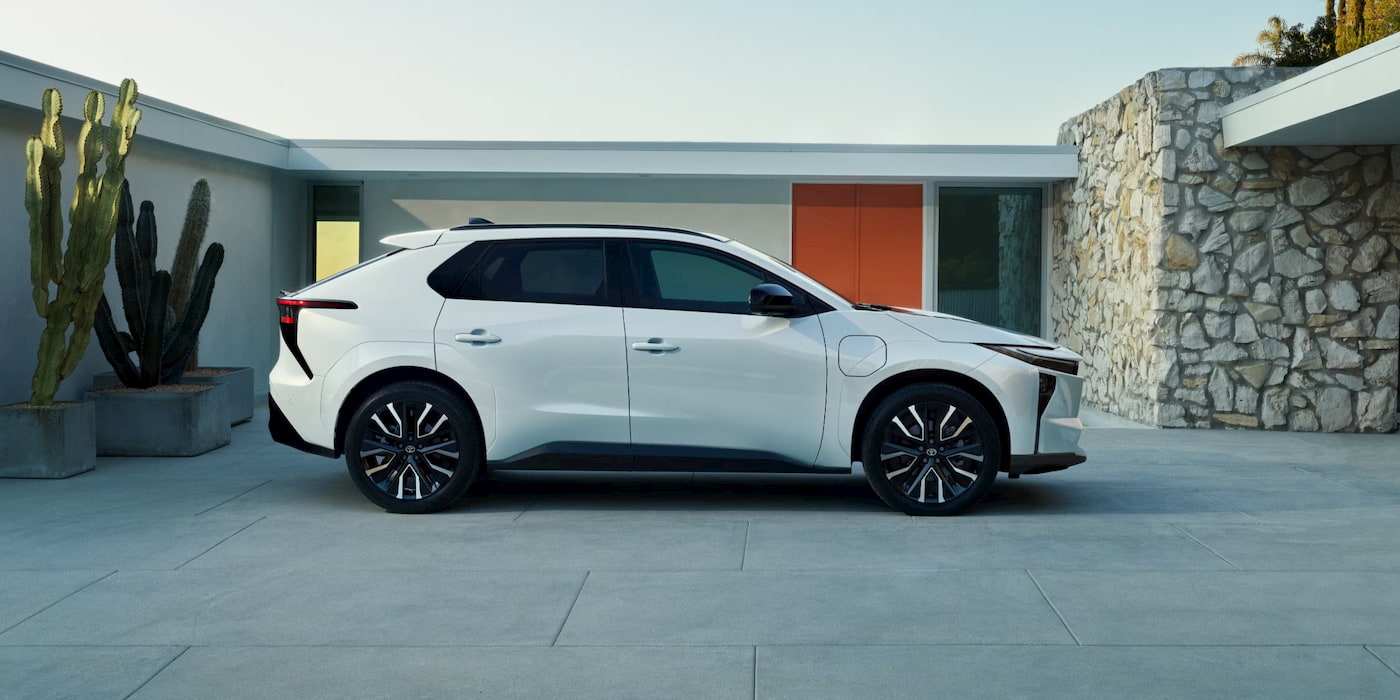
Toyota’s current dominance in sales velocity is a direct result of a calculated pivot executed late last year. Following lukewarm initial receptions and slow initial adoption rates for its pioneering bZ4X crossover, management undertook a comprehensive overhaul of its electric vehicle strategy. When Toyota launched the heavily revised model in October 2025—dropping the numerical suffix to rebrand simply as the "bZ"—the vehicle immediately found its footing in the American market.
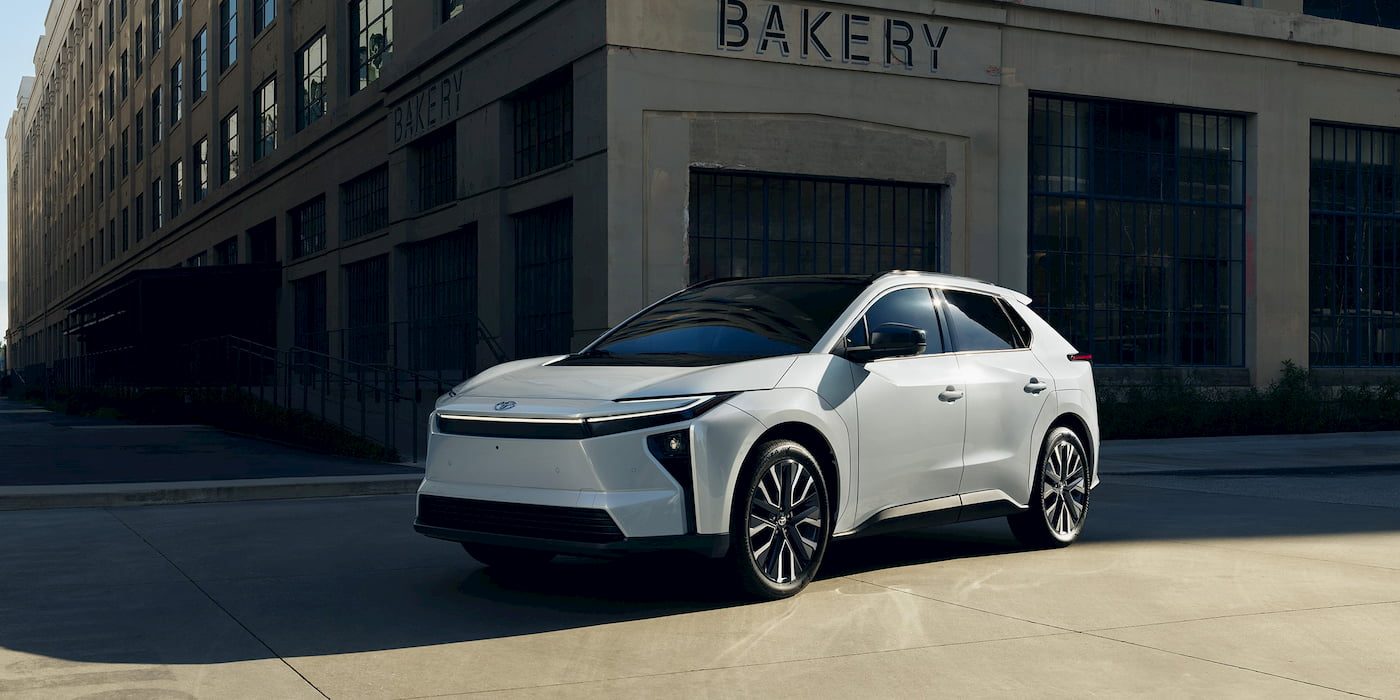
During the first half of 2026, the bZ established itself as the fourth best-selling electric vehicle in the United States, trailing only the Hyundai IONIQ 5 and Tesla’s dominant Model 3 and Model Y. Cumulative sales through the first eight months of 2026 have surpassed 22,500 units, vastly outpacing the total 15,609 bZ4X units sold across the entirety of the previous calendar year.
The secret behind the vehicle’s sudden market penetration lies in targeted engineering and commercial adjustments. Rather than focusing solely on luxury performance metrics, Toyota addressed the primary pain points of mainstream buyers: driving range, charging convenience, charging standard compatibility, and interior technological integration.
Detailed Breakdown of the 2027 Toyota bZ Lineup and Pricing
The marketplace introduction of the 2027 model year iterations has further catalyzed consumer interest. The entry-level variant, the 2027 Toyota bZ XLE FWD, starts at an aggressive base price of $34,980. This model delivers an EPA-estimated driving range of up to 236 miles on a single charge, making it an accessible entry point for cost-conscious buyers transitioning away from traditional gasoline vehicles.
For consumers requiring greater utility, Toyota introduced the FWD Plus model. Priced at $37,980, this variant extends the EPA-estimated range up to 314 miles, directly alleviating range anxiety concerns that have historically hindered broader EV adoption among suburban commuters and road-trip enthusiasts.
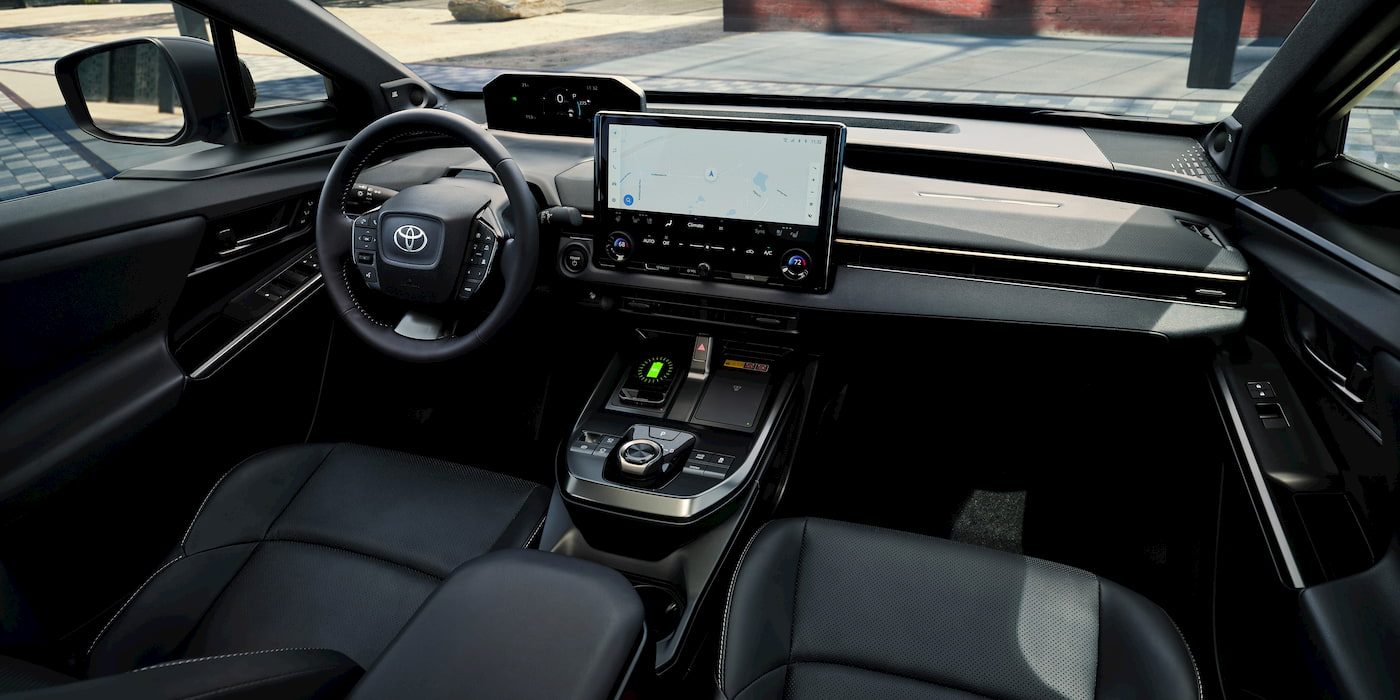
Beyond powertrain improvements, the interior of the 2027 bZ received a major modernization package. The cabin now features Toyota’s latest interior architecture, anchored by a prominent 14-inch Toyota Audio Multimedia touchscreen interface with native wireless Apple CarPlay and Android Auto integration. Furthermore, Toyota has integrated the North American Charging Standard (NACS) port natively into its updated EV architecture, granting drivers seamless, uninhibited access to Tesla’s sprawling Supercharger network—a critical factor in driving consumer confidence.
Expanding the Electric Portfolio
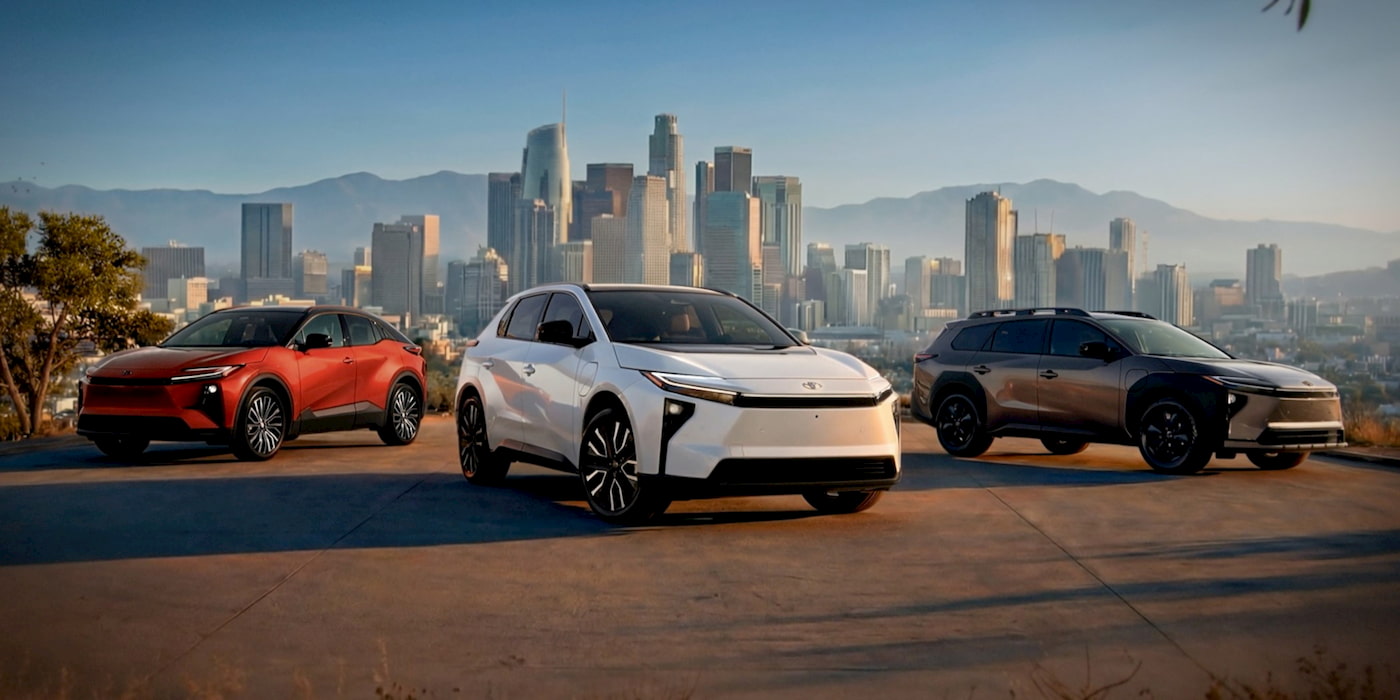
Toyota’s aggressive push into the battery-electric space is no longer reliant on a single nameplate. The company has methodically expanded its US electrified portfolio to include three distinct electric sport utility vehicles tailored to different market segments.
Complementing the core bZ model is the compact Toyota C-HR EV, which carries a starting price of $37,080, appealing to urban dwellers and younger demographic segments. At the higher end of the spectrum sits the rugged Toyota bZ Woodland edition, starting at $45,380, designed to capture outdoor-oriented buyers who demand all-wheel-drive capability and increased ground clearance without sacrificing zero-emission driving.

With the 2027 model year vehicles officially arriving at nationwide dealerships, dealerships are actively clearing out remaining inventory of outgoing 2026 models through aggressive financing incentives and localized promotional rebates.
Broader Market Implications and Industry Outlook
The August 2026 sales data underscores a broader maturation phase within the American automotive sector. The market is successfully transitioning away from early-adopter luxury segments toward high-volume, cost-competitive mainstream segments. As regulatory pressures evolve and production efficiencies scale, legacy manufacturers are proving capable of undercutting specialty EV startups by leveraging established supply chains and widespread dealership networks.

Toyota’s strategic success demonstrates that mainstream consumers are willing to embrace electrification provided the vehicles meet critical parity thresholds with internal combustion vehicles: affordability below the $35,000–$40,000 threshold, reliable charging infrastructure access via standardized hardware like NACS, and practical driving ranges exceeding 250 miles for mid-tier variants.
As the industry enters the final quarter of 2026, the narrowing price gap between electric and gas-powered vehicles—now under $5,000—signals that the tipping point for mass adoption may be approaching faster than previously anticipated. If traditional manufacturers maintain this pricing pressure while simultaneously expanding infrastructure compatibility, the growth trajectory witnessed in August is likely to serve as a baseline for a sustained resurgence in the broader American electric vehicle market.