YouTube Investigates Widespread Picture-in-Picture Malfunction Affecting iOS and Android Users Globally

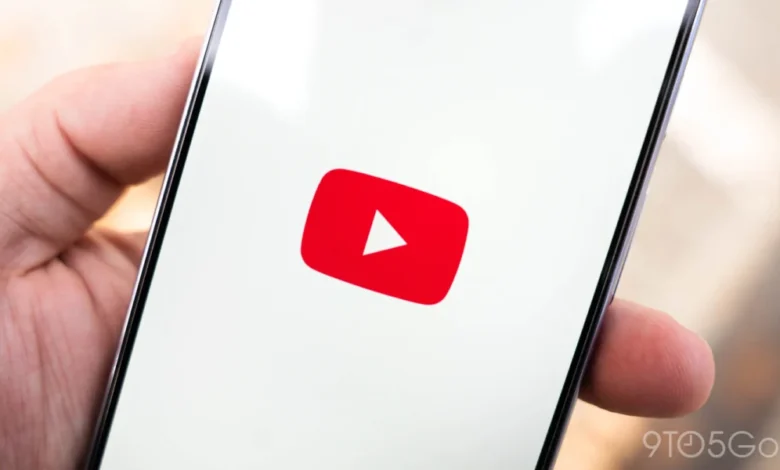
YouTube is currently grappling with a significant technical issue impacting its Picture-in-Picture (PiP) mode, a feature central to modern mobile multitasking. Reports indicate that when users attempt to exit the YouTube application on their smartphones, the expected floating mini-player, designed to allow continuous video playback while navigating other apps, fails to activate. Instead of the visual component transitioning to a corner of the screen, only the audio stream persists in the background, leaving users without the visual continuity they anticipate and rely upon. This disruption, initially identified on Friday morning Pacific Time, continues to affect a segment of the user base, with Google’s teams actively engaged in an investigation to pinpoint and rectify the underlying cause.
The core of the problem manifests as a complete absence of the visual PiP window. When a user, for instance, is watching a video and then presses the home button or switches to another application, the YouTube app is expected to minimize into a small, movable window. This window allows the video to continue playing visually, enabling users to simultaneously browse the web, check emails, or use other applications without interrupting their viewing experience. However, the current bug bypasses this crucial visual transition. While the audio of the video continues to play, the visual feed disappears entirely, effectively negating the primary benefit of PiP mode. This anomaly has led to considerable frustration among users who have grown accustomed to seamless multitasking facilitated by this feature.
Google, the parent company of YouTube, has acknowledged the issue through its official support channels. While the initial reports indicated a broad impact, the company has clarified that the "vast majority of these reports are coming from iOS users." Specifically, instances of the bug have been reliably replicated on iPhones running version 21.28 of the YouTube application. Despite this emphasis on iOS, Google also confirmed that there are "some cases from Android devices," suggesting a broader, albeit less concentrated, reach of the problem across different mobile operating systems. The distinction in prevalence between iOS and Android users points towards potential platform-specific interactions or configurations that might be contributing to the malfunction, a common challenge in cross-platform software development.
Chronology of the Incident and YouTube’s Response
The timeline of this incident traces back to Friday morning, Pacific Time, when YouTube’s support teams first formally identified and acknowledged the existence of the PiP malfunction. A public announcement was made via the YouTube Help thread, confirming that "teams are actively investigating the issue." As of Saturday afternoon, the latest update indicated no significant breakthrough or resolution, with the investigation still ongoing. The official communication channel, the YouTube Help thread, has been designated as the primary source for users to follow for continuous updates regarding the status of the fix. This proactive communication strategy aims to keep affected users informed and manage expectations regarding a resolution timeframe. The statement, "Thank you for your patience while we work to get this resolved!" underscores the company’s awareness of the user inconvenience and its commitment to restoring full functionality.

This current technical hiccup comes just months after YouTube significantly expanded the availability of its PiP feature. Earlier this year, the platform began rolling out PiP functionality to free users around the world. Previously, PiP was often restricted to YouTube Premium subscribers in many regions, serving as a key incentive for premium subscriptions alongside ad-free viewing and offline downloads. The global rollout for free users was a strategic move to enhance the overall user experience and engagement across the platform, making the current malfunction particularly impactful as it undermines a recently democratized and highly valued feature.
Background Context: The Evolution and Importance of Picture-in-Picture
The concept of Picture-in-Picture viewing has been a cornerstone of enhanced multitasking across various digital platforms for years, evolving significantly with the advent of modern smartphone operating systems. Apple first introduced system-wide PiP support for iPhones with iOS 14 in 2020, following its earlier implementation on iPads. Similarly, Google’s Android ecosystem has supported PiP mode since Android 8.0 Oreo, released in 2017. These operating system-level integrations provided developers with the necessary APIs to enable their applications to seamlessly transition into a floating window, thereby allowing users to consume media content without dedicating their entire screen to a single application.
For YouTube, PiP is more than just a convenience; it is a critical component of its user engagement strategy and, historically, a premium differentiator. For years, background playback (which PiP enables visually) and PiP were exclusive features for YouTube Premium subscribers in many markets. This exclusivity was a strong selling point for the subscription service, bundling it with an ad-free experience and the ability to download videos for offline viewing. The decision to extend PiP to all users globally, even those without a Premium subscription, marked a significant shift in YouTube’s approach. It aimed to boost overall platform utility and potentially encourage more frequent, longer viewing sessions by making multitasking easier. This expansion reflected a broader industry trend where user convenience and seamless integration across tasks are paramount. The current bug, therefore, not only disrupts user experience but also temporarily undermines a recently established universal feature that was meant to enhance YouTube’s appeal to its massive global audience.
User Experience, Frustration, and Broader Implications
The failure of YouTube’s PiP mode represents a significant disruption to the established workflow of millions of users. Modern smartphone usage is heavily reliant on multitasking. Users frequently switch between applications, often needing to reference information, reply to messages, or browse social media while simultaneously consuming video content. PiP mode perfectly caters to this need, transforming a traditionally singular activity into a flexible, background-compatible task. When this functionality breaks, users are forced to choose between watching a video and performing other tasks, or resorting to constantly switching back and forth, which severely degrades the overall user experience. The persistent audio without the visual component is particularly frustrating, as it offers a partial, incomplete experience that teases the functionality without delivering it.

From a commercial perspective, this bug carries several implications for YouTube. While the PiP feature was recently extended to free users, its reliability remains crucial for maintaining user satisfaction and trust in the platform. For Premium subscribers, who often pay for enhanced features including background play, a malfunctioning PiP could be perceived as a degradation of service, even if the issue is widespread. Such incidents, if prolonged, can subtly erode user loyalty and potentially impact subscription rates or new sign-ups. In a highly competitive digital media landscape, where numerous platforms offer similar multitasking capabilities, the consistent performance of core features is paramount.
Technical Analysis and Debugging Challenges
The nature of PiP functionality involves intricate interactions between the application and the underlying operating system. When a user initiates PiP, the YouTube app must relinquish control of its video player to the OS, which then renders the video in a system-level floating window. This process relies on specific APIs and system permissions. A malfunction can arise from several points:
- App-side Bug: An error in the YouTube app’s code preventing it from correctly handing off the video stream to the OS.
- OS-side Interaction: A compatibility issue or change in the operating system (iOS or Android) that the current YouTube app version is not correctly handling. This could be particularly relevant if recent OS updates have altered PiP API behavior.
- Server-side Configuration: Less likely for a client-side display issue, but server-side flags or content delivery network (CDN) changes could theoretically influence how the video stream is managed during transitions.
- Platform-Specific Differences: The higher prevalence on iOS suggests that the bug might be related to Apple’s stricter app lifecycle management, background processing rules, or a specific interaction with the iOS PiP framework. Android’s more open ecosystem, while also susceptible to bugs, might handle such transitions differently, leading to fewer reported cases or different manifestations of the problem.
Debugging such issues on a global scale, across a multitude of devices, OS versions, and network conditions, is inherently complex. Developers must identify specific trigger conditions, isolate the faulty code path, and ensure that any fix does not introduce new regressions. This process often involves gathering diagnostic data from affected users, analyzing crash logs, and replicating the issue in controlled environments, which takes time.
Official Responses and Communication Strategy
Google’s immediate acknowledgment of the issue and the creation of a dedicated YouTube Help thread demonstrate a standard protocol for handling widespread technical problems. This approach serves multiple purposes:

- Centralized Information: Provides a single, authoritative source for updates, preventing misinformation and fragmented communication.
- User Feedback Collection: Allows affected users to report their experiences, which can be invaluable for engineering teams in diagnosing the root cause.
- Transparency: Shows users that the company is aware of the problem and actively working towards a solution, fostering a sense of accountability.
The statement "Thank you for your patience while we work to get this resolved!" is a common and necessary component of such communications, aiming to manage user expectations during periods of service disruption. For a platform as ubiquitous as YouTube, clear and timely communication is crucial for maintaining user trust and mitigating negative sentiment. The absence of "progress" by Saturday afternoon, following a Friday morning identification, is not unusual for complex software bugs that require thorough investigation and testing before a fix can be deployed, especially considering the global user base and the need for rigorous quality assurance.
Future Outlook and Resolution Expectations
Users can generally expect a resolution to come in one of two forms: a client-side application update or a server-side fix. A client-side update, requiring users to manually update their YouTube app through their respective app stores (Google Play Store or Apple App Store), is likely if the bug resides within the app’s code itself. A server-side fix, which would be seamless for users and require no action on their part, is possible if the issue stems from configurations or logic controlled remotely by YouTube’s servers. Given the nature of a visual display issue, a client-side update is often the more probable path, although server-side adjustments can sometimes address such problems by altering how the app interacts with content or features.
The broader implications extend to the perception of quality assurance within large technology companies. For a platform with billions of users, even a seemingly minor bug like a malfunctioning PiP can affect millions, highlighting the critical importance of rigorous testing across diverse operating systems and device configurations. As YouTube continues to innovate and roll out new features, maintaining the stability and reliability of existing core functionalities will remain a paramount challenge. Users, having integrated PiP into their daily digital habits, will undoubtedly be anticipating a swift and effective resolution to restore their seamless multitasking experience on YouTube.