Lepow TriScreen Pro Review: A Modular Triple-Monitor Solution for the Modern Workspace


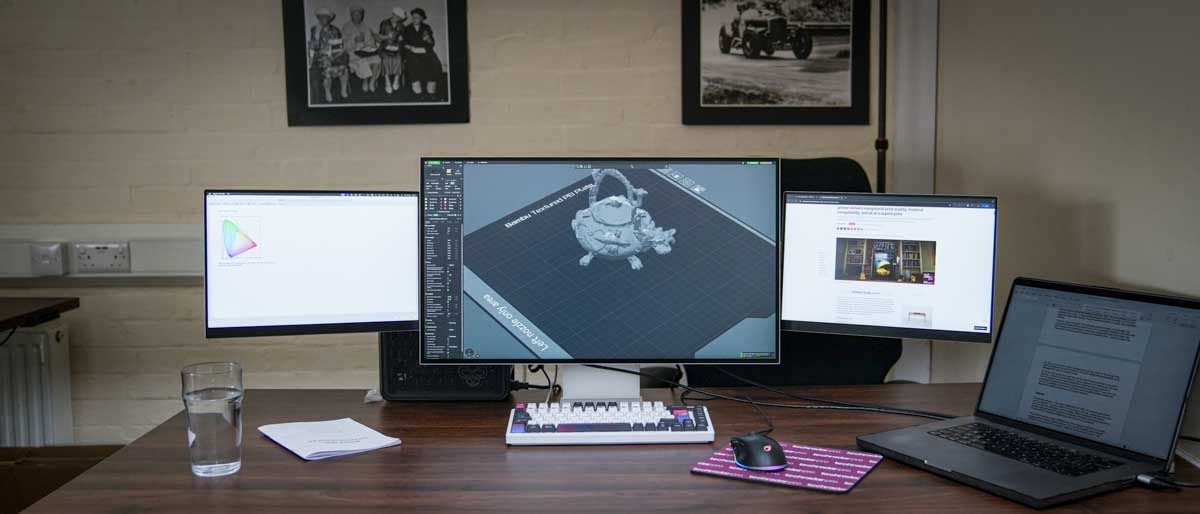
The Lepow TriScreen Pro represents a significant shift in the desktop monitor market, offering a modular, integrated triple-screen solution designed to address the increasing demand for expansive digital workspaces without the traditional clutter of multiple stands and cables. Priced at $1,059, the system combines a primary 27-inch 4K UHD display with two detachable 16-inch side panels, creating a unified panoramic viewing environment. While multi-monitor setups have long been the standard for creative professionals, software developers, and financial analysts, the TriScreen Pro attempts to streamline this configuration into a singular, CNC-machined aluminum ecosystem that emphasizes both aesthetics and functional efficiency.
Technical Specifications and System Overview
At the heart of the Lepow TriScreen Pro is a high-specification 27-inch main display. This panel utilizes In-Plane Switching (IPS) technology to deliver a 3840 x 2160 resolution with 10-bit color depth. The display is marketed toward content creators, boasting 98% DCI-P3 and 100% sRGB color gamut coverage, along with a factory calibration of Delta E < 2. With a rated brightness of 500 nits and a 60Hz refresh rate, the main unit provides a sharp, color-accurate foundation for primary tasks such as video editing, graphic design, and high-resolution media consumption.
The two 16-inch side panels offer a resolution of 1920 x 1200 (WUXGA) with a 16:10 aspect ratio. These panels are also IPS-based, ensuring 178-degree viewing angles, which is critical for a wrap-around configuration. While they lack the DCI-P3 coverage of the main unit, they provide 100% sRGB coverage, making them more than adequate for secondary tasks such as communication apps, reference documents, or coding terminals. Each side panel weighs approximately 0.75kg and attaches to the main unit via proprietary "Transformer" connectors.
Assembly and the Physical Setup Process
The transition from unboxing to a fully functional triple-monitor setup requires a methodical approach. The TriScreen Pro arrives in several distinct components: the 27-inch display, the two side panels, a heavy-duty adjustable stand, and a comprehensive cable kit. The assembly process generally takes between 10 and 15 minutes, requiring careful attention to the physical connection points.
The chassis is constructed from CNC-milled aluminum, providing a rigid and premium feel that distinguishes it from the plastic-heavy designs typical of the mid-range monitor market. The stand supports significant height and tilt adjustments, allowing the entire three-screen unit to move as a single articulated piece.
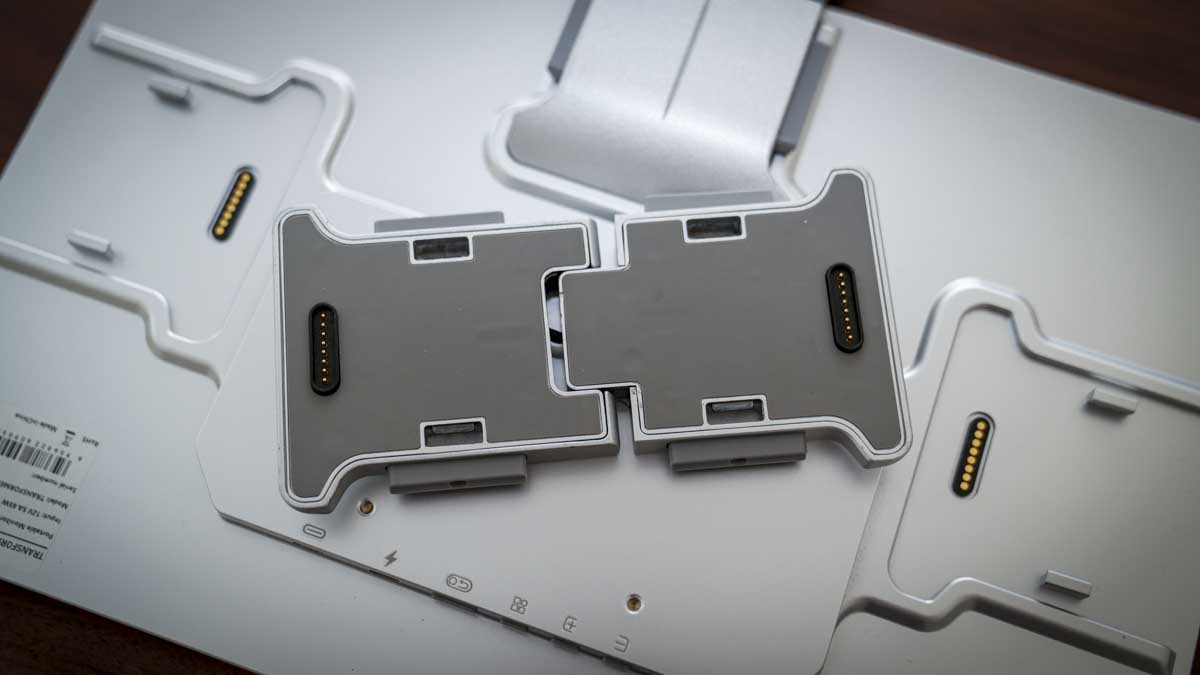
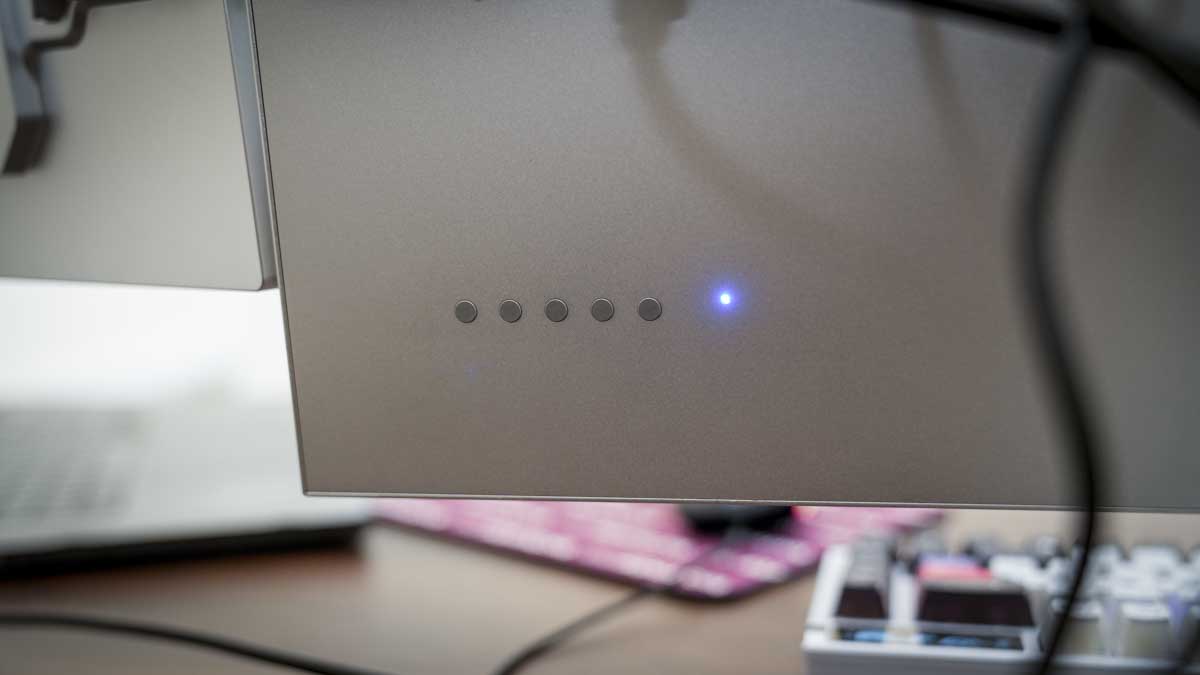
A central feature of the design is the modular connector system. These connectors utilize a dual-stage attachment process: magnets facilitate initial alignment, while physical clips provide the structural security needed to hold the side panels in place. During testing, it was noted that the clip mechanism requires a firm, deliberate press. Failure to fully seat these clips can result in the panels tilting or, in extreme cases, detaching from the main unit. Once properly secured, however, the panels can be angled inward for an immersive experience or pushed back for a flatter, wider configuration.
Software Integration and Connectivity Challenges
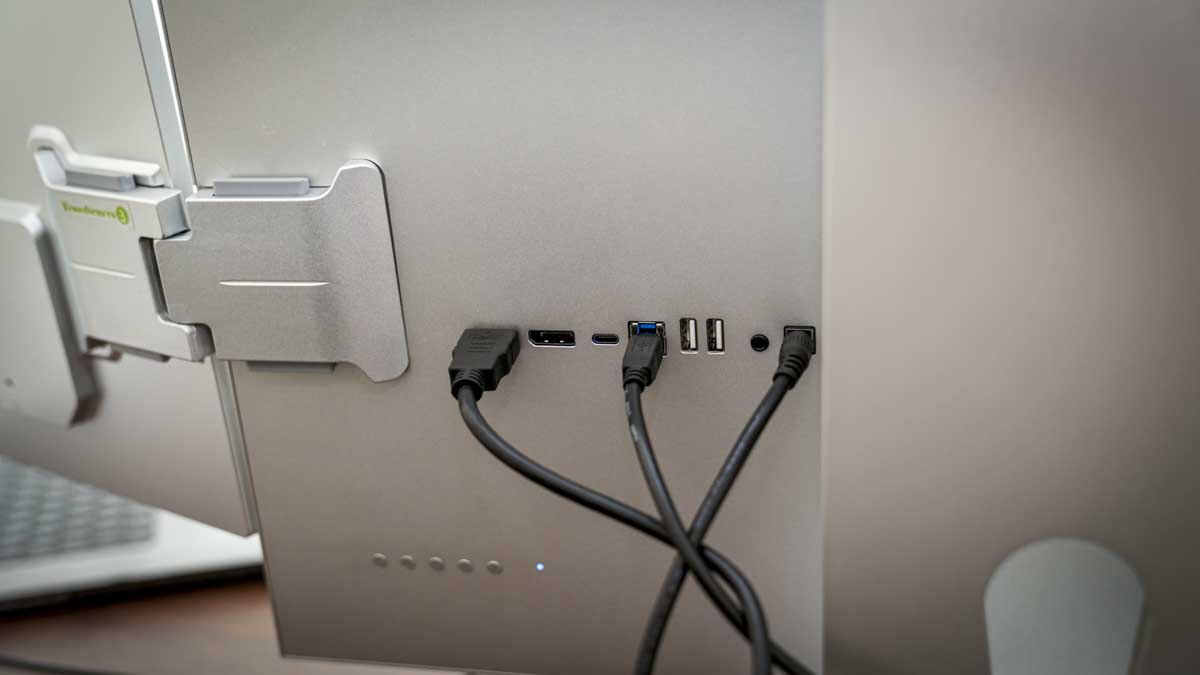
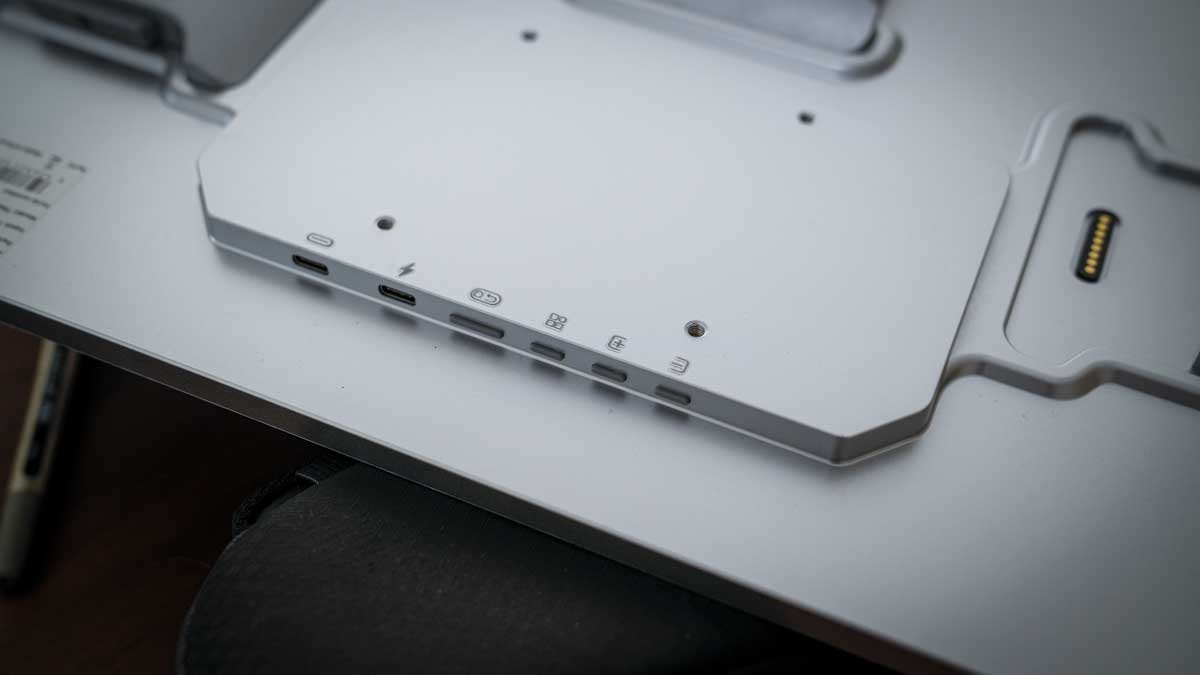
Connectivity on the TriScreen Pro is handled through a variety of ports located on the rear of the 27-inch unit, including HDMI, USB-C, and DisplayPort. The side panels draw both power and data directly from the main unit through the proprietary connectors, which significantly reduces cable management issues. Users can theoretically drive all three screens using a single USB-C cable, provided the host machine supports sufficient power delivery and data bandwidth.
However, the software experience varies significantly between operating systems. For Windows users, the system is largely plug-and-play. In contrast, macOS users must navigate a more complex installation path. To enable the side panels on a Mac, users must download and install the "USBDisplay" application. This software acts as a driver to bypass the native display output limitations often found in standard MacBook architectures.
The installation on macOS requires granting specific system permissions, including Screen Recording and System Audio Recording, within the Privacy and Security settings. Without these authorizations, the side panels remain inactive. Furthermore, finding the correct software can be challenging due to limited direct links on the official Lepow website, necessitating a close reading of the included manual. Once installed, the software resides in the menu bar, allowing users to toggle between landscape and portrait orientations for the side panels.
Benchmarking Performance and Color Accuracy
To verify the manufacturer’s claims, the TriScreen Pro underwent rigorous testing using the Spyder X2 Ultra calibration tool. The results for the 27-inch main display were largely positive, confirming its suitability for creative work. It achieved a perfect 5.0/5 rating for Gamut and Contrast, with a measured peak contrast of 1740:1 at 25% brightness. Luminance uniformity scored a 4.5/5, and color accuracy followed closely at 4.0/5.
One discrepancy noted during testing was the peak brightness. While Lepow claims 500 nits, independent measurements recorded 353.7 nits at 100% brightness. While this is sufficient for most indoor office environments, it falls short of the "HDR 1000" branding often associated with higher-end professional displays.
The 16-inch side panels also performed well in gamut and contrast tests, both scoring 5.0/5. However, a notable mismatch in color temperature was observed out of the box. The side panels measured between 7200K and 7500K (a cooler, bluer white), while the main display measured between 6600K and 6700K (closer to the 6500K daylight standard). For users engaged in color-critical work, a full system calibration is essential to ensure visual consistency across all three surfaces.
Ergonomics and Workflow Impact
The primary advantage of the TriScreen Pro is the immediate boost to productivity afforded by the increased screen real estate. In a standard creative workflow, a user might dedicate the central 4K screen to a primary application like Final Cut Pro or Adobe Premiere, while utilizing the left panel for email and Slack, and the right panel for asset folders or audio processing tools.
The ability to mount the side panels in portrait mode is particularly beneficial for software developers and writers. A vertical 16-inch screen can display significantly more lines of code or pages of text than a standard landscape monitor, reducing the need for constant scrolling.
Despite the massive 59-inch total diagonal width when fully extended, the TriScreen Pro maintains a relatively small desk footprint. Because all three screens are supported by a single, central stand, the base takes up no more room than a standard 27-inch monitor. This integration also simplifies the power supply, as the entire array runs off a single power brick.
Market Context and Broader Implications
The release of the Lepow TriScreen Pro comes at a time when the "Prosumer" market is shifting toward specialized hardware that facilitates hybrid work. As more professionals move away from traditional office cubicles toward home studios, the need for space-efficient, high-performance equipment has grown.
The TriScreen Pro competes in a niche space between high-end ultrawide monitors and DIY multi-monitor setups. While a 49-inch ultrawide offers a seamless curve, it lacks the flexibility of independent panels and often carries a higher price tag for comparable vertical resolution. Conversely, buying three separate monitors and three separate arms often results in a "cable nightmare" and inconsistent panel heights.
Industry analysts suggest that modularity may be the next major trend in display technology. By allowing users to add or remove panels based on their current task, manufacturers can offer a more customizable experience. Lepow’s use of the "Transformer" connector suggests a future where users could potentially daisy-chain even more panels or swap out side panels for different sizes or resolutions.
Final Verdict and Buying Advice
The Lepow TriScreen Pro is a robust, well-engineered solution for those who require maximum screen real estate without the logistical headaches of traditional multi-monitor configurations. Its CNC aluminum build and 4K primary panel provide a high-quality experience that justifies its $1,059 price point for professional users.
Prospective buyers should be aware of the initial setup hurdles, particularly the software requirements for macOS and the need for careful physical assembly. The brightness and color temperature discrepancies, while manageable through calibration, indicate that this is a tool best suited for those willing to spend a small amount of time fine-tuning their hardware.
For content creators, data analysts, and multi-tasking professionals, the TriScreen Pro offers a unique combination of performance and elegance. It successfully consolidates three distinct displays into a single, cohesive unit that enhances workflow efficiency while reclaiming valuable desk space. As remote and creative work continues to evolve, the TriScreen Pro stands as a compelling example of how modular design can solve the complexities of the modern digital workspace.