The rise of the standing desk has fundamentally altered the modern office landscape, transforming the sedentary nature of desk-bound work into a more dynamic, movement-oriented experience. As remote and hybrid work models become permanent fixtures of the global economy, the demand for ergonomic office furniture has surged. However, the decision to incorporate a standing desk into one’s daily workflow requires more than a simple purchase; it necessitates an understanding of human physiology, workspace engineering, and long-term health implications.
Recent epidemiological research has injected a necessary layer of nuance into the standing desk conversation. While the initial movement toward standing workstations was driven by the desire to mitigate the health risks associated with prolonged sitting—often colloquially termed "sitting disease"—the narrative has evolved. Current scientific consensus suggests that neither perpetual sitting nor prolonged standing is a panacea for musculoskeletal or cardiovascular health.

Anne-Kristina Arnold, a senior lecturer in the Department of Biomedical Physiology and Kinesiology at Simon Fraser University, emphasizes the complexity of the matter. "To say standing workstations are good for everybody in every situation all the time is never going to flow," Arnold notes. "There are so many variables, so many varied kinds of work we do—we’re varied in our body sizes, in our fitness, in the shoes we wear. It’s really hard to be able to say definitively that standing workstations are good. The research is mixed."
The Physiology of Movement
The primary benefit of a standing desk is not found in the act of standing itself, but in the facility it provides for movement. Prolonged, static standing can be as detrimental to the body as sedentary behavior, potentially increasing the risk of venous insufficiency and cardiovascular complications.
Experts generally recommend a balanced approach to workstation ergonomics. A practical guideline is to utilize the standing position for approximately 20 minutes per hour, alternating with sitting, or to ensure that the user gets up to walk and shift positions every 15 to 20 minutes. The objective is to encourage blood flow and muscle activation, rather than replacing one static posture with another.

Ergonomics: The Foundation of Productivity
Proper ergonomic alignment remains the most critical factor in preventing workplace injuries, regardless of whether a user is sitting or standing. The principles of a healthy workstation are universal:
- Monitor Height: The top of the monitor should align with the user’s eye level. This prevents neck strain and promotes a neutral spine posture.
- Keyboard Placement: When standing, the desk surface should be adjusted so that elbows form a 90-degree angle while typing, preventing shoulder fatigue and repetitive strain injuries.
- Equipment Integration: For laptop users, a dedicated laptop stand is essential to ensure that the screen is elevated to eye level, allowing the user to maintain an upright posture.
- Chair Calibration: If using a chair, it must be adjusted to the floor height before the desk is set to the appropriate standing level.
Failure to adhere to these standards can negate the benefits of a standing desk, leading to new orthopedic issues such as lower back pain or wrist strain.
Mechanical Considerations: Electric Versus Manual
When evaluating standing desk hardware, the distinction between electric and manual models is significant. Electric standing desks, which feature motorized legs for seamless transitions, are generally preferred for users who intend to switch positions multiple times throughout the day. The convenience of a button-press adjustment encourages consistent movement, which is the primary health benefit of the equipment.

Manual desks, conversely, utilize hand cranks or pneumatic systems. While these are often more affordable and require no power source, they are best suited for users who only need to adjust their desk height periodically. If the barrier to changing position is too high, the ergonomic benefit is frequently lost.
Technical Challenges and Cable Management
One of the most overlooked aspects of the standing desk experience is cable management. As a desk moves from a sitting height (approximately 28 inches) to a standing height (which can exceed 45 inches), any cables attached to external hardware—such as PCs, monitors, or peripherals—must have enough slack to move without tension.
The consequences of neglecting this are not merely cosmetic. In many instances, taut cables can lead to hardware damage, as seen in cases where Ethernet or power cables are ripped from their ports during a height transition. Users are advised to utilize cable sleeves, under-desk trays, and cable-routing arms to ensure that all wiring moves in tandem with the desktop.

Long-Term Reliability and Testing
Evaluating a standing desk requires long-term observation. A desk that feels sturdy on day one may develop wobbles after six months of operation. Industry experts look for specific indicators of quality:
- Motor Durability: Noise levels, smoothness of the lift, and the presence of anti-collision sensors.
- Structural Integrity: The use of high-density materials, the stability of the legs at maximum height, and the quality of the finish.
- Warranty and Support: A robust warranty is the best indicator of a manufacturer’s confidence in their product. A 10-to-16-year warranty is considered standard for premium desks, whereas anything under five years should be approached with caution.
Market Overview: High-End vs. Budget Solutions
The market for standing desks has expanded to accommodate every budget, from sub-$200 models to high-end executive furniture exceeding $5,000.
At the entry level, brands like Luxor and Inbox Zero offer functional, no-nonsense electric desks. These are ideal for students or those in smaller spaces, though they often trade off aesthetic refinement and advanced features like memory presets for a lower price point.

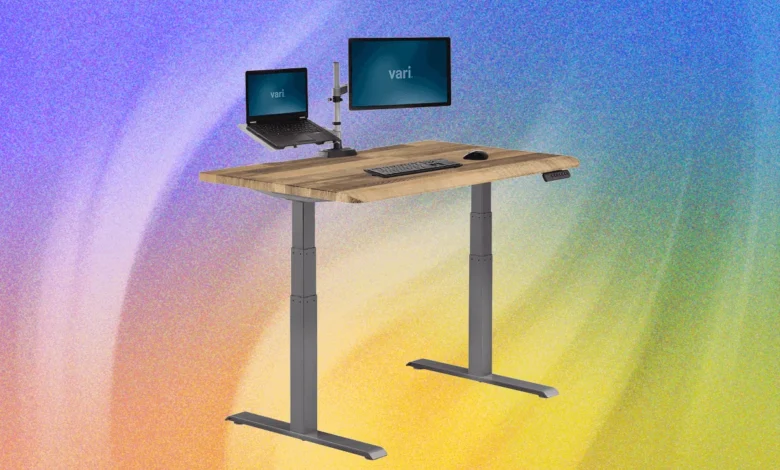
Mid-range options, such as the Vari Solid Wood series or the Boulies Magvida, prioritize stability, cable management, and user-friendly features like memory height settings and magnetic accessory mounting systems. These desks are designed to serve as long-term investments for home offices.
At the luxury end, desks such as the Room & Board Lincoln desk, designed in collaboration with the architecture firm Gensler, represent the intersection of high-end interior design and office functionality. These models often feature premium hardwoods and integrated storage, catering to users who want a professional aesthetic that does not resemble "office furniture."
Identifying Risks and Avoiding Pitfalls
Not all standing desks deliver on their promises. Reviewers have highlighted recurring issues with several products, often citing structural failures, software bugs, or misleading marketing. For example, some desks featuring rail-based monitor mounting systems have been reported to tilt under weight over time, while others suffer from motor failures or overly complex, unnecessary "smart" features that provide little actual utility.
-front-Reviewer-Photo-SOURCE-Julian-Chokkattu-(no-border).jpg)
A common pitfall is the inclusion of "smart" features that track environmental factors, such as air quality or temperature. While these features may sound appealing, they rarely provide actionable data that the user can change from the desk itself. Users are encouraged to prioritize build quality, motor performance, and stability over gimmicky software integrations.
Conclusion: The Future of the Workplace
The shift toward standing desks is emblematic of a broader transition in corporate and personal workspace design. As we move away from the traditional, static office model, the focus is shifting toward modularity, ergonomics, and health-conscious design.
However, it is important to remember that a standing desk is merely a tool. Its success depends entirely on the user’s habits. By focusing on consistent movement, proper ergonomic alignment, and high-quality equipment, individuals can create a workspace that supports, rather than hinders, their health and productivity. Whether choosing an entry-level manual unit or a premium executive desk, the priority must always remain the same: the long-term well-being of the person behind the screen.
Related posts: